Ahsan Javaid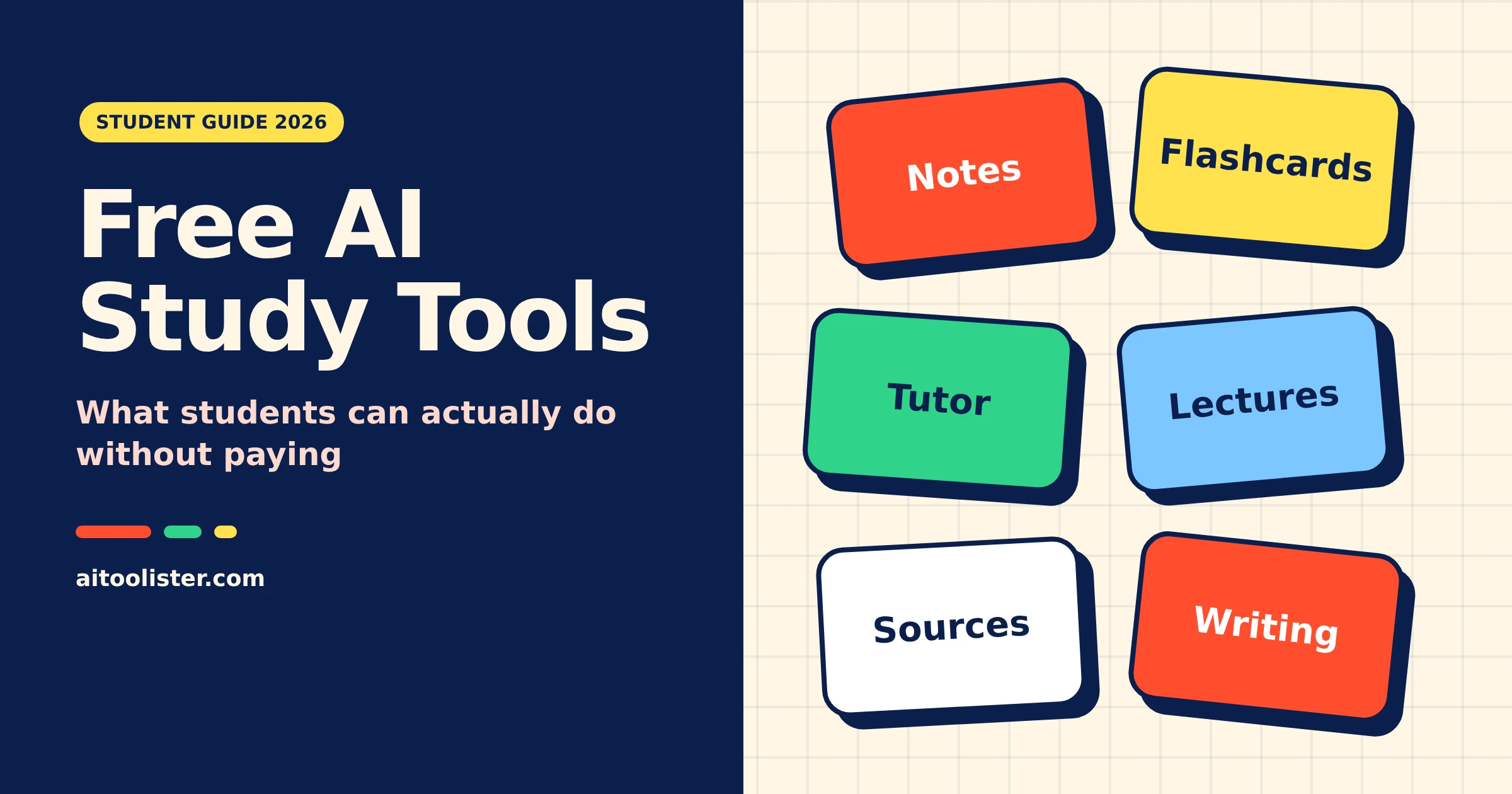
Several AI study tools have permanent free plans that cover real study work: turning your notes into study guides, quizzing you, explaining hard topics, transcribing lectures and checking your grammar. NotebookLM, Gemini, ChatGPT’s study mode, Otter, Perplexity and Grammarly all fall into that group. The catch is that almost none are unlimited, and most require an account.
If you want a free AI tutor, start with Gemini or ChatGPT’s study mode. If you want to revise from your own notes, start with NotebookLM. If you want flashcards from your own notes, use NotebookLM. If you want flashcards from a topic or a video, use Gemini. For finding academic papers without signing up, use Semantic Scholar.
This guide shows what each free AI study tool lets you do without paying, which limits you’ll likely hit first, and when an upgrade is worth it.
How we compared these tools: this is a documentation-based comparison of free plans, using each tool’s official pricing, help and feature pages, checked October 29, 2026. AIToolister did not test these tools hands-on. Because free limits change often, check the tool’s page before relying on a specific number.
Free AI Study Tools Compared: Free Status, Account and Limits
The table separates what each free plan includes from what still costs money, and it also makes the comparison criteria clear: free access, account requirement and limits. “Not clearly documented” means the official pages we could check do not settle the question; it does not mean the feature is unlimited.
| Tool | Main study task | Free status | Account needed? | Free plan includes | Not free / main limit |
| NotebookLM | Study guides and answers from your own files | Permanent free plan | Yes (Google account) | 100 notebooks, up to 50 sources each | Usage allowance refreshes every five hours; some quotas reset daily or monthly; paid Google AI plans raise limits |
| Gemini | Guided Learning, quizzes, flashcards | Permanent free plan | Yes (sign-in required) | Guided Learning, quizzes, flashcards, study guides | Usage limits not clearly documented |
| ChatGPT | Step-by-step tutoring with study mode | Permanent free plan | Yes (sign-in required for study mode) | Study mode, available on all plans | Free-plan message and upload limits apply |
| Otter | Lecture transcripts | Permanent free plan | Yes | 300 transcription minutes a month | Transcripts capped at 30 minutes per conversation; 3 file imports per account |
| Perplexity | Cited answers and finding sources | Permanent free plan | Not clearly documented | Basic searches; on the free plan, 3 Pro Searches a day and 1 Research query a month | Higher Pro Search and Research quotas are paid |
| Semantic Scholar | Academic paper search | Free service | No (for searching) | Paper search; alerts and a library with a free account | No AI-written answers |
| Grammarly | Grammar and clarity checks | Permanent free plan | Yes | Spelling, grammar, tone detection, 100 AI prompts a month | Full-sentence rewrites, plagiarism and AI-text detection are Pro |
| Claude | Feedback on your own draft | Permanent free plan | Yes | Chat, file uploads, web search | Research feature is paid; usage limit not clearly documented |
Two tools that often appear in “free study app” lists are not in the table. Khanmigo, Khan Academy’s AI tutor, costs learners $4 a month or $44 a year and is available to learners only in the United States. Free Khanmigo for Teachers is offered in the United States and certain other countries. We couldn’t confirm Knowt’s official pricing, so we left it out rather than guess which AI features its free plan includes.
Best Free AI Tools for Notes and Summaries
NotebookLM
NotebookLM, which Google’s newer help pages and announcements call Gemini Notebook, is Google’s AI notebook for working through your own course material. This guide uses the NotebookLM name throughout. You upload lecture slides, PDFs, readings and notes, then ask questions, request a summary or have it build a study guide. Its answers come from the sources you add, making it easier to check where a claim came from than with a general chatbot.
According to Google’s NotebookLM plan page, the free plan allows 100 notebooks with up to 50 sources each. In August 2026, Google announced flexible usage limits that refresh every five hours rather than daily. That describes how your usage allowance resets; it doesn’t mean you can use it unlimitedly. Google’s plan page also says some quotas reset daily or monthly instead. Paid Google AI plans raise those limits.
Best for: turning a semester’s worth of slides and readings into something you can revise from.
Limitation: NotebookLM only knows what you give it. If your notes are incomplete or a reading is missing, its study guide will be too, and it won’t find new material for you.
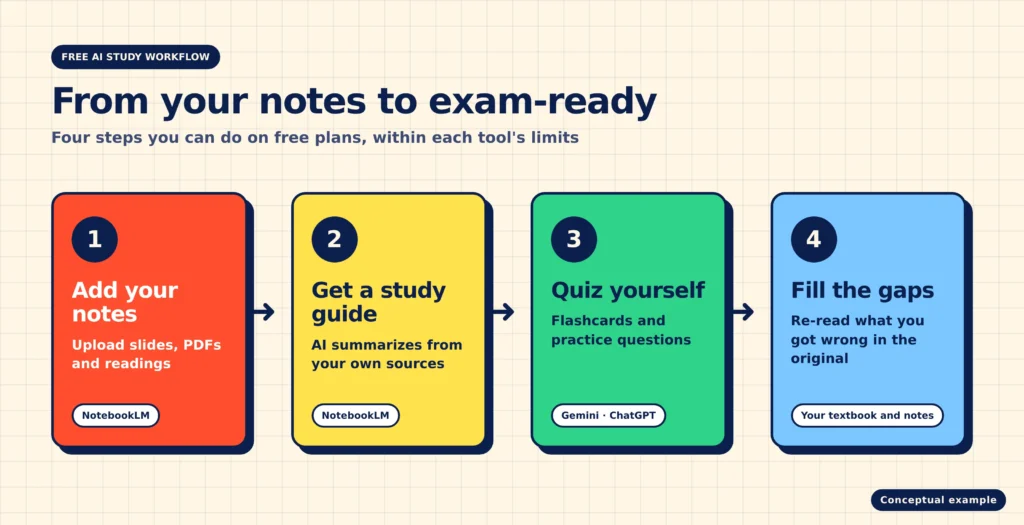
Next, the guide turns from notes and summaries to tools that help you make flashcards and quizzes.
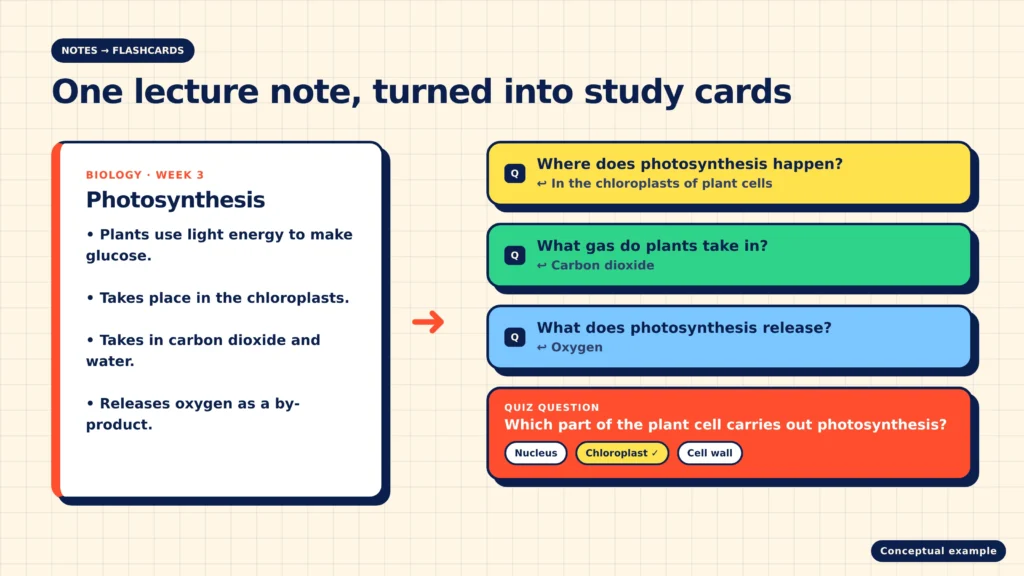
Gemini can turn a topic, your notes or a YouTube video into quizzes, flashcards and study guides. According to Google’s help page on Gemini’s study tools, quizzes can include hints and follow-up questions, and flashcards can be flipped, shuffled or read aloud. Full practice tests are limited to specific exams, currently SAT, JEE Main and NEET UG.
You need to be signed in to use these tools, so the comparison includes account requirements. Google doesn’t publish separate free-plan limits for them, and some Gemini learning features have age or country restrictions, so younger students should check Google’s help page. If you use Gemini through a school or work account, you can’t share the quizzes or flashcards you make.
Best for: quick self-testing on a topic before an exam.
NotebookLM for flashcards from your own notes
NotebookLM can also make flashcards and quizzes from the sources in a notebook; Google’s help page says you need edit access to the notebook to create them. Google first announced these features in September 2025 and hasn’t documented separate free-plan limits. The advantage over a general chatbot is that the cards are built from your own course material rather than from the open web.
Quizlet and Anki: useful, but not free AI tools
Quizlet’s free plan covers flashcards and practice questions. According to Quizlet’s help centre, Learn, Practice Tests and Study Guides are part of Quizlet Plus, so it isn’t a free AI study tool in the sense this guide uses.
Anki is a free flashcard system that schedules reviews using spaced repetition. It doesn’t generate cards with AI, so it isn’t a direct competitor to the tools above, but it works well if you want to write your own cards and review them over months.
Free AI Tutors for Explaining Concepts and Homework Help
ChatGPT study mode
ChatGPT’s study mode is designed to teach rather than hand over an answer. According to OpenAI’s study mode help article, it guides you with questions, explains concepts step by step, adjusts the depth based on your requests, quizzes you, and can work from notes, PDFs, or images you upload. OpenAI says study mode is available across ChatGPT plans, and you turn it on while signed in.
Study mode follows the same message and rate limits as regular chats on your plan, and uploads may have their own limits. It isn’t available in Temporary Chats, GPTs or Projects. OpenAI also notes that it can make mistakes and sometimes gives direct answers, so check anything important against your course materials.
Best for: working through a problem you’re stuck on without simply copying a solution.
Gemini Guided Learning
Guided Learning is Gemini’s equivalent: a mode that breaks a topic into steps and checks your understanding as you go. On a computer, you find it under “More tools” on gemini.google.com. Google’s help centre says Gemini may add images, diagrams or YouTube videos to explanations, and can create practice questions with hints and feedback.
Neither ChatGPT nor Gemini documents a dedicated study-planning feature. You can still ask either one to break a syllabus into weekly topics, but treat the result as a draft plan rather than a feature with guaranteed behaviour.
Free AI Tools for Recording and Summarising Lectures
Otter
Otter records and transcribes speech, then lets you search the transcript and ask its AI questions about it. Otter’s pricing page says the free Basic plan includes 300 transcription minutes a month. Two limits matter most for lectures: transcripts are capped at 30 minutes per conversation, so the rest of a longer class isn’t transcribed, and you can import only three audio or video files for the lifetime of the account, not per month.
That makes Otter’s free plan better suited to short seminars, review sessions or study groups than to back-to-back 90-minute lectures.
Before recording a lecture, ask your instructor for permission and check your course rules; some institutions restrict recording. For more options, including tools with different free-minute allowances, see our comparison of free AI meeting minutes tools.
Free AI Tools for Finding and Checking Sources
Perplexity
Perplexity answers questions with numbered sources you can open and check. Perplexity’s help centre says the free plan includes basic searches plus two capped features: 3 Pro Searches a day (its deeper search mode) and 1 Research query a month. Paid plans raise those quotas.
Best for: getting oriented on an unfamiliar topic and finding sources to read next. It searches the open web, so many results will be news articles or blogs rather than academic papers.
Semantic Scholar
Semantic Scholar is a free academic search engine from AI2, the nonprofit Allen Institute for AI. It covers more than 200 million papers. You can search without an account; a free account adds a saved library and alerts. It doesn’t write AI answers, but it is a reliable way to confirm that a paper an AI tool mentioned actually exists.
Whatever tool you use, open the original source before you cite it. If you’re working on a literature review or a thesis, our guide to the best AI for science research covers specialist academic tools in more depth.
Free AI Writing Help That Won’t Write the Essay for You
Grammarly
According to Grammarly’s plans page, the free plan checks spelling and grammar, shows your writing’s tone, and includes 100 AI prompts a month. Grammarly Pro includes full-sentence rewrites, tone adjustment, plagiarism checking, and AI-text detection. For most students, the free plan is enough for proofreading an essay you wrote yourself.
Claude for feedback on your draft
Claude’s free plan is useful for feedback rather than writing. Paste in your own draft and ask whether the argument is clear, where the structure is weak or which paragraph doesn’t support your thesis. According to Claude’s pricing page, the free plan includes file uploads and web search; the longer multi-step Research feature is paid. If you’re deciding which assistant to use for this kind of work, our guide to what Claude is good for explains its strengths and limits.
Asking for feedback keeps the work yours. Asking an AI to write the essay is a different matter, and the academic rules section below covers it.
Are Any AI Study Tools 100% Free?
After comparing each tool, the final question is whether any free plan is truly unlimited.
No AI study tool in this guide is unlimited. Each free plan limits at least some features, and most require an account.
Semantic Scholar comes closest to “100% free with no sign-up”: its search works without an account and has no paid plan. But it is a paper search engine, not a full study assistant, so it won’t explain a concept or quiz you. Use it as a source finder, not as a tutor.
It helps to separate three kinds of free access:
- Free, no account: the relevant study function works without registering. Semantic Scholar’s search is the one this guide confirms. ChatGPT’s study mode requires signing in, and Perplexity’s official pages don’t say whether you need an account.
- Free plan with limits: a permanent free plan with caps on usage or on specific features. NotebookLM, Gemini, ChatGPT, Otter, Perplexity, Grammarly and Claude all fall here.
- Trial: temporary access that ends or starts billing. Trial-only tools are not included in this guide.
If you searched for free AI study tools without a subscription, you can use every tool in the table for free, within its free-plan limits. Paying makes sense only when you hit the same limit week after week, for example, when Otter’s 30-minute cap cuts off every lecture or Grammarly’s 100 prompts run out before the month does.
Using AI to Study Without Breaking Academic Rules
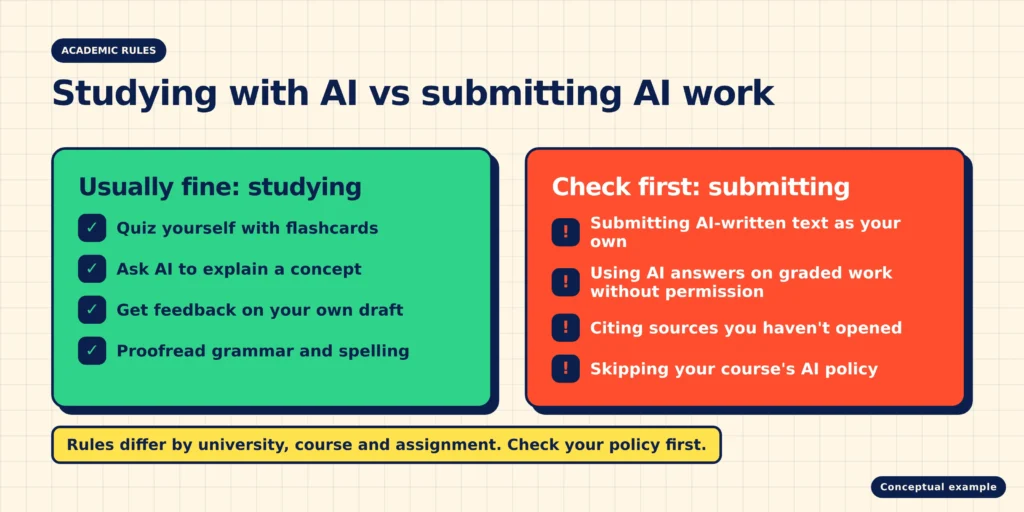
Using AI to study is not the same as submitting AI-generated work. Quizzing yourself, getting an explanation or proofreading your own essay is usually allowed; handing in text an AI wrote often isn’t. The rules differ by university, course and even assignment, so check your course policy before you use AI on graded work.
Three habits keep you on the right side of those rules:
- Check the policy for each assignment, not just the university’s general statement.
- Verify what AI tells you against your textbook, lecture notes or the original source. All of these tools can make mistakes.
- Keep your own drafts and notes, so you can show how your work developed if anyone asks.
Some universities check submissions for AI-generated writing. If your university uses Turnitin, our guides explain whether it has an AI detector and how accurate its AI detection is.
Frequently Asked Questions
Which AI is best for free studying?
It depends on the task. NotebookLM is the strongest free option for studying from your own notes and readings. Gemini and ChatGPT’s study mode are better for explanations and step-by-step help. For quizzes and flashcards, we’d start with Gemini, since its documented study tools cover quizzes, flashcards and study guides in one place; Google doesn’t publish its free-plan limits for these features.
Can I use ChatGPT to study?
Yes. ChatGPT’s study mode, which asks guiding questions instead of giving answers outright, is available on all ChatGPT plans, including free. You need to be signed in, and it uses your plan’s normal message limits. Check your course rules before using it on graded work.
Is NotebookLM free for students?
Yes. NotebookLM has a permanent free plan that lets you create 100 notebooks with up to 50 sources each. Most usage refreshes every five hours, some quotas reset daily or monthly, and paid Google AI plans raise the limits. You need a Google account.
What’s the best free AI flashcard maker?
Gemini and NotebookLM both make flashcards from your own material, and Gemini adds quizzes and study guides. Quizlet’s free plan is mainly for flashcards you create yourself, since its Learn and Practice Tests modes are paid.
Sources
- Google: NotebookLM plans
- Google: New flexible usage limits
- Google Workspace Updates: Flashcards, quizzes and reports in NotebookLM
- Google: Generate flashcards or quizzes in Gemini Notebook
- Google: Use learning tools in Gemini Apps
- Google: Create quizzes, flashcards and more in Gemini Apps
- OpenAI: Study mode
- Otter: Pricing
- Perplexity: Which subscription plan is right for you?
- Semantic Scholar: About (librarian resources)
- Grammarly: Plans
- Claude: Pricing
- Quizlet: Subscription plans
- Khanmigo: For learners
Keep Exploring