Ahsan Javaid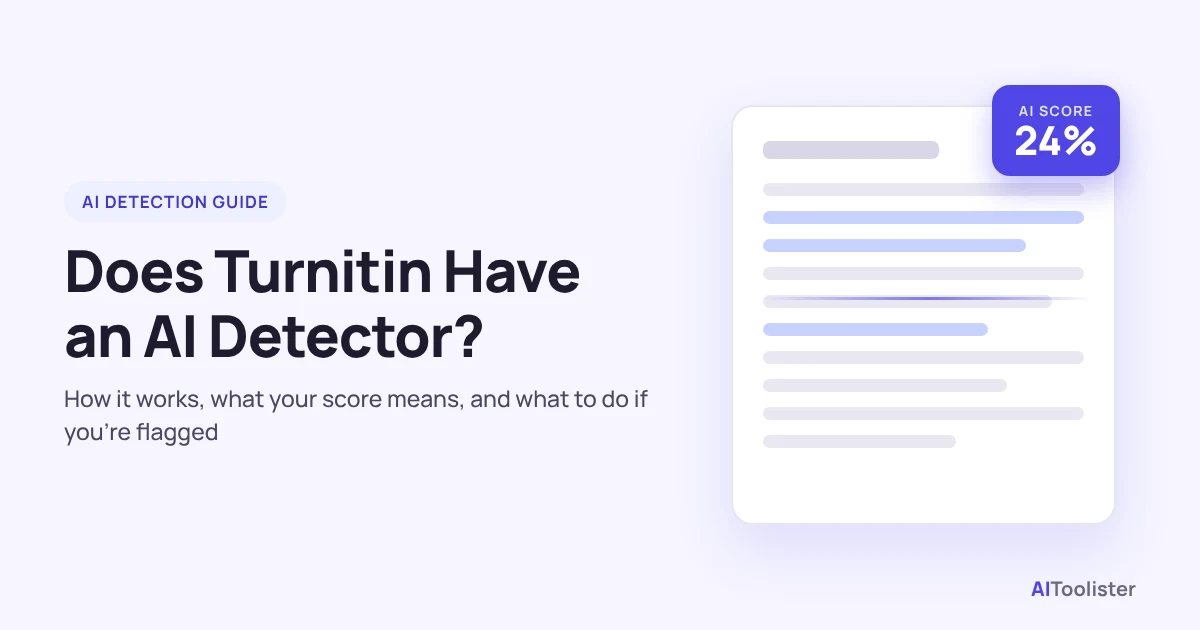
Yes. Turnitin has had a built-in AI writing detector since April 2023, but it is only available through school and university licences, not as a standalone tool for students. It gives your instructor a percentage of your paper that it predicts was written by AI, with the matching sentences highlighted in blue.
Two things surprise most students. First, you normally can’t see that score yourself. Second, Turnitin says the score shouldn’t be the only basis for action against a student because the model can be wrong.
This guide explains where the detector is available, what your score means, what it can and can’t check, and what to do if your work is flagged. It begins with availability, then moves to score meaning, limits, and next steps.
Does Turnitin Have an AI Detector? Where It’s Available
Turnitin’s AI detector is a licensed feature for institutions, not a separate app you can sign up for. Access depends on which Turnitin product your school uses and what its licence includes. AI writing detection works inside Turnitin products such as Feedback Studio and Similarity, but only when the institution licenses Turnitin Originality alongside them. It is also offered as an add-on for eligible iThenticate 2.0 customers, the version used mainly by publishers and research institutions.
That has three practical consequences:
- Your school may not have it. A school can use Turnitin for plagiarism checks without paying for AI detection.
- It can be switched off. Administrators control whether the account has AI writing detection enabled.
- It’s separate from the similarity score. The familiar similarity percentage measures text that matches other sources. The AI writing percentage is a different, independent figure, and its highlights don’t appear in the Similarity Report.
If you want to know whether your course uses it, check the course syllabus or your university’s academic integrity pages, or ask your instructor directly.
Can Students See Their Turnitin AI Score?
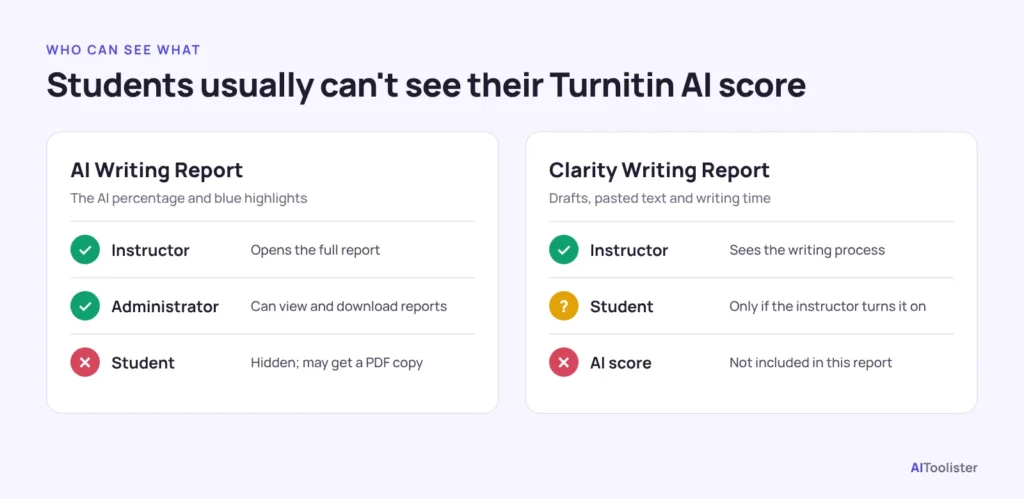
Usually not. Turnitin’s help centre states plainly that students can’t see AI writing detection reports. Even if your instructor lets you see your similarity report, it won’t include the AI score. That means there are two reports worth separating here.
The AI Writing Report
This report shows the AI percentage and blue highlights. Only instructors and administrators can open it. If you’re concerned about your work, your instructor can download it and share a PDF copy with you, as the University of Melbourne explains in its student guidance.
The Turnitin Clarity Writing Report
Turnitin Clarity is a paid add-on in which you write the assignment inside Turnitin’s own writing space. Its Writing Report shows how the document developed: pasted text, writing time and a playback of your drafts. Students only see it if the instructor turns on the setting that allows students to view Writing Reports. Seeing a Clarity Writing Report does not give you access to the AI Writing Report’s score.
What Do 0%, *% and 20% or Higher Mean?
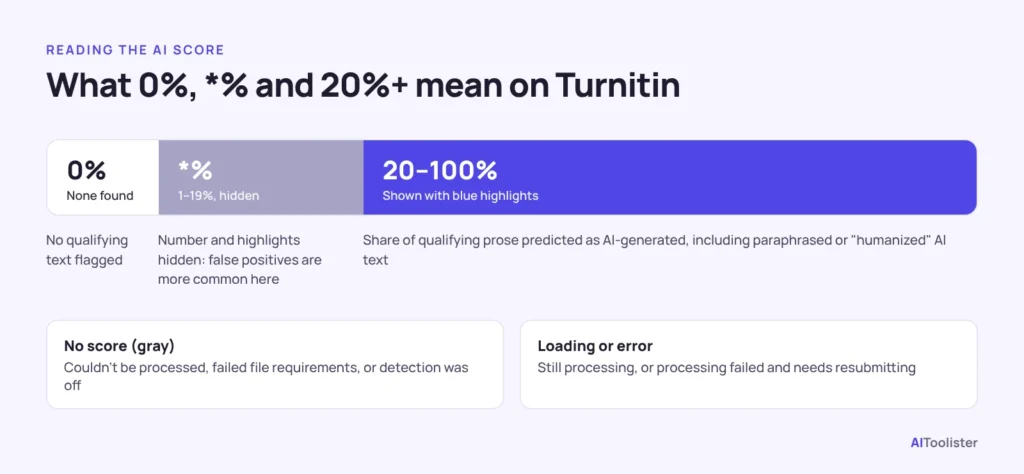
The AI score is the share of your paper’s qualifying text that Turnitin’s model predicts was AI-generated. It is not a probability of cheating. Turnitin’s AI Writing Report guide describes these states: 0%, * and 20% or higher.
| Indicator | What it means |
| 0% | No qualifying text was identified as likely AI-generated. |
| *% | The estimated score is between 1% and 19%. Turnitin hides the exact percentage and highlights because false positives are more common in this range. |
| 20%–100% | The percentage of qualifying text identified as likely AI-generated, including text that may have been paraphrased or modified by bypasser tools. It’s highlighted in blue. |
| No score (gray indicator) | The submission couldn’t be processed, didn’t meet the file requirements, or AI detection wasn’t enabled when it was submitted. |
| Loading or error | The report is still processing, or processing failed and the file needs resubmitting. |
Why everything is blue now: Until August 2026, Turnitin used blue for AI-generated text and purple for AI-paraphrased text. On 4 August 2026, it merged both into a single blue highlight. The change applies to new submissions. A report generated before that date keeps the older two-colour view until the file is resubmitted.
Is 25% on Turnitin okay?
There is no universal pass mark. A 25% score sits above the 20% line, so your instructor will see a number and highlighted passages. What happens next depends on your course’s AI policy, which varies by subject and assignment, and on the instructor’s judgment. In practice, a score is a starting point for a conversation, not a verdict.
What Can Turnitin’s AI Detector Actually Check?
Turnitin only scores “qualifying text”: prose sentences in long-form writing such as essays, dissertations and articles. It skips or doesn’t reliably assess anything else. The file requirements set the rest:
| Checked | Not reliably checked |
| Prose paragraphs in long-form writing | Bullet points, tables and annotated bibliographies |
| At least 300 words of prose, up to 30,000 words | Poetry, scripts and code |
| .docx, .pdf, .txt and .rtf files under 100 MB | Short or unconventional formats |
That is why a document that mixes formats can show a percentage that doesn’t match the highlights. In other words, the score is based only on the prose portion.
Which languages does it support?
Turnitin’s standard guidance lists English, Spanish, Japanese and Arabic, with Arabic added in August 2026. On 6 October 2026, Turnitin added Turkish, German and Dutch for institutions that license Turnitin Originality, and as an add-on for iThenticate 2.0.
Two caveats apply. Whether a language is available to you depends on your institution’s product, licence and administrator settings. And Turnitin’s guide says detection of AI-paraphrased or “bypassed” text is available for English, while its Spanish and Japanese detectors don’t include it. So availability and detection features do not always match.
How Does Turnitin’s AI Writing Report Work?
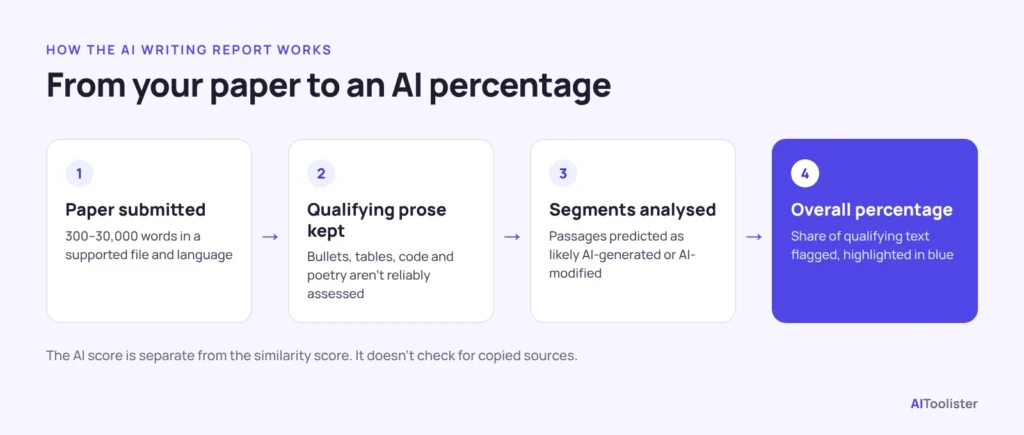
Turnitin’s model reads the qualifying prose in your paper, predicts which passages were likely generated by an AI tool, and reports the share of that text as a percentage. Turnitin says the detector analyses a paper in segments to judge whether the text was likely written by a person or generated by AI. Because the exact method is proprietary, any outside description of “how it really works” is a simplification.
What you can rely on:
- It doesn’t look for copied sources. That’s the job of the Similarity Report. The AI score can be high on a paper with 0% similarity, and the reverse.
- It tries to catch disguised AI text. It also flags AI text that was reworded by paraphrasing tools such as QuillBot or by “bypasser” tools built to evade detection.
- The model keeps changing. Turnitin updated its English model in February 2026 and again on 14 October 2026, saying each update aimed to catch more AI text while keeping false positives low. Older reports aren’t re-scored unless you resubmit the file, so earlier results stay as they were.
How Much Should You Trust the Score?
Treat it as a signal, not proof. Turnitin itself says its model may misidentify human-written, AI-generated and AI-paraphrased text, and that it shouldn’t be the sole basis for adverse action against a student. In short, use the score as one input, not the final answer.
Turnitin has published two separate false-positive figures, and they measure different things. Both come from its 2023 update on the detector:
- Document level: for documents where the detector flags 20% or more as AI writing, the rate of wrongly flagging a fully human-written document is below 1%.
- Sentence level: about 4% of sentences highlighted as AI may actually be human-written, most often next to genuine AI text in mixed documents.
Turnitin noted at the time that these metrics may change as its models evolve, and they come from Turnitin’s own testing rather than independent studies. For a fuller picture, read our breakdown of Turnitin’s AI detection accuracy, which covers independent testing and real student cases.
What to Do If Turnitin Flags Your Work
A flag is the start of a review, not a finding of misconduct. For example, the University of Melbourne says an AI detection report alone isn’t enough evidence for an allegation, and that being asked to discuss your work isn’t an accusation. If you wrote the work yourself, these steps help:
- Stay calm and read the message carefully. Find out exactly what’s being asked: an informal conversation, an explanation or a formal hearing.
- Ask for the AI Writing Report. You can’t open it yourself, but your instructor can share a PDF. Look at which passages are highlighted and whether they’re the parts you edited heavily or wrote quickly.
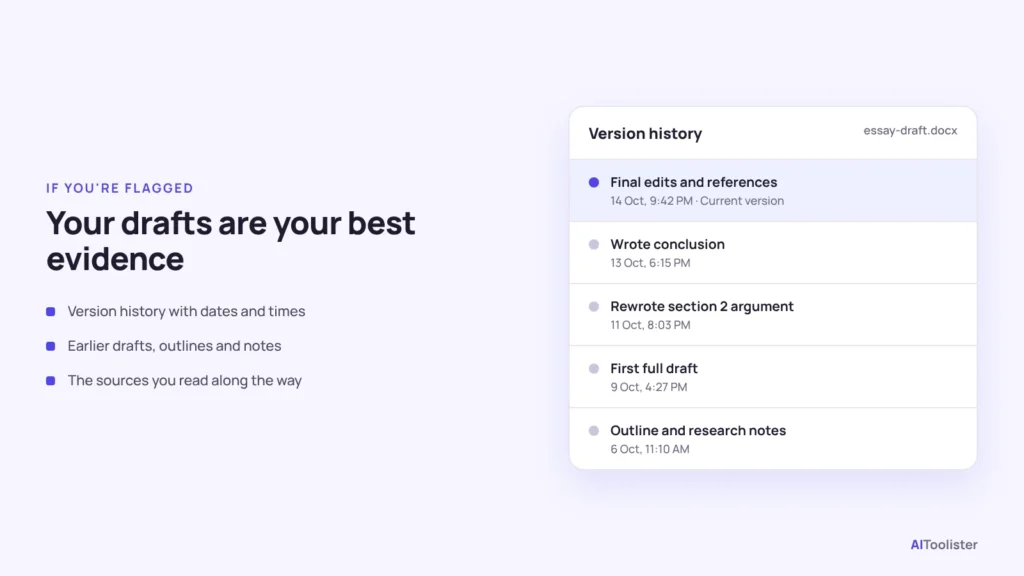
- Gather evidence of your process. Version history in Google Docs or Microsoft Word, earlier drafts, research notes, outlines, and browser history of your sources all show how the work developed.
- Be ready to explain your work. Be prepared to talk through how you built your argument, which sources you used and why you reached your conclusion.
- Check your course’s AI policy. Some tools, including grammar and rewriting features, may or may not be allowed. If you used one, say so plainly so the discussion stays clear.
- Use the formal process to escalate. Follow your university’s academic integrity procedure, and ask your student union or advice service for support.
Are Free “Turnitin AI Checkers” Official?
No. Turnitin doesn’t sell individual subscriptions to Feedback Studio or Similarity, so students can’t officially buy Turnitin’s AI checker. Individuals can buy iThenticate credits for similarity checking, but Turnitin confirms that individual credits don’t include AI writing detection.
Some websites advertise a free “Turnitin AI detector” but are not affiliated with Turnitin. The University of Melbourne warns that these tools use different methods, can be very inaccurate, and some claim to find AI in human writing in order to sell “humaniser” tools. Uploading your essay to an unknown site can also give a company access to your work, and they may reuse it.
If you want to know how a piece might score, the honest answer is that no outside tool can predict your Turnitin result.
Frequently Asked Questions
Can Turnitin detect ChatGPT, Claude and Gemini?
Turnitin’s detector is designed to identify text that may have been generated by large language models and other generative AI tools. However, Turnitin does not guarantee that every passage produced by ChatGPT, Claude, Gemini or another AI tool will be detected. Results can vary, and the detector may also misidentify human-written text. If you’re weighing up the assistants themselves, our ChatGPT vs Claude comparison explains how the two differ.
Can Turnitin detect QuillBot or AI humanisers?
It tries to. For English submissions, Turnitin flags AI-generated text that has been further modified by paraphrasing or bypasser tools. Since August 2026, that text appears in the same blue highlight as other text likely generated by AI.
Does Turnitin’s AI detector work in languages other than English?
Yes, depending on your institution’s licence. It supports Spanish, Japanese, and Arabic, and added Turkish, German, and Dutch in October 2026. Paraphrase and bypasser detection is documented for English.
Is there an AI detector like Turnitin?
Many standalone AI detectors exist, such as GPTZero and Copyleaks. Each uses its own method, so their scores won’t match Turnitin’s. A low score on another tool doesn’t mean you’ll get a low Turnitin score, and vice versa.
Keep Exploring