Ahsan Javaid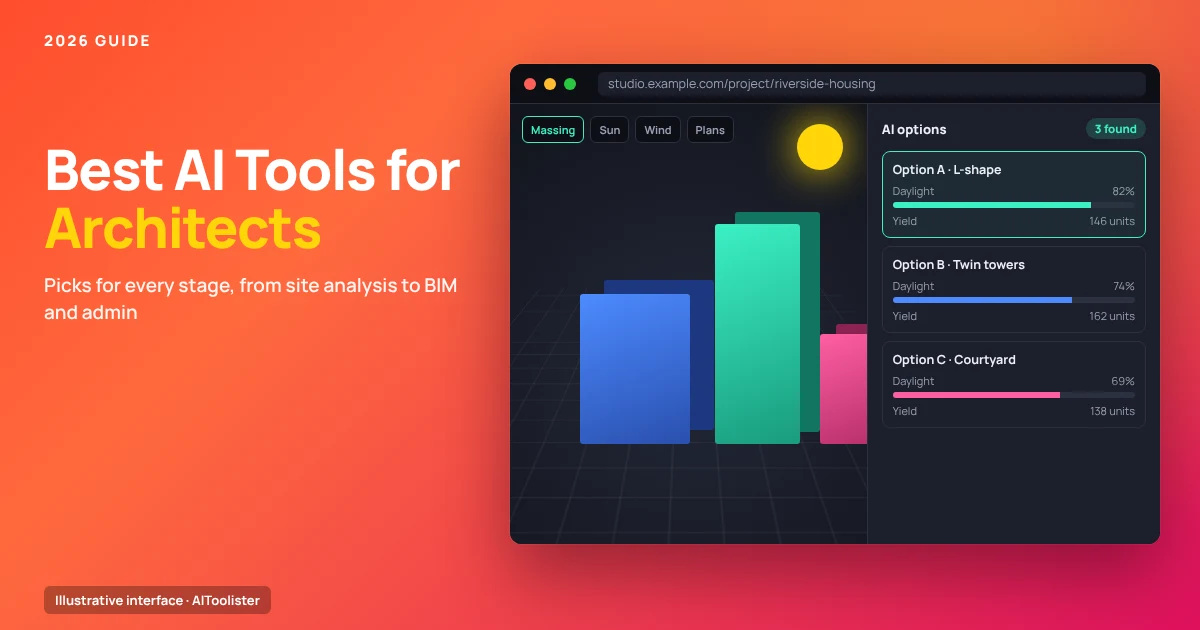
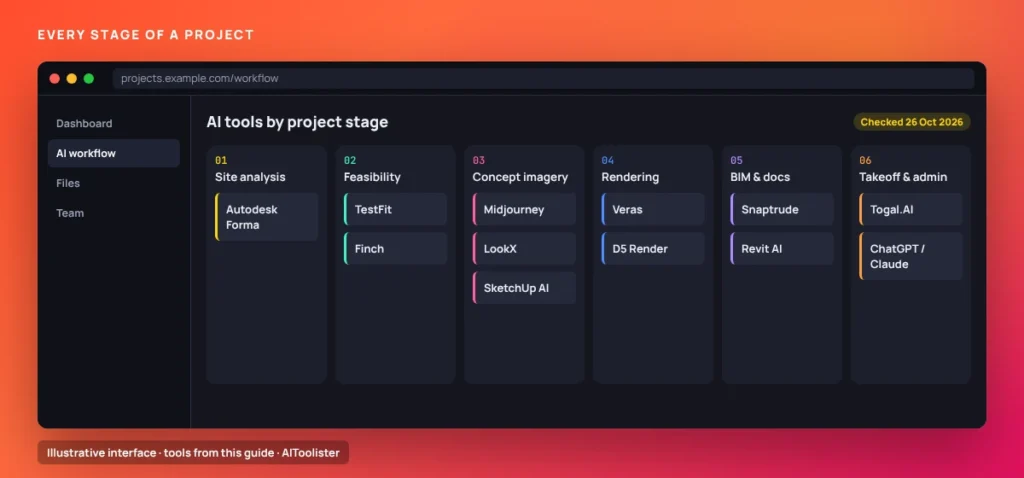
The best AI tools for architects depend on the project stage you need help with. Autodesk Forma handles early site analysis, TestFit and Finch cover feasibility and early plans, and Veras and D5 Render speed up visualisation. Snaptrude and Revit’s built-in AI support BIM work, while ChatGPT or Claude help with specifications, briefs and proposals.
This guide groups AI tools for architects by workflow stage, from site analysis to admin, and explains what each one actually does and what it costs. We selected tools for specific architectural use cases, documented features and prices on the provider’s own pages, and clearly separated plan terms that distinguish free plans, free trials and paid-only features. Features and prices come from each provider’s official pages, checked on 26 October 2026. We didn’t test the tools hands-on. Many of these tools upload your models and drawings to the cloud, so check each one’s data, IP and confidentiality terms before using them on client projects.
The Best AI Tools for Architects at a Glance
Last checked: 26 October 2026.
| Tool | Best for | Workflow stage | Works with | Free plan or trial | Paid from |
| Autodesk Forma Site Design | Environmental site analysis | Site analysis | Sends models to Revit | 30-day free trial | From $59/mo (see note) |
| TestFit | Yield and parking feasibility | Feasibility | Revit, SketchUp | None listed | $195/mo (Parking Solver) |
| Finch | Early floor plans and massing | Concept | BIM export (Enterprise) | Free plan; 14-day trial of Basic | €79/mo |
| Midjourney | Mood and concept imagery | Concept imagery | Standalone | None listed | $8/mo billed annually |
| LookX | Architecture-focused image generation | Concept imagery | Standalone | Free plan (100 credits) | $20/mo or $199/yr |
| SketchUp AI | AI renders inside SketchUp | Concept and rendering | SketchUp | Free Help feature; AI features require paid SketchUp | Paid SketchUp subscription |
| Veras | AI renders and sketch-to-3D scenes | Rendering and concept | Revit, SketchUp, Rhino, Archicad, Vectorworks, Forma, Allplan | 14-day free trial | $202.80/yr (Starter) |
| D5 Render | Real-time rendering with AI features | Rendering | SketchUp, Revit, Rhino, Archicad and more | Free non-commercial plan | $38/mo, or $360/yr (about $30/mo) |
| Snaptrude | Browser-based BIM with an AI agent | BIM and documentation | Revit/Rhino export on paid plans; free-plan export terms unclear | Free plan (75 credits a week) | $60/mo or $50/mo billed annually |
| Revit AI | Generative design and in-app AI help | BIM | Revit | Included with Revit | Revit subscription |
| Togal.AI | Automated area and feature takeoff | Quantity takeoff | Architectural drawings | Demo only | $299/user/mo, billed yearly |
| ChatGPT or Claude | Specs, briefs, proposals, research | Admin and writing | Standalone | Free plans | Paid plans optional |
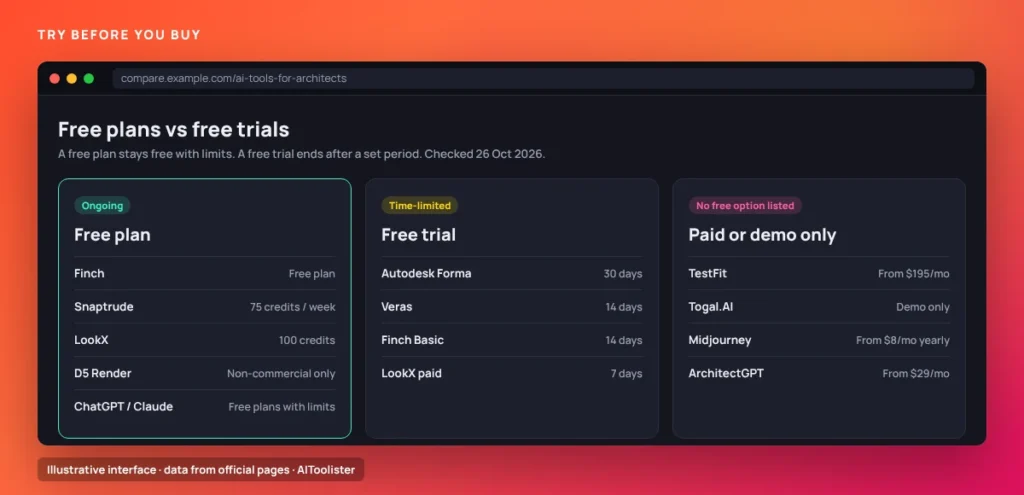
Prices are in US dollars except Finch, which lists euros. A free plan stays free with limits, while a free trial ends after a set period.
How We Chose These Tools
Each tool had to meet three tests:
- A real architectural use case, not just general image generation
- Documented features and prices on the provider’s own pages
- Clear plan terms, so we could separate free plans, free trials and paid-only features
We gave every tool a specific role and didn’t pick an overall winner, because the right choice depends on where AI fits in your workflow. We left out tools aimed mainly at other fields, such as Vizcom, whose site targets product and industrial design.
AI Tools for Site Analysis and Feasibility
Autodesk Forma Site Design
Best for: testing a site’s environmental conditions before design gets underway.
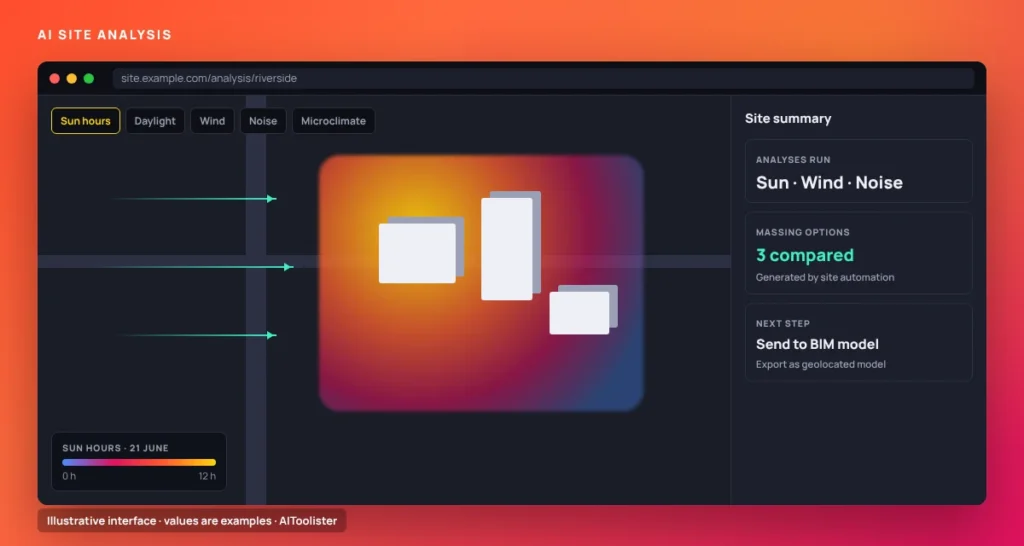
Autodesk Forma Site Design is cloud software for site planning and analysis. It runs sun, daylight, wind, noise and microclimate analyses and includes 3D massing tools. Autodesk also describes an “AI-powered Site Automation tool” that generates and compares layout options. When you’re ready, you can send a proposal to Revit, where it becomes a geolocated native Revit model.
Price: Autodesk’s banner says “starting at $59 / month,” while its FAQ lists $85 monthly, $700 a year or $2,100 for three years. The $59 figure appears to assume annual billing, since $700 a year is about $58 a month. Confirm the final price at checkout. There’s a 30-day free trial.
Limitation: It works best within the Autodesk ecosystem, and the conflicting pricing information makes budgeting less straightforward.
TestFit
Best for: developers and architects testing building yield, unit mix and parking on a site.
TestFit is a feasibility platform. Its Parking Solver plan covers parking automation, 2D and 3D massing and a yield estimator. Generative design is only included in the higher Site Solver plan. Revit and SketchUp integration is supported on all plans.
Price: Parking Solver costs $195/month. Site Solver starts at $15,000/year. No free plan or trial is listed.
Limitation: pricing is aimed at development teams and larger firms, so it’s a big commitment for a small practice.
AI Tools for Concept Design and Massing
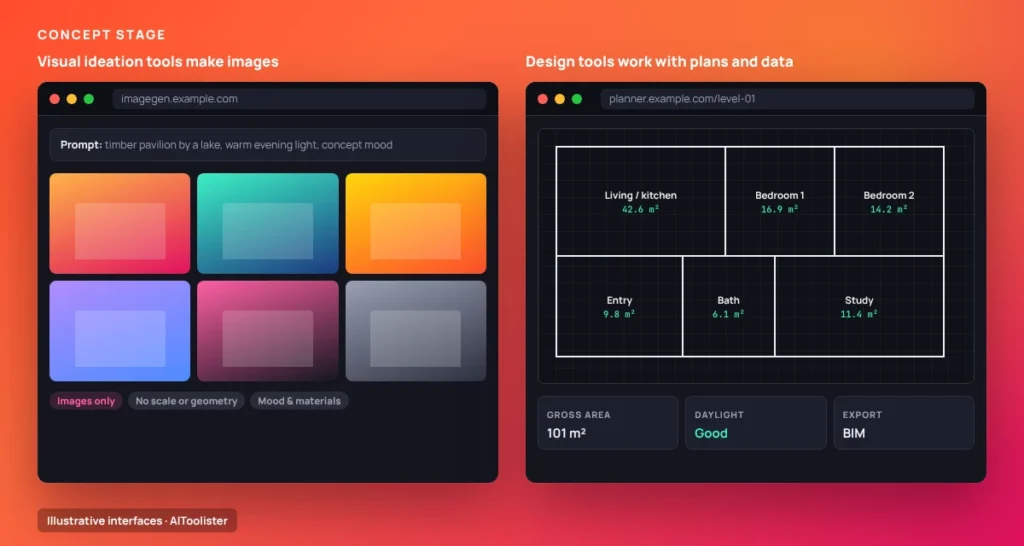
Two kinds of AI tools exist at this stage, and the difference matters. Visual ideation tools such as Midjourney and LookX generate images that help you explore mood, materials, and form, but they don’t provide plans or geometry you can build on. Design tools such as Finch and TestFit work with actual layouts, areas and building performance.
Finch
Best for: generating and testing early floor plans and massing.
Finch’s free plan lets you create and edit designs and get real-time building performance metrics. The Basic plan adds optimised unit mix and circulation generation. Enterprise covers full building generation from concept to schematic design, AI-powered floor plan generation, code and compliance checks, and custom BIM export.
Price: Free plan available. Basic is €79/month, billed monthly, with a 14-day free trial. Enterprise starts at €14,500/year for 3 seats.
Limitation: the full AI floor plan generation and code checks are on the Enterprise plan only.
Midjourney
Best for: fast mood images and early design atmosphere.
Midjourney generates images from text prompts. It’s widely used for concept imagery and mood boards, but it produces pictures, not models or drawings.
Price: Basic costs $10/month or $96/year ($8/month). Standard, Pro and Mega plans cost more.
Limitation: no geometry or scale. Stealth mode, which keeps your images private, is only available on the Pro and Mega plans, which matters for confidential projects.
LookX
Best for: image generation from a platform built around architecture.
LookX offers a free Basic plan with 100 credits for model training, upscaling, and other advanced features. Paid individual plans include unlimited image generations and 580 credits a month.
Price: $20/month or $199/year, both with a 7-day free trial. The 5-seat team plan costs $269/month.
Limitation: Like Midjourney, it produces images rather than design data, and training custom models uses credits.
SketchUp AI
Best for: SketchUp users who want AI imagery without leaving their model.
SketchUp offers AI Render, which combines your model with a prompt to create conceptual or realistic images, and an AI Assistant with Help and Generate Object features. AI Render focuses on visualisation, while the AI Assistant focuses on guidance and object generation.s.
Price: the AI Assistant’s Help feature is free for everyone. All other AI features need a SketchUp subscription, which includes a monthly allowance of AI credits.
Limitation: beyond Help, the AI features are only for paying SketchUp subscribers.
AI Rendering and Visualisation Tools
Veras
Best for: AI visualisation from your design model, and turning sketches or images into 3D scenes.
Veras, from Chaos, works inside Revit, SketchUp, Rhino, Archicad, Vectorworks, Forma and Allplan. It does two things: it turns your 3D models into photorealistic images or animations, and it converts a sketch, image or text prompt into an editable 3D scene.
Price: Veras Starter costs $202.80/year and Pro $348/year on annual billing. There’s a 14-day free trial.
Limitation: Any 3D geometry generated from a sketch or prompt needs inspecting and refining before you rely on it in a project, and AI renders don’t replace a production renderer when you need precise control over materials and lighting.
D5 Render
Best for: real-time rendering with built-in AI features.
D5 Render is a real-time renderer that works with SketchUp, Revit, Rhino, Archicad, 3ds Max, Cinema 4D, Blender and Vectorworks. D5 says it includes more than 15 AI features.
Price: The Community plan is free for non-commercial use and includes 50 AI trial credits. Pro costs $38/month or $360/year (about $30/month) and includes unlimited AI features and commercial use.
Limitation: you need Pro for client work, because the free plan is non-commercial.
AI Tools for Drawings, BIM and Documentation
No tool we reviewed automatically produces complete, code-compliant construction documents. The tools below support specific parts of the BIM process, and the architect still checks and completes the drawings.
Snaptrude
Best for: browser-based BIM with an AI design agent.
Snaptrude is a browser-based design and BIM platform. Its free plan includes an AI design agent and Program and Present modes. It also supports exports to Revit and Rhino.
Price: The free plan includes 75 credits a week and 1 project. Pro costs $60/month, or $50/month billed annually, and includes 500 credits a week.
Limitation: the free plan has no BIM mode. On exports, Snaptrude’s pricing page currently contradicts itself: two sections list “No exports” for the free plan, and another lists “Basic BIM & Revit export.” Confirm with Snaptrude before relying on free exports.
Revit’s built-in AI
Best for: Revit users who want AI help without extra software.
According to Autodesk’s support documentation, Revit includes two AI capabilities that don’t need add-ins:
- Generative Design creates design alternatives from your goals, constraints and inputs, which you then review and refine. Use it to explore options, not to produce finished drawings.
- Autodesk Assistant provides natural-language help through Revit’s Help experience.
Feature availability may vary by version and region.
Price: included with a Revit subscription.
Limitation: generative design produces options to evaluate, not finished drawings. Documentation and compliance are still the architect’s job.
AI Tools for Quantity Takeoff and Estimating
Togal.AI
Best for: architects who also handle area takeoffs or early estimating.
Togal.AI automatically detects and measures spaces and features on architectural drawings, and includes image and symbol search.
Price: the Growth plan costs $299 per user per month, billed yearly. Larger teams get custom Business pricing. No free trial is listed, and the main route in is booking a demo.
Limitation: its primary audience is general contractors, estimators and speciality trades, not architects, and it’s priced for regular estimating work rather than occasional checks.
AI for Admin, Writing and Research
Is there a ChatGPT for architecture? General assistants like ChatGPT and Claude are often the most useful AI tools in an architecture office, because so much of the work is writing and organising information. Both have free plans with usage limits, such as caps on file uploads and access to some features.
Practical uses include:
- Drafting specifications from your notes, in your office’s format
- Organising client briefs into requirements, priorities and open questions
- Summarising long project documents, such as reports, consultant feedback or meeting notes
- Writing proposals and client emails
- Researching regulations as a starting point before you read the official documents
A simple prompt to start with:
Turn these client meeting notes into a design brief with four sections: project goals, space requirements, budget and timeline constraints, and open questions to confirm with the client. Don't add anything that isn't in the notes.
Check any building code, zoning or compliance answer against the official documents for your jurisdiction, because AI answers can be out of date or wrong. Don’t upload confidential client material unless your firm’s policy allows it.
How to Choose the Right AI Tools for Your Practice
- Start with your software. Tools that plug into what you already use, such as Veras inside Revit or SketchUp, or Forma sending models to Revit, are easier to adopt.
- Match the plan to your firm’s size. Finch, Snaptrude, D5 Render and LookX have free plans, while TestFit and Finch Enterprise are priced for larger teams. For general business and admin tools that suit small practices, see our guide to AI tools for small businesses.
- Check where your files go. Cloud tools upload your models and drawings, so review their data and IP terms before using them on client projects.
- Use trials on a real project. Forma (30 days), Veras (14 days) and Finch Basic (14 days) all offer free trials.
If your work leans toward interiors, our guide to the best AI tools for interior designers covers room visualisation and space planning tools in more depth.
FAQ
What is the best AI for an architect?
It depends on the task. For site analysis, Autodesk Forma; for early plans, Finch; for renders from your model, Veras or D5 Render; for browser-based BIM, Snaptrude; and for writing and research, ChatGPT or Claude. Many practices may combine tools, depending on their software, budget and workflow.
How can architects use AI?
Architects use AI to analyse sites, explore concept options, generate early floor plans, create renders, support BIM work, measure areas from drawings and handle writing such as specifications and proposals. In each case, AI speeds up a step, while the architect remains responsible for design decisions.
Is ArchitectGPT any good?
ArchitectGPT is an image tool for restyling interiors, exteriors and landscapes from photos, aimed at architects, designers and realtors. Plans run from $29/month (Basic) to $149/month (Premium), and its pricing page lists no free tier. It’s useful for quick visualisations, but it doesn’t produce plans or design data, so it complements rather than replaces design tools.
Are there free AI tools for architects?
Yes. Finch, Snaptrude, and LookX offer free plans; D5 Render offers a free plan for non-commercial use; and ChatGPT and Claude offer free plans. Autodesk Forma, Veras and Finch Basic offer free trials rather than ongoing free plans.
Will AI replace architects?
The tools in this guide automate parts of the work, such as testing layouts, producing images and measuring drawings. Design judgement, coordination, code compliance and professional responsibility still sit with the architect, and none of these tools claims to take those over.
The Bottom Line
The best AI tools for architects are the ones that fit the stage you spend the most time on. Start with one tool for that stage, try it on a live project during a free plan or trial, and check the current pricing page before you commit, because prices and plans change often.
Sources
Features and prices were checked on 26 October 2026 against these official pages:
- Autodesk Forma Site Design
- TestFit pricing
- Finch pricing
- Midjourney plans
- LookX pricing
- SketchUp AI FAQ
- Chaos Veras
- D5 Render pricing
- Snaptrude pricing
- Autodesk: AI features in Revit
- Togal.AI pricing
- ArchitectGPT pricing
- ChatGPT plans and ChatGPT Free tier FAQ
- Claude plans
Keep Exploring