Ahsan Javaid
Last updated: September 2026
You can picture the finished room perfectly in your head — the wall tone at four in the afternoon, the way the rug pulls the palette together. Your client, standing in an empty or dated room, cannot see any of that. That gap between what you can picture and what a client can picture is where many projects are won or lost, and AI tools have changed what is possible there more than almost any other software category in the last few years.
This guide covers the best AI tools for interior design in 2026, organized around where each one actually fits in a design project: generating concept direction, transforming a real room, producing an accurate measured plan, presenting the work, and running the business behind it. It’s built primarily around a working designer’s workflow, but the tools and guidance apply just as well if you’re evaluating AI for your own space.
Quick Comparison
| Midjourney | Mood and direction imagery | Early concept boards before a room is measured | No | $10/month |
| Spacely AI | Transforming a client’s actual room | Photo-to-redesign, plus CAD-integrated rendering via SketchUp/Rhino | Free trial credits | ~$13/month (credit-based) |
| RoomGPT | Fast style variations in a client meeting | Multiple style takes on one uploaded photo | No — credit packs only | ~$9 for 25 credits |
| REimagineHome | Renovation before-and-after pitches | Dramatic transformation visuals for a sales pitch | Limited free tier | Roughly $19–49/month by plan |
| Canva AI | Assembling mood boards and proposals | Branded presentation decks and documents | Yes — permanent free plan | $144/year for one person (Pro, annual) |
| Planner 5D | Measured layouts and furniture placement | Accurate 2D/3D space planning | Yes — limited free tier | Roughly $5–10/month |
| Maket | AI-generated floor plans | Dimensioned layouts from a text description | Yes — 50 credits/month | $20/month (Plus) |
| Coohom | Professional CAD-style rendering | Full floor plan + photorealistic 3D rendering | Yes — free Basic tier | ~$29/month (Pro) |
| Houzz Pro AI | Project and client management | Proposals, scheduling, client communication in one system | Free trial | Roughly $55–85/month (Starter, annual) |
| ChatGPT | Proposals, research, and client emails | Written communication across every project stage | Yes | $20/month (Plus) |
Pricing and features change; confirm current terms with each vendor before budgeting.
How This List Was Put Together
Every tool here earns its place because it does something genuinely useful at a specific stage of a design project, not because it’s generically “AI.” We prioritized tools that help with concept generation, transforming an actual room, photorealistic rendering, floor plans and space planning, or professional presentation and workflow — the parts of the job search intent around “best AI tools for interior design” is actually asking about.
Two tools from the previous version of this list didn’t make the cut. We removed QuickBooks AI: generic accounting software, however useful, isn’t what someone searching for interior-design AI tools is looking for, and it added little specific to design work. ArchiGPT was also removed — we couldn’t verify its described material-sourcing and supplier-database features against a credible, current official source, and we’re not willing to recommend a tool on unverified claims. Instead, this update adds Maket, a genuine AI floor-plan generator, and Coohom, an established professional 3D rendering and floor-planning platform, both of which strengthen the professional-workflow side of the list.
The Distinction Most Articles on This Topic Get Wrong
Searching “AI tools for interior design” surfaces a mix of products that do genuinely different jobs, and conflating them is where a lot of guidance on this topic goes wrong. There are three real categories here:
AI inspiration and generative imagery — tools like Midjourney that generate atmospheric concept images from a text description. Useful for establishing mood and direction. Not tied to any real room, and not meant to be.
AI room redesign and visualization — tools like Spacely AI, RoomGPT, and REimagineHome that take a photo of an actual room and generate a transformed version of that specific space. Persuasive for showing a client their own room reimagined. Still not a measured, buildable plan.
Professional planning and rendering tools — Planner 5D, Maket, and Coohom- where accuracy, real dimensions, and workflow integration with CAD-style tools matter. This is where a concept becomes something that can actually be specified, ordered, and built.
Knowing which category a tool belongs to tells you what it’s good for and, just as importantly, what it isn’t.
Concept and Vision
Midjourney
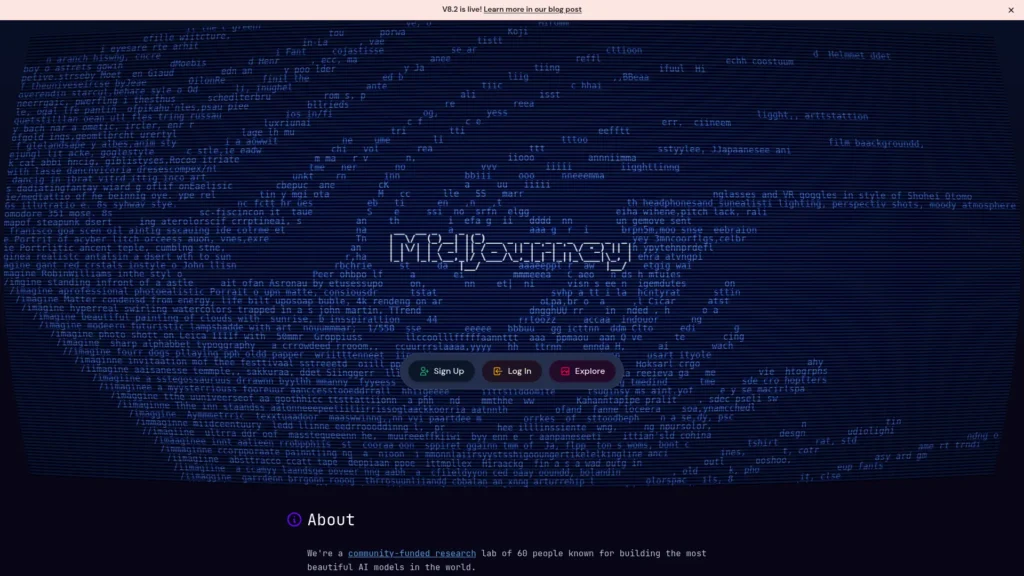
Midjourney generates highly polished, atmospheric concept imagery from a text description — a warm Mediterranean living room with terracotta tones, a moody study with deep green walls and brass fixtures. The value is in mood and direction, not literal accuracy to any real space, which makes it well suited to early client conversations where the goal is confirming you’re aligned on a general feeling before committing to anything specific.
Best for: early-stage concept development and establishing direction before detailed planning begins. Starting price: $10/month for the Basic plan; there is no free tier or trial. What it’s not for: accurate room dimensions, specific furniture placement, or a literal preview of a client’s actual space.
Room Redesign and Visualization
Spacely AI
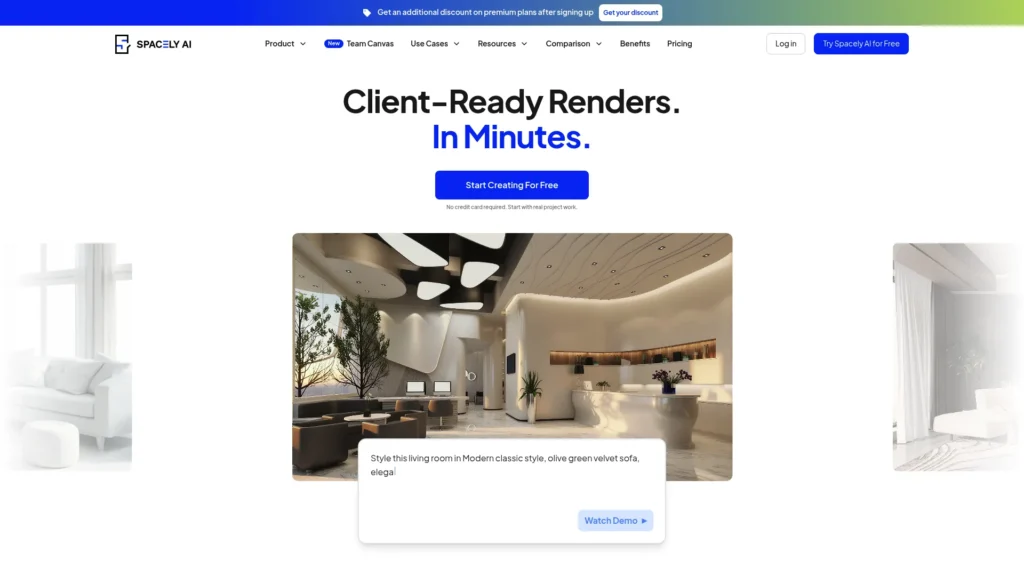
Spacely AI takes a photograph of a client’s actual room and generates a redesigned version of that specific space — their windows, their proportions, their existing architectural features, transformed according to a chosen style direction. That’s a far more persuasive asset than generic inspiration imagery, because it removes the step of asking a client to translate someone else’s space into their own mentally.
Spacely moved to a credit-based Personal/Studio/Agency pricing structure in mid-2026, and in 2026 also launched a plugin for SketchUp and Rhino that renders photorealistic visuals directly from an existing 3D model — a genuine bridge toward the professional, geometry-accurate rendering category for designers who already work in those programs.
Best for: showing a client a realistic vision of their own actual room, and for designers who want AI rendering integrated directly into a SketchUp or Rhino workflow. Starting price: roughly $13/month for the entry Personal plan on annual billing (around 200 credits); higher Studio and Agency tiers scale up with more credits and seats. Free option: free trial credits on signup, not an ongoing free tier. Limitation: results can occasionally misjudge proportions or place furniture that wouldn’t realistically fit — review every output before it goes anywhere near a client.
RoomGPT

RoomGPT is built for speed: upload a room photo and it generates several style variations — modern, traditional, minimalist, coastal, and more — almost instantly. In a client meeting, that means generating four or five options live and watching a client’s genuine reaction, rather than presenting one considered direction and hoping they agree.
RoomGPT removed its free tier in 2024 and now runs on paid credit packs only, which is a meaningful change from how the tool is sometimes still described online.
Best for: rapid style exploration during live client conversations, narrowing down direction quickly. Starting price: roughly $9 for a starter pack of 25 credits (about $0.36 per generated image); higher packs bring the per-image cost down. Free option: none currently — every generation draws from a paid credit balance. Limitation: it’s built for whole-room restyling, not detailed final presentation imagery or per-object editing.
REimagineHome
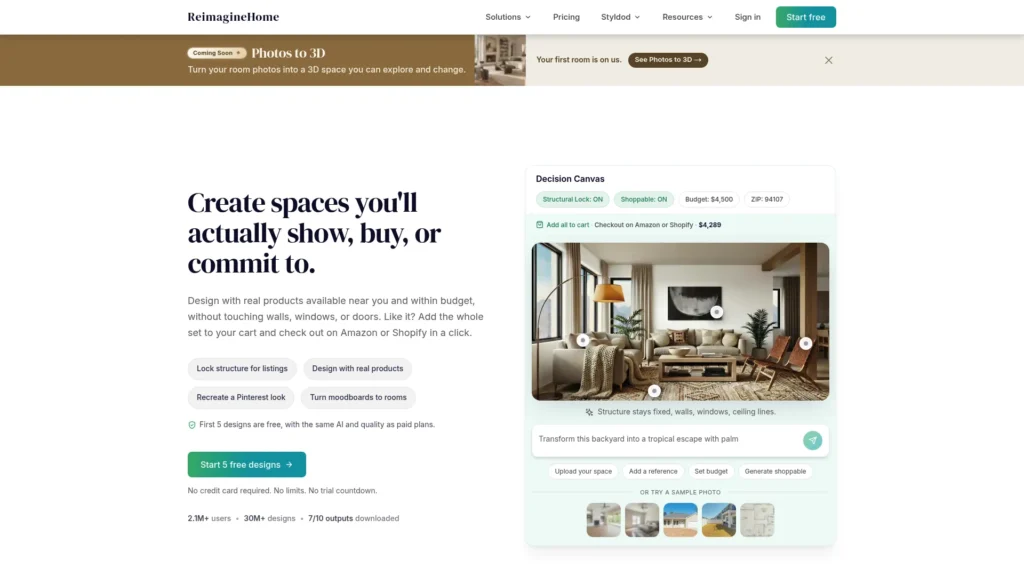
For designers working specifically in renovation, the before-and-after image is consistently the most persuasive asset in a sales presentation. Upload a photo of the current, unrenovated space, and REimagineHome generates a transformed version showing what it could become — a side-by-side comparison that does more to convince a hesitant client than pages of written proposal.
Best for: renovation-focused designers who need a persuasive before-and-after visual to win a project. Starting price: plans are reported in the roughly $19–49/month range depending on tier and included staging credits; confirm current pricing directly, since third-party sources vary on the exact figures. Free option: a limited free tier exists. Limitation: its strength is specifically the dramatic transformation format — it’s less suited to fine-grained, per-object editing than some alternatives.
Professional Planning, Floor Plans, and Rendering
Planner 5D
Planner 5D lets designers build full 2D/3D space plans with accurate measurements, and its AI layout features suggest furniture placement based on the room’s dimensions and stated goals for the space — taking into account traffic flow and proportional balance. This is a different category of tool from the concept-stage generators above: where Midjourney and RoomGPT produce evocative but not necessarily accurate imagery, Planner 5D is built around actual measured space planning.
Best for: translating an approved concept into a functional, accurately measured layout. Starting price: a limited free tier is available; paid plans are reported from roughly $5–10/month depending on the source and current promotion. Limitation: it’s a planning tool, not a photorealistic rendering engine — output is useful and accurate but less polished than a dedicated rendering platform for final client-facing imagery.
Maket
Maket generates a dimensioned residential floor plan — walls, doors, windows, room layout — from a plain-language description of what you want: square footage, number of rooms, number of stories. Once generated, you can refine it conversationally (“move the kitchen to the south wall,” “widen the hallway”) or edit directly on the canvas, and export to DXF for use in other design software.
This fills a genuinely different need than either the concept-imagery tools or Planner 5D’s furniture-placement focus: Maket is specifically about generating the underlying floor plan itself, which matters for designers working on renovations, additions, or new residential layouts where the room configuration isn’t fixed yet.
Best for: generating or iterating on a dimensioned floor plan from a description rather than starting from a blank CAD canvas. Starting price: free for 50 credits a month (a single floor plan generation with render previews); the Plus plan runs $20/month for 300 credits and multi-floor-plan generation. Limitation: it’s focused on residential floor plans specifically, and structural review, code compliance, and engineering sign-off still require a licensed professional — Maket accelerates the early exploration phase, not the parts of the process that require formal approval.
Coohom
Coohom is a full cloud-based 3D design platform: draw a 2D floor plan, populate it from an extensive furniture and materials library, and generate photorealistic 3D renders and virtual walkthroughs from the same model. It’s a more involved, CAD-style tool than the photo-to-redesign generators above, and it’s built specifically for professional use — architects, interior designers, and design teams rather than a homeowner uploading one photo.
Best for: designers who want an integrated floor-plan-to-photorealistic-render workflow without switching between separate planning and rendering software. Starting price: a free Basic tier covers planning and basic renders; the Pro plan runs roughly $29/month for individual professional use with a 7-day trial, and an Elite tier around $69/month adds team collaboration and higher-volume rendering. Limitation: the learning curve is steeper than a simple photo-upload tool, and it’s more capability than most solo residential designers doing occasional projects actually need.
Client Presentation
Canva AI
Once you’ve generated concept imagery, style variations, and before-and-after visuals, you need to assemble it into something a client can review and approve. Canva AI is the assembly and presentation layer — not a generation tool, but the place where mood boards, proposal decks, and client presentations come together with your studio’s branding, colors, and logo applied consistently.
Best for: turning scattered visual concept work into a cohesive, professional client-facing presentation. Starting price: $144/year for one person on the Pro plan, billed annually (about $12/month equivalent); Business runs $250/year per person. Free option: yes — a genuine permanent free tier, though most AI design features require Pro. Limitation: AI features run on a monthly credit allowance even on paid plans, so heavy, repeated AI generation can use up the allowance faster than expected.
Client and Business Management
Houzz Pro AI
Houzz Pro is a project management and client relationship platform built specifically for design and home improvement professionals — which means it already understands the complexity of design work: multiple vendors, phased timelines, client approvals at various decision points, and design fees layered with materials and trade markups. Its AI features help draft client update communications tied to project milestones and flag timeline risks, such as a material order’s lead time conflicting with a communicated installation date.
Best for: designers who want project tracking, proposals, client communication, and invoicing consolidated in one system rather than several disconnected tools. Starting price: the Starter tier runs roughly $55–85/month billed annually (higher month-to-month); Pro and Ultimate tiers scale up considerably, into the hundreds of dollars monthly, with pricing partly tied to lead-generation volume in your market. Free option: a free trial is available. Limitation: the cost climbs fast for full functionality — it earns its price for designers actively relying on Houzz for lead flow and multi-project coordination, less so for a solo designer with one or two projects at a time.
ChatGPT
Every design project generates written communication that has nothing to do with the visual work but still takes real time: proposal narratives that justify an investment, client update emails, research on emerging trends or material properties, vendor communication. ChatGPT handles all of this well enough that the output typically needs editing and personalization rather than a full rewrite.
Best for: proposals, client emails, research, and documentation across every stage of a project. Starting price: $20/month for the Plus plan. Free option: yes — the free tier handles the majority of these tasks for most designers.
How to Choose Tools for Different Interior-Design Needs
Residential designers working with individual homeowners: Spacely AI and RoomGPT for showing a credible vision of a client’s own space early in the sales process, paired with Canva AI to assemble that work into a considered presentation. Houzz Pro AI becomes valuable once a project is underway and needs client communication and milestone tracking.
Commercial and office space designers: Planner 5D and Coohom matter more here, since commercial layouts involve functional considerations — workflow, capacity, code-adjacent constraints — that go beyond aesthetic preference. Maket is useful early on if the space configuration itself is still being worked out. ChatGPT handles proposal writing for business stakeholders rather than individual homeowners, which requires a different tone.
Designers specializing in renovations: REimagineHome is close to essential — the before-and-after format is the single most persuasive sales tool available for renovation work. Pairing it with Spacely AI provides additional style-direction options once a client is already convinced by the transformation visual.
Independent designers without a studio team: consolidation matters more than having the single best tool in every category. Houzz Pro AI is worth the cost specifically because it replaces several separate subscriptions and manual coordination between them; ChatGPT rounds out a lean toolkit for the writing tasks Houzz Pro doesn’t cover.
Designers working from scratch on a new layout or addition: Maket for generating and iterating on the floor plan itself, Planner 5D or Coohom once the layout is settled and furniture placement or photorealistic rendering is the priority.
Where AI Visualization Still Falls Short
This matters more for interior designers than for almost any other professional audience, because designers have a trained eye that catches flaws immediately, and an article that oversells AI to this specific audience loses credibility fast.
Why AI renders sometimes get proportions and materials wrong. AI image generation tools aren’t working from precise measurements or real product databases — they’re producing something that looks plausible based on patterns learned from training data. That occasionally produces a sofa that’s subtly too large for its room, furniture floating slightly above the floor line, or a material texture that looks convincing but doesn’t correspond to any product you could actually purchase. Every generated image needs a critical review before it goes near a client.
The difference between an AI mood board and an actual design plan. A beautiful AI-generated image communicates direction and mood. It is not a floor plan, a material specification, or a budget. The deliverable a project actually depends on — the plan that gets executed, the products that get ordered, the budget that gets tracked — still requires the detailed work that tools like Planner 5D, Maket, and Coohom support, layered with your own professional judgment about what will work in the real, physical space.
Managing client expectations around AI visuals. Set the expectation early and explicitly: an AI-generated image communicates a direction and a feeling, not a guaranteed final product down to the exact weave of every fabric. Clients who understand that distinction going in stay flexible as a project moves from concept into the more granular reality of sourcing, lead times, and the occasional substitution real-world availability requires.
AI Visualization vs. Accurate Space Planning, Rendering, and CAD
It’s worth restating plainly, because the distinction gets lost in most coverage of this topic: a Midjourney or RoomGPT image is not the same category of output as a Planner 5D layout, a Maket floor plan, or a Coohom render pulled from an actual measured model. The first group is about persuasion and direction — winning a client over, establishing mood, getting early buy-in. The second group is about accuracy — dimensions that are real, furniture that will actually fit, a plan a contractor or fabricator could work from.
Neither replaces the other, and using a concept-stage tool’s output as if it were construction-ready is where AI visualization causes real project problems. Fast concept imagery wins the project and aligns on direction. Precise planning and rendering tools turn that direction into something buildable.
Frequently Asked Questions
Can AI actually design a room, or does it just visualize one? It visualizes. The design thinking — what genuinely works for a specific client’s lifestyle, how they actually use the space, what their real budget allows, how the practical constraints of the physical room interact with their aesthetic preferences — still comes entirely from the designer. AI tools generate a compelling image from a description; they don’t understand a client’s life the way a designer does after an actual consultation.
Will AI render tools replace professional rendering and CAD software? No. AI image generators are fast and effective for concept exploration and early client persuasion. Rendering and CAD tools like Planner 5D and Coohom, or dedicated software like SketchUp, provide the precise, measured, technically usable plans that contractors and trades actually need to execute a project. The two categories complement each other rather than compete.
Can clients tell when a presentation used AI-generated images? Sometimes, particularly if a generated image has a subtle proportion issue or a texture that doesn’t quite read as real. Most clients don’t mind AI imagery as long as the designer is transparent that it represents a concept and direction, not a literal, guaranteed final result.
What is the best free AI tool for interior design mood boards? Canva’s free plan handles mood board assembly and presentation without a monthly cost, and Maket’s free tier covers basic floor-plan generation. Neither of the photo-to-redesign tools (Spacely AI, RoomGPT) currently offers an ongoing free tier — budget for at least a small credit purchase if you want to test that category.
How accurate are AI-generated room measurements and layouts? Not reliably accurate enough for anything that needs to be built, ordered, or installed when the source is a concept-imagery tool like Midjourney, RoomGPT, or Spacely AI’s photo-to-redesign feature — treat those as visual concepts. For genuine dimensional accuracy, use Planner 5D, Maket, or Coohom, all of which are built around real measurements rather than generated imagery.
Can AI help with material sourcing and specification? The tools in this guide don’t include a dedicated AI material-sourcing platform with verified current features — a previous version of this list included one. Still, we couldn’t confirm its described capabilities with a credible source, so we removed it rather than recommend something unverified. ChatGPT can help research materials, properties, and general market context, but always verify actual availability, pricing, and specifications directly with a vendor.
Conclusion
Match the tool to the stage you’re actually in. Concept work, where you’re establishing direction and early client buy-in, needs Midjourney. Winning the project needs Spacely AI, RoomGPT, or REimagineHome to show a client their own space transformed. Turning an approved concept into something buildable needs Planner 5D, Maket, or Coohom, depending on whether you’re starting from a floor plan, refining furniture placement, or producing a full photorealistic render. Presentation needs Canva AI, and the business side that keeps a practice running needs Houzz Pro AI and ChatGPT working quietly in the background.
None of this replaces what actually makes a client choose you over another designer. AI can generate dozens of room variations in an afternoon. Still, it cannot replace your specific eye for what works in three-dimensional space, your understanding of how a client actually lives in their home, or the trust that makes someone comfortable handing you their budget and their home. The tools exist to support that trust, not substitute for it.
For more independent AI tool reviews across every professional category, visit aitoolister.com.
Keep Exploring