Ahsan Javaid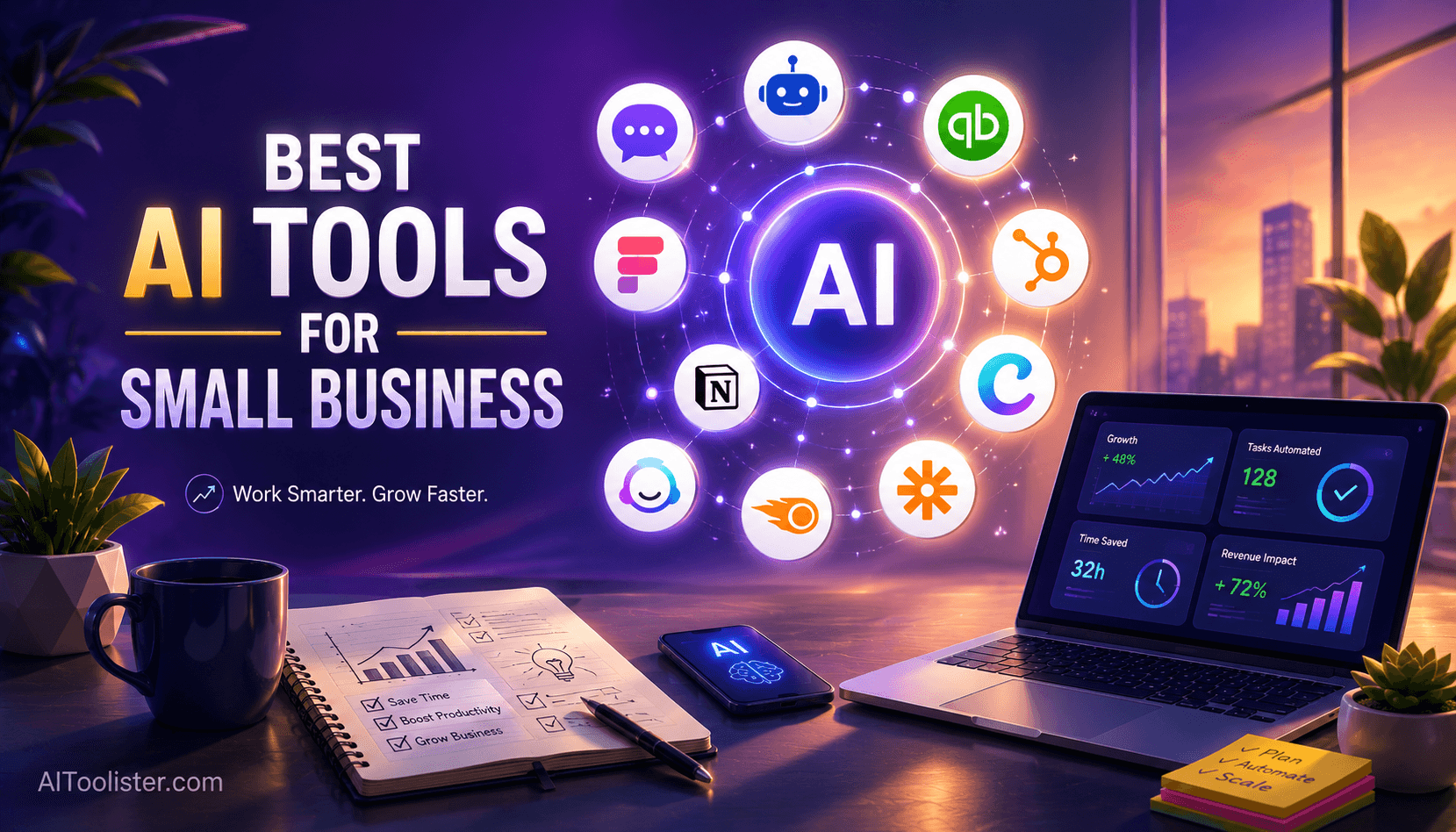
Last reviewed: September 30, 2026. Prices and plans were checked against official vendor pages where available and may change.
You may have read a version of this article before: fifteen tools, each called amazing, followed by a pricing table and a call to action. That version did not help much.
This version helps you decide.
The best AI tools for business in 2026 are the ones that remove a specific bottleneck: a general AI assistant for writing and thinking, an automation tool for repetitive admin, a chatbot for customer questions, and AI inside the software you already use for sales, design and accounting. Most businesses, and almost every small business, do not need fifteen AI tools. They need two or three that solve the problems draining their time, money or staff capacity right now.
That matters because running a business still means wearing too many hats. In a large company, marketing is a department and customer service is a team. In a small business, those jobs fall on one person or a handful of people who are also serving customers and trying to grow. AI tools do not fix that organisational problem, but they can reduce the time and skill needed to produce good-enough work in areas outside your main expertise.
Below are 15 AI tools for business, grouped by the job they do, with honest notes on price, limits and who should skip them. Use the group that matches your main problem first, then compare price and fit.
Best AI Tools for Business at a Glance
| ChatGPT | Everyday writing and thinking | Drafts, research, analysis | Free plan | Plus $20/mo; Business from $20/user/mo (annual) | Personal plans train on content unless you opt out |
| Claude | Long documents and careful writing | Contracts, reports, analysis | Free plan | Pro $17/mo (annual) or $20 monthly | Usage limits reset in 5-hour windows |
| Gemini | Google Workspace businesses | Gmail, Docs, Sheets, Meet | Free app; Workspace 14-day trial | Included in Google Workspace plans | Full Workspace AI starts at Business Standard |
| Microsoft Copilot | Microsoft 365 businesses | Word, Excel, Outlook, Teams | Copilot Chat included in business plans | Business Standard with Copilot $23.50/user/mo (annual) | In-app Copilot needs a Copilot plan |
| Perplexity | Research with sources | Market and competitor research | Free plan | Pro $20/mo; Enterprise Pro $40/seat/mo | Not built for long-form writing |
| Notion AI | Team knowledge and SOPs | Docs, wikis, meeting notes | Free plan with limited AI trial | Business $20/member/mo (annual) for full AI | Full AI requires the Business plan |
| Grammarly | Polished writing everywhere | Emails, proposals, docs | Free plan (100 AI prompts/mo) | Pro $12/member/mo (annual) | Overlaps with general assistants |
| Zapier | Workflow automation | Connecting apps, AI agents | Free plan (100 tasks/mo) | Professional $19.99/mo (annual) | AI steps use extra tasks |
| Canva AI | Marketing design | Social posts, flyers, decks | Free plan (up to 20 AI uses/mo) | Pro price varies by billing/offer | AI allowance is capped on every plan |
| Jasper | Brand-consistent marketing content | Campaigns, emails, product copy | 7-day trial | Pro $59/seat/mo (annual) | Expensive for light content needs |
| Semrush | SEO and AI search visibility | Keywords, competitors, site audits | Free plan (10 reports/day); 7-day trial | SEO plan $117.33/mo (annual) or $139 monthly | Costly; needs learning time |
| HubSpot AI | CRM, sales and marketing | Contacts, pipeline, email | Free CRM tools | Starter $20/seat/mo | AI agents use paid credits |
| Tidio | Website customer support | Live chat and AI chatbot | Free plan (50 conversations) | Starter $29/mo | Lyro AI is metered separately |
| QuickBooks | Bookkeeping and cash flow | Invoices, expenses, reports | 30-day trial | Simple Start $38/mo | AI agents depend on plan tier |
| HoneyBook | Client management for service businesses | Proposals, contracts, payments | 30-day free trial | From $29/mo | Only in the U.S., Canada, UK and Australia |
Prices are U.S. list prices checked in September 2026. Annual billing is usually cheaper, and promotions change often, so confirm on each vendor’s pricing page before buying.
How to Choose AI Tools for Your Business
Start with the problem, not the tool. Write down the one task that costs you the most hours or money each week. That task tells you which category to look at first.
Estimate the savings before you buy. If a tool saves five hours a month and your time is worth $50 an hour, it is worth up to $250 a month to you. If you cannot name the saving, you are probably buying curiosity, not a business tool.
Respect the budget reality. A large company can absorb a five-figure software contract without blinking. A ten-person business cannot. Most tools in this guide have a free plan, a free trial, or a starting price under $40 a month, so compare the total cost for the users you need.
Count the implementation effort. Some tools work in minutes. Others need setup before they pay off. Choose the one your team can actually adopt.
Check integrations with what you already use. An AI tool that doesn’t connect to your store, CRM, or inbox often creates more copy-and-paste work, not less.
Check how your data is handled. Consumer AI plans often use your content to improve models unless you opt out, while business plans usually do not by default. If you handle client, financial, or health information, read the vendor’s privacy terms, use a business plan, and rule out tools that don’t meet your data needs.
Think one step ahead on scale. Some free plans are generous for one person but get expensive at five users. Look at the price of the tier you will realistically need in a year.
Test before committing. Run a free plan or trial against one real task, such as next week’s newsletter or this month’s invoices. Then keep the tool only if the savings are visible.
The 15 Best AI Tools for Business, Grouped by What They Do
The tools are grouped by the business function they serve, so you can jump straight to the problem you want to solve.
General AI Assistants & Research
A general AI assistant is the one tool almost every business can use, but the five below solve different problems. Pick based on the software you already run and the kind of work you do most. If you use Microsoft 365 or Google Workspace, start with the assistant built into it. Choose the one that best matches your stack and workflow. For head-to-head detail, see ChatGPT vs Claude. Next, compare the options below by use case.
1. ChatGPT: The All-Purpose First-Draft Partner
ChatGPT is a general-purpose assistant that is useful for a wide range of business tasks, and its free plan is genuinely functional.
The practical uses are broader than most owners expect: product descriptions, a reply to a difficult customer complaint, a month of social post ideas, a job posting, a summary of a long supplier contract, website FAQs, or talking points before a sales call. Each takes real time from scratch and a fraction of that time with a strong first draft.
The limitation to acknowledge upfront is that ChatGPT doesn’t know your business, customers, or market unless you tell it. Owners who treat it as a finished-output machine are disappointed. Those who treat it as a first-draft partner and thinking tool consistently get value.
- Free plan: Yes, with unlimited everyday text chats and limited uploads, image creation and deep research
- Paid: Plus is $20/month. ChatGPT Business Standard costs $20 per user/month billed annually or $25 per user/month billed monthly, with a minimum of two paid seats.
- Data: OpenAI says content on Free, Go, Plus, and Pro can be used to train its models, with an opt-out available; Business data is not used for training (ChatGPT pricing)
- Best for: Solo operators and small teams where writing and communication eat owner time
- Skip it if: Your team already pays for Copilot or Gemini inside its office suite and only needs occasional drafting.
2. Claude: Best for Long Documents and Careful Writing
Claude, from Anthropic, is a strong choice when the work involves reading and reasoning over long material: contracts, policies, proposals, reports and spreadsheets. Business owners often use it to review a 40-page agreement for obligations and deadlines, rewrite a proposal in a consistent tone, or turn messy notes into a structured document.
- Free plan: Yes, including web search, file creation and memory
- Paid: Pro is $17/month billed annually ($200 upfront) or $20 monthly. Team plans cover 2 to 150 people, with Standard seats at $20/month billed annually or $25 monthly (Claude pricing)
- Data: Team and Enterprise plans do not train on your content by default; individual plans offer an opt-out
- Limitation: Usage limits reset on a rolling five-hour window, with weekly limits on paid plans, so heavy days can hit a cap
- Best for: Consultants, agencies and professional services firms that live in documents
- Skip it if: You mainly need image generation or deep integration with Google or Microsoft apps.
3. Gemini: Best for Businesses on Google Workspace
Gemini is Google’s assistant, and its business value comes from being inside Gmail, Docs, Sheets and Meet. It can summarise an email thread, draft a reply, turn a rough Doc into a polished one, and take notes in meetings, all without copying data into another tool.
The key detail is plan level. Google’s own comparison shows Business Starter gets Gemini in Gmail and basic access to the Gemini app, while Gemini in Docs, Sheets, Slides, Drive and Meet starts at Business Standard (Google Workspace pricing). Workspace offers a 14-day trial, and the standalone Gemini app has a free tier.
- Best for: Teams already on Google Workspace
- Limitation: The most useful features require Business Standard or higher, and every user on that plan pays for them
- Skip it if: Your business runs on Microsoft 365
4. Microsoft Copilot: Best for Businesses on Microsoft 365
Microsoft Copilot does for Microsoft 365 what Gemini does for Google: it drafts in Word, analyses data in Excel, builds decks in PowerPoint, and summarises Outlook threads and Teams meetings.
There are two layers, and the difference matters. Copilot Chat is included with eligible Microsoft 365 business plans, but Microsoft says it doesn’t work inside your apps or with your organisation’s files and emails. For that, you need Microsoft 365 Copilot, sold in bundles such as Business Standard with Copilot at $23.50 per user/month paid yearly, or as a Copilot Business add-on listed at $21 per user/month, with an $18 offer running through December 31, 2026 for eligible existing customers (Microsoft 365 business plans).
- Best for: Businesses of up to 300 users already standardised on Microsoft 365
- Limitation: The full in-app Copilot is an annual per-user commitment
- Skip it if: Your team rarely works in Word, Excel or Outlook.
If meetings are your main pain point: Copilot in Teams and Gemini in Meet now cover meeting notes for many businesses. If you meet across several platforms, a dedicated notetaker such as Fireflies.ai records, transcribes and summarises calls with action items. Always tell participants when a meeting is recorded; consent rules vary by country and state.
5. Perplexity: Best for Research With Cited Sources
Perplexity is an AI answer engine that searches the web and shows its sources. For a business, that makes it useful for quick market research, checking a competitor’s recent announcements, finding suppliers, or understanding a regulation before calling your accountant, because you can click through and verify each claim.
- Free plan: Yes, with a limited number of advanced searches
- Paid: Pro is $20/month; Enterprise Pro is $40 per seat/month ($400/year), with a discounted rate for eligible nonprofits and educational institutions (Perplexity plans)
- Best for: Owners and managers who research often and need to check sources
- Limitation: It is a research tool first; for long documents and polished writing, ChatGPT or Claude usually do better
- Skip it if: You rarely research anything beyond a quick Google search.
Productivity & Knowledge
These are the best AI tools for business productivity when the problem is scattered information and time lost to writing and rework.
6. Notion AI: One Place for Everything the Business Needs to Know
Small businesses accumulate information: operating procedures, client notes, supplier contacts, project details and meeting records. Most store it inconsistently across email threads, shared drives and individual memory. When a team member leaves, institutional knowledge walks out the door. When a process needs repeating, someone rebuilds it from scratch.
Notion AI gives a team one organised workspace and makes that information usable. It can summarise long pages, turn meeting notes into action items, draft a standard operating procedure from a rough description, and answer questions about what is stored in the workspace.
The pricing model has changed since many older guides were written. Notion no longer sells AI as a cheap add-on for any plan: Plus is $10 per member/month billed annually, while full Notion AI is part of the Business plan at $20 per member/month billed annually. Free and Plus users get only a limited AI trial.
- Best for: Teams of two to twenty that need shared systems and documented processes
- Limitation: It needs upfront effort to build a structure, and it becomes cluttered without maintenance
- Skip it if: You are a solo operator whose notes already live comfortably in Google Docs or Microsoft 365
7. Grammarly: Polished Writing in Every App
Grammarly works inside the places your team already writes: email, browsers, documents and chat. Beyond grammar and spelling, it adjusts tone, rewrites unclear sentences and helps keep customer-facing writing consistent. It is now part of the Superhuman family of products, but Grammarly is still sold on its own.
- Free plan: Yes, including 100 AI prompts per month
- Paid: Pro costs $12 per member/month billed annually and supports teams of up to 149 seats; Pro replaced the old Grammarly Business plan (Grammarly Support)
- Best for: Customer-facing teams where every email, quote and proposal reflects on the brand
- Limitation: If your team already drafts in ChatGPT, Claude or Copilot, much of Grammarly’s AI writing overlaps with what you pay for
- Skip it if: Only one or two people write regularly and they already edit carefully.
Automation & Operations
8. Zapier: Connecting Your Tools So They Work Together
Almost every business with more than two software tools eventually runs into the same problem: information that belongs in one place ends up in another, and someone moves it by hand. A new Shopify order needs to go into a spreadsheet. A contact form submission needs to reach the CRM. A paid invoice should trigger a thank-you email. These tasks are simple, repetitive and automatable, yet without a tool like Zapier, someone does them every day.
Zapier connects thousands of apps through automated workflows called Zaps. You can describe a workflow in plain English and have Zapier suggest the structure, add AI steps that summarise or classify data mid-workflow, and build AI agents that act across your apps. It eliminates a category of manual work that is invisible until it is gone.
- Free plan: Yes, with 100 tasks per month and two-step Zaps
- Paid: Professional starts at $19.99/month billed annually ($29.99 monthly) for 750 tasks and adds multi-step Zaps; Team starts at $69/month billed annually
- Watch the meter: AI steps, code and SDK actions draw from the same task allowance, and the AI model tier affects how many tasks an action uses (Zapier pricing)
- Best for: Businesses running several tools that do not talk to each other, especially e-commerce and service businesses with client workflows
- Limitation: Costs rise with task volume, and automations can break quietly when a connected app changes
- Skip it if: Your core tools already integrate natively, or you only move data occasionally.
Marketing, Content & SEO
These three cover different marketing jobs: making things look professional, producing content at volume, and getting found in search. AIToolister’s guide to the best AI marketing tools has more options.
9. Canva AI: Professional Marketing Materials Without a Designer
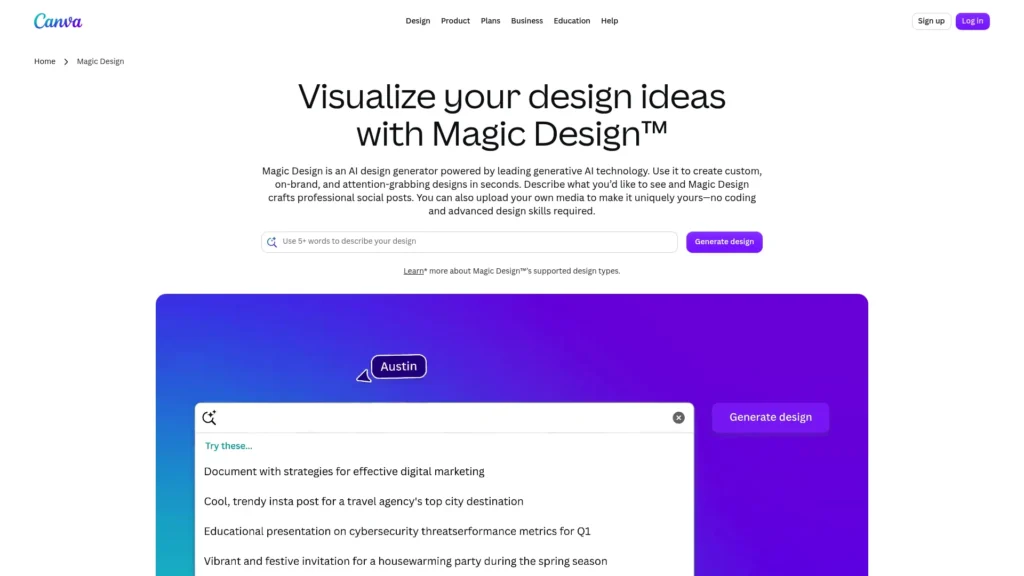
The visual quality of your marketing says something about the business before anyone reads a word. A well-designed post, flyer or presentation signals credibility; a visibly amateur one undermines it, however good the product.
Canva AI lets non-designers produce that professional look. Its AI tools can generate designs and images from a text prompt, remove backgrounds and edit photos, while the brand kit keeps your colours, fonts and logo consistent across everything the team makes.
- Free plan: Yes, with up to 20 Standard or Premium AI uses per month; actual usage varies by task complexity, and free users see short pauses after reaching the allowance
- Paid: Canva Pro pricing varies by billing/offer; check Canva’s current pricing page for the price shown in your market
- Best for: Retail, hospitality, food and service businesses that post visual content regularly
- Limitation: Templates are widely used, so designs can look similar to other brands, and AI image quality is inconsistent
- Skip it if: You already have a designer or complex brand design needs.
10. Jasper: Brand-Consistent Marketing Content at Volume
Small businesses chronically underinvest in content marketing, not because owners doubt its value, but because producing it consistently takes time. Jasper is built specifically for marketing teams. Its brand voice and knowledge features help keep emails, product descriptions, campaign copy and blog content sounding like the same company, and newer agent and AI search features run on credits.
- Free plan: No; a 7-day free trial on the Pro plan
- Paid: Pro is $59 per seat/month billed annually or $69 monthly; the Business plan is custom-priced (Jasper pricing)
- Best for: Businesses producing marketing content every week, such as e-commerce stores with large catalogues or agencies managing several brands
- Limitation: At this price, it only makes sense with regular content volume. For occasional posts, ChatGPT or Claude cover most needs.
- Skip it if: You publish a few pieces a month.
11. Semrush: Knowing What Your Customers Are Actually Searching For
Many businesses invest in a website and then wonder why it does not bring in customers. Often, the reason is that the site doesn’t match what potential customers are searching for. Semrush addresses that problem, and its AI features make the data more accessible to non-specialists.
Semrush shows which keywords people search, what your competitors rank for, which technical issues are holding your site back, and what content you should create. Its current plans also track how your brand appears in AI search answers from tools such as ChatGPT, Gemini and Perplexity, which matters as more customers research with AI.
- Free plan: Yes, with one demo project and 10 reports per day; paid plans have a 7-day free trial
- Paid: The entry SEO plan is $117.33/month billed annually or $ 139/month to month, and includes Site Audit, position tracking and AI visibility reports; higher plans add more sites, keywords and AI prompt tracking (Semrush pricing)
- Best for: E-commerce stores, local service businesses in competitive markets, and any business investing seriously in content
- Limitation: It is the most expensive tool in this guide and needs learning time before it pays off
- Skip it if: Most of your customers come from referrals, marketplaces or paid ads rather than search.
Sales & CRM
12. HubSpot AI: A Marketing and Sales Engine at Small-Business Prices
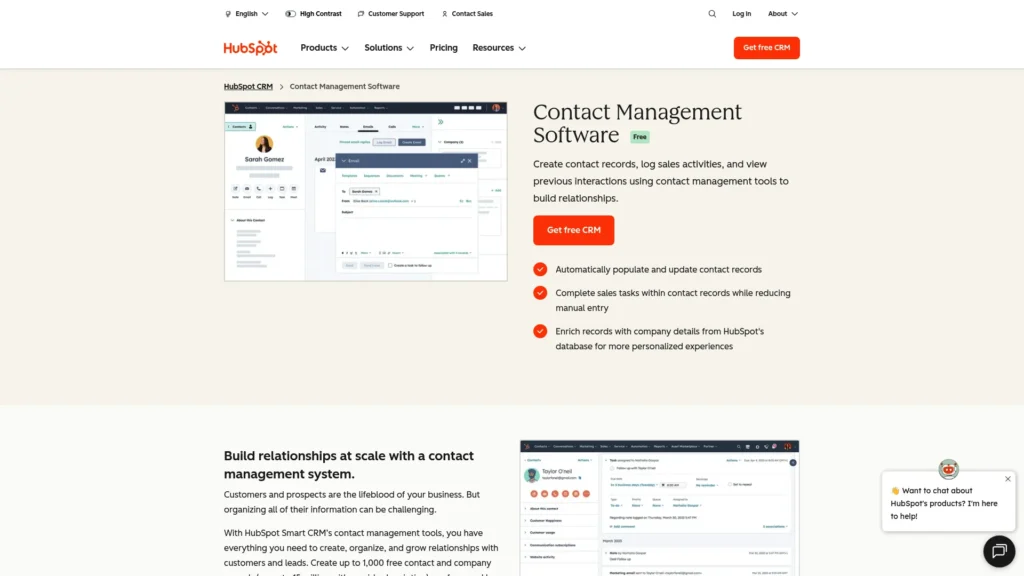
HubSpot started as a marketing platform and grew into a full customer platform, and its free CRM remains one of the most useful free business tools available. For a business managing customer relationships through memory, email threads and a spreadsheet, the free CRM alone is a meaningful upgrade.
HubSpot’s AI layer, Breeze, helps draft emails and content, research contacts, and summarise customer records. Its autonomous agents, such as the customer support and prospecting agents, run on usage-based HubSpot Credits, and paid plans include a monthly credit allowance.
- Free plan: Yes, free CRM tools with contact management, deal pipelines, email tracking, forms and live chat (user and feature limits apply)
- Paid: Standard Starter price: $20/seat/month; promotional pricing may be available for new customers. Professional tiers cost substantially more and add onboarding fees.
- Best for: Service businesses, B2B companies and any business where lead follow-up drives revenue
- Limitation: Costs climb quickly as you add seats, contacts, credits and higher tiers
- Skip it if: You have a handful of clients and a simple pipeline that a spreadsheet or HoneyBook already handles.
Customer Support
13. Tidio: Answering Website Visitors While You Sleep
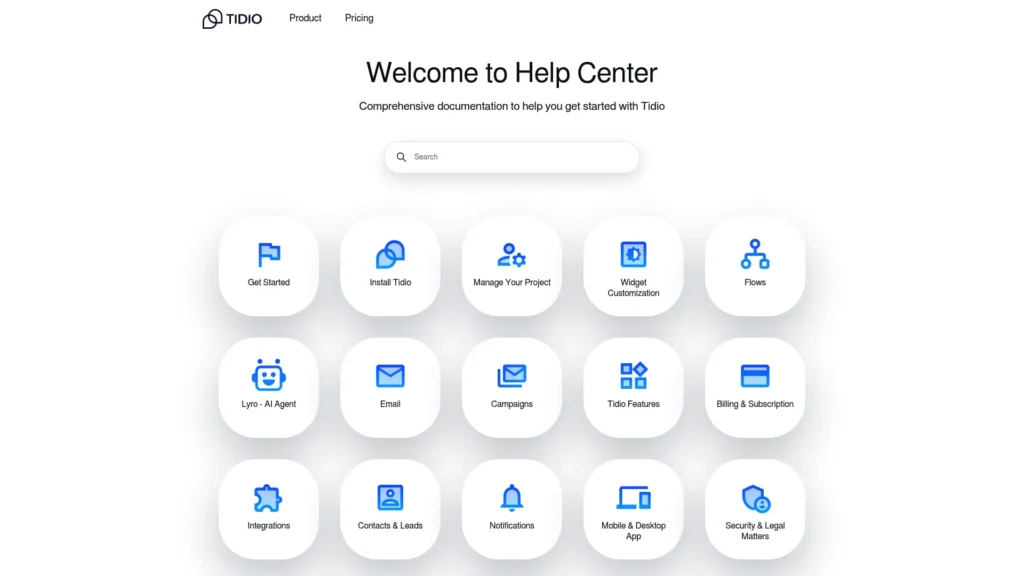
Most small business websites share one problem: someone arrives, has a question, and leaves because no one is there to answer. That visitor may have been a paying customer. Tidio combines live chat with Lyro, an AI agent that answers questions about products, pricing, shipping and availability using your website and knowledge base content, around the clock.
Setup is quick. Add a snippet to your site or use an integration with platforms such as Shopify or WordPress, add your FAQs, and let Lyro handle repetitive questions while complex issues go to a person.
The pricing detail that older guides get wrong: Lyro AI conversations are metered separately from human chat conversations. The free plan includes 50 billable conversations and 50 Lyro AI conversations that are free for the lifetime of the account, not 50 per month. Starter costs $29/month ($24.17 billed annually), and a paid Lyro quota is needed for the AI allowance to refresh monthly, so budget for both lines.
- Best for: E-commerce stores and service businesses with high volumes of repetitive questions
- Limitation: Answers are only as good as your knowledge base, and costs rise across three meters: human conversations, AI conversations and automation flows
- Skip it if: You receive a few inquiries a week that you can answer personally.
Finance & Business Management
14. QuickBooks AI: Making Financial Management Less Painful
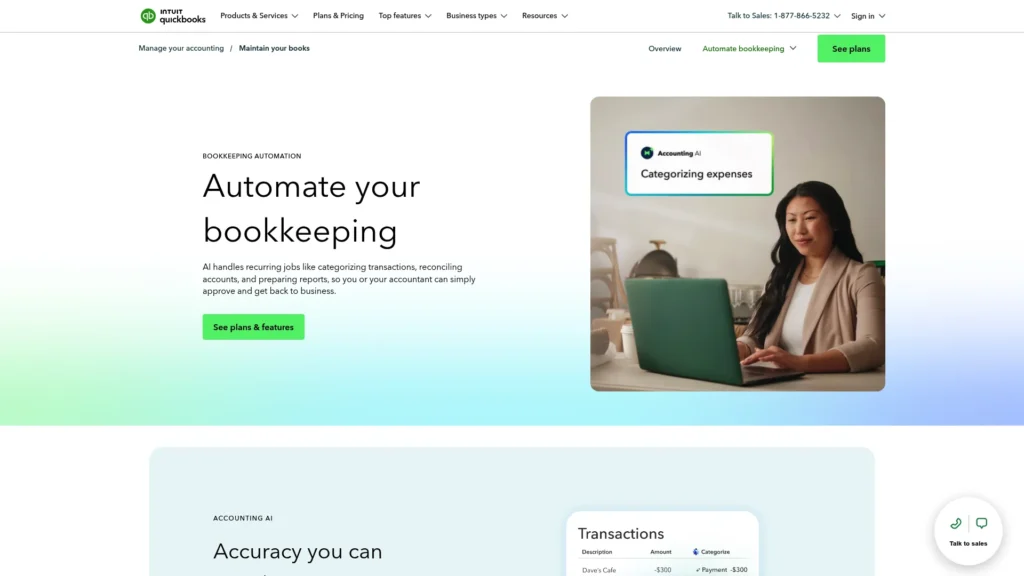
Finance is where the gap between what should happen and what does happen is widest. Receipts pile up. Invoices go unsent for weeks. Tax time arrives, and records are scattered across email threads and a shoebox. QuickBooks has addressed this for years, and Intuit’s AI now handles more of the routine work.
Intuit Assist and a set of AI agents help categorise transactions, draft invoices, flag issues and surface cash flow insights. Intuit says your access to specific AI agents depends on your plan, with some of the most advanced agents reserved for higher tiers.
For an owner who isn’t an accountant and doesn’t have one on staff, this reduces the friction of staying on top of the numbers to the point where it can become a weekly habit rather than a quarterly panic.
- Free trial: 30 days on new monthly subscriptions (QuickBooks plans)
- Paid: QuickBooks Online Simple Start is listed at $38/month; higher tiers add users, inventory and project tracking at higher prices
- Best for: Businesses managing finances through spreadsheets or inconsistent bookkeeping, especially with employees or inventory
- Limitation: The cost adds up alongside other subscriptions, and initial setup takes time
- Skip it if: You already have a bookkeeper or accountant who prefers different software.
15. HoneyBook: Client Management for Service Businesses
HoneyBook is built for independent service businesses such as photographers, consultants, coaches, designers and event planners. It combines inquiries, proposals, contracts, invoices, scheduling and payments in one client flow, so a lead can move from first email to signed contract and deposit without switching tools.
Its AI features draft email replies, prioritise the day’s tasks, and build automated workflows from a plain-language description of your process (HoneyBook pricing).
- Free trial: 30 days, no credit card required
- Paid: Plans start at $29/month; payment processing fees apply when clients pay through the platform
- Availability: HoneyBook is available to businesses in the U.S., Canada, the United Kingdom and Australia
- Best for: Solo and small service businesses that book clients through proposals and contracts
- Limitation: It is not a full accounting system, so most users still need bookkeeping software
- Skip it if: You sell products rather than services, or you are based outside its four markets.
Which AI Tools Make Sense for Your Type of Business
The right answer is not the same for every business, so here is a practical starting stack by business type. Start with the first tool listed and add the others only when the first one is embedded in your routine.
Solopreneurs and one-person businesses. The priority is maximum output with minimum cost and complexity. Start with ChatGPT or Claude on a free plan for writing and thinking, Canva’s free plan for visuals, HubSpot’s free CRM for client relationships, and QuickBooks Simple Start for the books. That stack starts at about $38 a month, with the assistant upgrade optional at $20 a month. Service-based solos in HoneyBook’s four markets may prefer HoneyBook in place of HubSpot.
Service businesses (consulting, agencies, coaching, professional services). Start with HubSpot or HoneyBook to manage leads and clients, Claude or ChatGPT for ongoing written communication, and Notion AI once you have more than two people who need shared processes. If client calls drive decisions, add meeting notes through Copilot, Gemini or a dedicated note-taker.
E-commerce businesses. Start with Tidio to answer pre-sale questions, Canva for product and promotional visuals, and QuickBooks for the finances. Add Zapier when order, customer and email data need to flow between tools, Jasper if your catalogue needs large volumes of product copy, and Semrush when organic search becomes a real channel.
Small teams of 2 to 10 people. Start with the assistant built into your office suite: Gemini for Google Workspace or Copilot for Microsoft 365. Add Notion AI for shared documentation and Zapier to remove manual data transfer between tools.
Marketing-heavy businesses. Canva for design, Semrush for search and competitor research, and either Jasper or a general assistant for content, depending on volume. Grammarly helps if several people write customer-facing copy.
Sales- and support-heavy businesses. HubSpot for pipeline and follow-up, Tidio for website support, and Zapier to connect the two with your other systems.
The Honest Truth About AI Tools for Business
No guide to AI tools for business is complete without an honest look at where they fall short.
Implementation takes time. Every tool here needs setup, learning and integration into daily work, and that is time owners rarely have. The result is tools that get purchased, half-configured and abandoned. Implement one tool at a time, and do not move to the next until the first is part of your routine.
Subscription creep is real. Ten tools at an average of $30 a month is $300 a month, or $3,600 a year, and each one seemed affordable on its own. Per-seat pricing multiplies that across a team. Audit subscriptions every quarter and cancel anything you are not actively using.
AI output can be wrong. Assistants can state incorrect facts confidently, misread a contract clause or invent a statistic. Treat AI output as a draft, and have a person check anything that goes to a customer, a regulator or your accountant.
Sensitive data needs care. Don’t paste confidential client details, financial records, or trade secrets into consumer AI plans without checking how they use the data. Business plans from ChatGPT, Claude, Google, and Microsoft offer stronger data commitments than personal accounts.
Automations fail quietly. A Zap that stops running or a chatbot giving outdated answers can do damage for weeks before anyone notices. Check your automations and chatbot conversations regularly.
You can lose the personal touch. Customers often choose small businesses because they feel they are dealing with a person who cares, not a system. AI-powered support, automated emails and AI-written content can erode that if used without judgment. Use AI for the volume work and keep the human moments that build loyalty.
Sometimes the answer is not AI. A better template, a simpler process, or a clear FAQ page can solve a problem more cheaply than a new AI subscription.
Frequently Asked Questions
What are the best AI tools for business?
The best AI tools for business depend on the job. For general writing and research, ChatGPT, Claude and Perplexity lead. For AI inside office software, choose Gemini on Google Workspace or Microsoft Copilot on Microsoft 365. For specific functions, HubSpot covers CRM, Tidio covers website support, Zapier covers automation, Canva covers design, Semrush covers SEO, and QuickBooks covers bookkeeping. No single tool is best for every business.
What AI tools are best for my business?
Start with the task costing you the most time or money. Solopreneurs usually get the most from a free AI assistant plus Canva and a free CRM. E-commerce stores benefit most from Tidio and Canva. Service businesses gain from HubSpot or HoneyBook. Small teams should start with the AI built into their office suite. See the business-type recommendations above for suggested stacks.
What are some AI tools for small business owners?
The most practical AI tools for small business owners are those with free plans or low starting prices: ChatGPT or Claude for writing, Canva for marketing design, HubSpot’s free CRM for customer relationships, Tidio for website chat, and Zapier for simple automation. QuickBooks and HoneyBook are worth paying for once finances or client admin become a bottleneck.
Which AI agent tools are best for business?
For most businesses, the most usable AI agents are inside tools you may already pay for. Zapier Agents can act across thousands of connected apps. Microsoft 365 Copilot plans include prebuilt agents for research and analysis. HubSpot’s Breeze agents handle support and prospecting on paid plans using credits. Tidio’s Lyro answers customer questions. Start with one narrow, well-defined task and keep a person reviewing the results.
How do I choose AI tools for business?
Identify one costly problem, estimate how much time a tool could save, and check that it integrates with software you already use. Confirm how it handles your data, compare the price of the plan you will need in a year, and test it on a real task during a free plan or trial before committing.
Are there free AI tools for business?
Yes. ChatGPT, Claude, Perplexity, Grammarly, Canva, Zapier, Notion, Semrush, HubSpot and Tidio all offer free plans, though each has usage limits. A small business can build a useful AI-assisted setup on free plans alone, then upgrade only the tool that becomes a daily bottleneck.
How much should a small business budget for AI tools?
A focused stack of two or three paid tools typically costs about $50 to $150 a month. For example, ChatGPT Plus ($20) and one HubSpot Starter seat ($20) cost $40 a month, and adding QuickBooks Simple Start ($38) brings the total to about $78, leaving room for a design tool such as Canva Pro within a $100 budget. Scale spending based on proven time savings, not on what sounds comprehensive.
Is my business data safe with AI tools?
Established vendors publish security and privacy documentation, but data handling differs by plan. Consumer AI plans may use your content to improve models unless you opt out, while business plans from vendors such as OpenAI, Anthropic, Google and Microsoft generally do not train on business data by default. Avoid entering confidential client or financial details until you have checked the plan’s data terms.
Start With One Problem
The businesses that get real value from AI in 2026 will not be the ones that adopted every tool available. They will be the ones that identify the two or three problems costing them the most time and money, choose the right tools for those problems, and implement them properly instead of letting subscriptions go unused.
So the most important decision after reading this article is not which fifteen tools to sign up for. It is which single problem to solve first.
If customer questions are eating your day, set up Tidio’s free plan this week. If marketing content is inconsistent because it takes too long, use ChatGPT or Claude for the next piece you need to write. If your finances are a source of stress, QuickBooks’ 30-day trial may solve a problem that’s been draining more than money.
AI tools don’t fix a broken business model, a weak product, or a market that doesn’t want what you sell. They remove the operational friction that stops a good business from running as well as it should.
Keep Exploring