Ahsan Javaid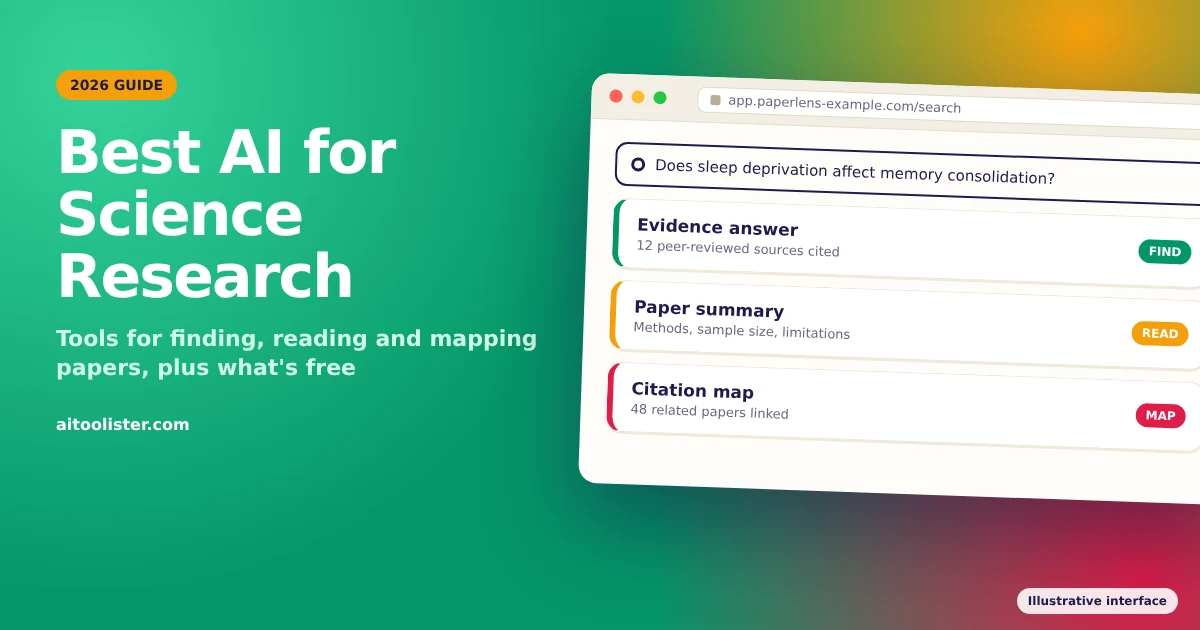
There is no single best AI for science research. The right tool depends on the task: finding papers, reading them, mapping how studies connect, analysing data, writing, or running a broad web investigation. This guide groups the best AI tools for research by task, what each one does, what you get for free, and where it falls short.
The Best AI Tools for Science Research at a Glance
Plans and prices checked October 29, 2026.
| Task | Tool | Best for | Free access | Paid plan starts at |
| Finding papers | Consensus | Evidence-based answers from peer-reviewed papers | Free plan with monthly caps on advanced features | Paid options available; see current pricing |
| Finding papers | Elicit | Searching, summarizing and extracting data from papers | Free Basic plan; limited research reports | Paid options available; see current pricing |
| Finding papers | Semantic Scholar | Free academic search across 200M+ papers | Free for everyone | No paid plan |
| Reading papers | NotebookLM | Asking questions about your own PDFs | Free Standard plan | Paid options available; see current pricing |
| Mapping the literature | ResearchRabbit | Citation maps and related-paper discovery | Free plan; up to 50 seed articles | From $10/month (RR+); varies by country |
| Deep research | Gemini Deep Research | Cited web reports, including from your own files | Available with daily caps | Paid options available; see current pricing |
| Deep research | Perplexity | Fast web answers with numbered sources | 3 Pro Searches a day; 1 Research query a month | Paid options available; see current pricing |
| Deep research | Claude | Long documents and research writing | Free plan includes web search, but not Research | $20/month, or $17/month billed annually (Pro) |
How we compared these tools: this is a documentation-based comparison of the eight tools in the table, with a few others mentioned briefly where relevant. AIToolister did not test these tools hands-on. Plan details, prices and free limits come from each tool’s official pricing or help pages, checked October 29, 2026. Where a tool’s own pages disagree on prices, we point you to its live pricing page instead of quoting a figure. Prices are in US dollars and may vary by country. Plans change often, so check the current page before you pay.
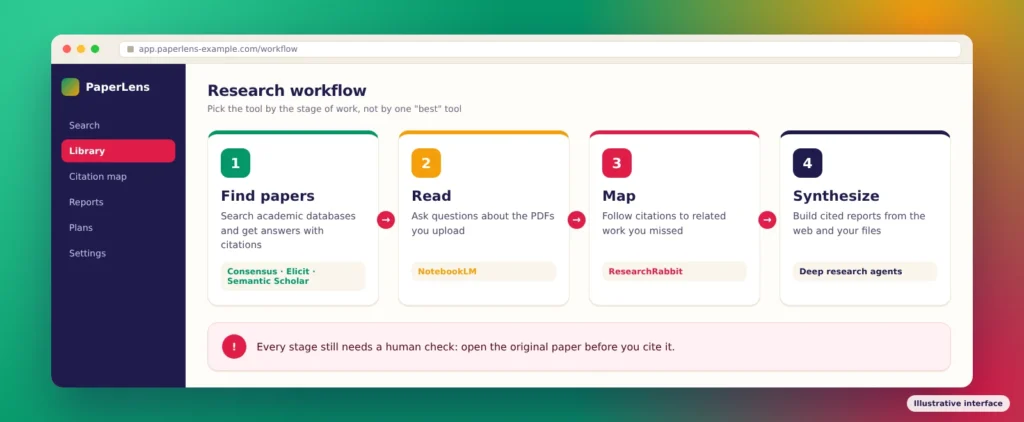
Best AI Tools for Finding Research Papers
These tools search academic literature directly, which makes them a better starting point for scientific research than a general chatbot.
Consensus
Best for: quick, evidence-based answers to research questions.
Consensus searches peer-reviewed papers and answers your question based on what the studies say. According to Consensus’s subscription plans page, the free plan includes paper searches plus 10 Pro messages and 3 Deep Searches a month. Paid Pro and Deep plans raise those limits, and Consensus offers students 40% off Pro for 12 months with a verified student email. Consensus’s own pages currently show different paid prices, so check the live pricing page before you buy.
Limitation: the free plan’s advanced features run out quickly if you use them daily. An answer drawn from papers still needs checking against the papers themselves.
Elicit
Best for: literature reviews and pulling data out of many papers at once.
Elicit searches more than 138 million papers, summarises them and builds extraction tables. According to Elicit’s plans overview, the free Basic plan includes unlimited searches, summaries and chat with papers, with limited research reports and data extraction. Plus is the entry-level paid plan and raises those limits. The guided systematic review workflow is on Pro and higher plans. Elicit’s help centre and pricing page currently show different paid prices, so check the live pricing page before you buy.
Limitation: the guided systematic review workflow is a Pro feature, which is a meaningful cost for students.
Semantic Scholar
Best for: free academic search with no account required.
Semantic Scholar is a free search engine from AI2, the nonprofit Allen Institute for AI. It covers more than 200 million papers from publishers and repositories such as PubMed, Wiley and arXiv. It adds citation classifications and influence indicators, and a free account unlocks saved papers, alerts and research feeds. AI2 says it is and always will be free.
Limitation: it helps you find and judge papers, but it doesn’t write answers or reports for you.
Best AI Tool for Reading and Understanding Papers
NotebookLM
Best for: asking questions about papers you have already collected.
NotebookLM answers questions using only the sources you upload, such as PDFs, notes and documents. That makes it useful for working through a stack of papers for a literature review or thesis chapter. According to Google, the free Standard plan allows 100 notebooks with up to 50 sources each, and paid Google AI plans raise those limits. Since September 2026, Google has used flexible usage limits that refresh every five hours based on your usage, rather than fixed daily caps.
Limitation: NotebookLM only knows what you give it. It won’t find new papers, so pair it with a search tool from the section above.
Best AI Tool for Mapping the Literature
ResearchRabbit
Best for: finding related papers through citations, not just keywords.
Start from a few papers you trust, and ResearchRabbit shows the papers they cite, the papers that cite them and similar work, laid out as citation maps. That often surfaces studies a keyword search misses. According to ResearchRabbit’s pricing page, the free plan includes unlimited searches across more than 310 million articles, unlimited collections, sharing, and searches from up to 50 seed articles. RR+ starts at $10 a month, with prices that vary by country. It allows up to 300 seed articles and adds multiple projects and advanced search controls.
Limitation: citation maps show how papers connect, not whether their findings hold up. Connected Papers is another citation-mapping tool worth trying if you prefer a different visual layout.
Using AI for Research Data Analysis
AI data analysis tools let you upload a spreadsheet or dataset, ask questions in plain language, and get charts, summaries, and statistical tests in return. Some general assistants can run code on uploaded files; Claude’s pricing page, for example, lists file creation and editing with code execution on all plans, including free. Dedicated data analysis tools also exist. Plans and limits change often, so check a tool’s current pricing page before relying on its free tier.
The main risk is trusting output you haven’t checked. Before using AI-generated results in your work:
- Check the method. Confirm the AI used the right statistical test for your data and question.
- Read the code. If the tool shows the code it ran, review it or rerun it yourself.
- Verify key numbers. Recalculate important results in your usual software, such as R, Python or SPSS.
- Protect sensitive data. Don’t upload participant or patient data unless your ethics approval and the tool’s data policy allow it.
Using AI for Academic Writing and Citations
AI writing assistants, from dedicated academic editing tools to general assistants such as Claude, can help with language editing, clarity, structure and paraphrasing. They are most useful for polishing your own draft, not producing one. Check each tool’s pricing page, since free allowances change often.
Three rules keep AI writing help on the right side of academic standards:
- You remain the author. Use AI to improve wording, not to generate your arguments, analysis or conclusions.
- Keep references in a reference manager. Store citations in a tool such as Zotero rather than trusting AI-formatted references, which can contain errors.
- Disclose your use. Many journals and universities require you to say how you used AI, as covered in the responsible-use section below.
Deep Research Agents: ChatGPT, Gemini, Claude and Perplexity
Deep research tools take a question, search the web over several steps and write a report with sources. They work like AI agents: you set the goal, and the tool plans and runs the searches. Our guide to AI agents explains how that works.
These tools are broad research assistants, not specialist academic databases. They search the open web, including news, blogs, company pages, and research. Use them to scope a topic or get oriented quickly, then confirm what matters in Consensus, Elicit or Semantic Scholar.
ChatGPT deep research
OpenAI offers a deep research mode in ChatGPT that runs multi-step web research and produces a cited report. Availability and usage limits depend on your ChatGPT plan, so check OpenAI’s deep research help page for the current allowance.
Gemini Deep Research
Google says Deep Research in the Gemini app is available to signed-in users aged 18 and over. It can draw on Google Search, uploaded files and NotebookLM notebooks. Daily limits apply to research requests, and Google AI Pro and Ultra subscribers get higher limits and higher-quality reports. Google doesn’t publish exact numbers for the caps.
Perplexity
Perplexity is built for fast answers with sources: each answer includes numbered footnotes that link to where the information came from. Perplexity’s help centre says the free plan includes 3 Pro Searches a day, the deeper search mode, and 1 Research query a month. Paid plans use weekly and monthly limits rather than a single published daily number.
Claude
Claude is strong at reading long documents, comparing sources you provide and drafting research writing. According to Claude’s pricing page, web search is available on every plan, including free. The Research feature, which runs longer multi-step investigations, requires Pro ($20 a month, or $17 a month billed annually) or Max. Like the other assistants here, Claude doesn’t search academic databases directly.
For a closer look at two of these assistants, see our comparison of ChatGPT vs Claude and our guide to what Claude AI is good for.
Best Free AI Tools for Research: What You Actually Get
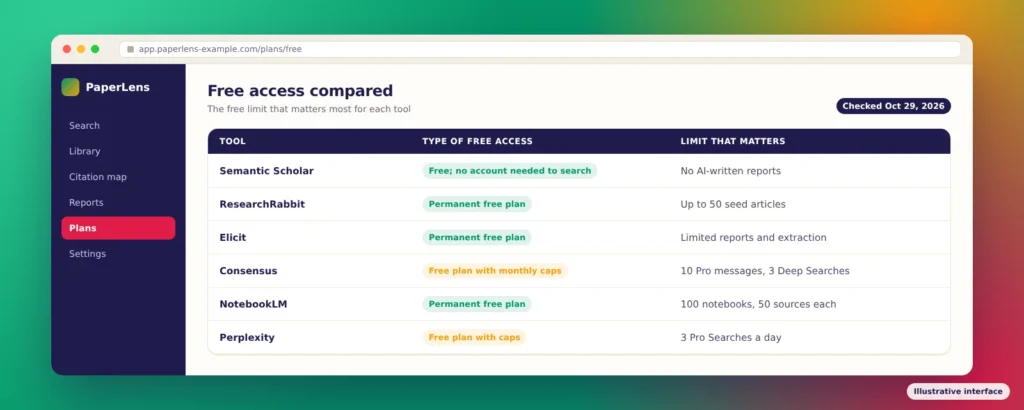
“Free” means different things for these tools. Some are free with no catch, some have a permanent free plan with caps, and some give you a small daily allowance of their best features. This section compares what each free tier actually includes, so you can judge whether it fits your research needs.
| Tool | Type of free access | What you can do free | The limit that matters |
| Semantic Scholar | Free; no account needed to search | Search, citation insights, alerts with a free account | No AI-written answers or reports |
| ResearchRabbit | Permanent free plan | Unlimited searches, collections and citation maps | Searches from up to 50 seed articles |
| Elicit | Permanent free plan | Unlimited search, summaries and chat with papers | Limited research reports and extraction |
| Consensus | Permanent free plan with monthly caps | Paper searches | 10 Pro messages and 3 Deep Searches a month |
| NotebookLM | Permanent free plan | Q&A over your own uploaded sources | 100 notebooks, 50 sources each |
| Perplexity | Free plan with a daily cap | Web answers with sources | 3 Pro Searches a day; 1 Research query a month |
| Claude | Permanent free plan | Chat, web search, file work | No Research feature |
| Gemini Deep Research | Free access with daily caps | Cited research reports | Daily request limit; numbers not published |
When free is enough: for coursework, a single literature search or occasional questions, a free stack covers most needs. Combine Semantic Scholar and ResearchRabbit to find papers, Elicit Basic to summarise them and NotebookLM to work through the ones you keep.
Pay when you need systematic reviews, large data-extraction tables, or heavy daily use, as the free caps will fill fast. Compare Consensus Pro or Deep with Elicit Plus or Pro against your actual monthly workload; the right upgrade depends on whether you need evidence answers, extraction tables or a systematic review workflow.
How to Use AI in Research Responsibly
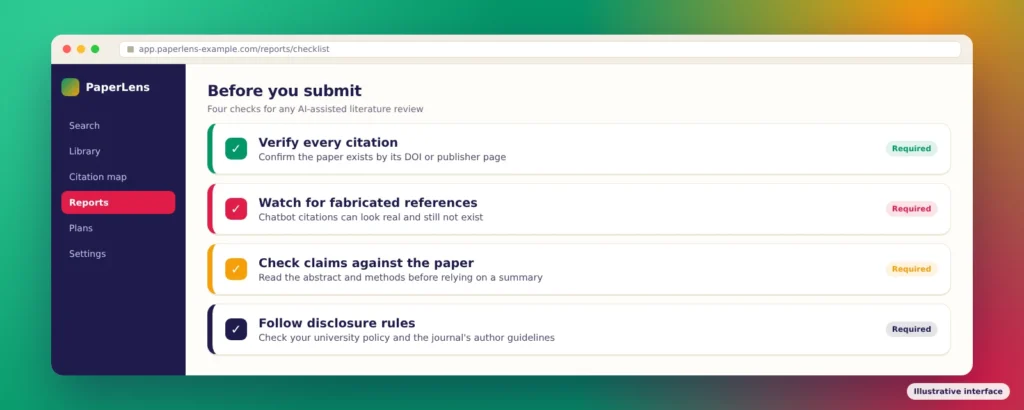
AI research tools save time, but they don’t remove your responsibility for accuracy. They can help you find, organise, and summarise literature, but they don’t peer-review or determine whether a study is valid. Four habits protect your work:
- Verify every citation. Before you cite a paper an AI suggested, confirm it exists and says what the AI claims. Look it up by its DOI or on the publisher’s page.
- Watch for fabricated references. General chatbots can produce citations that look real but don’t exist. Tools that search paper databases reduce this risk, but they don’t remove it.
- Check claims against the original paper. An AI summary can miss caveats, sample limits or the difference between correlation and cause. Read at least the abstract and methods of any paper you rely on.
- Follow disclosure rules. Check your university’s AI policy and your target journal’s author guidelines. The ICMJE recommendations, followed by many medical journals, say authors should disclose AI use, that AI tools can’t be listed as authors, and that humans remain accountable for accuracy and citations.
Some universities also check submitted work for AI-generated writing. If your institution uses Turnitin, our guides explain how its AI detector works and how accurate it is.
Frequently Asked Questions
Which AI is best for research in 2026?
It depends on the task. For finding and summarising papers, academic tools such as Elicit, Consensus and Semantic Scholar are the strongest starting points. For working through your own PDFs, NotebookLM fits well. For broad web investigations, deep research tools from Google, OpenAI, Anthropic and Perplexity are faster but less academically focused.
Is there a free AI for research papers?
Yes. Semantic Scholar is completely free, and ResearchRabbit has a permanent free plan. Elicit Basic, Consensus, and NotebookLM also offer permanent free plans, with caps on more advanced features.
Can ChatGPT find real research papers?
ChatGPT can search the web and cite sources, but it is not an academic database, and chatbots can produce citations that look real but aren’t. Check every reference it gives you, and use academic search tools such as Semantic Scholar or Elicit when you need reliable paper discovery.
Which AI is best for writing a research paper?
AI writing assistants are best used for editing and clarity, not for generating your paper. You remain the author and are responsible for its content. Many journals require you to disclose AI use, so check the author guidelines before you submit.
Can I use AI for my thesis?
That depends on your university’s rules, which vary widely. Many institutions allow AI for tasks like literature searches or grammar checks but restrict its use for writing or analysis. Check your institution’s policy, ask your supervisor and keep a record of how you used AI.
Sources
- Consensus: Subscription plans
- Elicit: Overview of Elicit plans
- Semantic Scholar: About (librarian resources)
- Google: Upgrade NotebookLM
- Google: NotebookLM FAQ
- Google: New flexible usage limits
- Consensus: Pricing summary
- ResearchRabbit: Pricing
- Google: Use Deep Research in Gemini Apps
- Perplexity: Which subscription plan is right for you?
- Claude: Pricing
- ICMJE: Use of AI by authors
Keep Exploring