Ahsan Javaid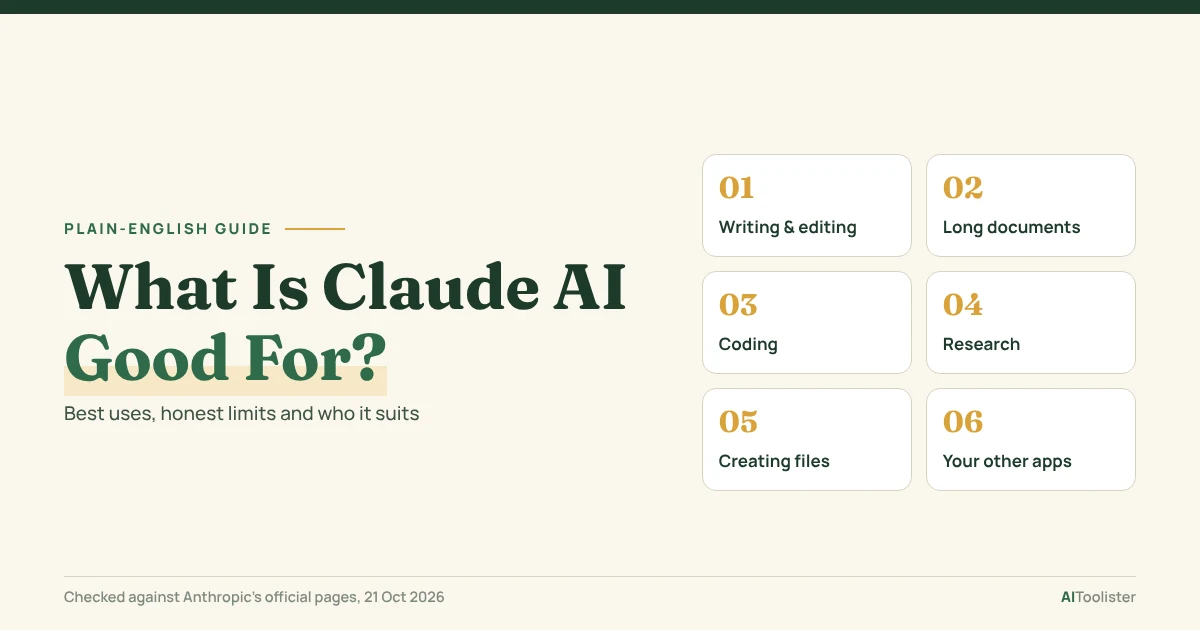
Claude AI is good for writing and editing, working through long documents, coding, research and analysis, and turning a request into a finished file such as a document, spreadsheet or slide deck. Anthropic’s AI assistant handles both quick questions and bigger tasks you hand over in plain language.
This guide shows what Claude does best, where it falls short, and which plan you need for each use. Plan and feature details were checked against Anthropic’s official pages on 21 October 2026.
What Is Claude AI?
Claude is an AI assistant built by Anthropic. You can use it at claude.ai, in the desktop apps for macOS and Windows, and on your phone. Anthropic also offers Claude inside Chrome, Microsoft 365, Google Workspace and Slack, along with Claude Code for software development and the Claude API for developers building their own products.
So what does Claude AI do? You type a request the way you’d brief a colleague, and Claude replies with an answer, a draft or a finished piece of work. You can also upload files, such as PDFs, spreadsheets and images, and ask Claude to read, summarise, or work with them.
Claude runs on Anthropic’s own family of models. Which models you can choose from depends on your plan, and the lineup changes regularly, so this guide focuses on what you can do rather than on model names.
What Claude AI Is Good For: The Quick Answer
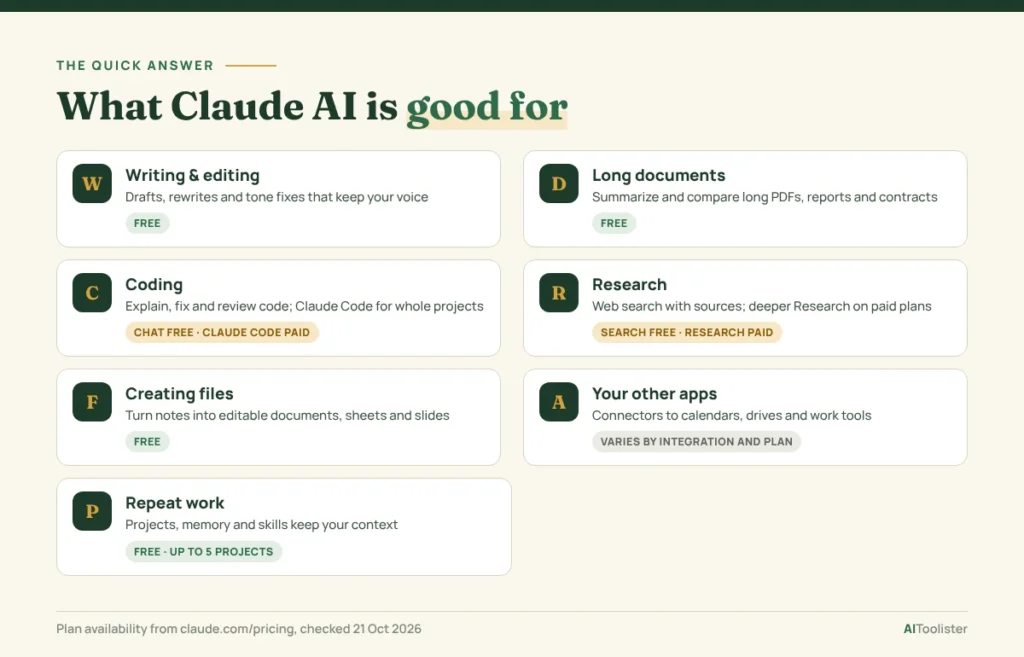
| Task | What you can ask for | Free plan? |
| Writing and editing | “Rewrite this email so it’s shorter and friendlier” | Yes |
| Long documents | “Summarize this 60-page contract and list the deadlines” | Yes |
| Coding | “Explain this function and fix the bug” | Yes in chat; Claude Code needs a paid plan |
| Research | “Search the web and compare three project-management tools” | Web search yes; the deeper Research feature needs a paid plan |
| Creating files | “Turn these notes into a one-page document” | Yes (file creation) |
| Your other apps | “Check my calendar and draft a reply to this invite” | Varies by integration and plan |
| Repeat work | “Use our brand guidelines for every post in this project” | Yes, up to 5 Projects |
Which use should you try first?
The fastest way to judge Claude is one real task from your own work:
- Writers: paste a draft you’re unhappy with and ask for a tighter version that keeps your voice.
- Analysts and students: upload a long report or reading and ask for the key findings plus anything that looks inconsistent.
- Developers: share a small bug with the error message and ask for the cause and a fix.
- Business owners: upload a messy spreadsheet or meeting notes and ask for a clean summary with next steps.
If the result saves you time on that one task, the rest of this guide shows where else Claude can help.
What Claude Does Best
The table gives you the short answer. Below, each use shows what it looks like in practice, with an example request and the main thing to watch for.
Writing and editing
Claude is often used to draft and rewrite emails, reports, blog posts, cover letters, and social posts. It’s particularly useful for editing your own writing, because you can ask it to keep your voice while fixing structure, tone or length.
Try asking: “Here’s my draft. Cut it to 200 words, keep my examples, and make the opening less formal.”
What you get: a revised version, plus an explanation of the changes if you ask for one.
Watch for: Claude can make text sound generic if you give it no direction. Paste a sample of your own writing and say what to keep.
Reading long documents and PDFs
This is one of Claude’s clearest strengths. You can upload long PDFs, reports and research papers and work through them in one conversation. How much material Claude can consider at once (its context window) depends on the model you use. Anthropic’s pricing page lists “up to 1M” tokens, varying by model, so don’t assume every model or account gets the maximum.
Try asking: “Compare these three supplier contracts. Make a table of price, payment terms and cancellation rules.”
What you get: a side-by-side summary you can check against the originals.
Watch for: summaries can miss or misread details. For anything legal or financial, check the key clauses yourself.
Coding
Claude can explain code, write functions, find bugs and review changes, all inside the normal chat. For real software projects, Anthropic offers Claude Code, a separate tool that works directly in your codebase from the terminal, an IDE or the desktop app. You can extend it with reusable instructions, which our guide to Claude Code skills explains step by step.
Try asking: “This script crashes on empty files. Find out why and suggest a fix.”
What you get: an explanation of the cause and corrected code.
Watch for: test any code before using it. Claude Code is included with Pro and the other paid plans, not Free.
Research and analysis
Every plan, including Free, includes web search, so Claude can look up current information and show its sources. Paid plans add Research, a deeper mode for questions that require multiple searches compiled into a report.
Claude can also analyse data you give it directly. Upload a spreadsheet, and it can find trends, run calculations and build charts. That’s different from pulling data from your other tools, which needs a connector (covered below).
Try asking: “Here’s last quarter’s sales export. Which products grew fastest, and is anything unusual?”
What you get: a written analysis, often with a table or chart.
Watch for: check calculations and any source Claude cites, especially before you share the results.
Creating finished files
Claude can turn a request into an editable document, spreadsheet or slide deck rather than just text in the chat. Anthropic lists file creation on every plan, including Free. Claude can also build diagrams, charts and interactive visuals inside the conversation.
Try asking: “Turn these meeting notes into a one-page summary document with action items and owners.”
What you get: a file you can open, edit and share.
Watch for: review formatting and figures before you send a file to anyone.
Working with your other apps
Connectors link Claude to tools you already use, so it can read from them or act in them for you, such as checking a calendar, searching a drive or updating a task list. Anthropic includes connectors on the Free plan, but which integrations you can use varies by service and plan. For example, Claude in Chrome and Claude for Microsoft 365 are listed as Pro features. Check the current plan details before relying on a particular connection.
Paid plans can also hand tasks off to Claude and schedule work to run again later, which suits recurring jobs like weekly reports.
Watch for: only connect accounts you’re comfortable with Claude accessing, and review what it plans to do before it acts.
Repeat work: Projects, memory and skills
If you do the same kind of task often, Claude can keep the context so you don’t repeat yourself. Projects group files and instructions for one piece of work (Free plans get up to 5). Memory lets Claude recall useful details across conversations. Skills package step-by-step instructions Claude can reuse.
Try asking: “In this project, always follow the attached style guide and write for small-business owners.”
Claude AI Use Cases by User Type
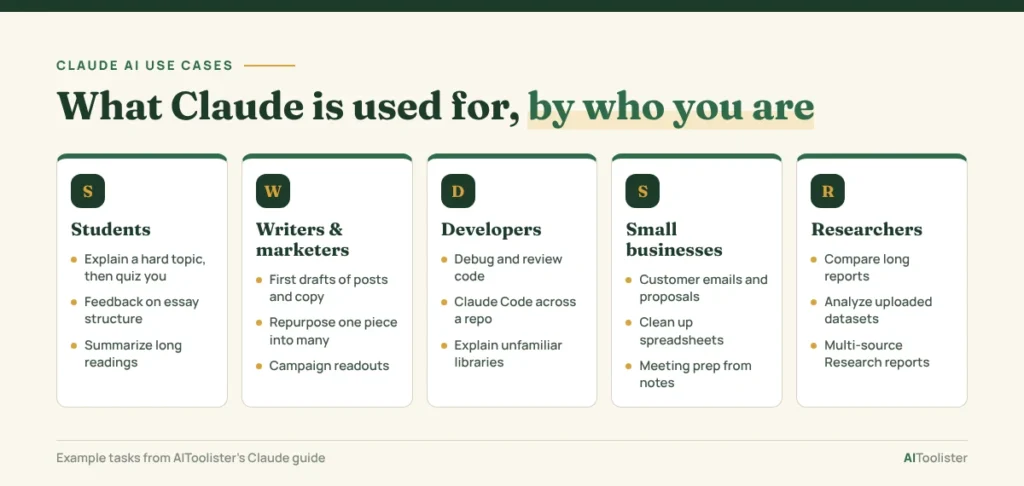
What Claude is used for depends heavily on who’s using it. Here are common Claude AI use cases for five types of users.
Students
- Explaining a difficult topic in simpler terms, then quizzing you on it.
- Giving feedback on the structure and clarity of an essay draft.
- Summarising long readings so you know what to focus on.
Check your school’s rules on AI use. Using Claude to understand material is very different from submitting its work as your own.
Writers and marketers
- Drafting first versions of articles, newsletters and ad copy.
- Repurposing one piece of content into several formats.
- Turning campaign results into a short readout for your team.
Developers
- Debugging, code review and writing tests in chat.
- Working across a whole repository with Claude Code (paid plans).
- Explaining unfamiliar code or libraries.
Small businesses and operations
- Writing customer emails, proposals and policies.
- Cleaning up spreadsheets and summarising figures.
- Preparing for meetings from notes, documents and your connected calendar.
Researchers and analysts
- Summarising and comparing long reports or papers.
- Analysing uploaded datasets and producing charts.
- Running multi-source investigations with Research (paid plans).
What Claude AI Isn’t Good For
Claude is a strong general assistant, but it has clear limits:
- Photos and illustrations. Anthropic says Claude doesn’t generate photos or illustrations the way image-generation tools do. It can create diagrams, charts and interactive visuals, but for artwork or realistic images you’ll need a dedicated image tool.
- Guaranteed accuracy. Claude can make mistakes in facts, calculations and citations. Check anything important, and treat legal, medical and financial answers as a starting point for a professional, not a replacement.
- Unlimited use. Every plan has usage limits, and Anthropic doesn’t publish a fixed message count. Limits vary by plan and by how heavy your tasks are. They reset on a rolling five-hour window, and paid plans also have weekly limits.
- Recent events without search. Claude’s built-in knowledge stops at a training cutoff. With web search turned on, it can look up newer information, but it still helps to ask for sources.
- Advanced features on Free. Claude Code, Research and several integrations need a paid plan. Check which features your plan includes before relying on them.
Claude vs ChatGPT: Which to Use When
Neither is better at everything. Both handle writing, coding, research and file work, and both change their features often. Claude may suit you if your workflow involves long documents, iterative editing or software development with Claude Code. ChatGPT may be more convenient if you want image generation alongside your other AI tasks.
The better choice depends on the features you use and the results you get on your own tasks, so try both before paying for one. For a full side-by-side breakdown of features, pricing and strengths, see our ChatGPT vs Claude comparison.
Is Claude AI Free? Free vs Paid at a Glance
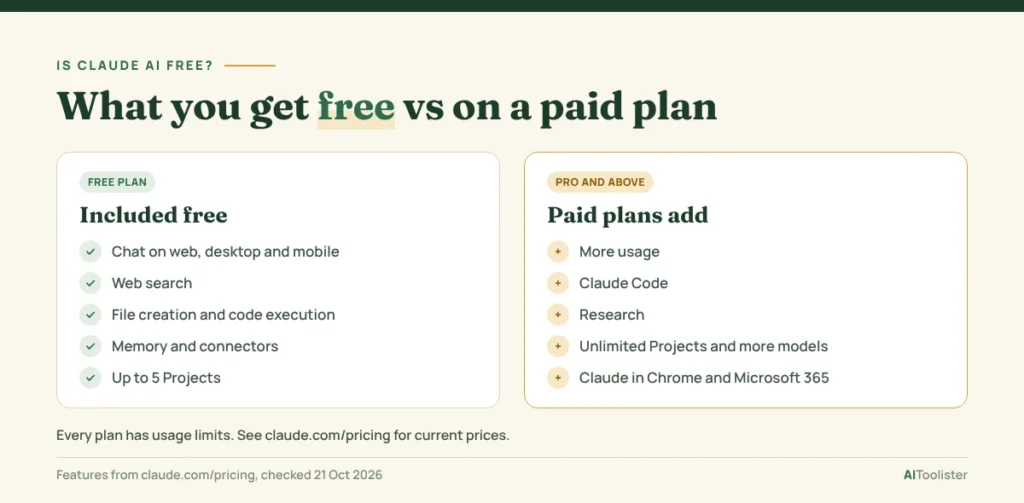
Yes, Claude has a free plan. Paid plans add more usage and more features.
| Plan | Price | Best for |
| Free | $0 | Trying Claude for writing, documents, web search and file creation |
| Pro | $20/month, or $200/year | Daily use, Claude Code, Research and more model choice |
| Max | From $100/month | Heavy users who need 5x or 20x Pro’s usage |
| Team | From $20 per seat/month billed annually ($25 monthly) | Teams of 2–150 with shared admin and collaboration |
| Enterprise | Seat price plus usage | Larger organizations needing advanced security and controls |
Prices were checked on 21 October 2026 and can change. Confirm current plans on Anthropic’s Claude pricing page before you subscribe.
Start with Free to see whether Claude suits your work. Upgrade to Pro if you regularly hit the limits or need Claude Code or Research.
How to Start Using Claude
Create a free account at claude.ai or download the desktop or mobile app. Then three habits will get you better results quickly:
- Give context and a goal. “Write a reply declining this meeting politely; I want to keep the relationship” works better than “write a reply.”
- Upload the source. Attach the full PDF or spreadsheet instead of pasting fragments.
- Name the output. Ask for exactly what you want back, such as a table, a one-page document, five bullet points or a slide deck.
FAQ
Is Claude.ai really useful?
Yes, for most writing, document, coding and research tasks. It’s most useful when you give it real material to work with, such as your draft, data, or files, rather than asking general questions you could search for.
What can Claude do that ChatGPT can’t?
Most everyday tasks work in both, so the difference is less about features one has and the other lacks. Claude is especially strong in two areas: Anthropic lists a context window of up to 1 million tokens (varying by model), which suits very long documents, and Claude Code is built for working inside software projects. Because both products change often, compare them on your own tasks.
Is Claude AI good for studying?
Yes, as long as you use it to learn rather than to do your work for you. Ask it to explain concepts, quiz you, or point out weak spots in your draft, and check your school’s AI-use rules.
Can Claude AI generate images?
Not photos or illustrations. Anthropic says Claude doesn’t generate images like image-generation tools do, but it can build diagrams, charts, and interactive visuals, and analyse images you upload. Anthropic’s help article on whether Claude can produce images has the details.
Can I use Claude to make money?
Claude can support paid work, but it won’t earn money for you. People use it to work faster as freelance writers, developers, marketers and consultants, for example, by drafting client work, building small tools or preparing proposals. You still have to provide the quality and judgment.
The Bottom Line
Claude is best when you give it real work: a draft to improve, a long document to understand, code to fix, or notes to turn into a finished file. Start on the free plan with one task you do every week, and upgrade only if you hit the usage limits or need Claude Code or Research.
Keep Exploring