
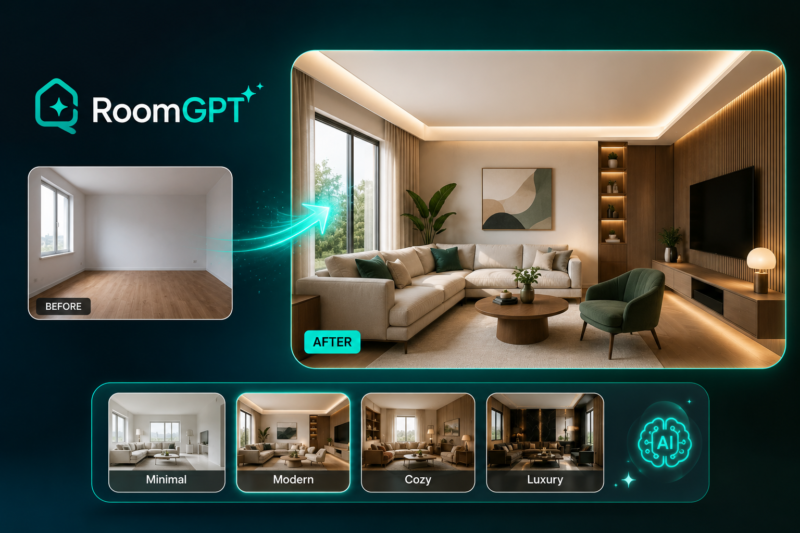
Not everyone browsing room redesign ideas needs professional-grade rendering tools or a SketchUp plugin; sometimes the goal is just uploading a photo of a cluttered living room and quickly seeing what it could look like in a different style before deciding whether a renovation is even worth pursuing. RoomGPT built its entire product around that simpler, lower-stakes use case, positioning itself as the fastest, most accessible way to get AI-generated room redesign inspiration from a single photo.
What is RoomGPT?
RoomGPT is an AI-powered room redesign tool that transforms a photo of a room into a redesigned version in a different style, letting users quickly explore how a space might look with a different aesthetic. It's positioned as the simplest tool in the AI interior design category, prioritizing speed and ease of use over the professional-grade rendering depth or sketch-to-3D capability offered by more comprehensive platforms. Rather than serving professional designers or real estate teams needing commercial licensing and precise control, RoomGPT is built for casual homeowners, renters, and design enthusiasts wanting quick inspiration before committing to an actual renovation or redecorating project.
Key features
Photo-Based Room Redesign
Transforms an uploaded photo of a room into a redesigned version in a selected style, giving users a quick before-and-after visualization.
Multiple Style Options
Offers a range of design styles to apply to the same uploaded room, letting users compare different aesthetic directions quickly.
Simple, Accessible Interface
Prioritizes ease of use and speed over advanced controls, making it approachable for users without any design or rendering experience.
Exterior Redesign
Extends beyond interior rooms to exterior redesign concepts, letting users visualize changes to a home's outdoor appearance from a photo.
Fast Generation
Produces redesigned room images quickly, supporting rapid exploration of multiple style options in a single session.
No-Signup Quick Try
Allows users to test core redesign functionality with minimal friction, supporting the tool's positioning as the quickest way to get inspiration from a photo.
Pros
- Genuinely the simplest, most accessible tool in the AI interior design category for quick photo-based redesign inspiration
- Fast generation supports rapid exploration of multiple style options without a steep learning curve
- Low barrier to entry makes it approachable for casual users without any design or technical background
- Useful as a starting point before committing to a more involved renovation or a professional design service
Cons
- Considerably less control and precision compared to professional-grade tools that accept sketches, 3D models, or SketchUp files as input
- No dedicated plugin or professional workflow integration, unlike competitors built specifically for designer or real estate workflows
- Best suited to inspiration and exploration rather than producing client-ready, commercially licensed renders for professional use
- Style transfer results depend heavily on the quality and clarity of the uploaded photo, with less predictable output on cluttered or poorly lit images
Pricing
RoomGPT offers a free tier for basic redesign generation, with paid plans reported around $21 per month for expanded usage and additional features. Confirm current free tier limits and paid plan pricing directly on the official RoomGPT website before subscribing, since specific tier details and limits can change.
Best for
RoomGPT is best suited to homeowners, renters, and casual design enthusiasts wanting quick, simple AI-generated room redesign inspiration from a single photo before committing to an actual renovation. It fits AI Interior Design use cases centered on casual exploration rather than professional design production. Interior designers, real estate professionals, and architects needing sketch-to-render capability, SketchUp integration, or commercial licensing for client work should consider a more professional-grade tool like Spacely AI instead.
Use cases
- Uploading a photo of a room to see it redesigned in a different aesthetic style
- Quickly comparing multiple design themes for the same space
- Getting inspiration before deciding whether to pursue an actual renovation or redecoration
- Generating exterior redesign concepts for a home's outdoor appearance
- Sharing before-and-after room transformation images for social content or personal reference
Supported platforms
- RoomGPT is a web-based platform accessible through any modern browser, designed for quick, low-friction photo upload and redesign generation.
Languages
- RoomGPT's interface is primarily in English, consistent with its focus on accessible, casual use for English-speaking homeowners and design enthusiasts.
Integrations
- RoomGPT does not currently offer notable native third-party integrations, functioning as a standalone, self-contained tool focused on fast, accessible photo-based redesign.
Things to consider
- Treat RoomGPT's output as inspiration rather than a precise, client-ready render, since it's built for speed and accessibility rather than the sketch-to-3D precision or commercial licensing that professional-grade tools offer. Test the free tier directly against a photo of your actual space to gauge output quality before assuming a paid upgrade is necessary. Professionals needing to present client-ready renders or work from a 3D model or SketchUp file should look at a more comprehensive tool built specifically for that workflow.
How the tool compares
RoomGPT's closest comparison is Spacely AI, which offers considerably more professional depth, including a SketchUp plugin, sketch-to-render capability, and commercial licensing, while RoomGPT prioritizes simplicity and speed for casual, photo-based inspiration. Against Interior AI, a closer text-to-room generator with fewer editing tools, RoomGPT occupies a similarly accessible, low-friction position in the category. Casual homeowners and design enthusiasts wanting quick, simple inspiration tend to find RoomGPT's straightforward approach genuinely useful; professional designers and real estate teams needing precise control and commercial licensing are better served by a more comprehensive platform like Spacely AI.
AIToolister verdict
Quick Answers
- Is it free? Freemium — a free tier for basic redesign generation is available. - Is it worth it? Yes, specifically for casual users wanting quick, simple room redesign inspiration. - Who should use it? Homeowners, renters, and casual design enthusiasts exploring redecoration ideas. - Best alternative: Spacely AI for professional designers and real estate teams needing precise, commercially licensed rendering.
RoomGPT earns its place as the simplest, most accessible entry point into AI-generated room redesign, letting casual users upload a photo and quickly explore different styles without any design background or technical setup. It's not trying to compete with professional-grade rendering tools on precision or commercial licensing, and buyers should evaluate it specifically on that lighter, more accessible promise. For homeowners and design enthusiasts wanting quick inspiration before a real renovation decision, it remains one of the more practical, low-friction tools available.
Decision Summary
- Casual homeowner or renter wanting quick redesign inspiration: Recommended - Professional designer or real estate team needing precise, licensed renders: Consider Spacely AI instead - Working from a sketch or 3D model rather than a photo: RoomGPT is photo-based only — consider Spacely AI - Testing before committing to an actual renovation: Good fit for this exact use case
Frequently asked questions
- Does RoomGPT have a free plan?
Yes, RoomGPT offers a free tier for basic room redesign generation, with paid plans available for expanded usage and features, reportedly around $21 per month.
- Is RoomGPT good for professional design work?
Not primarily. RoomGPT prioritizes speed and simplicity for casual inspiration, while professional designers and real estate teams needing precise control and commercial licensing are better served by a more comprehensive tool like Spacely AI.
- Can RoomGPT redesign the exterior of a house, not just interior rooms?
Yes, RoomGPT extends beyond interior rooms to exterior redesign concepts, letting users visualize changes to a home's outdoor appearance from a photo.
- Does RoomGPT accept sketches or 3D models as input?
No, RoomGPT works from photo uploads specifically. Users wanting sketch-to-render or 3D model input should consider a more professional-grade tool like Spacely AI.
- How does RoomGPT compare to Spacely AI?
RoomGPT is simpler and more accessible for quick, casual photo-based inspiration, while Spacely AI offers considerably more professional depth, including a SketchUp plugin, sketch-to-render capability, and commercial licensing for design and real estate professionals.
