
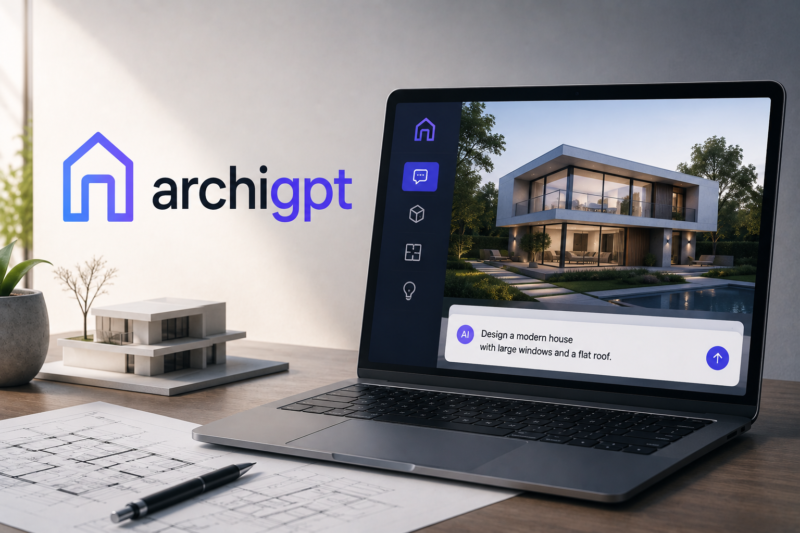
ArchiGPT

Quick Links

Visit Official Website
Reviewed & Updated: August 11, 2026Pricing, features, and availability may change. Always verify the latest information on the official website.
ArchiGPT
Pricing: Paid
Free Trial: Yes
Best For: Architects, designers, and real estate professionals wanting one subscription covering concept rendering, staging, video, and 3D models
Starting Price: Custom pricing
Platform: Web
Target Users: Architects, Interior designers, Real estate professionals, Homeowners planning renovations
Use Cases: Generating exterior and interior redesign concepts from a photo, Creating photorealistic renders from CAD or sketch input, Producing video walkthroughs of a design concept, Building 3D models and floor plans from a description
Languages: English
Integrations: None natively
AIToolister Review

Most AI architecture tools do one thing well, exterior renders or interior staging or floor plans, forcing users to stitch together several apps. ArchiGPT's pitch is combining the entire visualization pipeline, concept through video walkthrough, into one platform.

What is ArchiGPT?

ArchiGPT bills itself as a complete AI suite for architecture, covering exterior redesign, interior staging, 3D models, video walkthroughs, landscape design, and floor plans in one platform. It's material-aware, meaning renders account for how materials like brick and glazing should realistically appear, a detail that matters for professional architectural work. As a newer, ambitious entrant, it aims to replace the need for five separate specialized apps with one subscription.

Key features

Exterior and Interior Redesign

Transforms a photo of a building or room into a redesigned concept in a chosen style.

Material-Aware Rendering

Produces renders where materials like brick and glazing read realistically, important for professional architectural presentation.

Video Walkthroughs

Generates video walkthroughs of a design concept, extending beyond static renders.

3D Models and Floor Plans

Builds 3D models and floor plans as part of the same platform, covering more of the design pipeline than a single-purpose tool.

Pros

  • Genuinely ambitious scope, covering concept, staging, video, and 3D models in one subscription rather than several separate apps
  • Material-aware rendering is a meaningful quality differentiator for professional architectural work

Cons

  • As a newer platform, it's still evolving and may have less proven reliability than established, narrower competitors
  • Pricing is not consistently published across independent sources; confirm directly before subscribing
  • Breadth-first tools sometimes trade some depth in any single feature compared to a specialist tool

Pricing

ArchiGPT's specific pricing is not consistently published across independent sources. A free trial is referenced by some sources. Confirm current subscription tiers and pricing directly on the official ArchiGPT website before subscribing.

Best for

ArchiGPT is best suited to architects, designers, and real estate professionals wanting a single subscription covering concept, staging, video, and 3D models rather than juggling several separate apps. It fits AI Interior Design workflows spanning the full visualization pipeline.

Use cases

  • Generating exterior and interior redesign concepts from a photo
  • Creating photorealistic, material-aware renders
  • Producing video walkthroughs of a design concept
  • Building 3D models and floor plans from a description

Supported platforms

  • ArchiGPT is a web-based platform accessible through any modern browser.

Languages

  • Primarily English-language interface and outputs.

Integrations

  • No major native third-party integrations are documented; confirm directly with ArchiGPT for your workflow needs.

Things to consider

  • Confirm current pricing directly, since it isn't consistently published. As a newer platform, test output quality against your specific project type before committing to a longer subscription.

How the tool compares

Against a narrower, established tool like Spacely AI or ArchitectGPT, ArchiGPT's advantage is breadth, covering more of the pipeline in one subscription, while established competitors may offer deeper, more battle-tested results in their specific specialty.

AIToolister verdict

Quick Answers

- Is it free? No permanent free plan — a free trial is referenced by some sources. - Is it worth it? Yes, for users wanting one platform covering the full architectural visualization pipeline. - Who should use it? Architects, designers, real estate professionals, and homeowners. - Best alternative: Spacely AI or ArchitectGPT for more established, specialized rendering tools.

ArchiGPT's ambitious, all-in-one scope is a genuine differentiator in a category typically split across single-purpose tools. As a newer platform, it's worth testing output quality directly against your specific needs before committing.

Decision Summary

- Want one subscription for the full visualization pipeline: Recommended - Need the most battle-tested, specialized tool: Consider ArchitectGPT or Spacely AI - Evaluating before committing: Confirm current pricing and test output quality directly

Frequently asked questions

What does ArchiGPT cover?

ArchiGPT covers exterior redesign, interior staging, 3D models, video walkthroughs, landscape design, and floor plans in one platform.

How much does ArchiGPT cost?

Specific pricing is not consistently published; confirm directly on ArchiGPT's official website.

Is ArchiGPT material-aware?

Yes, its renders account for realistic material appearance like brick and glazing, relevant for professional architectural work.

Is ArchiGPT good for real estate staging?

Yes, it includes interior staging among its covered use cases.

How does ArchiGPT compare to ArchitectGPT?

ArchiGPT is newer and broader in scope; ArchitectGPT is more established with a deep, battle-tested feature set focused on photorealistic transformation.

At a glance

Tool Snapshot

Sign In

Register

Reset Password

Please enter your username or email address, you will receive a link to create a new password via email.