
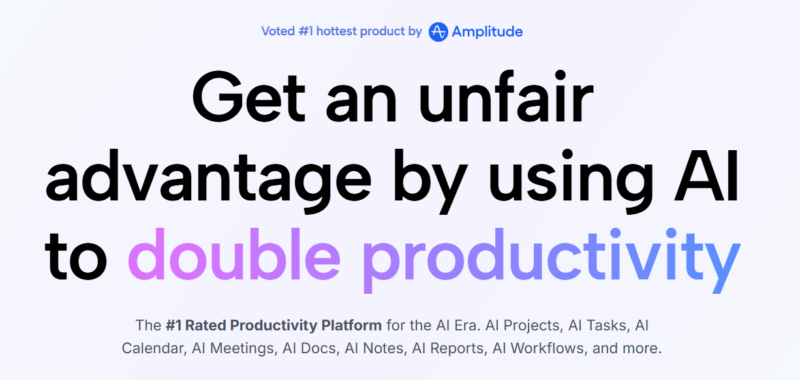
Motion

Quick Links

Visit Official Website
Reviewed & Updated: August 9, 2026Pricing, features, and availability may change. Always verify the latest information on the official website.
Motion
Pricing: Paid
Free Trial: Yes
API Available: Yes
Best For: Individuals and small teams who want their tasks automatically scheduled and rearranged around meetings and deadlines
Starting Price: $19 per seat per month when billed annually
Platform: Web, Windows, macOS, iOS, Android
Target Users: Solo professionals, Consultants, Small teams, Project managers
Use Cases: Automatically scheduling tasks into open calendar slots based on deadlines, Rearranging a day's plan in real time as meetings and priorities shift, Tracking team workload and capacity across a small team, Drafting content with an integrated AI writer, Managing projects with Gantt charts and timelines
Languages: English
Integrations: Google Calendar, Microsoft Outlook, Slack, Zoom, Zapier
AIToolister Review

Most task management apps expect a person to manually decide when each item on their to-do list actually gets done, then redo that decision every time something shifts. Motion takes a different approach: it continuously analyzes deadlines, meetings, and priorities, then auto-slots tasks into open calendar time and reshuffles them in real time as the day changes, removing the manual replanning most people do without thinking about it.

What is Motion?

Motion is an AI-powered scheduling and task management platform that automatically places tasks into open slots on a user's calendar based on deadlines, priorities, and availability, then continuously reschedules them as new meetings appear or priorities shift. Beyond its core scheduling engine, Motion has expanded into a broader productivity suite including projects, docs, an AI chat assistant, and team capacity planning on its higher tier. Unlike calendar tools that simply suggest a schedule for a user to accept, Motion actively manages and rearranges the calendar on an ongoing basis without requiring manual intervention for every change.

Key features

AI Task Scheduling

Continuously analyzes tasks, deadlines, meetings, and availability, automatically placing and rearranging tasks in open calendar slots without manual planning.

Real-Time Rescheduling

Reshuffles a user's plan automatically when a new meeting appears, a deadline shifts, or a task runs long, respecting constraints like working hours and task dependencies.

At-Risk Task Flagging

Identifies tasks and deadlines at risk of being missed based on current scheduling load, giving early visibility into potential bottlenecks.

Team Workload View

Available on the Business tier, gives managers visibility into team capacity and scheduled work across multiple people, not just individual calendars.

AI Chat and Writer

Provides AI chat assistance and writing support within the platform, extending Motion beyond pure scheduling into broader productivity tasks.

Multi-Calendar Sync

Syncs across Google Calendar, Microsoft Outlook, and Apple Calendar, consolidating scheduling across a user's full calendar footprint.

Pros

  • Genuinely automates the manual replanning most people do throughout the day as priorities and meetings shift
  • At-risk task flagging provides useful early warning before a deadline is actually missed
  • Team workload view on the Business tier gives managers real visibility into capacity, not just individual schedules
  • Multi-calendar sync consolidates scheduling across different calendar providers into one system

Cons

  • No permanent free plan; the only way to try Motion is a 7-day trial that requires payment card details upfront
  • Per-seat pricing means costs scale quickly for small teams compared to some individual-focused scheduling tools
  • AI credit system meters usage of chat and writer features, adding a variable cost on top of the flat seat price for heavy users
  • Full buy-in required, since Motion works best when tasks and projects are captured directly inside it rather than a separate tool

Pricing

Motion has no permanent free plan, offering only a 7-day trial that requires a payment card at signup, followed by two seat-based paid tiers. The Pro AI plan is aimed at individuals and includes a monthly AI credit allowance for chat and writer features, while Business AI adds team capacity planning, workload views, and a larger credit allowance at a higher per-seat price. Annual billing offers a substantial discount compared to monthly pricing on both tiers. Because Motion's pricing structure and credit allowances have shifted over the past year, confirm current rates on the official Motion pricing page before subscribing.

Best for

Motion is best suited to solo professionals, consultants, and small teams whose main productivity bottleneck is calendar and task scheduling rather than broader project management. It fits AI Productivity workflows where automatic, real-time rescheduling genuinely saves meaningful daily planning time. Larger teams needing comprehensive project management beyond scheduling, or users on a tight budget, may find a broader or cheaper alternative more cost-effective.

Use cases

  • Automatically scheduling a day's tasks around fixed meetings and deadlines
  • Getting an early warning when a task is at risk of missing its deadline given current scheduling load
  • Giving a manager visibility into a small team's workload and capacity
  • Drafting quick content or notes using Motion's integrated AI writer
  • Consolidating scheduling across Google Calendar, Outlook, and Apple Calendar in one place

Supported platforms

  • Motion is available through the web, with native desktop apps for Windows and macOS, and mobile apps for iOS and Android, allowing scheduling and task management across most common devices.

Languages

  • Motion's interface and AI features are primarily available in English, with more limited coverage of additional languages compared to broader productivity platforms.

Integrations

  • Motion integrates with Google Calendar, Microsoft Outlook, Slack, Zoom, and Zapier, connecting its scheduling engine to the calendar and communication tools a user or team already relies on.

Things to consider

  • Motion works best when a user commits to capturing most tasks and projects directly inside it, rather than splitting capture across Motion and a separate note-taking or task app, since its scheduling engine depends on having a complete picture of a person's workload. Teams should also factor in the AI credit system when budgeting, since heavy chat and writer usage can add cost beyond the flat seat price. Because there's no permanent free plan, it's worth testing the 7-day trial deliberately against real daily scheduling needs before committing annually.

How the tool compares

Motion's closest comparison is ClickUp AI, though ClickUp is a broader all-in-one project management platform with AI layered on top, while Motion is narrower and more specifically focused on automatic calendar scheduling as its core differentiator. Compared to lighter scheduling tools that suggest a plan for manual approval, Motion's fully automatic, continuously updating approach is more hands-off but also less flexible for users who want more manual control over their day. Buyers whose main problem is calendar chaos and constant replanning tend to get the most value from Motion specifically; those needing broader project management should weigh ClickUp or a similar all-in-one platform instead.

AIToolister verdict

Quick Answers

- Is it free? No — Motion has no permanent free plan, only a 7-day trial requiring payment details. - Is it worth it? Yes, for individuals and small teams whose main bottleneck is daily calendar and task scheduling. - Who should use it? Solo professionals, consultants, and small teams managing complex, shifting schedules. - Best alternative: ClickUp AI for teams needing broader project management alongside AI.

Motion delivers real, measurable value for people whose day is genuinely disrupted by constant rescheduling, since its core AI scheduling engine handles that replanning automatically rather than leaving it to manual daily effort. The trade-off is a premium, per-seat price point with no permanent free tier and a credit-metered AI layer on top, which makes it a harder sell for users who only need basic calendar management. For the specific problem it solves, though, it remains one of the stronger tools in the category.

Decision Summary

- Daily schedule constantly disrupted by shifting meetings and deadlines: Recommended - Just need basic calendar viewing without automatic rescheduling: Consider a lighter, cheaper tool - Managing a small team's workload and capacity: Good fit via the Business AI tier - Want to test before paying with a true free plan: Not available — trial requires payment details upfront

Frequently asked questions

Does Motion have a free plan?

No, Motion does not offer a permanent free plan. It provides a 7-day trial that requires payment card details upfront, converting to a paid subscription unless canceled before the trial ends.

How is Motion different from a regular calendar app?

Motion continuously and automatically schedules and reschedules tasks into open calendar time based on deadlines and priorities, rather than requiring a user to manually place tasks into time slots themselves. It updates in real time as meetings and priorities shift.

Does Motion offer an API?

Motion does not currently offer broad public API access in the way some other productivity platforms do; it focuses primarily on its own scheduling engine and integrations like Zapier for connecting to other tools.

What are Motion's AI credits used for?

AI credits meter usage of Motion's chat and writer features, separate from the core scheduling engine, which is not credit-limited. Pro AI includes a set monthly allowance, with Business AI including a larger allowance, and additional credits available at extra cost once exhausted.

Is Motion good for teams, or just individuals?

Motion works for both; the Pro AI plan suits individual scheduling needs, while the Business AI plan adds team workload visibility and capacity planning for managers overseeing multiple people's schedules.

At a glance

Tool Snapshot

Sign In

Register

Reset Password

Please enter your username or email address, you will receive a link to create a new password via email.