Google Workspace AI✓
From $8.40/month
Businesses already using Gmail and Google Docs wanting Gemini AI bundled directly into their existing productivity suite
Most knowledge workers don’t struggle because they lack information.
From $8.40/month
Businesses already using Gmail and Google Docs wanting Gemini AI bundled directly into their existing productivity suite
From $12/month
Individuals and sales teams wanting simple, reliable scheduling with routing forms, CRM integration, and team booking on higher tiers
From $9.99/month
Individuals who want structured, object-based note-taking with database-level organization built in, without manually building a database
From $10/month
Privacy-conscious individuals who want fast, encrypted, networked note-taking with a built-in AI assistant
From $14.99/month
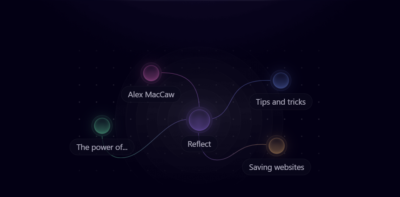
Individual knowledge workers who want their notes automatically organized and connected without manual tagging or folders
From $7/month
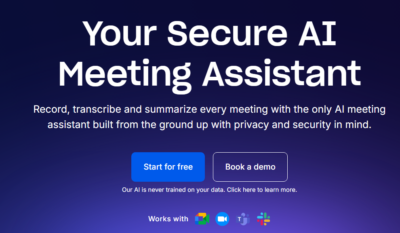
Managers and teams that want structured meeting agendas, 1-on-1 tracking, and AI notes combined in one platform
From $6/month
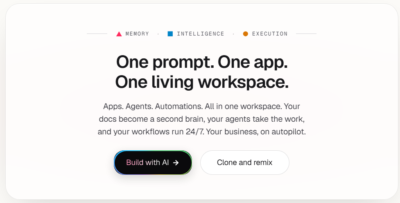
Individuals and small teams wanting task management, AI agents, and no-code app building in one workspace
From Custom pricing
Solo presenters who want a fast, template-driven AI presentation generator with a unique AI-powered Q&A rehearsal feature
From $12/month
Individuals and small teams who want professional, automatically formatted slide decks without manual design work
Most knowledge workers don’t struggle because they lack information. They struggle because they have too much of it, spread across too many places, with too little time to process it all. Notes from last week’s meeting live in one app. Action items are in another. The presentation due Friday is half-finished somewhere else. And somewhere in a cluttered inbox is the document you actually needed three hours ago. AI productivity tools are built around the reality that managing information and time is itself a significant job — one that quietly consumes hours that could go toward actual work.
AI productivity tools are software applications that use artificial intelligence to assist with the cognitive and organisational demands of professional life. The category spans a wide range of functions: taking and organising notes, summarising meetings and extracting action items, managing tasks and priorities, scheduling meetings without the back-and-forth, building presentations from outlines or prompts, and maintaining a personal knowledge base that actually surfaces relevant information when you need it. What connects them is the application of AI to reduce the friction between having information and being able to act on it.
The underlying mechanisms vary by tool. Note-taking and knowledge management tools use AI to connect ideas, surface related content, and help users find things they’ve written before without manually organising everything into folders. Meeting tools transcribe conversations in real time, identify action items, and distribute summaries automatically. Scheduling tools analyse calendar availability, preferences, and meeting patterns to reduce the administrative overhead of booking time. Presentation tools generate slide structures and visual layouts from written content, removing the blank-page problem that slows down every deck. Each capability addresses a different bottleneck in the average knowledge worker’s day.
The people who benefit most from AI productivity tools tend to be those whose work involves high volumes of information, frequent meetings, and constant context switching. Managers and team leads use meeting management tools to ensure nothing slips through the gaps after a conversation. Founders and consultants use AI note-taking and knowledge tools to maintain a personal knowledge system that scales with the complexity of their work. Remote and distributed teams use collaborative productivity tools to stay aligned without relying on synchronous communication. Students and researchers use AI tools to process and connect large amounts of written material. Almost anyone who works primarily with information and communication can find meaningful gains here.
Choosing the right AI productivity tool requires honest reflection on where your time actually goes. A tool that excels at meeting summarisation won’t help much if your problem is a disorganised note system. A smart scheduling tool adds little value if calendar management isn’t your bottleneck. Matching the tool to the specific friction in your workflow matters more than choosing the one with the longest feature list.
Beyond fit, the factors worth comparing include integration with the tools you already use — Google Workspace, calendar applications, project management platforms, and communication tools — since a productivity tool that creates more data silos defeats its own purpose. Pricing and free tier availability vary considerably, and some tools charge per seat in ways that add up quickly for larger teams. For teams, collaboration features and shared access matter. Privacy and data handling deserve attention when tools are processing meeting recordings, personal notes, and sensitive work information. Ease of use is unusually important in this category — a productivity tool that requires significant setup or maintenance time works against itself.
The AI productivity tools listed below cover a range of these functions and workflows. You can compare them directly across features, integrations, pricing, and use case fit to find the one that addresses your specific productivity gaps.
AI productivity tools are software applications that use artificial intelligence to help individuals and teams manage their time, information, and workload more effectively. They cover a broad range of functions including note-taking, meeting summarisation, task management, calendar scheduling, knowledge organisation, and presentation creation. What distinguishes them from standard productivity software is their ability to process, connect, and surface information intelligently — reducing the manual effort involved in staying organised and on top of competing priorities.
They save time primarily by automating tasks that are necessary but don’t require human judgment. Meeting tools transcribe conversations and extract action items automatically, eliminating the need for manual note-taking and follow-up. Scheduling tools remove the back-and-forth of finding a time that works. Knowledge tools surface relevant notes and documents without manual searching. Presentation tools generate slide structures from written content, removing the time spent on formatting. The cumulative effect across a workweek can be significant, particularly for roles that involve frequent meetings and high information throughput.
Knowledge workers with high meeting loads, complex information management needs, or significant administrative overhead tend to benefit most. Managers and team leads use meeting tools to ensure follow-through on action items. Founders and consultants use knowledge management tools to maintain an organised system of ideas and information that scales with their work. Remote teams use collaborative productivity tools to stay aligned across time zones. Students and researchers use AI tools to process and connect large amounts of material. The right tool depends on where the biggest productivity drain actually sits in your workflow.
Standard productivity software provides structure — calendars, task lists, note editors, presentation templates. AI productivity tools add a layer of intelligent assistance on top of that structure. They can transcribe meetings and identify what matters, connect ideas across notes automatically, predict scheduling preferences, generate presentation content from an outline, and surface relevant information based on context rather than requiring manual search. The distinction is between software that stores and displays information and software that actively helps you work with it.
Many tools in this category offer integration with commonly used platforms including Google Workspace, Microsoft 365, Slack, Zoom, and popular project management tools, but the specific integrations available vary by tool and pricing tier. Integration matters because a productivity tool that sits outside your existing workflow often creates more friction than it removes. Before committing to a tool, verify that it connects with the platforms you use daily. Integration availability changes as providers update their offerings, so checking the current integrations page directly is more reliable than any third-party list.
Both, though the features that matter differ depending on the use case. Some tools in this category are primarily personal — designed to help an individual manage their own notes, schedule, and knowledge system. Others are built with teams in mind, offering shared workspaces, collaborative note-taking, team meeting management, and multi-user access controls. Tools like Fellow and Taskade are oriented toward team workflows, while tools like Reflect and Mem lean more toward personal knowledge management. Evaluating whether a tool is designed for individual or team use is one of the first filters worth applying.
Several tools in this category offer free plans or trial access, but the details change regularly. Free tiers typically include usage limits — a cap on notes, meeting transcriptions, AI generations, or the number of users — and often restrict access to more advanced features like extended AI memory, calendar integrations, or team collaboration. Rather than relying on specific claims about what’s currently free, check the pricing page of each tool you’re considering. Most tools listed here offer enough free access to evaluate whether the core functionality fits your workflow before upgrading.
Privacy practices vary between providers and warrant careful attention in this category, because these tools often process sensitive content — meeting recordings, personal notes, strategic documents, and internal communications. Some tools store and process data on third-party servers; others offer local storage options or enterprise-grade data controls on higher-tier plans. If you’re using these tools in a professional context involving confidential client information, internal strategy, or regulated data, review each provider’s current privacy policy and data handling documentation before storing sensitive content. Defaults vary, and understanding what you’re consenting to is worth the time.