Mighty Networks AI✓
From $79/month
Creators building a monetized community with courses, events, and native mobile apps wanting AI features included from the entry…
Running a small business means wearing a lot of hats.
From $79/month
Creators building a monetized community with courses, events, and native mobile apps wanting AI features included from the entry…
From $29/month
Small e-commerce and service businesses wanting live chat plus an AI chatbot, provided they budget for the separate Lyro…
From $29/month
Independent creative professionals and service businesses wanting client management, proposals, and payments with AI drafting built in
Running a small business means wearing a lot of hats. You’re the person doing the work, handling the admin, following up with leads, chasing unpaid invoices, answering customer questions, and trying to get a clear picture of where the finances actually stand — often all in the same day. The administrative layer of running a business can consume as much time as the work itself, which is a real problem when your capacity is finite and your attention is already stretched. AI business tools are built around that reality.
AI business tools are software platforms that apply artificial intelligence to the operational and administrative tasks that keep a business running — customer relationship management, financial management, client communication, invoicing, live chat support, and more. What connects them is the application of AI to reduce the manual effort involved in managing customers, money, and day-to-day operations, so business owners and their teams can spend more time on the work that actually generates value.
The tools in this category cover several distinct but related functions. CRM platforms with AI features help businesses track leads, manage customer relationships, automate follow-up sequences, and forecast sales pipeline without manual data entry at every step. Bookkeeping and financial tools use AI to categorise transactions, generate reports, flag anomalies, and surface insights about cash flow and profitability that would otherwise require hours of manual reconciliation. Client management platforms for service businesses handle proposals, contracts, invoicing, and payment collection in a single workflow, reducing the administrative friction of onboarding and managing clients. AI-powered customer support tools — including live chat and chatbot platforms — handle incoming customer enquiries automatically, routing complex issues to a human while resolving straightforward ones without any staff involvement.
The people who benefit most from AI business tools tend to be those managing multiple operational responsibilities simultaneously without a large team behind them. Freelancers and solopreneurs use client management and invoicing tools to present a professional, consistent experience to clients without spending hours on paperwork. Small business owners use CRM and customer support tools to stay on top of leads and customer relationships without a dedicated sales or support team. Service-based businesses — consultants, agencies, photographers, event planners — use platforms that combine proposals, contracts, and payments in a single system to reduce the back-and-forth and delays that slow down client onboarding. Growing businesses use AI-assisted bookkeeping tools to maintain financial clarity without a full-time accountant.
Choosing between AI business tools requires understanding which operational problem is costing you the most time or creating the most risk. A CRM helps if leads and customer relationships are slipping through the gaps. A financial tool helps if you lack clarity on cash flow or spend too long on bookkeeping. A client management platform helps if proposals, contracts, and invoicing feel disjointed and time-consuming. A customer support tool helps if incoming enquiries are overwhelming your capacity to respond.
Beyond fit, the factors worth comparing include integration with the other tools in your business stack — accounting software, email platforms, payment processors, and calendar tools all affect whether a platform works smoothly within your existing workflow or creates additional friction. Pricing structures vary considerably, with some platforms charging per user and others by contacts, transactions, or feature tier. For businesses handling customer financial or personal data, security and privacy practices are important. Ease of use matters significantly when the tool needs to be adopted by a small team without dedicated IT support. Scalability is worth considering if your business is growing and you want a platform that won’t require replacement in twelve months.
The AI business tools listed below cover a range of these operational functions. You can compare them directly by features, integrations, pricing, and use case fit to find the platform that best supports how your business runs.
AI business tools are software platforms that use artificial intelligence to assist with the operational and administrative tasks involved in running a business. They cover a range of functions including customer relationship management, financial management and bookkeeping, client onboarding and invoicing, customer support, and sales pipeline management. What distinguishes them from standard business software is the application of AI to automate repetitive tasks, surface useful insights from business data, and reduce the manual effort required to manage customers, finances, and day-to-day operations — freeing business owners and their teams to focus on higher-value work.
AI-powered CRM tools help small businesses track leads, manage customer relationships, automate follow-up communications, and maintain a clear view of their sales pipeline without manual data entry at every stage. They can surface reminders for follow-ups, score leads based on engagement, and identify which prospects are most likely to convert. For businesses that previously managed customer relationships in spreadsheets or email inboxes, a CRM with AI features provides structure and visibility that reduces the risk of leads going cold or customer relationships losing momentum due to inconsistent communication.
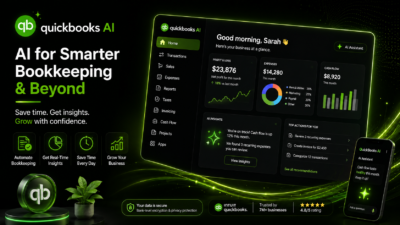
Yes — AI-powered financial tools like QuickBooks use machine learning to categorise transactions, reconcile accounts, generate financial reports, and flag unusual activity that may need attention. This reduces the time required for manual bookkeeping and makes it easier for business owners without accounting backgrounds to maintain accurate financial records and understand their cash position. AI-assisted invoicing features can automate payment reminders, track outstanding invoices, and in some platforms integrate payment processing directly — reducing the administrative overhead of getting paid for work completed.
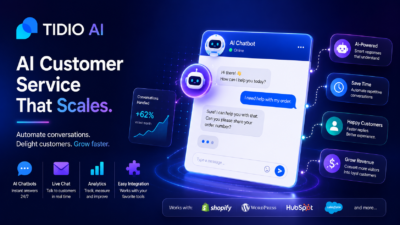
AI live chat tools use conversational AI to handle incoming customer enquiries on a business’s website or messaging channels automatically. When a customer sends a message, the AI interprets the question and provides a relevant response based on information the business has configured — product details, FAQs, pricing, policies, and so on. More complex or sensitive enquiries are escalated to a human agent. This means a business can provide responsive customer support outside of business hours and at higher volumes than a small team could handle manually, without the cost of staffing a dedicated support function around the clock.
Yes, and several tools in this category are specifically designed with freelancers and independent service providers in mind. Platforms like HoneyBook are built around the client workflow common to creative professionals and service businesses — proposals, contracts, invoicing, and payment collection in a single system. For solopreneurs, tools that consolidate multiple administrative functions reduce the number of separate platforms needed to run a business. The key is matching the tool to the specific operational tasks that consume the most time, since the right fit for a freelance photographer differs from what works for a consulting firm or an e-commerce business.
Integration capability varies between platforms and is one of the most important practical factors to evaluate. Most established business tools offer native integrations with commonly used platforms — email services, payment processors, calendar applications, project management tools, and accounting software — as well as connections through automation platforms like Zapier. The depth of integration matters as much as its existence: a basic data sync differs from a fully connected workflow that eliminates manual steps between systems. Before committing to a platform, verify that it integrates with the specific tools already in your business stack, since integration gaps create manual work that offsets the efficiency gains the AI features are meant to provide.
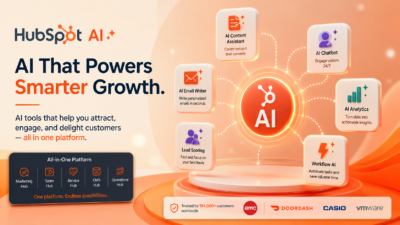
Several tools in this category offer free plans or trial periods, but the terms change regularly. Free tiers typically restrict the number of contacts, users, transactions, or AI-powered features available without a paid plan. HubSpot, for example, has historically offered a free CRM tier, though the scope of free access evolves over time. For meaningful business use — particularly as contact volumes, transaction counts, or team sizes grow — paid plans become necessary. Rather than relying on fixed claims about what’s currently free, check the pricing page of each tool directly to understand the current terms and what’s included at each tier.
Start by identifying which operational area needs the most support — customer relationships, financial management, client onboarding, or customer support. Match the tool’s core functionality to that specific need before evaluating broader features. From there, check integration compatibility with your existing software stack, since disconnected tools create more administration rather than less. Consider pricing relative to your business size and expected usage, particularly if the tool charges by contact count or transaction volume. Evaluate ease of use honestly — a powerful platform that’s difficult to configure won’t be used consistently by a small team with limited time. Data security practices matter when tools handle customer or financial information.