
Decktopus

Quick Links

Visit Official Website
Reviewed & Updated: August 9, 2026Pricing, features, and availability may change. Always verify the latest information on the official website.
Decktopus
Pricing: Freemium
API Available: Yes
Best For: Solo presenters who want a fast, template-driven AI presentation generator with a unique AI-powered Q&A rehearsal feature
Starting Price: Custom pricing
Platform: Web
Target Users: Solo presenters, Freelancers, Startup founders, Sales professionals
Use Cases: Generating a presentation quickly from a topic or outline, Practicing answers to likely audience questions before a pitch, Building presentations using pre-designed templates and icon libraries, Creating branded slide decks for client meetings, Exporting presentations as PDF for sharing
Languages: English, Multiple additional languages
Integrations: Flaticon, Freepik, Icons8, Vimeo, YouTube
AIToolister Review

Building the slides is only half the battle before a real pitch; the other half is being ready for the questions that come after. Decktopus is one of the few AI presentation tools that directly addresses that second half, generating likely audience questions and running the presenter through timed practice answers before the actual meeting happens.

What is Decktopus?

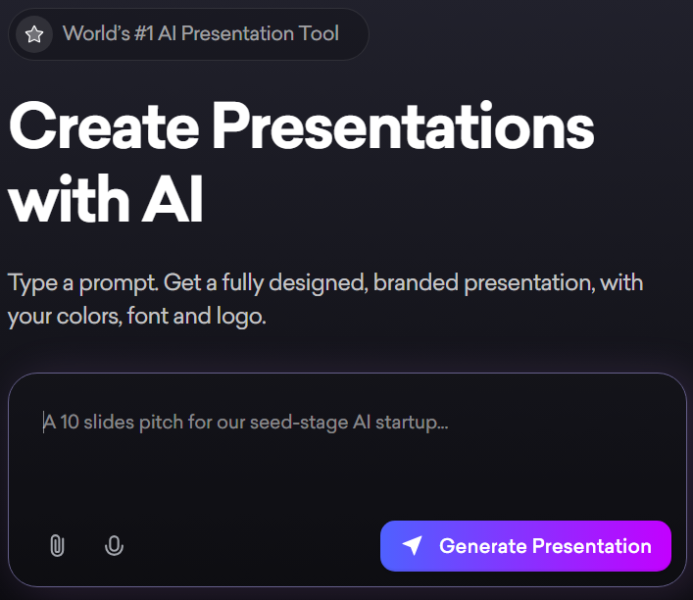
Decktopus is an AI-powered presentation maker that generates professional slide decks from simple prompts or outlines, drawing on a library of templates and design assets. Beyond generation, its standout feature is AI Q&A coaching mode, which predicts questions an audience is likely to ask after a pitch and quizzes the presenter with timed practice answers, a capability not commonly found among competing presentation tools. Decktopus is web-only, built for individual users rather than large team collaboration, with credit-based AI generation that consumes a monthly allowance tied to whichever paid tier a user selects.

Key features

AI Presentation Generation

Creates a full slide deck from a topic or outline using AI, with each generation consuming a set number of credits from the user's monthly allowance.

AI Q&A Coaching Mode

Generates likely audience questions based on the presentation content and runs the user through timed practice answers, a distinctive feature aimed at pitch preparation.

Design Asset Library

Includes over 100 templates along with native integrations to Flaticon, Freepik, Icons8, Vimeo, and YouTube for icons, images, and video content within presentations.

AI-Generated Speaker Notes

Provides detailed talking points alongside generated slides, aimed at genuinely assisting with presentation delivery rather than just slide content.

AI Image Creation

Generates supporting images for slides directly within the platform, reducing the need to source external visuals separately.

PDF Export

Supports exporting finished presentations as PDF files for sharing, though export options are more limited than some competing presentation tools.

Pros

  • AI Q&A coaching mode is a genuinely distinctive feature not commonly found in competing AI presentation tools
  • Native integrations to Flaticon, Freepik, Icons8, Vimeo, and YouTube provide direct access to design assets without leaving the platform
  • Speaker notes are consistently described as detailed and genuinely useful for presentation delivery
  • Straightforward, template-driven workflow suits users who want a fast first draft rather than deep customization

Cons

  • Users report that more detailed, specific prompts can sometimes produce worse output than vague ones, an unusual pattern compared to most AI generation tools
  • Credit-based pricing creates some uncertainty about actual monthly presentation capacity, and unused credits expire each cycle
  • Intentionally does not support animations, entrance effects, or slide transitions, which can be a dealbreaker for motion-dependent storytelling
  • No meaningful free trial for paid tiers, and refund policies are generally strict with no refunds on unused subscription months

Pricing

Decktopus offers a limited free plan alongside paid tiers, commonly a Pro AI plan and a Business AI plan, priced by monthly or annual billing with a meaningful discount for committing annually. Each paid tier includes a set annual or monthly AI credit allowance, with each presentation generation consuming a portion of that allowance, and unused credits typically expiring at the end of each billing cycle rather than rolling over. There is no dedicated Team plan; Decktopus is built around individual, solo use rather than broader team collaboration pricing. Confirm current tier names, credit allowances, and pricing on the official Decktopus pricing page before subscribing, since plan details have shifted across recent reviews.

Best for

Decktopus is best suited to solo presenters, freelancers, and sales professionals who want a fast way to generate a presentation and specifically want to rehearse likely audience questions before a real pitch. It fits AI Productivity use cases centered on individual presentation prep rather than team-based deck collaboration. Buyers needing motion, transitions, or reliable PowerPoint export fidelity for external sharing should verify these specific needs against Decktopus's current feature set before committing.

Use cases

  • Quickly generating a first-draft presentation from a topic or short outline
  • Rehearsing likely audience questions using AI Q&A coaching mode before a real pitch
  • Building a branded slide deck using pre-designed templates and integrated icon libraries
  • Preparing a client presentation with AI-generated speaker notes for talking points
  • Exporting a finished presentation as a PDF for sharing after completion

Supported platforms

  • Decktopus is a web-based platform accessible through any modern browser, with creation and editing requiring a stable internet connection since there is no offline editing mode.

Languages

  • Decktopus supports presentation generation in English along with multiple additional languages, useful for users creating content for different regional audiences.

Integrations

  • Decktopus connects natively to Flaticon, Freepik, Icons8, Vimeo, and YouTube, giving users direct access to icons, stock imagery, and video content for presentations without needing separate subscriptions to those services.

Things to consider

  • Test the AI Q&A coaching mode directly against your specific presentation topic before assuming it will generate genuinely relevant questions, since output quality can vary by topic complexity. Given the strict prompt-sensitivity pattern some users report, it's worth experimenting with both vague and detailed prompts to see which produces better results for your use case. Teams needing motion, transitions, or high-fidelity PowerPoint export for external stakeholders should verify these limitations don't conflict with how the final presentation will actually be delivered.

How the tool compares

Decktopus's closest comparison is Gamma, which offers stronger general storytelling templates and AI generation quality for narrative-heavy decks, though at a different price point and without Decktopus's distinctive Q&A coaching feature. Against Beautiful.ai, Decktopus is generally positioned as more budget-conscious but with more limited export fidelity and no animation support. Buyers specifically wanting AI-driven pitch rehearsal tend to find unique value in Decktopus; buyers prioritizing polished PowerPoint export or motion-based storytelling may find Gamma or Beautiful.ai a better fit.

AIToolister verdict

Quick Answers

- Is it free? Freemium — a limited free plan exists with restricted templates and no PDF export. - Is it worth it? Yes, specifically for solo presenters who want AI-driven Q&A pitch rehearsal. - Who should use it? Solo presenters, freelancers, and sales professionals preparing for pitches. - Best alternative: Gamma for stronger general-purpose storytelling and export options.

Decktopus's AI Q&A coaching mode is a genuinely distinctive feature that sets it apart from most AI presentation tools, offering real value to anyone preparing for a pitch where tough questions are likely. Outside of that specific capability, the platform's lack of animations, limited export fidelity, and credit-based pricing put it in a more niche position compared to broader, more design-flexible competitors. For solo users specifically focused on pitch preparation, it remains a worthwhile tool to evaluate.

Decision Summary

- Preparing for a pitch and want to rehearse likely questions: Recommended - Need animations or transitions in your presentation: Not supported — consider an alternative - Sharing decks as polished PowerPoint files externally: Verify export fidelity before relying on Decktopus - Working solo without a need for team collaboration features: Good fit given its individual-user focus

Frequently asked questions

What is Decktopus's AI Q&A coaching mode?

It's a feature that generates likely questions an audience might ask after your pitch, then quizzes you with timed practice answers, a distinctive capability not commonly offered by competing AI presentation tools.

Does Decktopus have a free plan?

Yes, Decktopus offers a limited free plan, though it restricts access to templates, AI presentation generation, and PDF export, meaning most users will need a paid tier for full functionality.

Can I add animations or slide transitions in Decktopus?

No, Decktopus intentionally does not support text or image animations, entrance effects, or transitions, with all slide elements appearing simultaneously rather than in sequence.

How does Decktopus's credit system work?

Each paid tier includes a set AI credit allowance, with each presentation generation consuming a portion of that allowance. Unused credits typically expire at the end of each billing cycle rather than rolling over to the next.

Is Decktopus good for team collaboration?

Not particularly. Decktopus does not offer a dedicated Team plan and is built primarily around individual, solo use rather than the broader team collaboration features found in some competing presentation tools.

At a glance

Tool Snapshot

Sign In

Register

Reset Password

Please enter your username or email address, you will receive a link to create a new password via email.