Ahsan Javaid
Last reviewed: October 12, 2026. Prices come from vendors’ official pages and can change.
Looking for the best AI accounting software but not sure where to start? Start here. Most US small businesses should choose QuickBooks Online or Xero. Freelancers get the most from FreshBooks or Zoho Books’ free plan. Startups should look at Digits or Puzzle, built around AI from day one. Accounting firms will like Botkeeper, and mid-size finance teams belong on Sage Intacct.
“AI” has become a label every software company puts on its box. Some tools genuinely learn how you categorise expenses and read a crumpled receipt for you. Others just run the same rules accounting software has run for years.
This guide helps you tell the difference. We compared 12 AI accounting tools on what their AI actually does, what they cost, whether there’s a free plan, and who each one suits. We didn’t test every product hands-on; everything here comes from official product pages, pricing, and documentation, so you get facts, not marketing claims. After this overview, you’ll find the full breakdown, and for more options beyond accounting, browse AIToolister’s AI business tools.
Best AI Accounting Software at a Glance
| Tool | Type | Best For | Key AI Feature | Free Plan / Trial | Starting Price |
|---|---|---|---|---|---|
| QuickBooks Online | Accounting platform with AI | Most US small businesses | Intuit Assist and AI agents | 30-day trial | $38/mo (list) |
| Xero | Accounting platform with AI | Bank reconciliation, unlimited users | JAX AI assistant | Free trial | $27/mo |
| Zoho Books | Accounting platform with AI | Budget-conscious businesses | Writing assistant on all plans; Zia insights on Premium+ | Free plan (under $50K revenue) | $15/mo (annual); AI insights from $60/mo (annual) |
| FreshBooks | Accounting platform with AI | Freelancers and service businesses | Expense categorization | 30-day trial | $23/mo (list) |
| Sage Intacct | Accounting platform with AI | Mid-size, multi-entity companies | GL outlier detection, finance AI agents | Demo | Contact sales |
| Digits | AI-native accounting platform | Startups and modern small businesses | AI bookkeeping, Ask Digits | 30-day trial | $65/mo |
| Puzzle | AI-native accounting platform | Early-stage startups | Auto-categorization, close tools | First 2 months of Starter free | $30/mo, or 20% less yearly |
| Docyt | AI-native ERP for multi-location businesses | Hotels, restaurants, retail, franchises | AI reconciliation and close agents | Demo | From $299 per property or location/mo |
| Zeni | Managed AI bookkeeping service | Startups that want books done for them | AI bookkeeping with expert review | Demo | $549/mo |
| Botkeeper | AI bookkeeping platform for firms | Accounting and bookkeeping firms | AI categorization and reconciliation | Demo | $149/license/mo (monthly) |
| Vic.ai | Accounts payable add-on | High-volume accounts payable | AI invoice processing | Demo | Contact sales |
| Ramp | Spend management add-on | Card and expense control | Auto-categorization, receipt matching | Free plan | $0; Plus $15/user/mo + platform fee |
Accounting platforms and AI-native platforms can be your main set of books. Managed services do the bookkeeping for you. Add-ons such as Vic.ai and Ramp work alongside your accounting software; they don’t replace your general ledger. With that distinction in mind, prices are US list prices from vendor pages, and promotional offers vary.
What Actually Makes Accounting Software “AI”?
AI accounting software uses machine learning and language models to do bookkeeping work that used to need a person: reading documents, sorting transactions, spotting problems and answering questions about your numbers. That’s different from ordinary automation, and the difference matters when you’re paying for it. To see why, compare it with rules-based automation below.
AI vs Rules-Based Automation: The Real Difference
Picture two ways your software could handle a $48 charge from “SHELL OIL 5741.”
- Automation: You created a bank rule that says “anything from Shell goes to Fuel.” The software follows that rule every time, even when your office manager buys snacks at the Shell station.
- AI: The software looks at patterns, such as how you’ve categorised similar charges, the amount and the timing, and suggests a category or flags the charge for review. It can’t see what was actually bought from the merchant name alone; it’s making an educated guess, which is why a person still confirms unusual items.
Automation repeats what you told it. AI makes judgments from patterns, which helps with messy, real-world data, but those judgments can still be wrong. That distinction is key as you assess vendor claims.
A Vendor Checklist for Spotting “AI-Washing”
When a vendor says its product is AI-powered, these three questions help you evaluate the claim during a demo or trial:
- Does it learn from my corrections? If you recategorise a transaction, does the software get it right next time without you writing a rule?
- Can it read documents it has never seen before? Upload an unusual invoice or a faded receipt and see what it extracts.
- Does it explain itself? Good AI explains why it flagged something or chose a category, so you can trust it or correct it.
These questions aren’t a definitive test, since AI features vary widely and some useful tools rely on simple automation. But if a vendor can’t clearly answer any of them, treat its AI claims with caution. Use them as a quick screen before moving on.
How We Chose the Best AI Accounting Software
We built this list by reviewing each tool’s official website, pricing page and product documentation, then comparing them on what matters to a US business owner or accountant. Those same factors determine the order and category labels in the list below:
- What the AI actually does: categorising, reconciling, reading receipts and invoices, forecasting or answering questions in plain English.
- Price and free access: published pricing, free plans and trials. If a vendor doesn’t publish prices, we say so instead of guessing.
- US fit: sales tax, 1099s and integrations with US banks and payroll providers.
- Ease of use: whether a non-accountant can get value without weeks of setup.
- Who it’s built for: freelancers, small businesses, startups, accounting firms or larger finance teams.
To be clear about our method: this is a research-based comparison, not a hands-on test of every product, and the order reflects our comparison criteria. AI features change quickly, so check the vendor’s site before you buy. With that in mind, let’s move into the list below.
The 12 Best AI Accounting Software Tools for 2026
These 12 tools fall into four groups:
- Traditional accounting platforms with built-in AI: QuickBooks Online, Xero, Zoho Books, FreshBooks, and Sage Intacct.
- AI-native accounting platforms: Digits, Puzzle, and Docyt, designed around AI rather than adding it later.
- AI bookkeeping for firms and managed finance services: Botkeeper, a platform for accounting firms, and Zeni, a service that runs your books for you.
- Accounts payable and spend-management add-ons: Vic.ai and Ramp, which work alongside your accounting software but don’t replace a full general ledger.
1. QuickBooks Online — Best AI Accounting Software for Most US Small Businesses
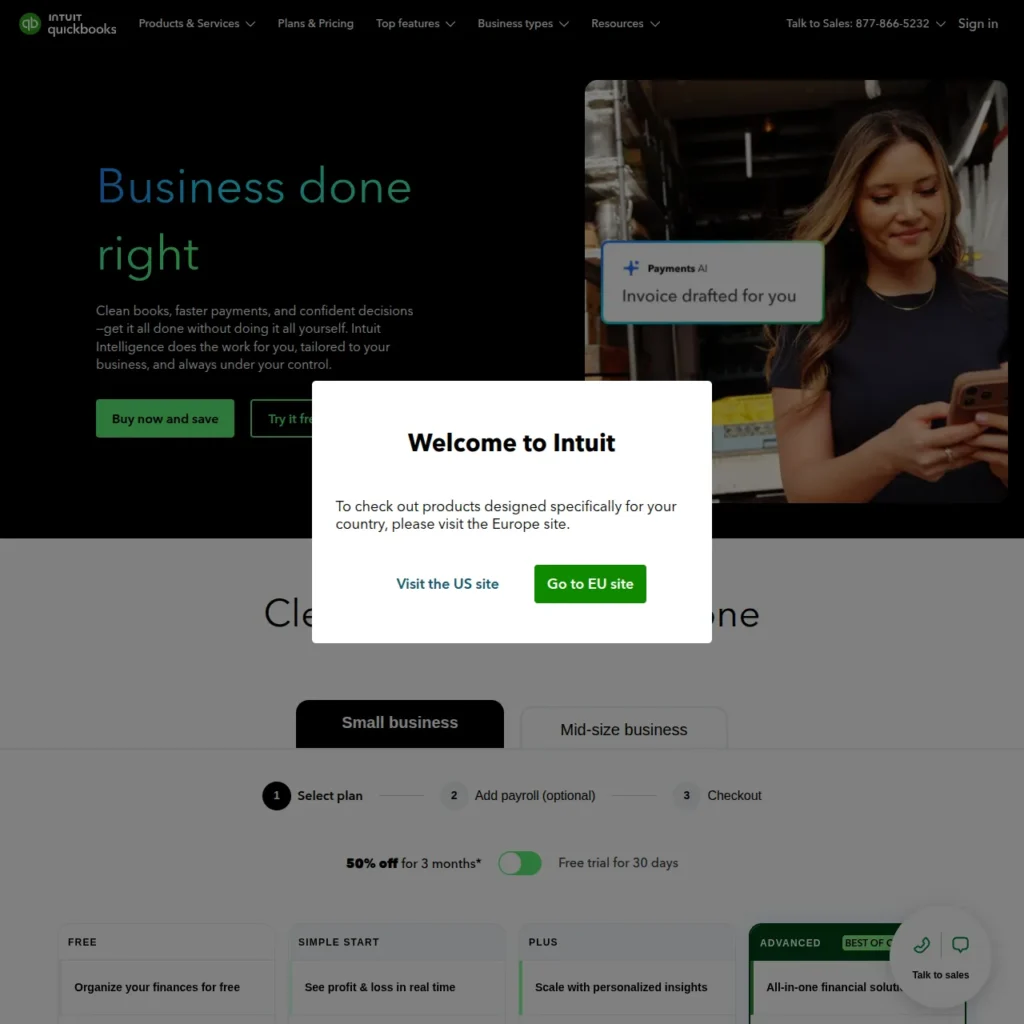
QuickBooks Online is the default for a reason: most US accountants already know it, and its AI keeps getting more useful. Intuit Assist and a set of AI agents categorise transactions, draft invoices, chase late payments, flag issues, and surface cash-flow insights. Which agents you get depends on your plan.
For example, a bakery owner could let QuickBooks automatically match deposits to invoices and get a heads-up when cash looks tight next month.
- Pricing: Simple Start is listed at $38/month (regular list price; promotions vary), with higher tiers adding users, inventory and project tracking. A 30-day free trial is available (QuickBooks plans).
- Pros: Huge accountant network, strong US sales tax and payroll add-ons, hundreds of app integrations.
- Cons: Costs climb fast across tiers and add-ons, and the best AI features sit on higher plans.
- Skip it if you’re a solo freelancer who mainly sends invoices; FreshBooks or Zoho Books will cost less.
2. Xero — Best for Bank Reconciliation and Unlimited Users

Xero has long excelled at bank reconciliation, and its AI assistant, JAX (“Just Ask Xero”), builds on that by handling routine bookkeeping tasks and answering questions in plain English. JAX is included in your subscription, not sold as an add-on.
- Pricing: US list prices from October 1, 2026 are Early $27/month, Growing $59/month, and Established $97/month; every plan includes unlimited users (Xero pricing). Early has tighter limits on invoices and bills, so check them against your volume.
- Pros: No per-user fees, clean design, large app marketplace.
- Cons: Fewer US accountants specialise in Xero than QuickBooks, and Early’s caps push most businesses to Growing.
- Best for small teams that want several people in the books without paying per seat.
3. Zoho Books — Best Affordable AI Accounting Software with a Free Plan
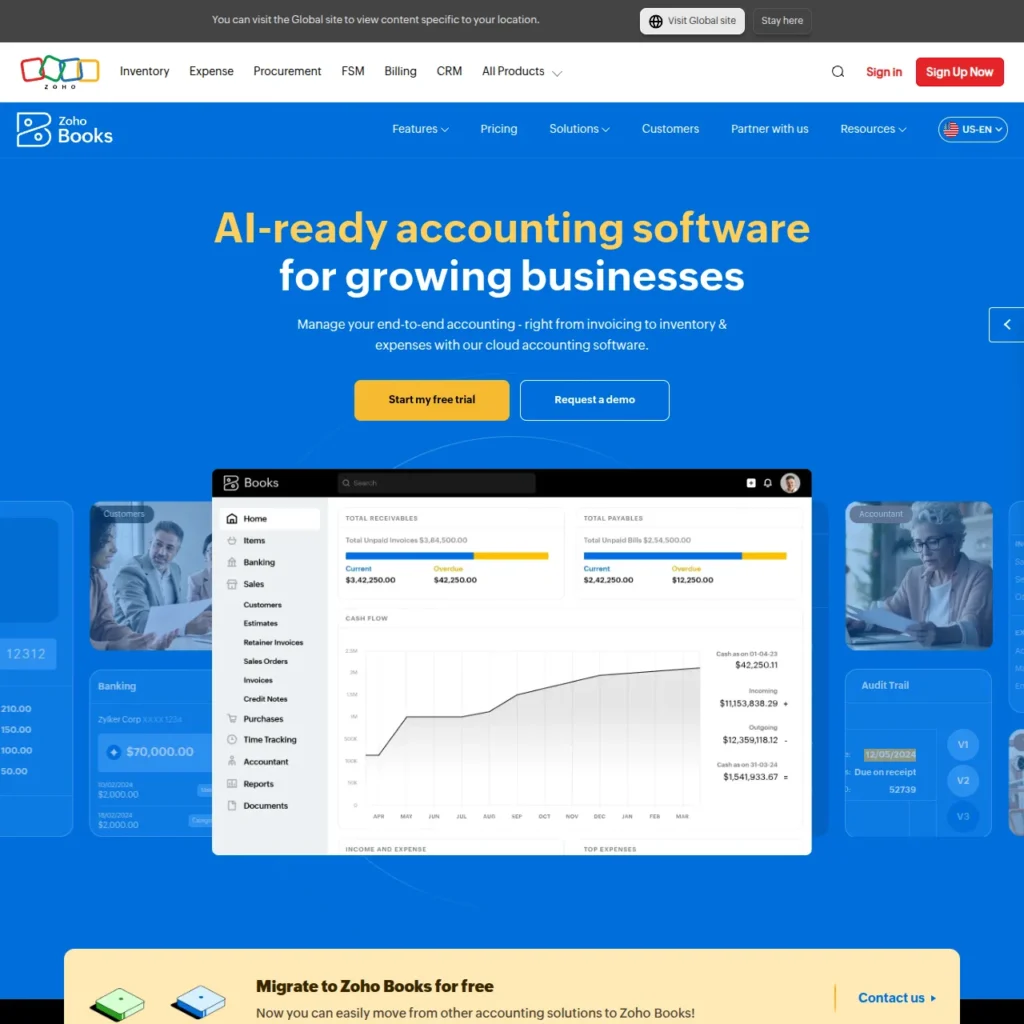
Zoho Books gives you real double-entry accounting for free if your business brings in under $50,000 a year. Its AI depends on your plan: every plan, including Free, gets a writing assistant and MCP access for connecting outside AI tools. Zia insights, anomaly detection and forecasting only start on the Premium plan (Zoho Books plan comparison).
- Pricing: Free plan for businesses under $50K in annual revenue (one user plus one accountant, up to 1,000 invoices a year). Standard costs $20/month, or $15/month billed annually. Premium, where Zia’s AI insights begin, costs $70/month or $60/month billed annually. Paid plans come with a 14-day free trial.
- Pros: The most generous free plan on this list, and a natural fit if you already use Zoho CRM or other Zoho apps.
- Cons: The free plan’s AI is limited to writing help, and fewer US accountants use Zoho.
- Best for side businesses, solopreneurs and cost-conscious small businesses.
4. FreshBooks — Best for Freelancers and Service Businesses

FreshBooks focuses on invoicing and getting paid. Its AI is practical, not flashy: it automatically categorises expenses, helps you create invoices, and keeps time tracking tied to billable work.
- Pricing: Regular list prices are Lite $23/month (up to 5 clients), Plus $43/month (up to 50 clients) and Premium $70/month (unlimited clients). There’s a 30-day free trial, and promotional discounts vary (FreshBooks pricing).
- Pros: Very easy to use, excellent invoicing and time tracking.
- Cons: Its AI features are lighter than QuickBooks’ or Xero’s, and pricing is based on the number of clients you bill.
- Skip it if you sell products or need inventory and deep reporting.
5. Sage Intacct — Best for Mid-Size and Multi-Entity Finance Teams
Sage Intacct is built for finance teams managing several entities, locations or departments. Sage describes AI features, including general ledger outlier detection that flags unusual entries, and finance AI agents such as a Finance Intelligence agent that answers questions about reports, a Close agent for month-end, and an AP Automation agent for bill entry (Sage Intacct).
- Pricing: Contact sales. Pricing depends on entities, modules and users.
- Pros: Strong multi-entity consolidation, detailed reporting and controls.
- Cons: Requires an implementation partner and is more than most small businesses need.
- Best for companies outgrowing QuickBooks with a dedicated finance team.
6. Digits — Best AI-Native Accounting Software for Startups
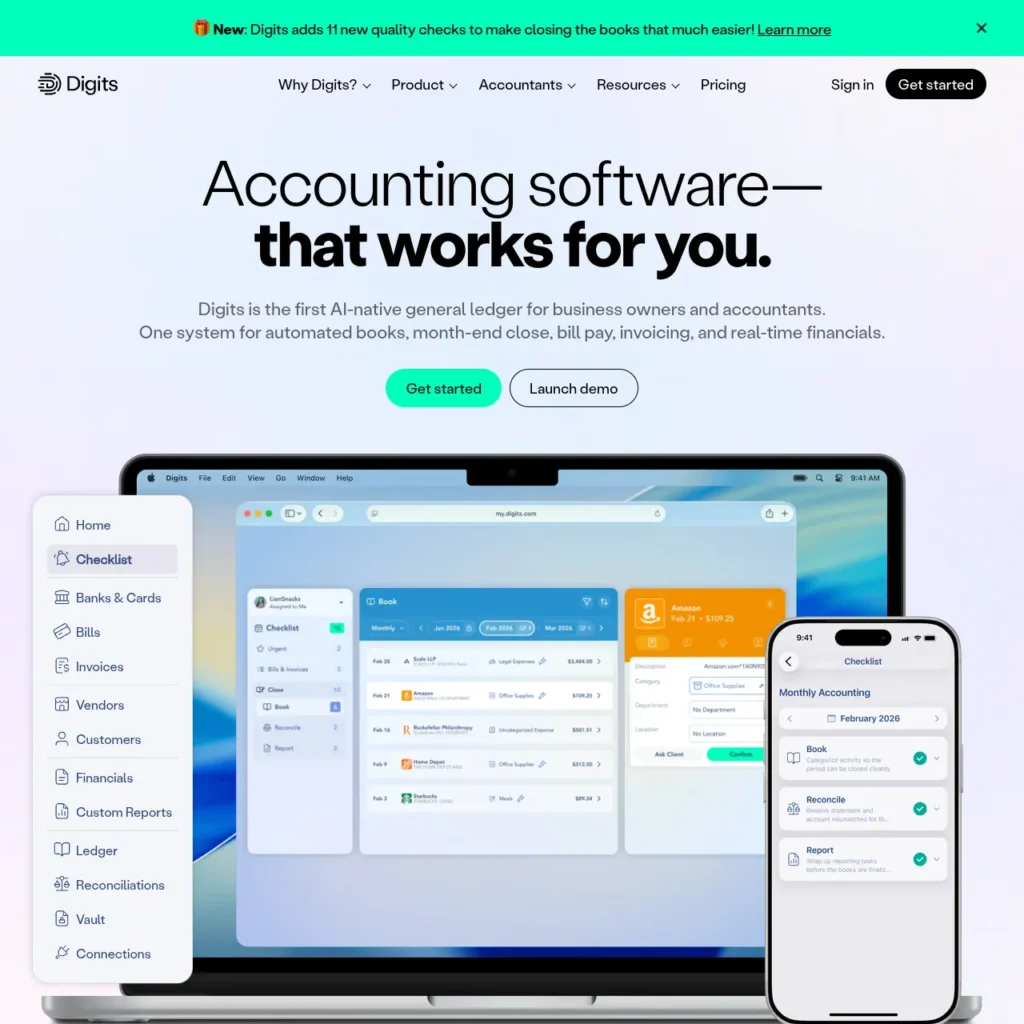
Digits was built on its own AI-native general ledger rather than adding AI to older software. It runs AI bookkeeping and reconciliation around the clock, connects to more than 12,000 banks, cards and payroll providers, and lets you ask questions like “What did we spend on software last quarter?” through Ask Digits.
- Pricing: Essentials $65/month, Core $100/month, with a 30-day free trial. Accounting firms get separate custom pricing (Digits pricing).
- Pros: Very fast setup, polished live dashboards, no per-user fees on published plans.
- Cons: It’s a newer platform, so fewer accountants know it, and it has no free plan.
- Best for startups and modern small businesses that want self-updating books.
7. Puzzle — Best for Real-Time Startup Accounting
Puzzle is AI-first accounting software aimed at startup founders. It automatically categorises transactions, keeps statements current in real time, and shows startup metrics such as burn rate and runway without waiting for month-end.
- Pricing: Starter costs $30/month, or 20% less on yearly billing (roughly $24/month). The first two months of Starter are free, but it isn’t a permanent free plan. Higher tiers are available, and new accounts can try the Complete plan free for 14 days (Puzzle pricing).
- Pros: Low entry cost, startup-focused dashboards, pricing per company rather than per user.
- Cons: Starter includes one user and a small number of AI credits, and features such as multi-entity support sit on higher plans.
- Best for pre-seed and seed-stage founders.
8. Docyt — Best for Multi-Location Businesses
Docyt now describes itself as an AI-native ERP for brick-and-mortar businesses, including hotels, restaurants, retailers, and franchises. Its Accounting Suite handles revenue reconciliation, continuous bank and card reconciliation, close automation and multi-entity accounting, with optional Payments and Business Intelligence suites.
- Pricing: The Accounting Suite starts at $299 per property or location per month, on annual plans billed monthly, with unlimited users. The Payments and Business Intelligence suites are add-ons (Docyt pricing).
- Pros: Built around multi-location reporting, with hospitality-specific integrations.
- Cons: Per-property pricing multiplies across locations, and it’s more than a single small business needs.
- Best for operators running several locations who need consolidated numbers.
9. Zeni — Best AI Bookkeeping with a Human Finance Team
Zeni combines AI bookkeeping with a dedicated finance team that reviews your books and offers optional tax, payroll and fractional CFO services. Think of it as outsourcing your finance function rather than buying software.
- Pricing: Starter starts at $549/month, and Growth starts at $799/month, with lower rates for annual billing. Enterprise is custom (Zeni pricing).
- Pros: Real people check the AI’s work, with startup-friendly reporting for investors.
- Cons: Costs more than software alone, but compare it with a bookkeeper’s salary, not a $30 app.
- Best for funded startups that want their books handled for them.
10. Botkeeper — Best AI Bookkeeping Software for Accounting Firms
Botkeeper is built for accounting and bookkeeping firms managing many client books. Its AI categorises transactions, supports bank reconciliation, and flags anomalies during month-end review, while dashboards show progress across every client.
- Pricing: Per-license pricing that falls as you add more. Monthly billing starts at $149 per license for 1-4 licenses, with lower rates for larger firms and annual billing (Botkeeper pricing).
- Pros: Designed around firm workflows, with visibility across all clients.
- Cons: Not designed for business owners doing their own books.
- Best for firms that want to take on more clients without hiring at the same pace.
11. Vic.ai — Best for High-Volume Accounts Payable
Vic.ai focuses on one job: processing supplier invoices with as little human touch as possible. Its AI reads invoices, assigns general ledger codes, matches purchase orders and routes approvals, learning from every correction. It integrates with major systems such as NetSuite, SAP and Microsoft Dynamics. It’s an add-on, not a general ledger: approved invoices flow into the accounting system or ERP you already use.
- Pricing: Contact sales (Vic.ai).
- Pros: Removes most manual invoice entry for teams handling large volumes.
- Cons: Overkill if you only process a few dozen bills a month.
- Best for mid-size and large accounts payable teams.
12. Ramp — Best Free AI Spend and Expense Management
Ramp combines corporate cards with AI that categorises expenses, automatically matches receipts, and enforces spending policies. Its free plan includes bill pay and syncs with QuickBooks Online and Xero, which makes it a low-risk add-on to your existing books.
- Pricing: Free plan with unlimited cards and users. Ramp Plus costs $15 per user per month plus a platform fee based on team size (Ramp pricing).
- Pros: Genuinely free core product, with less time chasing receipts.
- Cons: It’s spend management, not full accounting, and integrations with larger ERPs need Plus.
- Best for businesses whose team spending is hard to track.
Best AI Accounting Software by Business Type
The right tool depends far more on your business than on which product has the most AI features. Start with one main tool and, at most, one add-on.
Freelancers and Solopreneurs
Start with FreshBooks if you bill clients by the hour or project, or Zoho Books’ free plan if you earn under $50,000 a year and mainly need free invoicing and books (its AI insights need a paid plan). Add Ramp only if you start running business expenses through cards.
Small Businesses (1–50 Employees)
QuickBooks Online is the safest choice, because your accountant almost certainly uses it. Pick Xero instead if several people need access and you’d rather not pay per user. Add Ramp when employee spending becomes hard to track.
Startups
Digits or Puzzle give you live books and startup metrics without hiring a bookkeeper. If you’d rather hand the whole job off, Zeni adds a human finance team on top of the AI.
Accounting and Bookkeeping Firms
Botkeeper is designed for managing many client books at once. Firms whose clients use Digits can also join its partner program for firm pricing.
Mid-Size and Multi-Entity Companies
Sage Intacct handles multiple entities and deeper controls, and Vic.ai takes high-volume accounts payable off your team’s plate. Multi-location operators, such as hotel groups and franchises, should also consider Docyt.
Running a small business and looking beyond accounting? AIToolister’s guide to the best AI tools for business also covers marketing, CRM, and automation tools.
AI Tools for Accountants and Accounting Firms
If you’re an accountant, bookkeeper, or CPA, the best AI tools let you take on more clients without lowering your work quality. That usually means a mix of three kinds of tools.
AI bookkeeping software for client work. Botkeeper and Digits’ firm program manage multiple client books, with AI handling categorisation and reconciliation while you review exceptions. QuickBooks and Xero also include AI features that work across your clients’ files.
AI for accounts payable and documents. Vic.ai handles invoice processing for larger clients, cutting the manual data entry that eats into fixed-fee work.
General AI assistants for everyday tasks. Tools like ChatGPT and Claude help draft client emails, explain tax changes in plain English, summarise long leases or contracts, or write Excel formulas. If you work mostly in Excel, Microsoft Copilot can help analyse data inside your spreadsheets. Not sure which assistant to choose? See ChatGPT vs Claude.
One firm rule: general assistants are not your ledger. Don’t paste client financial data into a personal AI account, and always check calculations and tax guidance against official sources.
What AI Can (and Can’t) Do in Your Books Today
Tasks AI Handles Well
- Categorising transactions: learning your categories and applying them to bank and card feeds.
- Reading receipts and invoices: pulling the vendor, date, amount and line items from photos and PDFs.
- Matching and reconciling: pairing bank transactions with invoices, bills and payments.
- Spotting anomalies: flagging duplicate payments, unusual amounts or miscategorised entries.
- First-draft forecasts and answers: projecting cash flow and answering questions like “How much did we spend on travel this year?”
Where You Still Need a Human
- Judgment calls: whether an expense is deductible, how to treat an unusual transaction, or how to record a loan.
- Year-end and tax work: adjustments, depreciation decisions and filings still need an accountant’s review.
- Reviewing the AI’s work: accuracy varies by tool, by how clean your data is and by how unusual a transaction is, and AI can be confidently wrong. A regular review catches errors before they reach your reports or tax return.
- Advice: pricing, cash planning and growth decisions depend on context the software doesn’t have.
Free and Low-Cost AI Accounting Software Worth Trying
You can get real AI help with your books without spending much, as long as you know where the free plans stop.
- Zoho Books Free: full double-entry accounting, free while your business earns under $50,000 a year. The free plan limits AI to a writing assistant; Zia’s insights and anomaly detection require the Premium plan.
- Puzzle Starter: the first two months are free, then it costs $30/month (roughly $24/month billed yearly). Treat it as an extended trial, not a permanent free plan.
- Ramp Free: free corporate cards, expense management and receipt matching that sync with QuickBooks Online or Xero. It’s not full accounting, but it removes a lot of bookkeeping work.
- Free trials: QuickBooks Online (30 days), FreshBooks (30 days), Digits (30 days) and Zoho Books’ paid plans (14 days) let you test the AI on your own transactions before paying.
One honest warning: free plans are designed to be outgrown. Before you commit, check the price of the plan you’ll need in a year, not just today’s.
How to Choose the Right AI Accounting Software: A Practical Checklist
Questions to Ask Yourself First
- Who does my books today? If you have an accountant, ask which software they prefer. Fighting your accountant’s system costs more than any subscription.
- Do I need full accounting, or help with one task? If your books are fine but receipts and expenses are a mess, an add-on like Ramp may be all you need.
- How is the price calculated? Models differ: Docyt charges per property or location, Botkeeper per license, and Ramp Plus per user plus a platform fee.
- How many people need access? Per-user pricing adds up; Xero and Digits’ published plans don’t charge per user.
- What will this cost in a year? Introductory discounts often end after a few months.
Questions to Ask Vendors in the Demo
- Does the AI learn from my corrections without me writing rules?
- What happens when it’s unsure? Does it flag the transaction or guess?
- Can I see an audit trail of what the AI changed?
- Is the company SOC 2 certified, and does it use my data to train its models?
- Can my accountant get access, and does it cost extra?
- Which banks, payroll providers and apps does it connect to?
- How do I export my data if I leave?
Risks to Watch: Accuracy, Data Security and Compliance
Who’s Responsible When AI Gets It Wrong?
You are. If AI miscategorises an expense and it ends up on your tax return, your business remains responsible, not the software company. That’s why a quick monthly review of what the AI did matters more than any feature on this list.
Keeping Your Financial Data Safe
Your books hold bank details, payroll and customer information. Before you sign up, read the provider’s own security documentation and data-use policy. Look for independent audits such as SOC 2, how data is encrypted, who can access it, and whether your data is used to train AI models. Practices differ between vendors, so don’t assume one provider’s policy applies to another. And never paste financial records into a personal chatbot account.
Audit Trails and Record-Keeping
Good AI accounting software keeps a record of what changed, when, and whether a person or the AI made it. If you’re ever audited, or simply need to explain a number to a lender, that trail saves hours.
This section is general information, not tax or legal advice. Talk to a qualified accountant about your specific situation.
Switching to AI Accounting Software Without Losing Your Data
Before You Switch
Reconcile your current books, export your key reports (profit and loss, balance sheet and general ledger), and tell your accountant your plan. Moving messy books into new software just moves the mess.
A Simple 5-Step Migration Plan
- Start a free trial and connect one bank account to see how the AI handles your real transactions.
- Import your chart of accounts and opening balances, or use the vendor’s migration help if it’s offered.
- Connect the rest of your accounts, including banks, cards, payroll and payment processors.
- Run both systems side by side for one month and compare the results.
- Switch fully once the numbers match, and keep read-only access to your old system for your records.
Best Time of Year to Switch
The cleanest time is the start of a new quarter or fiscal year, so your reports don’t split one period across two systems. If you can, avoid switching during tax season, when your accountant is busiest.
Best AI Accounting Software FAQs
What is the best AI accounting software?
For most US small businesses, QuickBooks Online is the best AI accounting software because its AI agents handle categorisation, invoicing, and insights, and most accountants already use it. Xero is the best alternative for teams that want unlimited users, Digits is the strongest AI-native option for startups, and Zoho Books is the best free choice.
Is AI replacing CPAs and accountants?
No. AI is taking over repetitive work such as data entry, categorisation, and matching, but CPAs are still needed for tax judgment, audits, advice and signing off on financial statements. In practice, accountants who use AI can serve more clients and spend more time advising.
Is there a ChatGPT for accounting?
Not exactly. ChatGPT can explain accounting concepts, draft emails and help with spreadsheets, but it isn’t accounting software and shouldn’t hold your books. The closest equivalents are built-in assistants such as Intuit Assist in QuickBooks, JAX in Xero, Zia in Zoho Books and Ask Digits, which answer questions using your actual financial data.
Does QuickBooks have AI?
Yes. QuickBooks Online uses Intuit Assist and a set of AI agents to categorise transactions, draft invoices, follow up on payments and surface financial insights. Which AI features you get depends on your plan.
Is AI accounting software accurate?
Accuracy varies by tool, how clean your data is, and how unusual a transaction is. Many tools improve as you correct them, but you shouldn’t trust any blindly, so plan regular reviews of what the AI categorises or flags.
Is there free AI accounting software?
Partly. Zoho Books offers a free plan for businesses earning under $50,000 a year, though its free AI features are limited to a writing assistant, and Ramp offers free spend management. Puzzle’s Starter plan is free for only the first two months. Most other tools offer 14- to 30-day free trials.
Is AI accounting software safe for my financial data?
It depends on the provider. Read each vendor’s security documentation and data-use policy to see whether it has independent audits (such as SOC 2), how it protects data, and whether it uses your data to train AI models. Avoid entering financial records into personal AI chatbots.
Can I use AI accounting software if I already have an accountant?
Yes, and you should involve them. Many accountants prefer clients who use AI bookkeeping because the books arrive cleaner. Ask which tool your accountant supports, then give them access so they can review the AI’s work.
Final Verdict: Which AI Accounting Software Should You Choose?
The best AI accounting software removes your most time-consuming bookkeeping task without creating extra work for your accountant.
For most US small businesses, that’s QuickBooks Online, or Xero if you want unlimited users. Freelancers should start with FreshBooks or Zoho Books’ free plan. Startups get the most from Digits or Puzzle, or Zeni if they’d rather hand the books off entirely. Accounting firms should consider Botkeeper, and growing finance teams should look at Sage Intacct and Vic.ai.
Whatever you pick, start with a free plan or trial on your own transactions, review what the AI does each month, and keep your accountant in the loop.
Keep Exploring