Ahsan Javaid
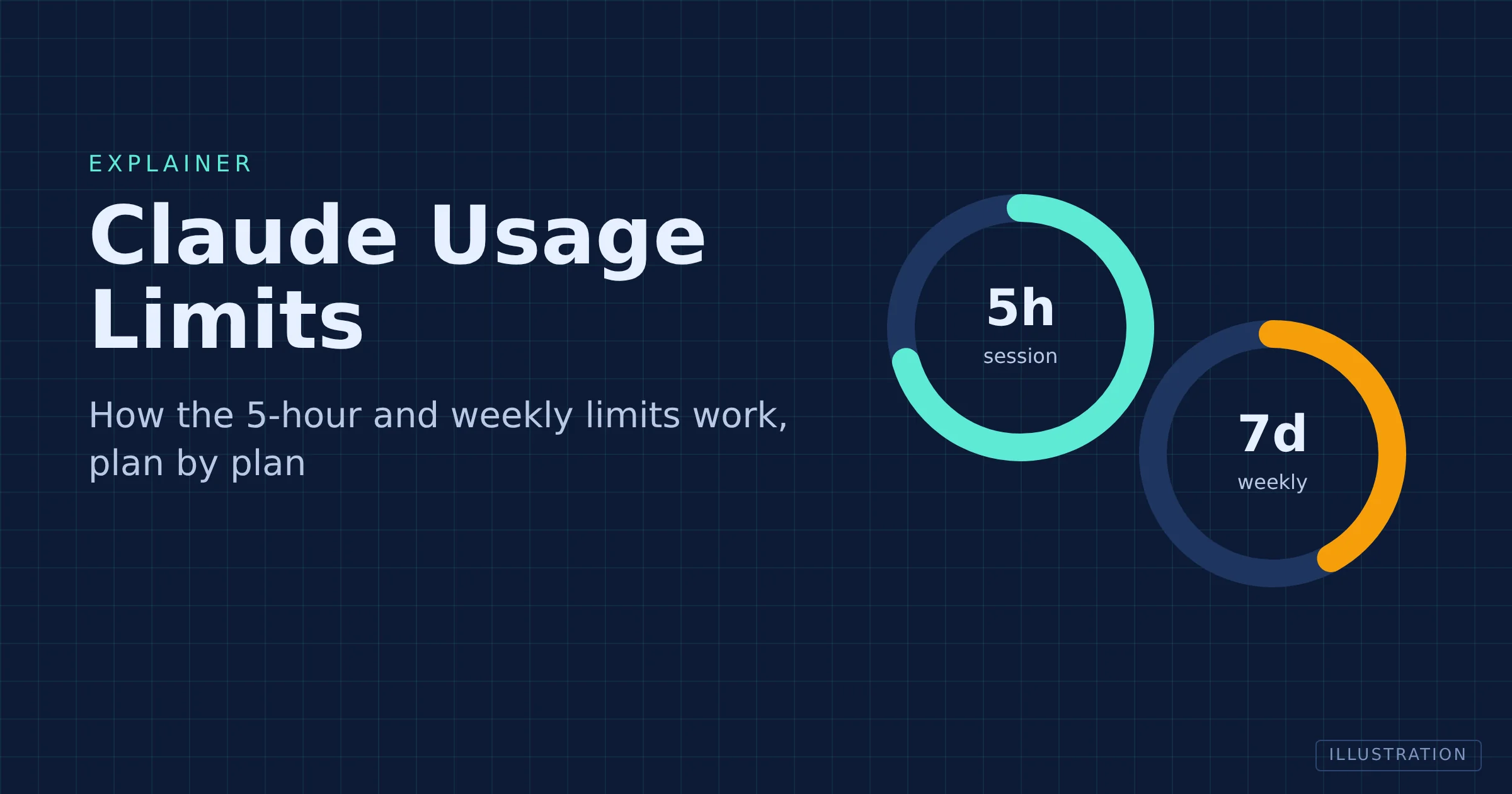
Claude doesn’t give you a set number of messages. On the Free, Pro, Max, Ultra and Team plans, it caps how much work you do, and paid plans run two limits at the same time: a five-hour session limit and a weekly limit. Chats on the web, Claude Desktop, the mobile apps and Claude Code all draw from the same allowance, so hours in the terminal and hours in chat count against one pool.
There are two exceptions. Verified Ultra accounts have no five-hour limit, only a weekly one. Usage-based Enterprise plans have no plan limits at all; usage is billed at API rates instead. And if you’ve seen “Max 20x” elsewhere, that plan is now called Ultra.
Below, you’ll find the Claude usage limits for each plan, how each reset works, what uses your allowance fastest, and what to do when you run out. Anthropic’s usage limits article is the official reference for everything here.
Claude Usage Limits by Plan
Anthropic describes each plan’s allowance relative to Pro. It doesn’t publish a base number of messages or tokens for Pro itself.
| Plan | Five-hour limit | Weekly limit | Fable models |
|---|---|---|---|
| Free | Limited | Limited (see note below) | Not available |
| Pro | Baseline (1x) | Baseline (1x) | Usage credits only |
| Max | 5x Pro | 5x Pro | Up to half of your weekly limit |
| Ultra | None once your account is verified | 10x Pro | Up to half of your weekly limit |
| Team, Standard seat | 1.25x Pro | Weekly limit (no multiplier published) | Usage credits only |
| Team, Premium seat | 6.25x Pro | Weekly limit (no multiplier published) | Up to half of your weekly limit |
| Enterprise (usage-based) | No plan limits | No plan limits | Billed at API rates |
A few details the table can’t hold:
- Free: Anthropic’s pricing page lists limited usage “every 5 hours and every week,” while the Help Center’s Free plan article mentions only a limit that resets every five hours and says the number of messages varies with demand. Pro gives at least five times Free’s usage per five-hour session.
- Team: limits apply to each member, not to the team as a whole. One person hitting their cap doesn’t affect anyone else, and allowances can’t be shared between seats.
- Enterprise: older seat-based Enterprise plans with Standard and Premium seats still have per-seat limits. Anthropic says those plans can’t continue on that billing model past their next contract renewal.
For what each plan costs and which features come with it, see our Claude AI pricing guide.
How the 5-Hour Limit Works
The five-hour window starts when you send your first message, and your allowance resets in full five hours later. It isn’t tied to the clock or to midnight. If you start at 9:00 a.m. and use up the session by 11:00 a.m., you can use Claude again at 2:00 p.m.
Claude lets you know when you reach the limit, and Claude Code warns you as you approach it. To see exactly where you stand, open Settings > Usage: the Current session bar shows how much of the five-hour allowance you’ve used and how long until it resets.
Ultra and the five-hour limit
Ultra removes the five-hour limit for verified accounts, so you work within the weekly limit alone. Anthropic verifies Ultra accounts automatically using factors such as account and payment history. Until that happens, a temporary limit applies; verifying your phone number at checkout doesn’t remove it. If Settings > Usage shows no Current session bar, your account is verified.
Claude Code’s wrap-up allowance
If you hit the five-hour limit while Claude Code is partway through a response, it may keep working briefly to finish the step in progress, showing “Usage limit reached · wrapping up.” The allowance is small, counts toward your weekly limit, and applies only to a response already underway. On Pro it can happen once per weekly period; on Max, each time you reach a five-hour limit. Anthropic is rolling this out gradually.
How Weekly Limits Work
The weekly limit covers all models combined. It resets at a fixed day and time assigned to your account, so it doesn’t follow your subscription date or the day you started using Claude, and it isn’t the same for everyone. Your next reset time is shown in Settings > Usage, and you get your full weekly allowance each cycle.
Max and Ultra also have a separate weekly limit for Fable models, and Team Premium seats can likewise put up to half of their weekly limit toward Fable. That half isn’t extra: Fable draws from the same weekly allowance as every other model, and it uses that allowance faster. On Pro and Team Standard seats, Fable isn’t part of the plan’s limits at all and runs on pay-as-you-go usage credits.
Limits can also change. Anthropic says it may adjust them at its discretion to manage capacity, including with weekly and monthly caps or limits on specific models and features.

How Many Messages or Tokens Do You Get?
Anthropic doesn’t publish a message count or a token allowance for any plan, including Pro. How far your allowance goes depends on how long your messages and conversations are, how large your files are, which model and effort level you choose, and which tools Claude uses.
Some third-party sites publish weekly token estimates for each plan. These come from their own measurements, not from Anthropic, and the results vary a lot with the workload, so treat any single figure as a rough guide at best.
Usage limits vs. the context window
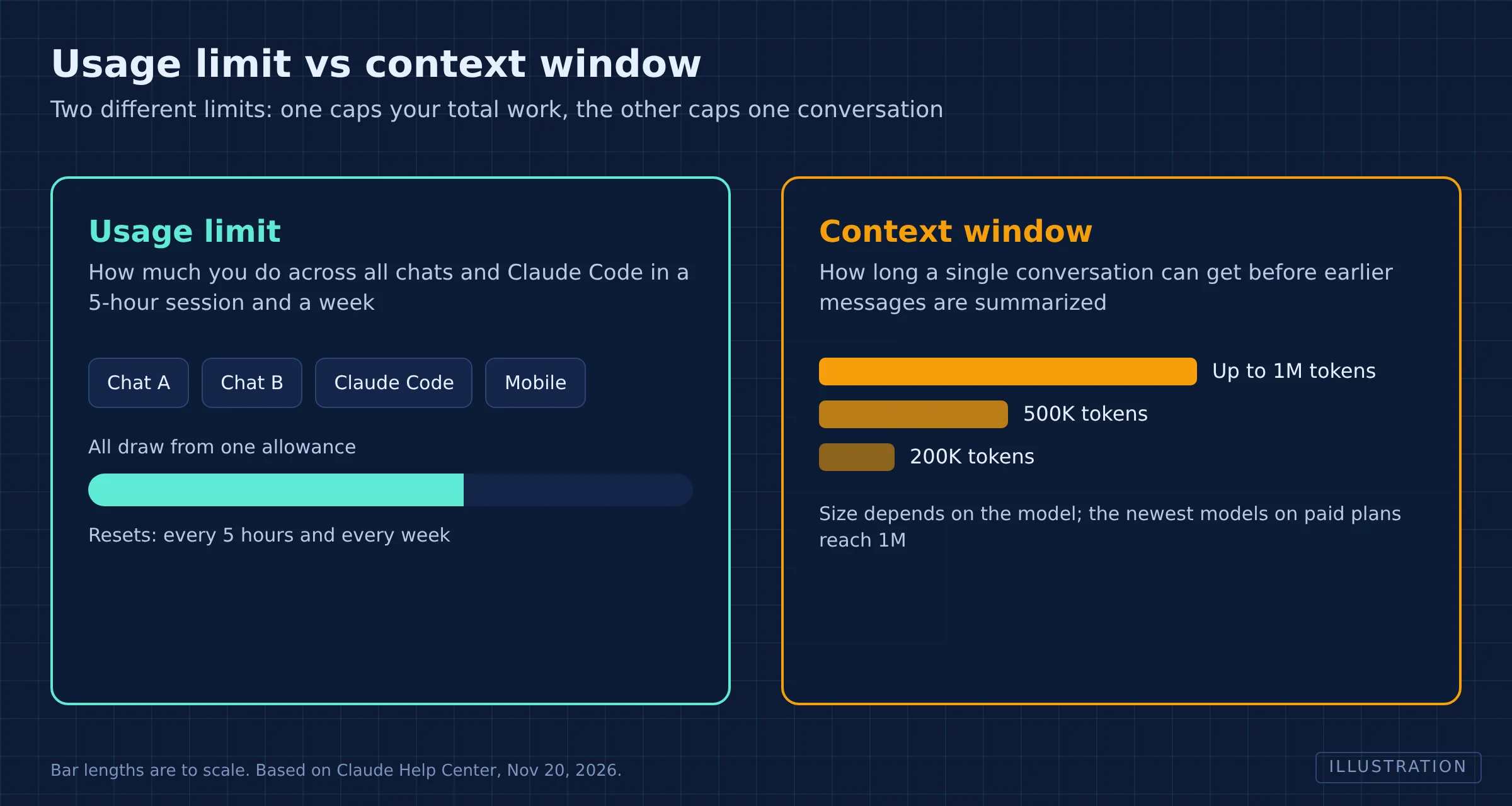
The context window is a different limit. It caps how long a single conversation can be, while usage limits cap how much you do across all your conversations in a session or week. On paid plans, the newest models support a context window of up to 1M tokens, and others support 500K or 200K. Part of the window is always reserved for Claude’s reply.
When a chat approaches the context window limit and code execution is turned on, Claude summarizes earlier messages so the conversation can continue. That keeps long chats going, but it also uses more of your usage limit.
What Drains Your Limit, and How to Make It Last
Anthropic lists several factors that affect usage. Each one has a practical fix:
- Long conversations. The longer a chat gets, the more context each new message carries. Start a new chat when you switch topics.
- Large or repeated files. Uploading the same documents again and again adds up. Put them in a project instead: project content is cached and counts less when you reuse it. Caches expire after a period of inactivity, so the first message after a long break counts the content in full again.
- Heavier models. Opus and Fable models use your allowance faster. Anthropic suggests Haiku or the latest Sonnet for most everyday tasks; our overview of the current Claude models explains the differences.
- High effort and thinking. Higher effort uses more tokens. Turn thinking off where the model offers a toggle, or choose a lower effort level for routine work.
- Tools and connectors. Research, web search and connected apps are token-intensive. Turn off connectors a chat doesn’t need, and turn off web search when you don’t need current information.
- Many small messages. Group related questions into one message and include the background up front, so Claude doesn’t need follow-ups.
Artifacts and multi-step tasks, such as running code, creating files or browsing websites, also use more of your allowance than plain chat.
In Claude Code
Claude Code shares your plan’s limits, so long coding sessions can run them down quickly. A few built-in commands help:
/compactsummarizes the conversation so far, freeing context while you keep working./clearstarts a fresh conversation for a new task./contextshows what is filling the context window.
Use a lighter model for mechanical edits, and save the heavier models for planning and hard problems. If you’re deciding between plans for coding, our Claude Code pricing guide compares them.
How to Check Your Claude Usage
On the web, Claude Desktop and the mobile apps, go to Settings > Usage. It shows:
- Current session: how much of the five-hour limit you’ve used and the time left.
- Weekly limits: your progress and reset time for all models, plus Fable if your plan includes it.
- Usage credits: your balance and spending, if you’ve turned them on.
In Claude Code, run /usage (or its aliases /cost and /stats) to see your plan’s usage limits and a breakdown of what counts against them. The /status command shows your version, model and account rather than your limits.
Browser extensions that track Claude usage come from third-party developers, not Anthropic. If you install one, check what access to your account it asks for.
What Happens When You Hit Your Limit
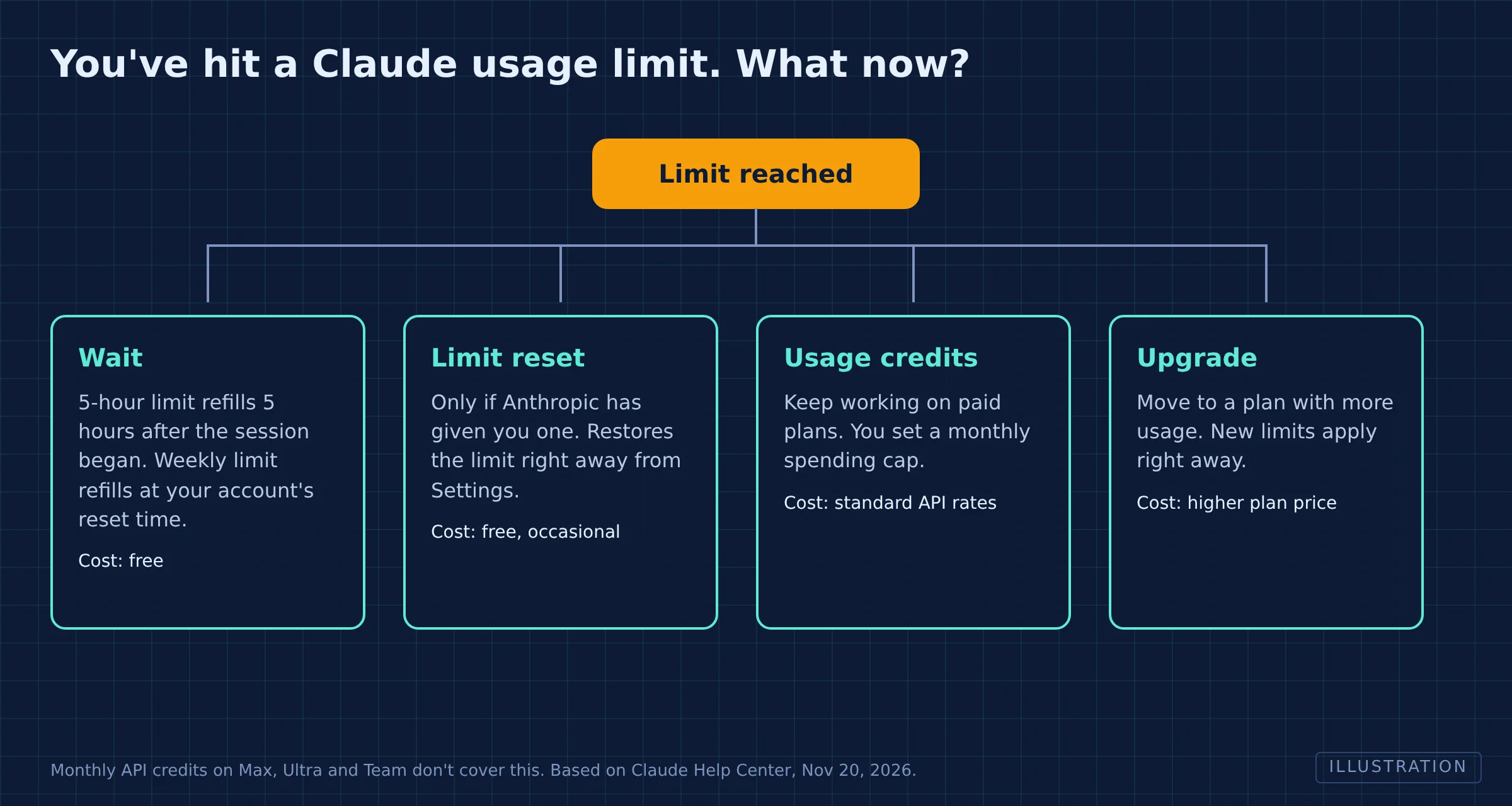
When you reach a limit, Claude pauses until the limit resets unless you upgrade or have usage credits turned on. Your options:
- Wait for the reset. The five-hour limit refills five hours after the session started; the weekly limit refills at your account’s reset time.
- Upgrade. If you move to a higher plan, its limits apply right away.
- Turn on usage credits. On Pro, Max and Ultra, you can keep working past any limit and pay standard API rates for the extra usage. You set a monthly spending cap (or choose unlimited), buy credits, and can turn on auto-reload on the web. Prepaid bundles cost less: $45 for $50 of credit, $200 for $250 and $700 for $1,000, up to $2,000 of discounted bundles a month. Credits bought on or after December 7, 2026 generally expire 12 months after purchase (earlier purchases don’t expire), and purchases are non-refundable.
On Team and Enterprise plans, admins manage usage credits. A member without billing access can run /usage-credits in Claude Code to send a request to their admin. In Claude Code, /rate-limit-options shows the options available to you, including waiting and continuing automatically when the limit resets.
One thing that won’t help: the monthly API credits included with Max, Ultra and Team plans. They are for building with the Claude API, don’t cover interactive Claude Code or extra usage in Claude, and don’t change your plan’s usage limits.
Frequently Asked Questions
Does Claude have a daily usage limit?
No. Claude doesn’t use a daily cap or reset at midnight. Paid plans have a five-hour session limit and a weekly limit instead. The Free plan has a limit that resets every five hours, and Anthropic’s pricing page also lists a weekly limit for Free.
Does Claude Pro give unlimited usage?
No. Claude Pro has both a five-hour session limit and a weekly limit, and Fable models run on usage credits rather than the plan’s allowance. To keep working after a limit, you can turn on usage credits, which are billed at API rates.
Can you reset your Claude limit early?
Only with a limit reset, which Anthropic gives occasionally to eligible plans. If you have one, a “Reset for free” button appears in Settings > Usage and on the message you see when you reach a limit. It restores your five-hour or weekly limit right away. Your regular weekly reset time doesn’t change, a used reset can’t be undone, and the button isn’t available in Claude Code in the terminal.
Why does Claude have usage limits?
Anthropic says it sets and adjusts usage limits to manage capacity and give all users fair access. Because limits measure work rather than messages, a short question uses far less of your allowance than a long session with large files.
Will Claude increase usage limits?
Anthropic doesn’t commit to future increases. Its Help Center says limits may be adjusted at its discretion, so check Settings > Usage and Anthropic’s plan pages for the current allowance rather than relying on older posts.
How we checked: We reviewed Anthropic’s pricing page, Claude Help Center articles on usage limits, plans, usage credits and limit resets, and the Claude Code commands documentation on November 20, 2026. This guide is based on that documentation, not on hands-on testing, and Anthropic changes limits often.
Keep Exploring