Ahsan Javaid

The best AI for homework depends on what you’re stuck on. For understanding a topic, ChatGPT’s study mode and Gemini’s Guided Learning walk you through it with questions. For math, Photomath offers free step-by-step solutions for symbolic math, while Wolfram Alpha handles advanced calculations and keeps its step-by-step explanations for the paid plan. Gauth and StudyX answer questions from a photo, Gemini Notebook quizzes you on your notes, and Grammarly and QuillBot give writing feedback. This guide compares all eleven by task, free plan and price.
How we checked: every feature, limit and price below comes from each company’s own website, help center, or app store listing, reviewed on November 14, 2026. We didn’t run our own tests, so this compares what each tool documents, not a ranking by answer quality. Where a company doesn’t publish a limit, we say so.
Best AI Homework Helpers: Quick Picks by Task
| Homework task | Tool | Documented feature |
|---|---|---|
| Understand a hard topic | ChatGPT | Study mode guides you with questions and hints |
| Understand a hard topic | Gemini | Guided Learning builds a step-by-step study plan |
| Understand a hard topic | Claude | General AI assistant for explanations |
| Understand a hard topic | Khanmigo | Tutoring tied to Khan Academy lessons |
| Solve math step by step | Photomath | Scan a problem, get free step-by-step solutions |
| Solve math step by step | Wolfram Alpha | Computes advanced math, with steps on the paid plan |
| Answer a question from a picture | Gauth | Photo solving across subjects, plus live tutors |
| Answer a question from a picture | StudyX | Photo, PDF and typed questions in 50+ subjects |
| Study notes and make quizzes | Gemini Notebook | Answers and quizzes from your own documents |
| Improve writing | Grammarly | Grammar, spelling and tone feedback |
| Improve writing | QuillBot | Paraphrasing and summarizing |
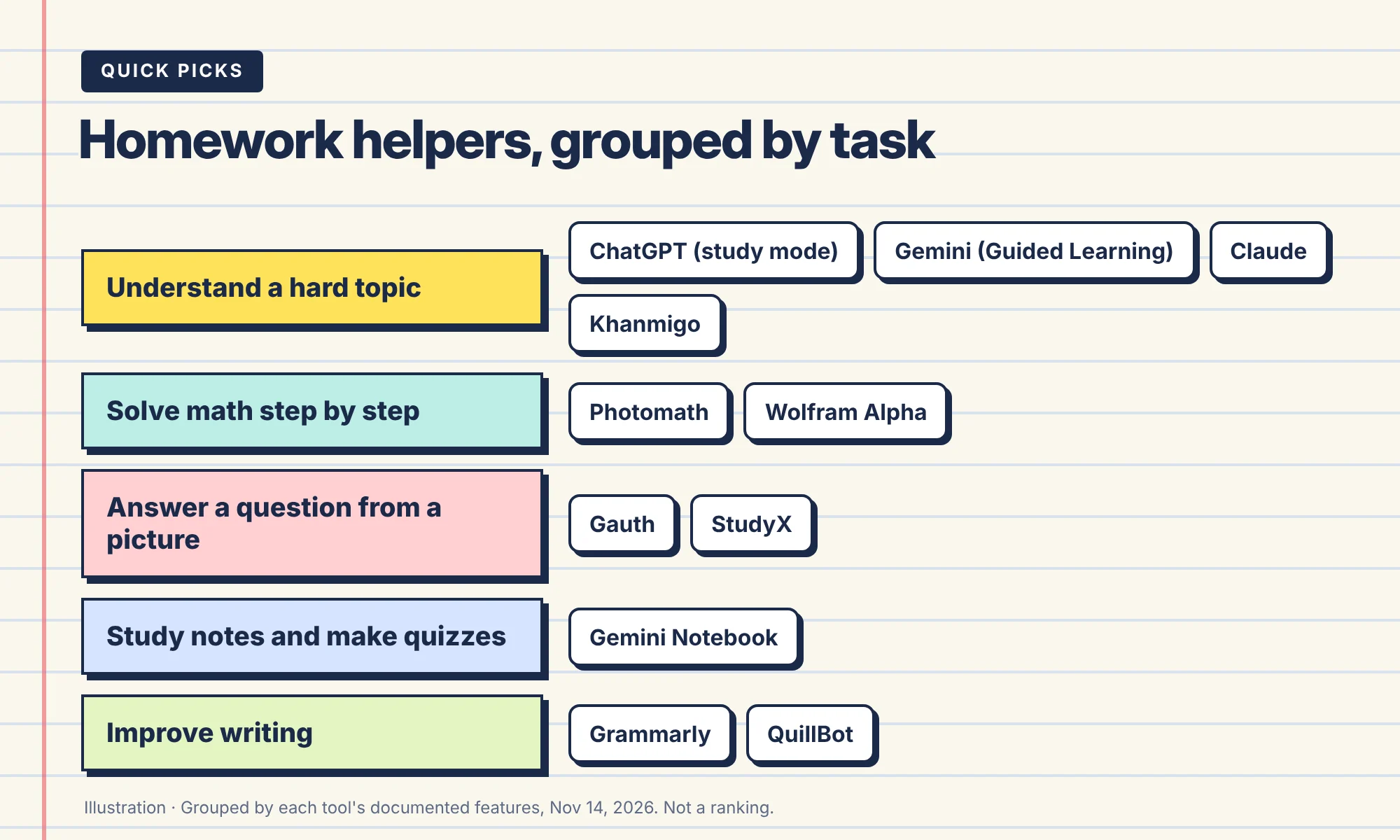
Prices and free limits for all eleven are in the comparison table further down. Next, use that table to compare them by task, free plan and price.
Best AI for Understanding Difficult Topics and Concepts
These four are for the moment when the textbook explanation isn’t working. Two of them have a mode built to teach, not just answer.
ChatGPT (study mode)
Study mode changes how ChatGPT responds. OpenAI says it uses guiding questions, hints and self-reflection prompts instead of giving answers outright, and it adds quizzes and knowledge checks with feedback. You can turn it on or off in any chat.
- Free access: study mode is available to logged-in users on the Free plan.
- Paid: ChatGPT Plus costs $20 a month.
- Limit: OpenAI notes that study mode can behave inconsistently and make mistakes across conversations.
- Who can use it: ages 13 and up. Users aged 13 to 18 need a parent’s or guardian’s consent.
Gemini (Guided Learning)
Guided Learning is Gemini’s tutoring mode. Google describes it as an interactive study partner that outlines a plan for a topic, takes you through each step and checks whether you’re following. It can pull in diagrams, images and YouTube videos, and Google says it helps with homework without handing you the answers.
- Free access: it’s available in the Gemini app. Google’s pages don’t state a separate price or usage limit for Guided Learning.
- Who can use it: school accounts require the user to be 13 or older, and the school’s administrator has to turn Gemini on. Google’s help page says accounts managed by Family Link can’t use the Gemini web app.
Claude (general AI assistant)
Claude is a general assistant that can explain a concept, work through a question with you, and answer follow-ups. Unlike ChatGPT and Gemini, it has no documented tutoring mode for regular users. It’s general AI assistance, not a dedicated tutor, so you have to ask it to explain instead of answer.
- Free access: the Free plan includes chat with limited usage.
- Paid: Pro costs $20 a month.
- Who can use it: Claude is for users aged 18 and older, so it isn’t an option for most school students. There’s no student price either, as our guide to the Claude student discount explains.
Khanmigo
Khanmigo is Khan Academy’s AI tutor. It offers personalized tutoring on Khan Academy’s lessons, plus writing and debate practice with guided prompts and immediate feedback.
- Price: $4 a month or $44 a year for learners and families. It’s free for teachers. There’s no free plan for students.
- Who can use it: Khan Academy’s support page says the account holder must be over 18 and live in the continental United States. A parent can connect up to 10 children to their account.
Best AI for Solving Math Homework Step by Step
Math tools differ from chatbots in one useful way: they’re built to show the working, so you can find the exact step where you went wrong.
Photomath
Photomath lets you scan a printed or handwritten problem with your phone camera, or type it into the calculator. It then breaks the solution into steps.
- Free access: Photomath’s help center says core features, including step-by-step solutions to symbolic math, “will always remain free of cost.”
- Paid: Photomath Plus adds more than 400 AI-powered animated tutorials, deeper explanations and contextual hints. It’s sold in monthly, six-month and yearly plans, and the yearly plan works out to half the monthly rate. Prices appear only inside the app.
- Limit: the free promise covers symbolic math, such as equations and expressions. The deeper explanations sit behind Plus.
Google’s Photomath Plus overview lists what each version includes.
Wolfram Alpha
Wolfram Alpha computes answers to math and science questions, from algebra to calculus and statistics. It suits higher-level work where you need an exact result.
- Free access: the Basic plan is free with sign-in and gives you answers, but not step-by-step solutions.
- Paid: Pro for students costs $60 billed annually, which works out to $5 a month. It adds step-by-step solutions, practice problems with hints, and photo input in the mobile apps.
- Limit: without Pro, you see the answer but not how to reach it.
Best AI Homework Solvers for Questions in Pictures
These apps support homework questions across a range of subjects. You can photograph or upload a question and receive a worked answer. They’re also the tools where you should check the result most carefully.
Gauth
Gauth accepts an uploaded or photographed question and returns a step-by-step answer. Its site lists math, calculus, chemistry, biology, physics, statistics, economics, literature, writing and social science. It also advertises real tutors available around the clock.
- Free access: Gauth describes itself as free online homework help, but it doesn’t publish how many free answers you get.
- Paid: the US App Store lists Gauth PLUS at $11.99 a month. Gauth notes that prices and offers vary by region.
StudyX
StudyX takes typed problems, PDFs or photos and returns step-by-step solutions with key concepts and common mistakes to avoid. Its listing covers more than 50 subjects, and the app also makes notes, flashcards and practice quizzes from your material.
- Free access: the app is “free to start.” StudyX doesn’t publish a formal free limit.
- Paid: the US App Store lists plans from $6.99 a week to $14.99 a month, and a yearly plan at $77.99.
What to check before trusting a photo answer
- Did it read the question correctly? Compare the problem the app shows with your original, especially handwriting, symbols and diagrams.
- Do the steps follow? A confident answer can still contain a wrong step. Work through it yourself.
- Does it match your class method? Teachers often want a specific method, and an app may use a different one.
- What will it cost? Neither app publishes its free limit, so check the in-app price before you rely on it during exam week.
Best AI for Studying Notes, Creating Quizzes, and Checking Knowledge
Gemini Notebook (formerly NotebookLM): studying your own notes and documents
Google renamed NotebookLM to Gemini Notebook on July 16, 2026, and it remains a standalone product. You upload your own sources, such as class notes, slides and PDFs, and it answers from those documents. That makes it useful for checking what your course material says, and it can turn the same sources into quizzes and flashcards. Its answers are grounded in what you upload, but it can still misread a source, so check anything important against your original notes.
- Free access: the free tier allows 100 notebooks with up to 50 sources in each. Google doesn’t publish a daily usage limit on that page.
- Paid: Google’s paid AI plans raise both limits.
- Who can use it: Google asks you to verify your age in your Google Account first.
Two tools from earlier sections also test you. ChatGPT’s study mode includes quizzes and open-ended knowledge checks, and StudyX generates multiple-choice, true/false and short-answer quizzes. Use them to find out what you don’t know before a test, not to grade finished homework.
Best AI Tools for Homework Writing, Grammar, and Feedback
These tools improve writing you’ve already done. They aren’t homework solvers, and neither replaces writing the assignment yourself.
Grammarly
Grammarly checks spelling and grammar and shows how your tone comes across.
- Free access: spelling and grammar correction, tone visibility and 100 AI prompts a month.
- Paid: Pro is listed at $12 a month and adds full-sentence rewrites, tone adjustment, and plagiarism and AI-text detection. Check the billing term at checkout.
QuillBot
QuillBot rewrites and shortens text. Students mostly use its paraphraser and summarizer.
- Free access: the paraphraser handles up to 125 words at a time in two modes, the summarizer up to 1,200 words, and AI chat allows 20 queries a day.
- Paid: Premium costs $19.95 a month, or $99.95 a year. It increases the available usage limits and unlocks additional features, including the plagiarism checker.
A paraphraser changes wording, not ownership. If the ideas came from a source, you still have to cite it, and rewriting someone else’s text to hand in as yours breaks most schools’ rules. Use these tools for feedback on your own draft.
Best Free AI Homework Helpers: Features, Limits, and Pricing
“Free” means different things across these tools. Some publish an exact limit, and some don’t publish one at all.
| Tool | What’s free | Published free limit | Paid plan |
|---|---|---|---|
| ChatGPT | Chat with study mode | Not published for study mode | Plus, $20 a month |
| Gemini | Guided Learning in the Gemini app | Not published | Paid Google AI plans; pricing varies by plan |
| Claude | Chat | Limited usage, no figure published | Pro, $20 a month |
| Khanmigo | Free for teachers only | n/a | $4 a month or $44 a year |
| Photomath | Step-by-step solutions to symbolic math | No usage cap stated for core symbolic-math solutions | Plus, price shown in the app |
| Wolfram Alpha | Answers without steps | Step-by-step solutions excluded from the free plan | Pro for students, $60 a year |
| Gauth | Some answers | Not published | Gauth PLUS, $11.99 a month |
| StudyX | “Free to start” | Not published | From $6.99 a week |
| Gemini Notebook | Notebooks built on your own sources | 100 notebooks, 50 sources each | Paid Google AI plans; pricing varies by plan |
| Grammarly | Grammar, spelling, tone | 100 AI prompts a month | Pro, $12 a month |
| QuillBot | Paraphraser, summarizer and AI chat | 125 words per paraphrase, 1,200 words per summary, 20 chat queries a day | Premium, $19.95 a month |
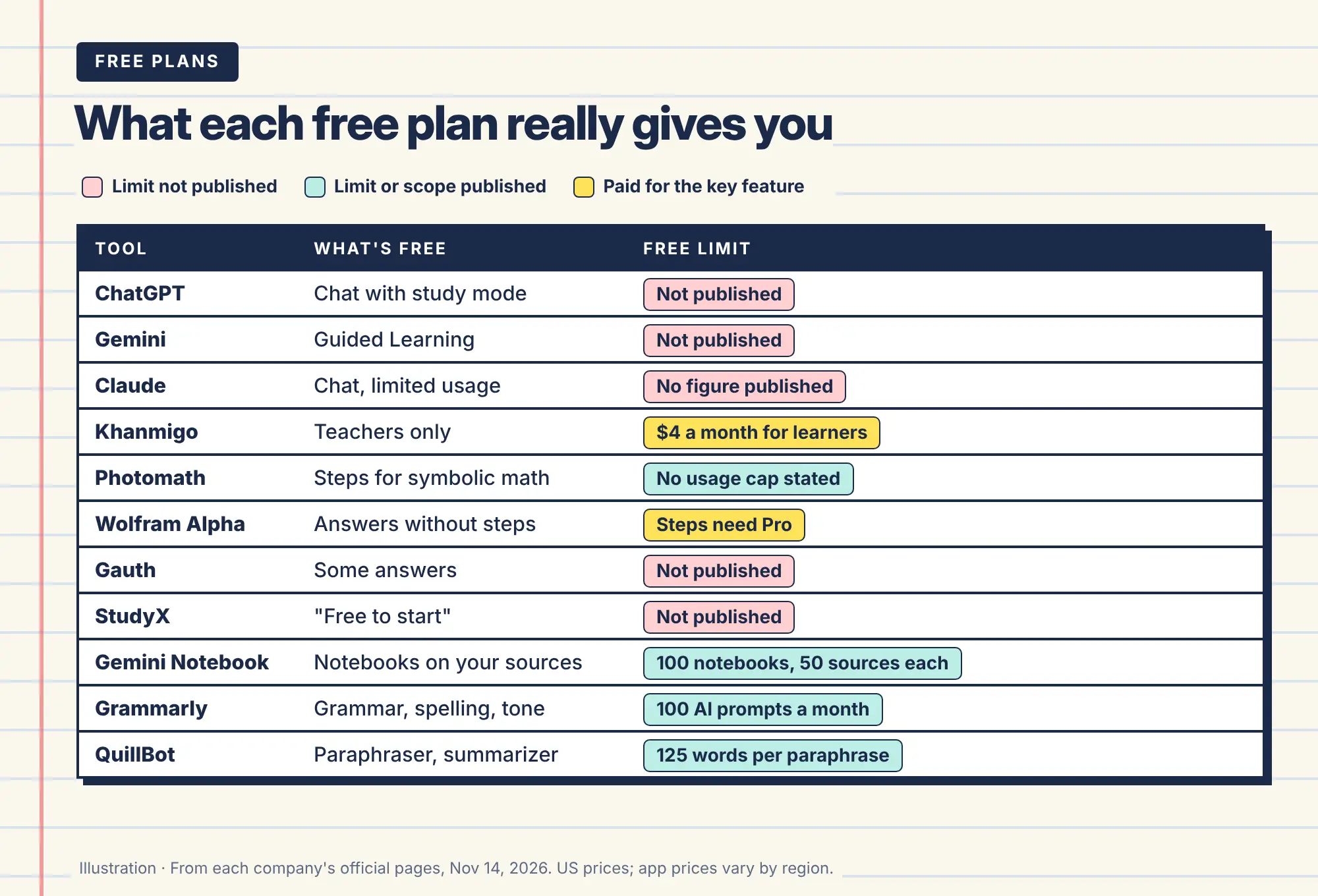
These are US prices. App store prices vary by region and by offer, so confirm them in the app.
Paying makes sense in three cases: you need the steps and not just the answer (Wolfram Alpha), you want a tutor tied to a full course (Khanmigo), or you keep hitting a limit every week. For many students, free plans may be enough for occasional homework help. Check each tool’s restrictions before relying on it regularly. Our list of free AI study tools covers more no-cost options for lectures, flashcards and sources.
How to Use AI for Homework Without Cheating
Use AI to understand, not to copy
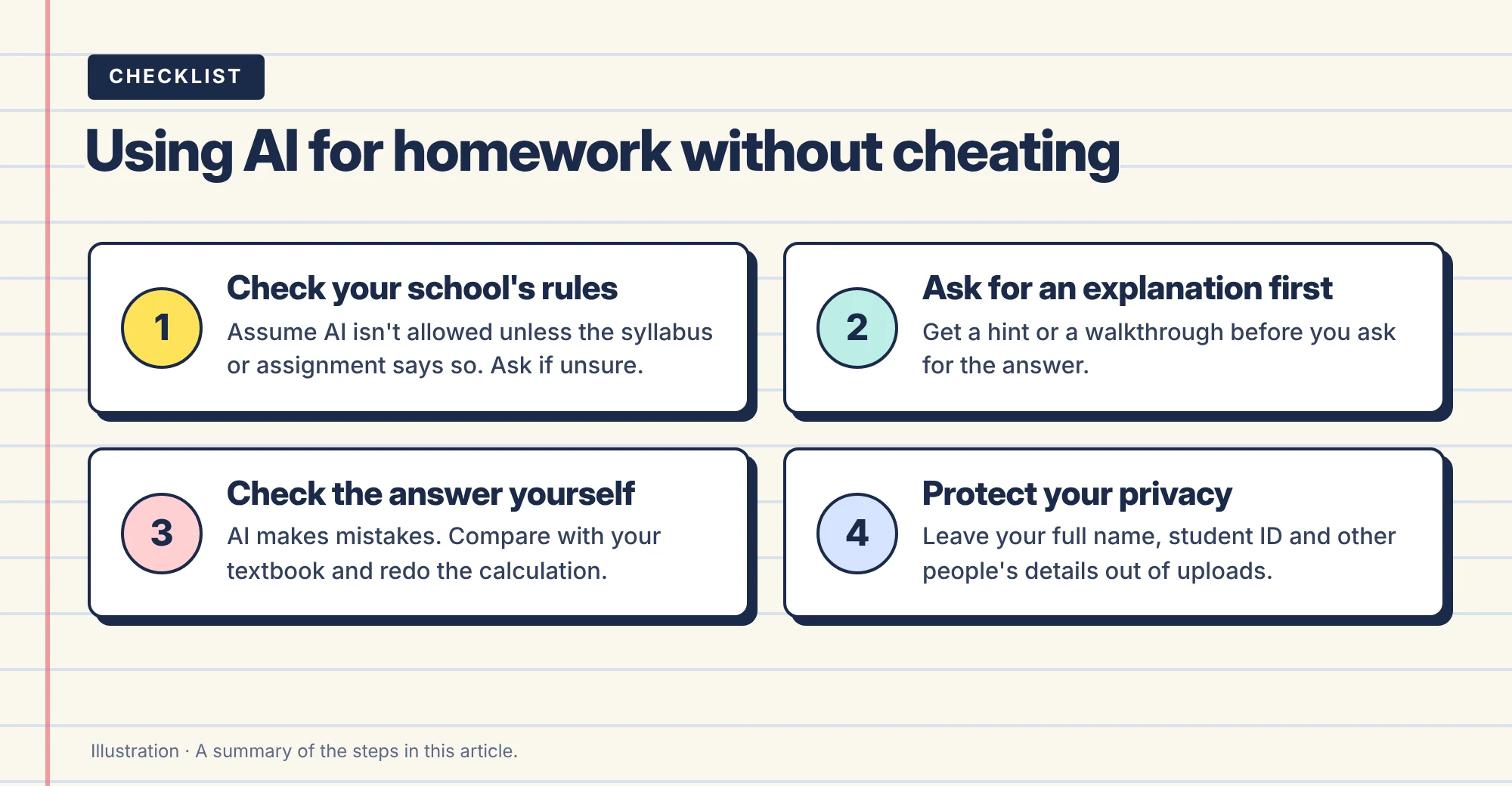
Ask for an explanation or a hint before you ask for an answer. If you can’t redo the problem without the tool, you haven’t learned it, and the test will show that.
Check AI answers before you submit
AI tools make mistakes, including wrong steps and invented facts. Check answers against your textbook or class notes, and redo calculations yourself.
Follow your school’s AI rules
Rules differ by school, class and assignment. Stanford’s guide for students advises assuming AI use isn’t allowed unless your syllabus or assignment says otherwise, and disclosing any use. If the rules aren’t clear, ask your teacher first.
Some schools also check submissions with AI-detection software. Our guide to whether Turnitin has an AI detector explains how that works.
Think about privacy too. Don’t upload anything with your full name, student ID or other people’s information, and check your school’s policy before uploading assignment files.
Three prompts that keep you learning
- “Don’t give me the answer yet. Ask me questions that help me work out the next step in this problem: [problem].”
- “Explain [concept] in simple terms with one everyday example, then give me two practice questions and wait for my answers.”
- “Here is my answer and my working: [your work]. Tell me which step is wrong, but don’t correct it for me.”
Frequently Asked Questions About AI Homework Helpers
What is the best AI for homework?
There isn’t one best tool, because it depends on the task. ChatGPT’s study mode and Gemini’s Guided Learning suit explanations, Photomath suits math steps, and Gemini Notebook suits studying your own notes.
Can ChatGPT help me with my homework?
Yes. Its study mode is built for this and guides you with questions and hints instead of handing over the answer. It’s on the Free plan for users 13 and older, with parental consent for those under 18.
What AI is better than ChatGPT for homework?
It depends on the homework. Photomath and Wolfram Alpha are built specifically for math, and Gemini Notebook answers from your own class materials, which a general chatbot doesn’t do by default.
Is there a completely free AI homework helper?
Yes, several AI homework tools offer useful free features, although some restrict usage or keep advanced features for paid plans. Photomath’s core step-by-step solutions are free, and ChatGPT’s study mode works on the Free plan. Several other tools don’t publish their free limit.
Which AI is best for writing homework?
For feedback on your own draft, Grammarly covers grammar and tone, and QuillBot covers rewording and summarizing. Neither is meant to write the assignment for you.
Is it okay to use AI to help with homework?
It depends on your school’s rules. Using AI to understand a topic may be permitted, but policies differ by school, teacher, and assignment. Check your syllabus or ask your teacher before using AI for coursework.
What is the best AI for math homework?
Photomath is the documented free option for step-by-step solutions to symbolic math. Wolfram Alpha covers more advanced math, but its step-by-step solutions require the paid Pro plan.
Final Thoughts: Choosing the Right AI Homework Helper
Pick the tool by the task in front of you. Start with the free options, such as Photomath for math steps and study mode or Guided Learning for explanations, and pay only if you keep hitting a limit you can’t work around. Whatever you choose, check the answers, follow your school’s rules, and use the tool to learn the material.
Keep Exploring