
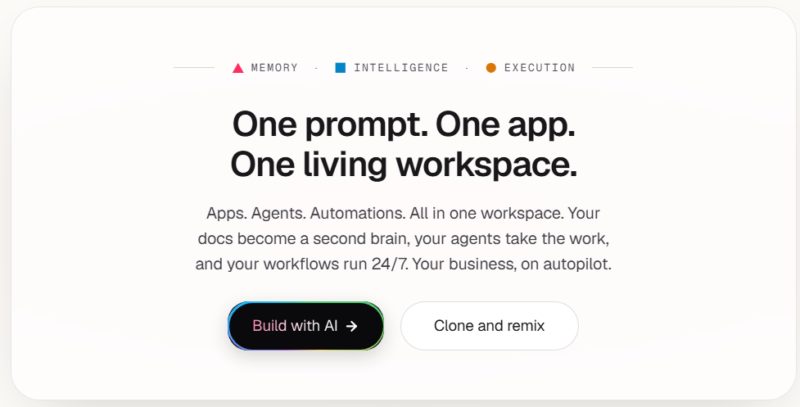
Most productivity tools help you manage tasks; Taskade's more recent pitch is that its AI agents can actually complete some of them. Beyond typical task and project management, its Genesis feature lets someone describe a business need in plain English and get a working, no-code app generated in response, positioning Taskade as something closer to an AI-native workspace than a traditional to-do list app.
What is Taskade?
Taskade is an AI-powered workspace that combines task management, real-time collaboration, and AI agents into a single platform, with pricing built around a shared credit system that powers AI generation, automation, and app building. Its AI agents can operate autonomously within a workspace, researching topics, drafting content, summarizing documents, and creating task lists, while its Genesis feature lets users describe a business need in plain language and generate a working app, dashboard, or tool without writing code. Taskade also includes real-time video chat and collaborative editing built directly into projects, aiming to reduce the number of separate tools a small team needs to juggle.
Key features
AI Agents
Autonomous agents that can research topics, draft content, summarize documents, and generate task lists within a workspace, consuming AI credits based on usage.
Taskade Genesis
A no-code app builder that generates live dashboards, tools, websites, and client portals from a plain-English description, aimed at non-technical operators.
Real-Time Collaboration
Includes built-in video chat, shared editing, and team comments directly inside projects, reducing the need for separate meeting and communication tools.
Multiple Project Views
Supports list, board, mind map, and other views for organizing the same underlying tasks and projects differently depending on preference.
Workflow Automations
Runs automated flows triggered by project or task events, connecting AI agents and external tools into a background automation layer.
Model Context Protocol Support
Lets external AI tools like Claude Desktop, Cursor, and VS Code connect to a Taskade workspace, available on paid plans.
Pros
- Combines task management, AI agents, and no-code app building into one workspace, reducing tool sprawl for small teams
- Genesis's ability to generate a working app from a plain-English description is genuinely accessible for non-technical users
- Built-in video chat and real-time collaboration reduce the need for a separate meeting tool for quick syncs
- Entry-level Starter plan is competitively priced relative to comparable AI productivity workspaces
Cons
- Credit-based pricing means cost scales with actual AI usage rather than a flat rate, and heavy daily use can exhaust a monthly allowance faster than expected
- The free plan's one-time credit allocation, rather than a recurring monthly amount, limits sustained use without upgrading
- The flexibility of combining tasks, AI agents, and app building also means more setup decisions and ongoing maintenance as a system grows
- Some advanced features like custom AI provider keys are reserved for the Enterprise tier only
Pricing
Taskade offers a free plan with a one-time AI credit allocation, alongside paid tiers, typically Starter, Pro, and higher tiers, billed per workspace with a monthly AI credit allowance included. Cost scales primarily with how much AI generation and automation a workspace consumes rather than strictly with user count, since credits pool at the workspace level. Annual billing typically offers savings of around 20% compared to monthly pricing. Pay-as-you-go credit top-ups are available for workspaces that exceed their monthly allowance. Confirm current tier pricing and credit allowances on the official Taskade pricing page before subscribing, since Taskade has adjusted pricing more than once recently.
Best for
Taskade is best suited to small teams, solo operators, and startup founders who want task management, AI agent assistance, and lightweight app building combined into a single workspace rather than several separate subscriptions. It fits AI Productivity workflows where flexibility across different use cases matters more than deep specialization in any single one. Teams with very predictable, high-volume AI usage should model expected credit consumption carefully, since costs scale with activity rather than a flat per-user rate.
Use cases
- Managing a small team's tasks and projects across list, board, or mind map views
- Deploying an AI agent to research a topic and draft a summary automatically
- Building a simple CRM, booking system, or client portal using Taskade Genesis without code
- Automating a workflow where a task status change triggers an AI agent action
- Running a quick team sync using Taskade's built-in real-time video chat
Supported platforms
- Taskade is available through the web, with native desktop apps for Windows and macOS, and mobile apps for iOS and Android, giving consistent access to tasks and AI agents across devices.
Languages
- Taskade's interface and AI features support English along with multiple additional languages, useful for distributed and international teams.
Integrations
- Taskade connects with over 100 third-party tools including Slack, Google Workspace, HubSpot, Salesforce, and GitHub, and supports the Model Context Protocol for connecting external AI tools like Claude Desktop and Cursor directly to a workspace. API access extends this further for custom integrations.
Things to consider
- Model your expected monthly AI credit consumption before choosing a plan, since Taskade's credit-based pricing means cost is driven by actual AI generation and automation activity rather than a predictable flat rate. Teams planning to lean heavily on daily AI drafting or frequent automation triggers should test realistic usage on the free or Starter plan before committing to annual billing at a specific tier. It's also worth deciding early how much of the workspace's task management, AI agents, and app-building features you'll actually use, since the platform's flexibility comes with more setup decisions than a narrower tool.
How the tool compares
Taskade's closest comparison is ClickUp AI, which similarly combines project management with an AI layer, though ClickUp splits its AI features into a separate paid add-on while Taskade bundles AI credits directly into its base plans. Against Motion, Taskade is broader in scope, spanning task management, AI agents, and app building, while Motion is narrower and more specifically focused on automatic calendar scheduling. Teams wanting a genuinely flexible AI-native workspace that spans multiple use cases tend to prefer Taskade; teams with a single, well-defined need like scheduling or pure task tracking may find a more focused tool a better fit.
AIToolister verdict
Quick Answers
- Is it free? Freemium — a free plan exists with a one-time AI credit allocation. - Is it worth it? Yes, for small teams wanting task management and AI agents combined in one workspace. - Who should use it? Small teams, solo operators, and startup founders wanting an AI-native productivity workspace. - Best alternative: ClickUp AI for teams that prefer AI as a clearly separated add-on layer.
Taskade's combination of task management, AI agents, and no-code app building genuinely reduces the number of separate tools a small team needs to juggle, and Genesis in particular is an accessible way for non-technical operators to build simple working apps. The credit-based pricing model rewards predictable, moderate usage and can feel less transparent for teams with heavy, spiky AI activity. For small teams and solo operators wanting flexibility across several productivity use cases in one place, it remains a strong option to evaluate.
Decision Summary
- Want task management and AI agents in one workspace: Recommended - Need to build a simple app or dashboard without code: Good fit via Taskade Genesis - Have very predictable, high-volume daily AI usage: Model credit costs carefully before committing - Need AI clearly separated as an optional add-on: Consider ClickUp AI instead
Frequently asked questions
- Does Taskade have a free plan?
Yes, Taskade offers a free plan that includes unlimited projects, up to 5 team members, and a one-time allocation of 3,000 AI credits, rather than a recurring monthly credit amount.
- What is Taskade Genesis?
Genesis is Taskade's no-code app builder that generates a working app, dashboard, or tool from a plain-English description of what you need, such as a CRM that tracks leads and follows up automatically, without requiring any coding.
- How does Taskade's credit-based pricing work?
AI credits power all AI features in Taskade, including app building, AI agents, automations, chat, and image generation, with each paid plan including a monthly allowance. Pay-as-you-go credit packs are available for topping up if you exceed your plan's allowance.
- Does Taskade offer API access?
Yes, Taskade provides API access along with support for the Model Context Protocol, letting external AI tools like Claude Desktop and Cursor connect directly to a Taskade workspace.
- Is Taskade good for non-technical users who want to build a simple app?
Yes, Taskade Genesis is specifically designed for non-developers, letting anyone describe what they want in plain English and get a live, running app in response, without needing a technical background or a development team.


