Ahsan Javaid
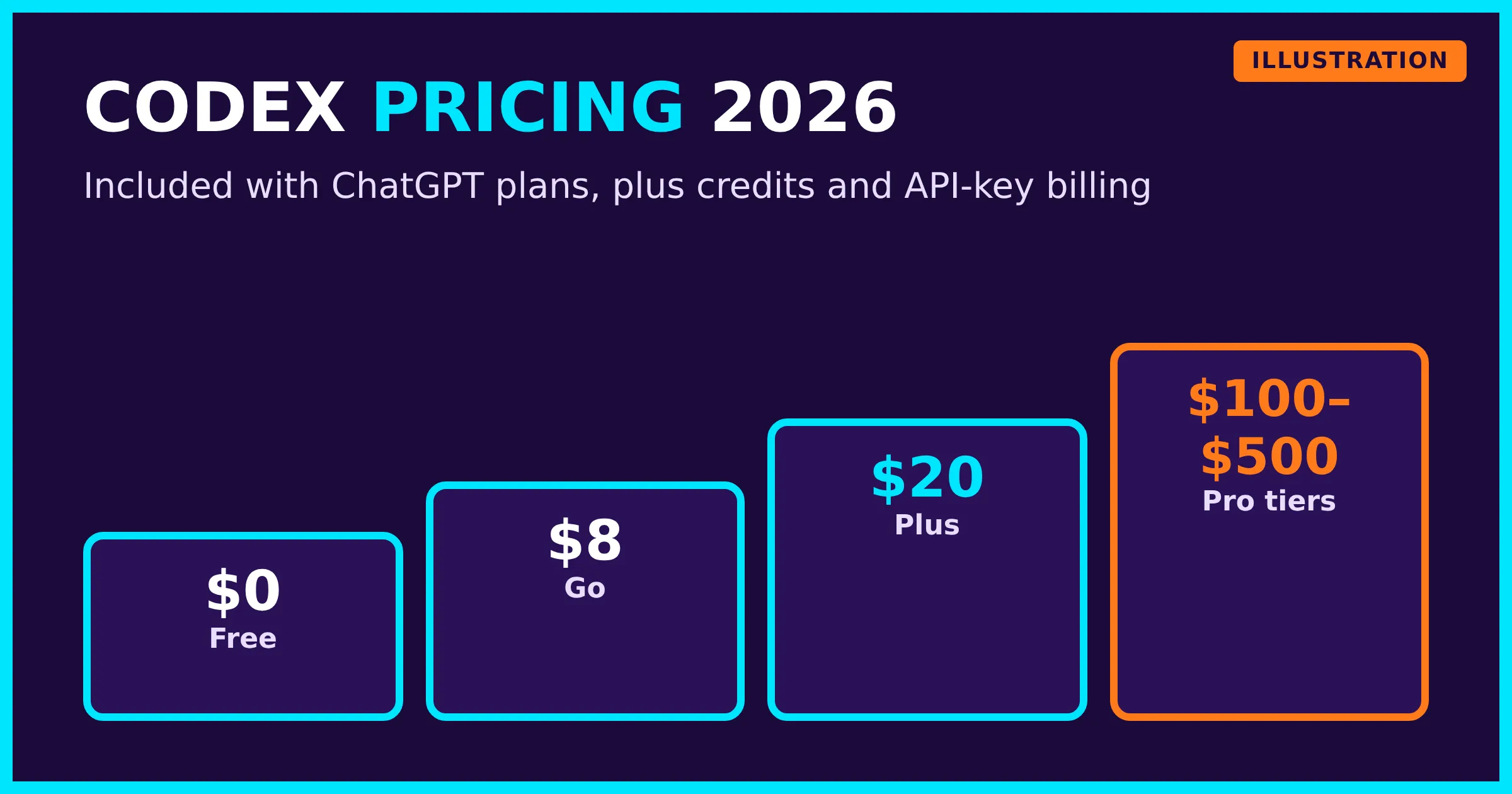
Codex pricing is simpler than it looks: OpenAI doesn’t sell Codex as a separate subscription. You get it through a ChatGPT plan, with limited trial access on Free ($0) and Go ($8 a month), regular use on Plus ($20 a month), and larger allowances on Pro ($100, $200 or $500 a month). Teams pay per seat on Business or Enterprise. Once you use up your plan’s allowance, you can buy credits or run Codex with an API key billed at API rates.
For most individual developers, the choice is between Plus and Pro. Plus is the cheapest individual plan with Codex Cloud, GitHub code review and Slack. Pro suits people who code with Codex for hours most days. Below are the prices, limits and cost estimates from OpenAI’s Codex pricing guide and Help Center, plus how Codex pricing compares with Claude Code.
How we checked: this guide is based on OpenAI’s and Anthropic’s official pricing pages and help articles, reviewed on November 26, 2026. We didn’t test usage limits ourselves. Prices are in US dollars and exclude tax.
Codex pricing at a glance
Every ChatGPT plan, from Free to Enterprise, includes some Codex access. What changes between plans is how much you can use it, which models you get and whether cloud features are included.
| Plan | Price (USD) | What you get in Codex | 5-hour limit | Codex Cloud |
|---|---|---|---|---|
| Free | $0 | Limited trial access for quick coding tasks | Not published (limited trial) | No |
| Go | $8/month | Limited trial access for lightweight tasks | Not published (limited trial) | No |
| Plus | $20/month | Codex on the web, CLI, IDE extension and iOS; code review and Slack integrations; option to buy credits | Yes | Yes, for eligible accounts (subject to rollout) |
| Pro 100 / 200 / 500 | $100 / $200 / $500 per month | Everything in Plus with more usage; GPT-6 Astra included in the allowance; Ultrafast for GPT-6.2 Sol on Pro 200, and for GPT-6 Astra and GPT-6.1 Sol on Pro 500 | No | Yes |
| Business Standard seat | $20/user/month billed annually, $25 billed monthly (2+ users) | ChatGPT, ChatGPT Work and Codex with admin controls | Yes | Yes (subject to workspace settings) |
| Business Premium seat | $100/user/month billed annually, $125 billed monthly | Higher Work and Codex usage than Standard seats | No | Yes (subject to workspace settings) |
| Enterprise / Edu | Contact sales | Credit-based flexible pricing or fixed plan limits | None on flexible pricing; Plus-level otherwise | Yes, once a workspace admin enables cloud access |
| API key | Pay per token | Codex CLI, SDK and IDE extension; no cloud features | Not applicable | No |
OpenAI notes that weekly limits may also apply on top of the 5-hour window. Pro is billed monthly only, while Business seats are cheaper on annual billing. On the Plus plan and the $20 Business seat, GPT-6 Astra is limited, with credits available for extra use; OpenAI’s FAQ says it’s included in the normal allowance on the $100 and $200 Pro plans and the $100 Business seat.
Is Codex free?
Yes, in a limited way. Codex is included on the Free and Go plans, and OpenAI describes both as “limited trial access.” On Free, OpenAI lists quick coding tasks with GPT-6 Luna in the ChatGPT desktop app, subject to rollout. Go costs $8 a month and is aimed at lightweight coding tasks with the same model.
Two things are missing at this level. Codex Cloud, which runs tasks on OpenAI-managed machines, isn’t included with Free or Go, and image generation inside Codex isn’t available on Free. A limited group of Free and Go users can buy credits, but credits don’t raise the plan’s included limit.
The free tier is enough to see how Codex handles a small, well-defined change. It isn’t designed for regular project work.
How Codex pricing works
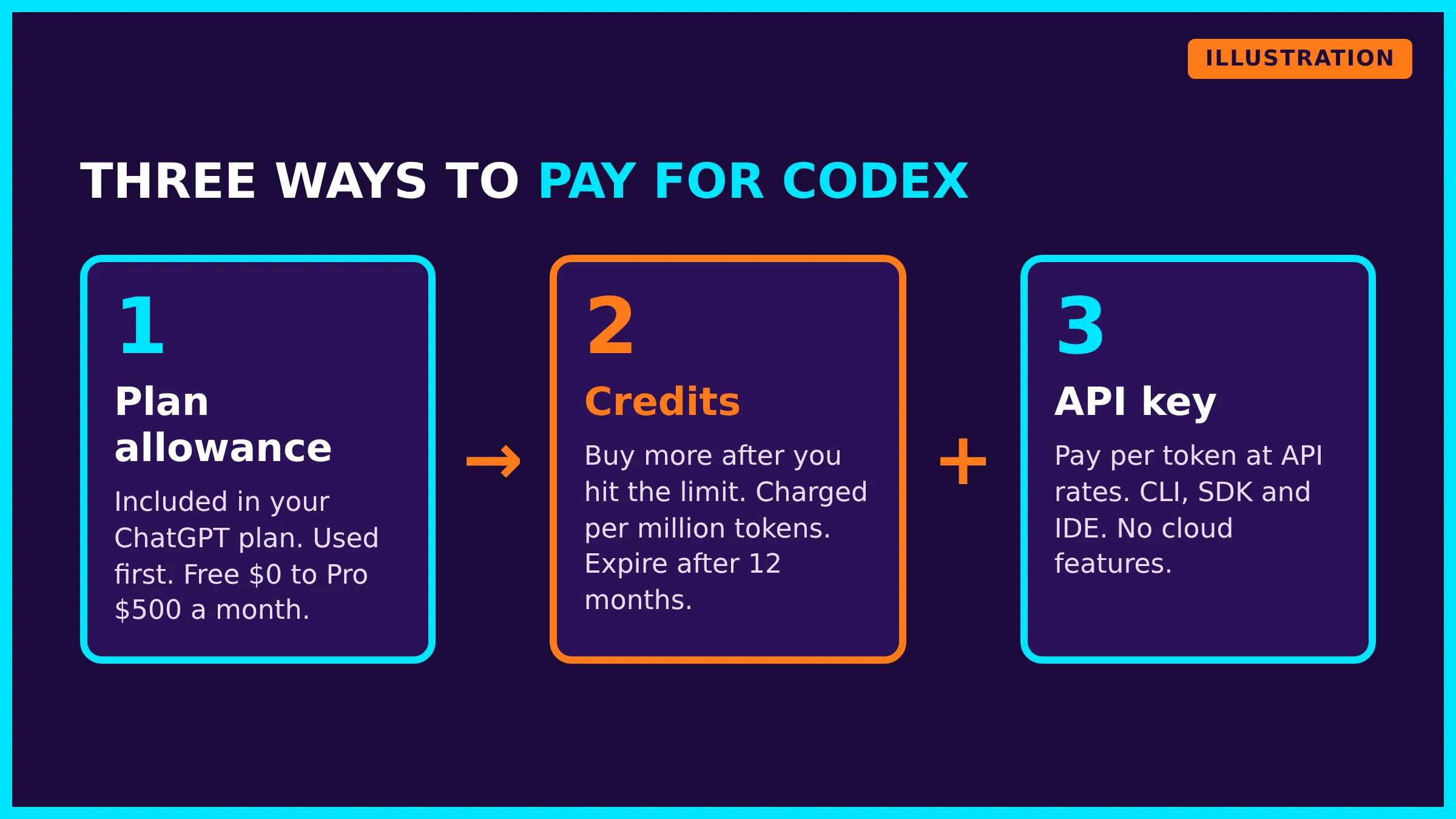
You can pay for Codex in three ways, and you can combine them.
Included plan usage
Your ChatGPT plan comes with a usage allowance that Codex draws from first. How fast you use it depends on the model, the size of the task, how much context the agent has to hold and whether the task runs locally or in the cloud. OpenAI warns that tasks that look similar can use different amounts of your allowance, so prompt length alone isn’t a good guide.
Credits when you hit the limit
Plus and Pro subscribers can buy credits without changing plans, and the same balance also covers ChatGPT Work, Word, Excel and PowerPoint. Credits expire 12 months after purchase. OpenAI doesn’t publish a fixed dollar price per credit for personal plans; purchase amounts and prices vary by account, region and plan and are shown at checkout.
Credits are charged per million tokens. For example, GPT-6.2 Sol costs 50 credits per million input tokens, 2.5 per million cached input tokens and 250 per million output tokens. GPT-6 Luna is far cheaper at 2.5, 0.25 and 12.5 credits, while GPT-6.2 Astra costs 200, 10 and 1,000 credits.
API-key billing
You can also run the Codex CLI, SDK or IDE extension with an OpenAI API key. That usage is billed at standard API rates instead of drawing from your ChatGPT allowance: GPT-6.2 Sol costs $2 per million input tokens and $10 per million output tokens, and GPT-6.2 Astra costs $8 and $40. API-key sessions don’t include cloud features such as GitHub code review or Slack, which makes this route a better fit for automation in shared environments like CI. Anyone who hits a plan limit can also keep running local chats with an API key.
Codex usage limits by plan
OpenAI publishes estimated ranges rather than fixed message counts. The table shows its estimates for local messages per 5-hour period on Plus and Standard Business seats, from OpenAI’s Codex pricing guide as of November 26, 2026.
| Model | Local messages per 5 hours (Plus and Standard Business) |
|---|---|
| GPT-6.2 Astra | 6–50 |
| GPT-6.2 Sol | 17–180 |
| GPT-6 Astra | 5–45 |
| GPT-6.1 Sol | 15–160 |
| GPT-6.1 Terra | 35–285 |
| GPT-6 Sol | 15–150 |
| GPT-6 Luna | 350–3,000 |
These are estimates, not guarantees. Cloud tasks can use more of the allowance than local messages, and weekly limits may also apply.
Pro plans currently have no 5-hour limit and are governed by a weekly allowance instead. Pro 200 includes more usage than Pro 100, and Pro 500 has the most. Per OpenAI’s Help Center, Pro 100 and Pro 500 now get twice their previous Work and Codex allowance, while Plus usage is unchanged. Business Premium seats also have no 5-hour limit and include more Work and Codex usage than Standard seats. Enterprise and Edu workspaces on flexible pricing have no fixed rate limits because usage scales with credits; without flexible pricing, they get the same per-seat limits as Plus for most features.
If you reach a limit in the middle of a task, Codex can finish the turn it’s working on, subject to fair-use limits. After that, you can wait for the reset, buy credits, upgrade or switch to an API key.
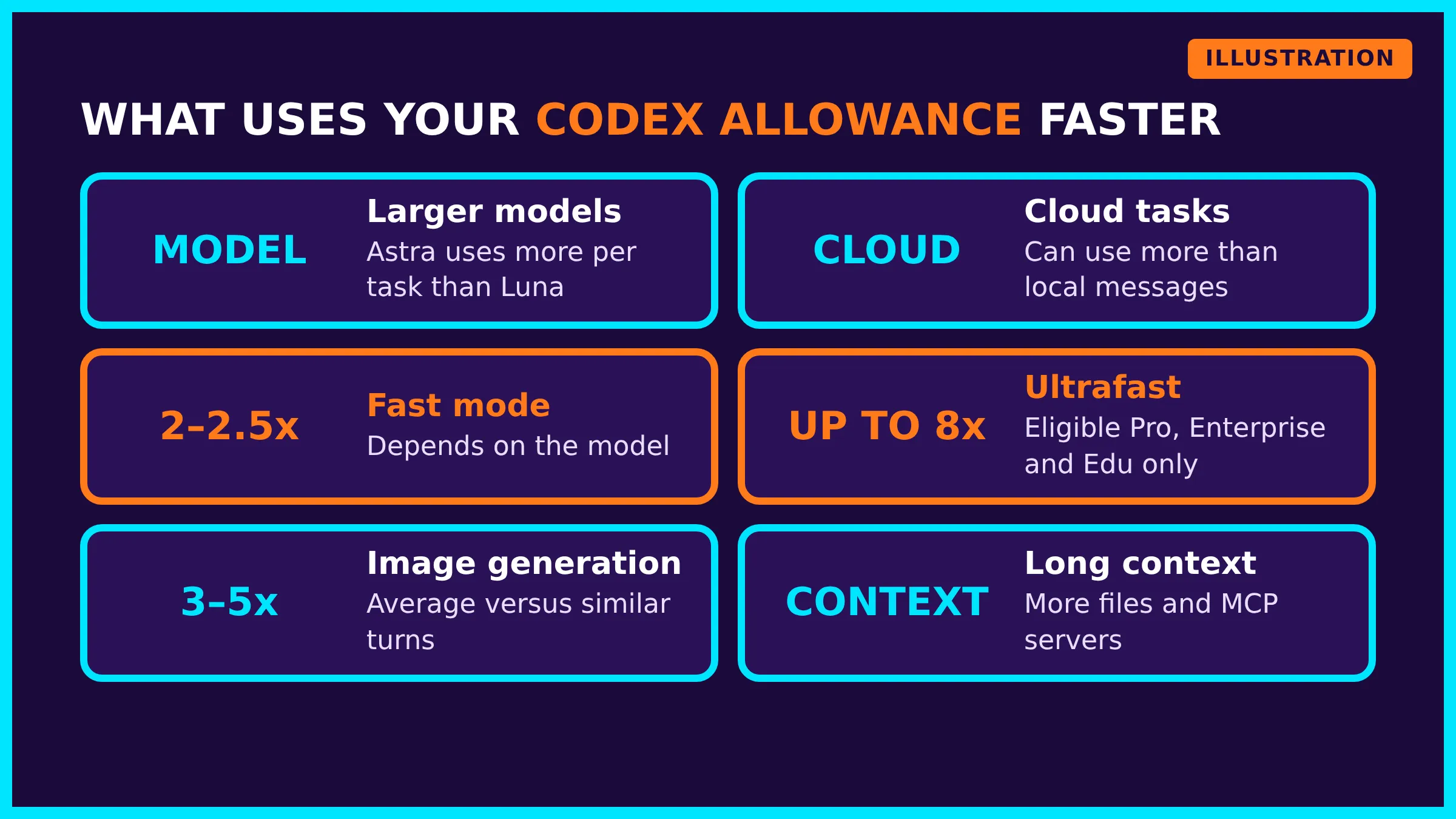
A few settings speed things up at a cost. Fast mode uses your included allowance at 2 to 2.5 times the standard rate, depending on the model. Ultrafast, which is available only on eligible Pro, Enterprise and Edu plans, uses up to 8 times the standard rate. Image generation uses included limits 3 to 5 times faster on average than similar turns without images.
What changes in December 2026
Starting in December 2026, Plus, Pro and Business plans will share one usage allowance across ChatGPT and Codex, measured in tokens. Instant chat won’t count against it, but more advanced models and complex tasks will use more. OpenAI says it expects “most users won’t need to wait for their usage to reset more often than they do now,” and a small group of users may see the change earlier. Details are in OpenAI’s note on the shared ChatGPT and Codex allowance.
Which Codex plan do you need?
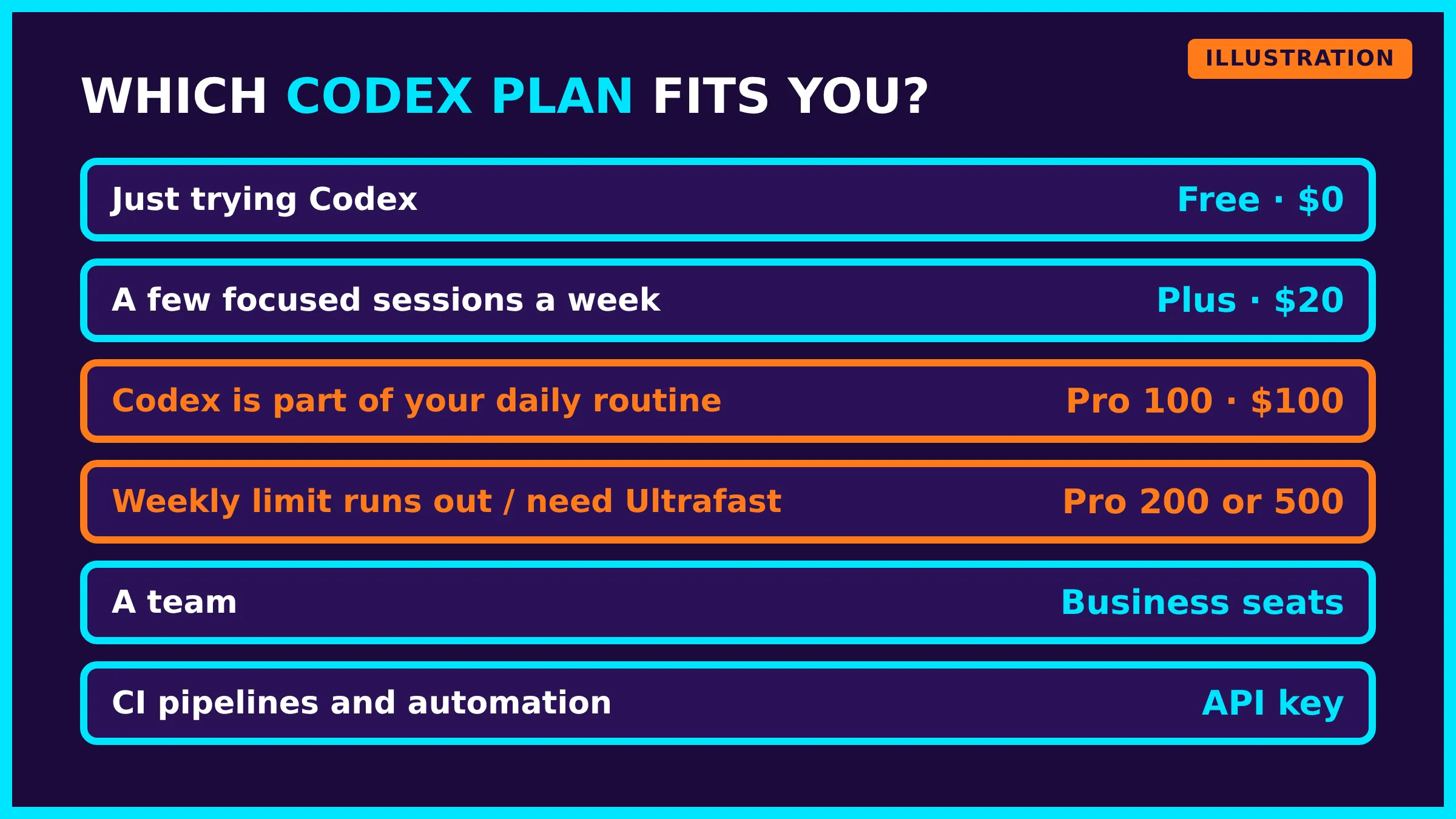
- Just trying Codex: start on Free. Go makes sense only if you also want more from ChatGPT itself.
- A few focused coding sessions a week: Plus at $20 a month. That’s how OpenAI describes the plan, and it adds Codex Cloud (for eligible accounts), code review and Slack.
- Coding with Codex as part of your daily routine: Pro 100. Move to Pro 200 if you regularly run out of the weekly allowance, or to Pro 500 if you need Ultrafast on GPT-6 Astra and GPT-6.1 Sol.
- A team: Business Standard seats, with Premium seats for the heaviest Codex users. Seat types can be mixed in one workspace.
- CI pipelines and automation: an API key, so usage is billed per token and kept separate from anyone’s personal plan.
Model access is another deciding factor. If you depend on GPT-6 Astra, Plus and the $20 Business seat give only limited access plus credits, while the $100 and $200 Pro plans and the $100 Business seat include it in the allowance.
A simple test for Plus users: if you’re buying credits most weeks, compare that spending with the $80 step up to Pro 100.
What Codex costs in practice
Subscription prices are fixed, but credit and API costs depend on the work. OpenAI’s rate card says, “A typical Codex task using GPT-6.2 Sol may consume between 2 and 15 credits per task.”
For Business, Enterprise and Edu workspaces on credit-based pricing, OpenAI’s rate card estimates that Codex costs about $100–$200 per developer per month on average. Actual costs vary significantly with the model, the number of Codex instances running at once, automations and fast mode. That estimate is for team billing, not for Plus or Pro subscriptions.
For API-key use, here’s an illustration based on our own arithmetic with OpenAI’s API rates. A task that reads 200,000 input tokens and writes 20,000 output tokens on GPT-6.2 Sol costs about $0.60 before tax (0.2 × $2 + 0.02 × $10). The same task on GPT-6.2 Astra costs about $2.40. Agent tasks often resend context on each turn, so cached input matters: GPT-6.2 Sol’s cached input costs $0.10 per million tokens instead of $2. OpenAI also adds 10% for regional processing endpoints.
OpenAI doesn’t publish how many tasks a subscription covers, so treat any fixed “tasks per month” figure you see elsewhere with caution.
Codex vs Claude Code pricing
Codex and Claude Code have nearly identical price points from $20 to $200 a month. The differences are at the bottom and the top of the range.
| Tier | OpenAI Codex | Claude Code |
|---|---|---|
| Free | Included (limited trial) | Not included on Claude’s Free plan |
| Around $20 | Plus: $20/month | Pro: $20/month, or $17/month billed annually |
| $100 | Pro 100 | Max: 5x Pro usage, plus $100/month in API credits |
| $200 | Pro 200 | Ultra: no 5-hour limit for verified accounts, 10x Pro weekly usage, $200/month in API credits |
| $500 | Pro 500 with Ultrafast | No equivalent individual plan |
| Teams | Business: Standard $20–$25 and Premium $100–$125 per seat (2+ users) | Team: Standard $20–$25 and Premium $100–$125 per seat (2–150 users); Enterprise $20/seat billed annually (20-seat minimum) plus usage at API rates |
| Beyond limits | Credits or API key | Usage credits at API rates, or pay-as-you-go API credits through a Console account |
Both tools share limits with the wider assistant. Claude Code draws from the same pool as your Claude chats, and from December, Codex will share an allowance with ChatGPT on Plus, Pro and Business. Matching prices don’t mean matching usage, so compare what each plan’s limits cover. Our Claude Code pricing breakdown covers each Claude plan in detail, and our guide explains how Claude’s 5-hour and weekly limits work. If you’re choosing between the two assistants overall, not just for coding, see our ChatGPT vs Claude comparison.
How to make your Codex usage last longer
OpenAI’s tips focus on sending the agent less context, and the rates above suggest two more savings:
- Keep prompts precise and give Codex only the files it needs.
- Say what output you need, including format and length, and separate required work from nice-to-haves.
- Split large AGENTS.md files into nested ones so less context loads per message.
- Turn off MCP servers you aren’t using, since each one adds context.
- Use a cheaper model such as GPT-6 Luna or GPT-6.1 Terra for routine edits.
- Save Fast and Ultrafast modes for work where speed matters.
Frequently asked questions
Is Codex $100 worth it?
Pro 100 pays off if Plus limits interrupt your work most days, because Pro has no 5-hour limit and a larger weekly allowance. If you only hit the Plus limit occasionally, buying credits now and then may cost less. Check the credit price shown at checkout against the $80 difference.
How much is 2,500 credits in Codex?
OpenAI doesn’t publish a fixed dollar price per credit for personal plans; the price appears at checkout and varies by account, region and plan. In terms of work, OpenAI estimates a typical GPT-6.2 Sol task uses 2 to 15 credits, so by our estimate 2,500 credits covers roughly 170 to 1,250 such tasks.
Can you pay for Codex yearly?
Not on Pro, which is billed monthly only. ChatGPT Business seats are cheaper with annual billing ($20 instead of $25 for Standard, $100 instead of $125 for Premium). OpenAI’s Codex pricing pages list Plus at a monthly price.
How long can you use Codex before hitting a limit?
There’s no fixed number of hours. On Plus and Standard Business, usage runs in 5-hour windows plus weekly limits, and how long it lasts depends on the model and the task. You can check your remaining usage and reset times in Settings > Usage, or type /status in the Codex CLI. OpenAI Support can’t reset limits, though some Plus and Pro referral promotions give a banked reset.
How do you use Codex for free?
Sign in with a Free ChatGPT account in the ChatGPT desktop app and open Codex mode; OpenAI lists Free access there, subject to rollout. Give Codex a small, clearly scoped task. When you reach the limit, wait for it to reset or upgrade to a paid plan.
Keep Exploring