Best AI Tools for Small Businesses in 2026 (No Hype, Just What Actually Works)
Last updated: June 2026 | 10 tools reviewed | Pricing verified
Introduction
There is a version of this article that lists ten tools, tells you each one is amazing, and sends you off with a pricing table and a call to action. You have read that article before. It did not help much.
This one is different.
Running a small business in 2026 means making real decisions with real money — and the AI tools market is loud, expensive, and full of promises that do not survive contact with an actual working business. The honest truth is that most small businesses do not need ten AI tools. They need two or three that solve the specific problems draining their time and money right now.
What follows is a genuinely useful breakdown of the ten best AI tools for small businesses this year. Not ranked by affiliate commission. Not padded with tools that sound impressive but serve no practical purpose for a business with a lean team and a tight budget. Each one is evaluated on the criteria that actually matter to a small business owner — does it save time, does it reduce cost, is it affordable, and is it actually worth learning?
Some of these tools you will have heard of. Others fly under the radar. All of them have a legitimate case for being in a small business toolkit in 2026.
The Real Problem Small Businesses Are Trying to Solve
Before getting into the tools, it is worth being clear about the underlying problem — because the tools are only valuable in the context of what they are fixing.
Wearing Too Many Hats at Once
The defining characteristic of small business ownership is responsibility without delegation. In a large company, marketing is a department. Finance is a department. Customer service is a team. In a small business, all of those functions fall on one person or a tiny group of people who are also managing operations, serving customers, and trying to grow.
The cognitive load of switching between all of those roles constantly is exhausting — and it produces below-average results in each area because no one can give full attention to everything simultaneously. AI tools do not solve the organizational problem, but they do reduce the time and skill required to produce acceptable to good output in areas that are not the owner’s primary expertise.
The Budget Reality
Large companies spend freely on software. A Fortune 500 company can absorb a $50,000 annual contract for an enterprise tool without blinking. A small business with ten employees and a $30,000 monthly revenue cannot. Every subscription is a real cost, and the tools in this list were selected with that reality in mind. Most have functional free plans or starting prices under $30 per month. The ones with higher costs are included because the value they deliver is proportionally significant.
The 10 Best AI Tools for Small Businesses in 2026
1. ChatGPT — The Swiss Army Knife of Small Business AI
Let’s start with the most obvious tool on the list and be honest about why it belongs here despite being obvious.
ChatGPT is not a small business tool in any specific sense. It is a general-purpose AI assistant that happens to be useful for an enormous range of small business tasks — and the free plan is genuinely functional, not a crippled teaser for a paid upgrade.
For a small business owner, the practical applications are broader than most people realize when they first start using it. Writing product descriptions for an e-commerce store. Drafting a response to a difficult customer complaint. Creating a social media content calendar for the month. Writing a job posting. Summarizing a long supplier contract. Generating FAQ content for a website. Preparing talking points for a sales call. Every one of those tasks takes real time when done from scratch and a fraction of that time with ChatGPT producing a strong first draft.
The limitation worth acknowledging upfront is that ChatGPT has no knowledge of your specific business, your customers, or your market. Everything it produces is a starting point that requires your judgment and local knowledge to become genuinely useful. Business owners who treat it as a finished-output machine are disappointed. Those who treat it as a first-draft partner and thinking tool consistently get value from it.
Key Features:
- Business writing across every format — emails, proposals, descriptions, posts
- Research summarization and competitive analysis support
- Customer communication drafting
- Content ideation and planning
- FAQ and website copy generation
- Staff communication and policy drafting
Best For: Every small business regardless of industry or size. Particularly high value for solo operators and small teams where writing tasks consume significant owner time.
Pricing:
- Free Plan: Yes — fully functional for most small business tasks
- Plus Plan: $20/month with more advanced capabilities
Pros:
- Immediate value with zero setup
- Free plan handles the majority of real use cases
- Applicable across every business function
- No learning curve — usable within minutes
Cons:
- No business-specific context unless you provide it
- Outputs require human review before use
- Quality is heavily dependent on how specifically you prompt it
2. Tidio AI — Turning Website Visitors Into Customers While You Sleep
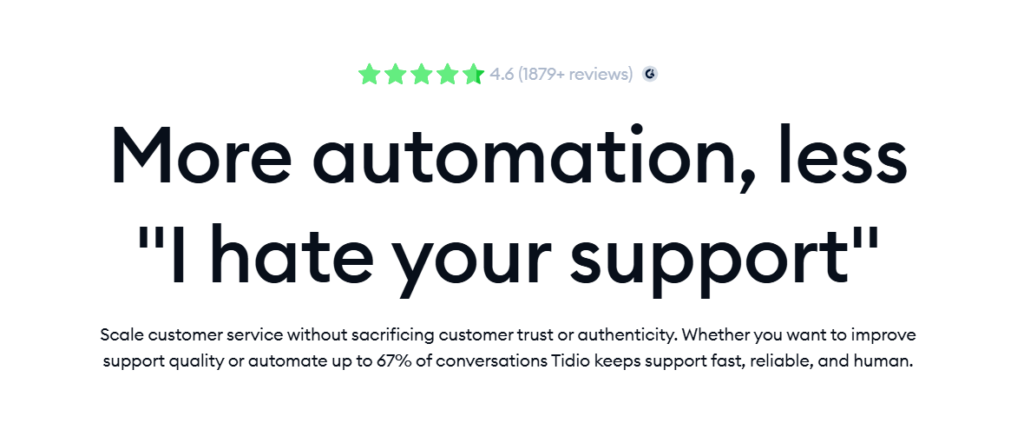
Most small business websites have a fundamental problem: someone arrives, looks around, has a question, and leaves because there is no one available to answer it. That lost visitor was potentially a paying customer. Tidio fixes this.
Tidio is an AI-powered customer communication platform that combines live chat, an AI chatbot, and email marketing in one tool built specifically for small businesses. The AI chatbot — called Lyro — handles customer inquiries automatically, answering questions about products, pricing, shipping, and availability using the information on your website and in your knowledge base. It handles the conversations that would otherwise require a human response, around the clock, without staffing costs.
What makes Tidio particularly well-suited to small businesses is how fast it is to set up and how little technical knowledge it requires. You install a small snippet of code on your website — or use a direct integration with Shopify, WordPress, or Wix — and within a few hours the chatbot is handling customer questions. For e-commerce businesses and service businesses that receive repetitive customer inquiries, the reduction in time spent on customer communication is immediate and measurable.
Key Features:
- Lyro AI chatbot for automated customer conversations
- Live chat for real-time human handover when needed
- Email marketing automation
- Shopify, WordPress, and Wix integrations
- Conversation analytics and customer behavior tracking
- Multilingual support
- Mobile app for managing conversations on the go
Best For: E-commerce businesses, service businesses with high customer inquiry volume, and any small business that loses potential customers because questions go unanswered outside business hours.
Pricing:
- Free Plan: Yes — up to 50 AI conversations per month
- Starting Price: $29/month (Starter plan)
- Best Value: Growth plan at $59/month for higher conversation volume
Pros:
- Handles customer inquiries 24 hours a day without staffing
- Fast setup with no technical expertise required
- Free plan is genuinely useful for lower-volume businesses
- Directly recoverable ROI — reduced inquiry time plus captured sales
Cons:
- AI conversation limit on free plan reached quickly for active sites
- Complex or nuanced customer issues still require human handling
- Best results require time invested in training the knowledge base
3. QuickBooks AI — Making Financial Management Less Painful
Financial management is the area of small business operations where the gap between what needs to happen and what actually happens is most consistently wide. Receipts pile up. Invoices go unsent for weeks. Tax time arrives and records are scattered across email threads and a shoebox. QuickBooks has been solving this for small businesses for years, and its AI features in 2026 have made it meaningfully more useful than it was even two years ago.
The AI features in QuickBooks go well beyond basic bookkeeping automation. Cash flow forecasting uses transaction history to predict upcoming cash position — which is genuinely useful for businesses that struggle with timing mismatches between expenses and income. Anomaly detection flags unusual transactions that may indicate errors or fraud. Automated categorization learns from your corrections over time and becomes more accurate at classifying expenses without manual input. The natural language query feature lets you ask questions about your finances in plain English — “what were my highest expenses last quarter” or “which clients have outstanding invoices” — and get direct answers without running manual reports.
For a small business owner who is not an accountant and does not have one on staff, QuickBooks AI reduces the friction of staying on top of financial health to the point where it can actually become a regular habit rather than a quarterly panic.
Key Features:
- Automated expense categorization and receipt capture
- AI-powered cash flow forecasting
- Anomaly detection for unusual transactions
- Natural language financial queries
- Invoice creation and automated payment reminders
- Payroll integration
- Tax preparation and reporting tools
- Bank account and credit card sync
Best For: Small businesses of any type that currently manage finances through manual processes, spreadsheets, or inconsistent bookkeeping. Particularly essential for businesses with employees, inventory, or complex expense structures.
Pricing:
- Free Plan: No — but 30-day free trial
- Starting Price: $30/month (Simple Start)
- Best Value: Plus plan at $85/month for inventory and project tracking
Pros:
- Reduces accounting time significantly for non-accountants
- Cash flow forecasting is genuinely useful for planning
- Widely supported by accountants — easy handoff at tax time
- Improves in accuracy over time as it learns your business
Cons:
- No free plan — cost adds up alongside other subscriptions
- Learning curve on initial setup and categorization
- Advanced features may be more than a very small operation needs
4. HubSpot AI — A Full Marketing and Sales Engine at Small Business Prices
HubSpot occupies an interesting position in the small business AI landscape. It started as an enterprise CRM and marketing platform, and its free tier has become one of the most generous and genuinely useful free tools available to small businesses anywhere.
The AI features woven throughout HubSpot’s platform cover a wide range of marketing and sales functions. The AI email writer generates marketing emails from a brief description of the campaign goal. The blog content assistant helps plan and draft website content. The CRM uses AI to score leads based on engagement behavior — surfacing the contacts most likely to convert so sales follow-up goes to the right people first. The social media scheduling tools suggest optimal posting times based on historical engagement data. The reporting dashboards use AI to surface the insights most relevant to your current performance rather than requiring manual report building.
For a small business that currently manages customer relationships through a combination of memory, email threads, and a spreadsheet, HubSpot’s free CRM alone is a significant upgrade — and the AI features on top of that make it a complete marketing and sales operations platform that would cost significantly more from any other provider.
Key Features:
- AI-powered CRM with lead scoring
- Email marketing with AI writing assistance
- Blog and content planning tools
- Social media scheduling and analytics
- Sales pipeline management
- Landing page builder
- Marketing automation workflows
- Customer interaction tracking
Best For: Small businesses that want a complete marketing and sales platform without enterprise pricing. Particularly valuable for service businesses, B2B companies, and any business where relationship management and lead follow-up are central to revenue.
Pricing:
- Free Plan: Yes — genuinely comprehensive free CRM and marketing tools
- Starting Price: $20/month (Starter plan)
- Best Value: Starter Customer Platform at $20/month covers most small business needs
Pros:
- Free plan is one of the most comprehensive available for any business tool
- Covers CRM, email, social, and content in one platform
- AI features meaningfully reduce marketing production time
- Scales with the business as it grows
Cons:
- Paid tiers become expensive quickly as features are added
- Some AI features only available on higher plans
- Can feel overwhelming initially given the breadth of functionality
5. Canva AI — Professional Marketing Materials Without a Designer
The visual quality of a small business’s marketing materials communicates something about the business before any words are read. A professionally designed social media post, flyer, or presentation signals credibility. A visibly amateur one undermines it regardless of the quality of the underlying product or service.
Until recently, producing professional visual content without a designer required either significant design skill, expensive software, or paying a freelancer for every piece. Canva AI has fundamentally changed that equation for small businesses.
The platform’s AI features in 2026 include Magic Design — which generates complete design layouts from a text description — AI image generation for custom visuals that do not require stock photo licenses, background removal and photo enhancement tools, and a brand kit system that stores your colors, fonts, and logo so that every piece of content produced maintains visual consistency without manual setup. The template library covers every format a small business needs — social media posts, email headers, business cards, presentations, flyers, promotional materials, and more.
For a small business owner who currently produces marketing materials in Microsoft Word or relies on a freelancer for every design job, Canva AI is one of the highest-impact tools available at its price point.
Key Features:
- Magic Design AI layout generation from text descriptions
- AI image generation for custom visuals
- Background removal and photo enhancement
- Brand kit for consistent visual identity
- Video creation and editing tools
- 250,000+ templates across all business formats
- Direct social media publishing
- Team collaboration features
Best For: Small businesses that need consistent, professional-looking marketing materials without a dedicated designer. Particularly valuable for retail, hospitality, food businesses, and any business with a strong visual marketing presence.
Pricing:
- Free Plan: Yes — extensive template access and basic tools
- Starting Price: $15/month (Pro plan)
- Best Value: Pro plan at $15/month — one of the best value tools on this list
Pros:
- Eliminates the need for a designer for most marketing materials
- Brand kit ensures visual consistency across all content
- AI generation tools significantly speed up design work
- Free plan covers most occasional design needs
Cons:
- Templates are widely used — designs can look similar to other Canva users
- AI image generation is inconsistent in quality
- Not a replacement for complex or highly specialized design work
6. Zapier AI — Connecting Your Tools So They Work Together Automatically
Here is a problem that almost every small business with more than two software tools eventually runs into: information that needs to be in one place ends up in another, and someone spends time manually moving it. A new customer order in Shopify needs to be added to a spreadsheet. A new contact form submission needs to go into the CRM. A completed invoice in QuickBooks needs to trigger a follow-up email. These tasks are simple, repetitive, and completely automatable — but without a tool like Zapier, someone is doing them manually every day.
Zapier connects over 6,000 apps and uses AI to help small businesses build automated workflows — called Zaps — between them. The AI features in 2026 allow you to describe a workflow in plain English and have Zapier suggest the automation structure, reducing the technical knowledge required to set up even complex multi-step workflows. New customer signs up on your website — they get added to your email list, a task is created in your project management tool, and a welcome email goes out — all automatically, all from a single trigger.
For a small business running multiple tools that do not natively integrate with each other, Zapier eliminates a category of daily manual work that is invisible until it is gone.
Key Features:
- Connections across 6,000+ apps including all major small business tools
- AI-powered workflow building from plain language descriptions
- Multi-step automation with conditional logic
- Error monitoring and workflow performance tracking
- Pre-built templates for common small business workflows
- Data formatting and transformation between tools
- Scheduled and triggered automation options
Best For: Small businesses using multiple software tools that require manual data transfer between them. Particularly valuable for e-commerce businesses, service businesses with complex client workflows, and any business where the same information needs to appear in multiple places.
Pricing:
- Free Plan: Yes — limited to single-step Zaps
- Starting Price: $19.99/month (Starter plan)
- Best Value: Professional plan at $49/month for multi-step workflows
Pros:
- Eliminates entire categories of manual repetitive work
- Supports virtually every tool a small business uses
- AI workflow builder reduces setup complexity significantly
- ROI is clear — measurable time saved on manual tasks
Cons:
- Free plan limited to simple single-step automations
- Complex workflows can require troubleshooting when apps update
- Monthly cost increases as workflow volume grows
7. Semrush AI — Knowing What Your Customers Are Actually Searching For
Most small businesses invest time and money in a website and then wonder why it does not bring in customers. The reason, more often than not, is that the content on the site does not match what potential customers are actually searching for. Semrush solves this — and its AI features make the insights more accessible to non-technical business owners than any previous version of SEO tooling.
Semrush is a digital marketing platform that tells you what keywords your potential customers are searching for, how competitive those searches are, what your competitors are ranking for, and what content you should be producing to attract organic traffic. The AI writing assistant helps produce content that is both well-written and structured for search engine performance. The site audit tool identifies technical issues that are preventing your site from ranking. The social media toolkit handles scheduling and performance tracking.
For a small business that cannot afford an SEO agency but wants to compete in search results, Semrush provides the intelligence that agencies use — at a price that is accessible for a small operation willing to invest the time in learning how to use it.
Key Features:
- Keyword research and search volume data
- Competitor analysis and gap identification
- AI-powered content writing assistant
- Technical site audit and issue resolution
- Backlink analysis and link building tools
- Social media scheduling and analytics
- Local SEO tools for location-based businesses
- Content performance tracking
Best For: Small businesses that rely on or want to grow organic website traffic. Particularly valuable for e-commerce stores, service businesses in competitive local markets, and any business investing in content marketing.
Pricing:
- Free Plan: Limited free access — 10 searches per day
- Starting Price: $139.95/month (Pro plan)
- Best Value: Pro plan covers all core features for a single business
Pros:
- Most comprehensive SEO and digital marketing intelligence available
- AI content tools reduce the skill barrier to SEO writing
- Competitor insights are immediately actionable
- Covers SEO, content, social, and advertising in one platform
Cons:
- Most expensive tool on this list — significant for small budgets
- Requires learning investment to use effectively
- Some features are more relevant to larger operations
8. Notion AI — One Place for Everything the Business Needs to Know
Small businesses accumulate information — operating procedures, client notes, supplier contacts, project details, meeting records, strategy documents — and most of them store it inconsistently across email threads, shared drives, and individual memory. When a team member leaves, institutional knowledge walks out the door. When a process needs to be repeated, it has to be reconstructed from scratch.
Notion is a workspace platform that gives small businesses one organized place for all of that information, and its AI layer makes that information active rather than static. The AI can summarize long documents, generate action items from meeting notes, draft standard operating procedures from a rough description, answer questions about information stored in the workspace, and help onboard new team members by surfacing relevant documentation automatically.
For a small business team of two to ten people that currently operates without clear systems or documentation, Notion AI is one of the tools with the highest long-term leverage — because the time it saves is not just the time of using the tool but the time of finding information, repeating explained processes, and recovering from the knowledge gaps that undefined systems create.
Key Features:
- Centralized workspace for documents, databases, and projects
- AI document summarization and action item extraction
- Standard operating procedure generation
- Meeting notes to task conversion
- Q&A over workspace content
- Client and project tracking templates
- Integration with Slack, Google Drive, and other tools
- Team collaboration with permission controls
Best For: Small business teams of two or more people who need shared systems, documented processes, and centralized information management. Also valuable for solopreneurs managing complex multi-project operations.
Pricing:
- Free Plan: Yes — limited blocks for individual use
- Starting Price: $10/month per user (Plus plan)
- Best Value: Plus plan plus AI add-on at $8/month per user
Pros:
- Extremely flexible — adapts to any business type and workflow
- AI features built into the workspace where information already lives
- Reduces knowledge loss when team members change
- Strong template community for small business setups
Cons:
- Requires upfront investment in building a system that works
- AI costs extra on top of the base plan
- Can become cluttered without consistent maintenance
9. Jasper AI — Producing Marketing Content Faster Than Any Human Team
Content marketing is one of the most consistently underinvested areas of small business marketing — not because owners do not understand its value, but because producing quality content consistently requires time that most small businesses do not have. Blog posts, email newsletters, social media content, website copy, product descriptions — each one takes real hours to produce, and the cumulative content output needed to build an online presence is significant.
Jasper is a content generation platform built specifically for marketing use cases, and it handles this challenge more effectively than any general-purpose AI tool. Its brand voice feature learns how your business communicates and replicates that style consistently — which matters when you are producing content across multiple channels and need it to sound like the same company. Its SEO mode integrates with search optimization tools so that content is structured for performance in search results as it is being written. Its template library covers every marketing format a small business needs — blog articles, email campaigns, social posts, ad copy, landing pages, and product descriptions.
For a small business that currently produces marketing content sporadically because it takes too long, Jasper directly addresses the production constraint that keeps content strategies from being executed.
Key Features:
- Brand voice training for consistent communication style
- Long-form content generation with document editor
- SEO optimization integration
- Marketing template library across all formats
- Multi-language content support
- Plagiarism detection
- Team collaboration and content approval workflows
Best For: Small businesses with an active content marketing strategy or those building one. Particularly valuable for e-commerce stores with large product catalogs, service businesses blogging for local SEO, and any business investing in email marketing.
Pricing:
- Free Plan: 7-day trial only
- Starting Price: $49/month (Creator plan)
- Best Value: Pro plan at $69/month for multiple brand voices
Pros:
- Best content output quality for marketing formats
- Brand voice feature ensures consistency across all content
- SEO integration reduces post-writing optimization work
- Handles volume of content that would otherwise require a content team
Cons:
- Most expensive writing tool on this list
- Worth the investment only for businesses producing regular content volume
- 7-day trial is short for a proper evaluation
10. Fireflies.ai — Never Lose What Was Said in a Business Meeting Again
The final tool on this list addresses a problem that feels minor until you calculate the actual cost: information lost in meetings.
Every client call, supplier negotiation, team discussion, and sales conversation contains decisions, commitments, and details that need to be captured and acted on. When they are not — when someone walks out of a meeting with a mental note that does not survive the next three hours of a busy day — that information has to be reconstructed, decisions get repeated, commitments are missed, and client relationships suffer.
Fireflies.ai joins your meetings on Zoom, Google Meet, and Microsoft Teams automatically, records and transcribes everything, and generates an AI summary of key decisions, action items, and discussion points when the meeting ends. The transcript is searchable — so when a client dispute arises about what was agreed four months ago, the answer is findable in seconds. The action items are extracted automatically and can be pushed to project management tools. The recording archive means that team members who missed a meeting can catch up without another meeting.
For small businesses where verbal agreements and meeting discussions drive a significant amount of business activity, Fireflies.ai is one of the highest practical-value tools at its price point.
Key Features:
- Automatic meeting recording and transcription
- AI-generated summaries with key points and action items
- Speaker identification and labeling
- Searchable transcript archive
- Integration with Zoom, Teams, Google Meet, and other platforms
- Action item sync to project management tools
- Conversation intelligence and talk time analytics
- Shareable meeting notes for absent team members
Best For: Small businesses that run regular client calls, team meetings, or supplier discussions where important decisions and commitments are made verbally. Particularly valuable for service businesses, agencies, and any business managing multiple active client relationships.
Pricing:
- Free Plan: Yes — limited transcription credits per month
- Starting Price: $18/month (Pro plan)
- Best Value: Pro plan at $18/month for unlimited transcription
Pros:
- Eliminates manual note-taking entirely
- Searchable archive of all business conversations
- Action item extraction reduces post-meeting follow-up time
- Free plan functional for lower meeting volumes
Cons:
- Always disclose recording to meeting participants — legal requirement in many jurisdictions
- Transcription accuracy varies with audio quality and accents
- Free plan credits are limited for businesses with daily meeting schedules
Pricing Comparison Table
| Tool | Free Plan | Starting Price | Best Value Plan | Best For | Difficulty |
| ChatGPT | Yes | $20/month | Plus plan | Writing and communication | Easy |
| Tidio | Yes | $29/month | Growth $59/month | Customer service and chat | Easy |
| QuickBooks AI | No (30-day trial) | $30/month | Plus $85/month | Accounting and finance | Medium |
| HubSpot AI | Yes | $20/month | Starter platform | CRM and marketing | Medium |
| Canva AI | Yes | $15/month | Pro plan | Marketing design | Easy |
| Zapier AI | Yes | $19.99/month | Professional $49/month | Workflow automation | Medium |
| Semrush AI | Limited | $139.95/month | Pro plan | SEO and digital marketing | Medium |
| Notion AI | Yes | $10/user/month | Plus + AI add-on | Team productivity and ops | Medium |
| Jasper AI | 7-day trial | $49/month | Pro $69/month | Marketing content | Easy |
| Fireflies.ai | Yes | $18/month | Pro plan | Meeting management | Easy |
Which Tools Make Sense for Your Type of Business
The answer is not the same for every small business, so here is a practical breakdown by business type rather than a generic recommendation.
If you run an e-commerce business, the highest-impact combination is Tidio for customer support automation, Canva AI for product and marketing visuals, Jasper for product descriptions and email marketing, and QuickBooks for financial management. Zapier connects your store, your CRM, and your email tool so customer data flows automatically between them.
If you run a service-based business — consulting, agency, coaching, professional services — HubSpot handles your CRM and client marketing, Fireflies.ai captures every client call accurately, Notion AI organizes your operations and client information, and ChatGPT handles the constant written communication that service businesses produce.
If you are a solopreneur or one-person operation, the priority is maximum output with minimum cost and complexity. ChatGPT and Canva AI on free plans handle the majority of content and communication needs. HubSpot’s free CRM manages client relationships. QuickBooks keeps finances organized. That entire stack can be run for under $30 per month to start.
If you have a small team of two to ten people, add Notion AI for shared systems and documentation, Zapier to connect your tools and eliminate manual data transfer, and Fireflies.ai to make meetings more productive and accountable.
The Honest Truth About AI Limitations for Small Businesses
No section on AI tools for small businesses is complete without an honest conversation about where they fall short.
The first limitation is implementation time. Every tool on this list requires an upfront investment of time to set up, learn, and integrate into daily operations. This is time that small business owners often do not have — which means tools get purchased, half-configured, and abandoned. The solution is to implement one tool at a time and not move to the next until the first one is genuinely embedded in your workflow.
The second is subscription creep. Ten tools at an average of $30 per month is $300 per month — $3,600 per year. That is a real expense for a small business, and it compounds when each tool individually seems affordable. Audit your subscriptions quarterly and cut anything you are not actively using.
The third is the risk of losing the personal touch that often differentiates small businesses from large ones. Customers choose small businesses partly because they feel like they are dealing with a person who cares, not a system. AI-powered customer service, automated emails, and AI-generated content can erode that perception if implemented without judgment. Use AI to handle the volume work, but preserve the human moments that build loyalty.
Frequently Asked Questions
What is the best AI tool for small businesses in 2026?
There is no single right answer because the best tool depends entirely on what is costing your business the most time or money right now. For the widest range of small businesses, HubSpot AI delivers the most comprehensive functionality at the lowest cost — its free CRM and marketing tools are genuinely capable for most small business needs. For businesses losing time to customer inquiries, Tidio addresses that problem directly. For businesses producing marketing content, Jasper or ChatGPT remove the production bottleneck. Start with the problem that is most expensive for your specific business.
How much should a small business budget for AI tools?
A reasonable starting budget is between $50 and $150 per month for a focused stack of two to three tools that address your highest-priority operational problems. That covers ChatGPT Plus at $20, Canva Pro at $15, and HubSpot Starter at $20 — a complete marketing and communication toolkit for under $60 per month. Add QuickBooks at $30 for financial management and you have a functional AI-powered small business operation for under $100 per month. Scale spending based on demonstrated ROI, not based on what sounds comprehensive.
Can AI replace employees in a small business?
AI can automate specific tasks that employees currently perform — customer inquiry handling, content drafting, data entry, financial categorization — but it cannot replace employees who provide judgment, relationship management, physical work, or skilled professional services. The more useful framing for small businesses is that AI tools allow a smaller team to handle the workload that previously required more people — which improves margins without requiring the disruption of replacing staff.
Are AI tools difficult for non-technical business owners to set up?
Most of the tools on this list are designed for business users, not technical users, and can be set up without coding or IT knowledge. ChatGPT, Canva, Tidio, HubSpot, and Fireflies.ai are all operational within an hour for a first-time user. QuickBooks, Zapier, and Notion require more initial setup but all provide guided onboarding and extensive documentation. Semrush has the steepest learning curve of the group and benefits from watching tutorial content before investing significant time.
What is the best free AI tool for small businesses?
HubSpot’s free plan is the most comprehensively useful free tool for small businesses — it provides a full CRM, email marketing, live chat, and basic automation at no cost. ChatGPT’s free plan handles most writing and communication tasks effectively. Canva’s free plan covers most design needs for businesses producing occasional marketing materials. A small business can build a meaningful AI-assisted operation using only free plans before spending a dollar on subscriptions.
How long does it take to see results from AI tools?
Time-saving tools like ChatGPT and Canva deliver results within the first week — the productivity difference is immediately apparent. Customer service tools like Tidio show impact within the first month as the chatbot handles inquiries that previously required manual response. SEO tools like Semrush produce results over a longer horizon — content strategy improvements typically take three to six months to show measurable traffic impact. Set expectations based on the category of tool, not on a generic timeline.
Is my business data safe when using AI tools?
The major tools on this list — HubSpot, QuickBooks, Notion, Zapier — are enterprise-grade platforms with serious data security and privacy documentation. They are safe for business use with standard precautions. For tools like ChatGPT, the caution is around not entering genuinely sensitive business information — confidential client data, proprietary financial details, trade secrets — into consumer AI interfaces where data handling policies may not be appropriate for confidential business use. Check the privacy settings and data usage policies of each tool before entering sensitive information.
Conclusion
The small businesses that will look back at 2026 as a turning point are not the ones that adopted every AI tool available. They are the ones that identified the two or three specific operational problems costing them the most time and money, found the right tools to address those problems, and actually implemented them properly rather than letting subscriptions go unused.
The most important decision you can make after reading this article is not which ten tools to sign up for. It is which single problem to solve first.
If customer inquiries are eating your day, start with Tidio’s free plan this week. If marketing content is inconsistent because it takes too long to produce, open ChatGPT right now and use it for the next piece of content you need to write. If your finances are a source of ongoing stress and confusion, a thirty-day QuickBooks trial costs nothing and may resolve a problem that has been draining more than money.
AI tools do not fix a broken business model, a weak product, or a market that does not want what you are selling. What they do is remove the operational friction that prevents a good business from operating as well as it should. That is the case worth making — and these tools make it.
For more in-depth reviews of AI tools across business and professional categories, explore the full library at aitoolister.com.