Best AI Tools for Real Estate Agents in 2026
Last updated: June 2026 | 10 tools reviewed | Pricing verified
Let me be straight with you — most “AI tools for real estate” articles out there are copy-paste lists with zero real insight. They tell you ChatGPT exists and Canva is great for design. Thanks, very helpful.
This article is different. I’ve gone through each of these tools properly — what they actually do well, where they fall short, what they cost, and who genuinely benefits from using them. If you’re a solo agent, a growing team, or running a brokerage, the answers won’t be the same for all three of you. I’ll keep that in mind throughout.
Real estate in 2026 is competitive in a way it hasn’t been before. Buyers research everything before calling an agent. They expect fast replies, polished listings, and walkthroughs before they step foot in a property. AI tools help you match that expectation — without burning yourself out doing it manually.
By the end of this guide, you will know exactly which tools fit your specific workflow and budget.
Why Real Estate Agents Are Turning to AI
Here’s something most agents don’t say out loud: a huge chunk of their workday is spent on tasks that don’t require their expertise at all. Writing the same type of property description for the fifteenth listing this month. Sending follow-up emails. Editing photos. Creating the same type of flyer they made last week.
None of that requires 10 years of market knowledge. But it takes time — time that could go toward actually
- closing deals
- building relationships
- prospecting
AI handles the repetitive work so you can focus on the work only you can do.
The agents getting ahead right now aren’t necessarily the best negotiators or the most experienced in the market. They’re the ones who’ve figured out how to move faster, look more professional, and respond quicker — because they’ve let AI take the load off.
The 10 Best AI Tools for Real Estate Agents in 2026
1. ChatGPT (OpenAI)
Best for: Writing & Communication
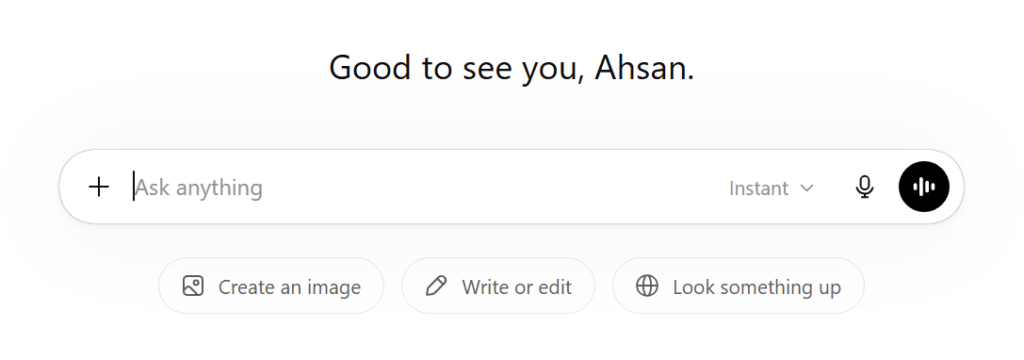
If you’ve never used ChatGPT before, start here. It’s the most flexible writing assistant available, and for real estate agents specifically, it removes one of the biggest daily frustrations: staring at a blank screen trying to write a property description that doesn’t sound like every other listing in the MLS. What makes it genuinely useful is how far it can go beyond just descriptions. You can give it a set of bullet points about a property and ask it to write a full listing description in an upscale tone. You can paste in a client’s inquiry and ask for a professional, warm reply. You can ask it to draft a monthly market update email for your newsletter list — and get something back in under 30 seconds that you’d normally spend 45 minutes writing. The limitation is real though: ChatGPT doesn’t know your local market. You still have to bring the local knowledge. It brings the words.
Pros:
- ✓ Extremely versatile
- ✓ Saves hours per week on writing
- ✓ Free plan available
- ✓ Easy for non-tech users
Cons:
- ✗ Needs fact-checking always
- ✗ No real estate-specific knowledge
- ✗ Generic without good prompting
2. Canva (AI-Powered)
Best for: Marketing Design
Canva has been around for years, but its AI features in 2026 have genuinely transformed how fast you can produce professional marketing material. The Magic Design feature lets you describe what you need — say, a just-listed social media post for a 3-bedroom home — and Canva generates multiple design options you can edit in seconds. For real estate agents who aren’t designers, this matters a lot. The difference between a professional-looking listing post and a DIY one is immediately visible to buyers scrolling through Instagram. Canva removes the skills barrier entirely. The brand kit feature means every piece of material you produce — flyers, posts, email headers, brochures — has a consistent look without you having to think about it.
Pros:
- ✓ Zero design skills needed
- ✓ Massive template library
- ✓ Brand consistency tools
- ✓ Generous free plan
Cons:
- ✗ Advanced design is limited
- ✗ AI features need Pro plan
- ✗ Templates can look generic
3. Jasper AI
Best for: Content Marketing & SEO Blogs
Jasper is a step up from ChatGPT when it comes to structured, long-form content with SEO in mind. If you run a real estate website and want to rank on Google for local searches — things like “best neighbourhoods in [city] for families” — Jasper helps you produce that content at scale. It has real estate-specific templates, a brand voice feature that learns how you write and replicates it, and integrations with SEO tools like Surfer that help you optimise articles for search engines as you write them. The cost is higher than most other tools here, so it makes most sense for agents running an active blog or a content-led website.
Pros:
- ✓ Excellent for long-form SEO content
- ✓ Brand voice training
- ✓ Real estate templates included
- ✓ SEO integration available
Cons:
- ✗ Expensive compared to alternatives
- ✗ Overkill for occasional writers
- ✗ Learning curve initially

4. Matterport
Best for: 3D Virtual Tours
This is the tool that changes how buyers experience a property before visiting. Matterport creates immersive 3D walkthroughs — not just a video, but an actual interactive tour where buyers can move through rooms, look around, check measurements, and get a genuine feel for the space from their phone or laptop. Properties with 3D tours receive significantly more online engagement and sell faster on average than those without. For higher-value listings, it’s become an expectation rather than a luxury. The hardware requirement is the biggest barrier — you need a compatible 3D camera for best results (starting around $400). However, Matterport now supports iPhone scanning for smaller or budget-conscious jobs.
Pros:
- ✓ Genuinely immersive buyer experience
- ✓ Higher listing engagement
- ✓ Built-in floor plan generation
- ✓ iPhone support now available
Cons:
- ✗ Camera hardware cost
- ✗ Subscription on top of hardware
- ✗ Overkill for budget listings

5. Styldod
Best for: Virtual Staging
Empty rooms kill listings. Buyers struggle to visualise scale, function, and warmth in an unfurnished space. Physical staging solves this but costs thousands of dollars and takes days. Styldod solves it for a fraction of that in under 24 hours. You upload your property photos, select a style (modern, Scandinavian, traditional, etc.), and Styldod’s AI renders the room with realistic furniture and decor. The results have improved dramatically — at a glance, most buyers wouldn’t know the staging is virtual. It also offers photo enhancement, day-to-dusk editing, and object removal. For listing agents working with vacant properties, this tool pays for itself on the first listing.
Pros:
- ✓ Fraction of physical staging cost
- ✓ Fast 24-hour turnaround
- ✓ Multiple style options
- ✓ Photo enhancement included
Cons:
- ✗ Not as convincing as physical staging up close
- ✗ Per-image pricing adds up
- ✗ Limited furniture customization
6. Top Producer CRM
Best for: Lead Management & Follow-ups
Most real estate agents lose leads not because they didn’t get them — but because they didn’t follow up consistently. Life gets busy, and the hot lead from Tuesday somehow didn’t get a call back until Friday. Top Producer is built specifically to make sure that doesn’t happen. It’s a full CRM with AI-powered features that remind you when to follow up, track where each lead is in your pipeline, and even suggest the right message based on the contact’s history. It connects with MLS data, so when a property matching a contact’s criteria hits the market, the system can alert both you and the client automatically.
Pros:
- ✓ Built specifically for real estate
- ✓ MLS data integration
- ✓ AI follow-up reminders
- ✓ Strong pipeline tracking
Cons:
- ✗ Steeper learning curve
- ✗ Higher monthly cost
- ✗ Mobile app needs improvement
7. Copy.ai
Best for: Ad Copy & Short-Form Content
If ChatGPT is your general writing assistant, Copy.ai is the specialist you call when you need advertising copy that actually converts. It’s designed specifically for short, punchy content — Facebook ad headlines, Google ad descriptions, email subject lines, property caption hooks. The interface is simpler than Jasper, the pricing is more accessible, and it’s genuinely faster for short-form tasks. You put in a few details, it gives you ten variations, and you pick the one that feels right. Where it falls short is long-form content. For a 1,500-word neighbourhood guide or detailed blog post, ChatGPT or Jasper will serve you better.
Pros:
- ✓ Fast short-form generation
- ✓ Multiple variations per prompt
- ✓ Affordable pricing
- ✓ Simple to use immediately
Cons:
- ✗ Weak for long-form content
- ✗ Outputs need editing
- ✗ Less flexible than ChatGPT
8. Restb.ai
Best for: Property Photo Analysis
This one flies under the radar, but for brokerages managing high volumes of listings, it solves a very specific and very time-consuming problem. Restb.ai uses computer vision AI to automatically analyse property photographs and generate accurate descriptions of what’s in each image: room type, finishes, features, condition, and comparable style attributes. Instead of someone manually tagging each photo and writing feature descriptions for every listing, Restb.ai does it automatically. It integrates directly with MLS systems and major real estate platforms. This is not a tool for the individual agent just starting out — the pricing is enterprise-focused. But for larger operations processing dozens of listings regularly, the time savings are substantial.
Pros:
- ✓ Highly accurate image recognition
- ✓ MLS integration available
- ✓ Eliminates manual photo tagging
- ✓ Scales across large portfolios
Cons:
- ✗ Enterprise pricing
- ✗ Not suitable for solo agents
- ✗ Requires technical integration

9. REimagineHome
Best for: Renovation & Redesign Visualization
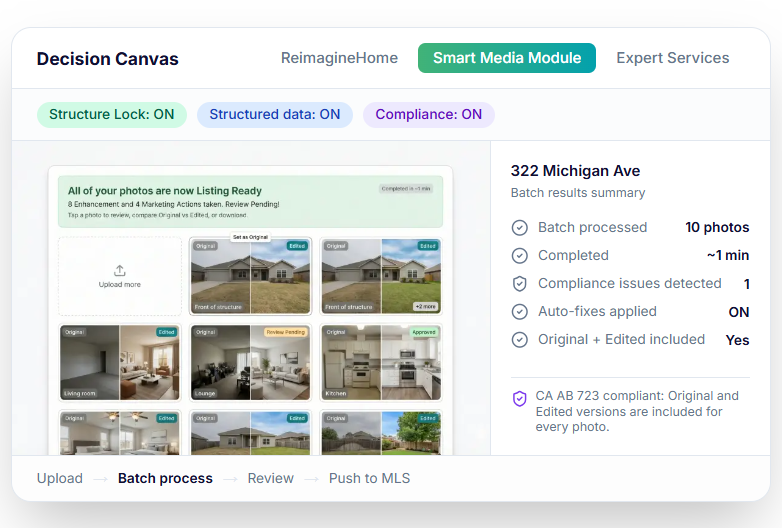
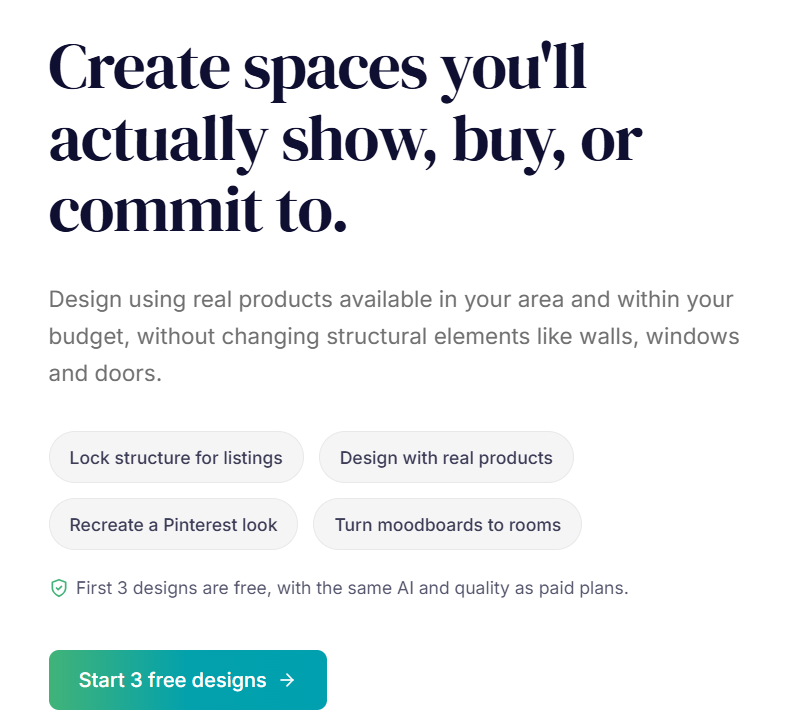
This tool addresses something that comes up constantly in real estate: a buyer who loves the location and the price, but can’t get past what the property looks like right now. Maybe the kitchen is outdated, the walls are painted a colour that belongs in 1987, or they simply can’t visualise what the space could be. REimagineHome lets you upload a photo of any room and apply AI-generated redesigns — swap the flooring, change wall colours, modernise the kitchen layout, or completely reimagine the space in a different style. Agents who work with fixer-uppers or older inventory find this particularly valuable. It shifts the conversation from “what needs to be fixed” to “look what this could become.”
Pros:
- ✓ Transforms buyer perception
- ✓ Easy to use with any photo
- ✓ Multiple style options
- ✓ Affordable per-use pricing
Cons:
- ✗ Results vary by photo quality
- ✗ Not suitable for structural changes
- ✗ Needs disclaimer for buyers
10. Zillow Premier Agent
Best for: Buyer Lead Generation
Zillow Premier Agent is in a different category from the other tools here — it’s a lead acquisition platform with AI-powered features built in. Given that Zillow is the most visited real estate website in the United States with hundreds of millions of monthly visitors, the lead volume potential is real. Premier Agent places your profile on listings in your chosen zip codes, so when a buyer reaches out on a property, you can be the agent who responds. The CRM tools help you manage and nurture those leads with automated follow-ups. The cost is the elephant in the room: pricing is based on your market and competition level. In high-demand areas it gets expensive quickly. Test with a tight budget before committing.
Pros:
- ✓ Massive buyer audience
- ✓ AI-powered lead matching
- ✓ Built-in CRM tools
- ✓ Strong brand recognition
Cons:
- ✗ Expensive in competitive markets
- ✗ Shared leads with other agents
- ✗ Costs vary unpredictably by zip

Pricing Comparison Table
Here’s a clear breakdown of what each tool actually costs, so you can budget accordingly before committing to anything:
| Tool | Free Plan | Starting Price | Best Value Plan | Best For |
| ChatGPT | Yes | $20/mo (Plus) | $20/mo Plus | Solo agents |
| Canva | Yes | $15/mo (Pro) | $15/mo Pro | All agents |
| Jasper AI | 7-day trial | $49/mo (Creator) | $69/mo Teams | Content marketers |
| Matterport | Yes (1 space) | $79/mo (Starter) | $149/mo Professional | Premium listings |
| Styldod | No | $16/image | Bulk packages | Vacant properties |
| Top Producer | No | $129/mo (Solo) | $179/mo Teams | Growing teams |
| Copy.ai | Yes | $49/mo (Starter) | $49/mo Starter | Ad campaigns |
| Restb.ai | No | Custom (Enterprise) | Contact for quote | Brokerages |
| REimagineHome | Yes (limited) | $29/mo | $29/mo | Fixer-upper listings |
| Zillow Premier | No | Market-based | Test $300-500/mo | Lead generation |
Budget tip: If you’re just starting out, begin with the three free-plan tools — ChatGPT, Canva, and Copy.ai. You can run a solid real estate content and marketing operation on those three alone at zero cost before deciding what paid tools are worth adding.
Which Tools Should You Actually Start With?
The honest answer depends entirely on what’s slowing you down right now.
If your biggest problem is that writing takes too long — descriptions, emails, follow-ups — start with ChatGPT. It will save you hours in the first week alone, and the free plan is more than enough for most agents.
If your listings don’t look polished enough — social media posts, flyers, property promotions — add Canva. The free version handles most of what you need, and the Pro plan is worth the $15 if you’re producing content consistently.
If you work with vacant properties regularly, Styldod pays for itself on your first listing. Virtual staging for $16 to $20 per image versus $2,000 for physical staging is not a close comparison.
If lead follow-up is where deals are slipping through, Top Producer or a similar real estate CRM should be your next investment before you spend money on generating more leads you won’t follow up on properly.
Add Matterport and REimagineHome when you’re ready to take your listing presentation to another level. They’re not essentials for every agent, but they’re powerful differentiators when you’re competing for higher-value listings.
Frequently Asked Questions
Is AI going to replace real estate agents?
No — and the reason is straightforward. AI is excellent at processing information and generating content, but real estate transactions involve negotiation, trust, local knowledge, and emotional judgment that no AI handles well. What AI does do is remove the administrative and creative tasks that consume an agent’s time without requiring their expertise. Agents who use AI become more productive and competitive; those who ignore it risk falling behind agents who do.
Which AI tool is most worth paying for as a solo agent?
ChatGPT Plus at $20 per month offers the best return for most solo agents. The upgrade from free to Plus gives you access to the more advanced model, faster responses, and image analysis — useful for drafting marketing copy from property photos. If you’re also producing regular social media content, adding Canva Pro at $15 per month makes it a $35 monthly investment that most agents recover in saved time within the first week of use.
Do I need technical skills to use these tools?
For most of them, no. ChatGPT, Canva, Copy.ai, Styldod, and REimagineHome are all designed for non-technical users. You type, upload a photo, or answer a few questions, and the tool does the work. Matterport requires a bit of a learning curve for the 3D scanning process, and Top Producer has setup complexity like any CRM. Restb.ai is the only one that genuinely requires technical knowledge — but that’s an enterprise-level tool, not something a solo agent would typically set up themselves.
How do I know if AI-written content will hurt my Google rankings?
Google’s guidance has consistently been that the quality and usefulness of content matters more than how it was produced. AI content that is well-edited, accurate, and genuinely helpful for readers performs fine in search. AI content that is thin, repetitive, or published without human review tends to underperform. Use AI to draft and accelerate your writing — not to replace your judgment and expertise in the final product. Always add your own local knowledge, real examples, and voice before publishing anything intended for SEO.
What’s the biggest mistake agents make when starting with AI tools?
Trying too many tools at once and mastering none of them. It’s easy to sign up for six platforms in a weekend and feel productive. A month later, you’re still not using any of them consistently. Pick one tool that addresses your most painful daily problem, use it every day until it’s part of your workflow, then add the next one. Agents who build this way end up with a genuinely efficient AI-powered operation. Agents who collect tools end up with a bunch of unused subscriptions.
Final Verdict
The real estate agents who will look back at 2026 as the year things shifted for them are the ones who stopped treating AI as a trend to observe and started using it as a practical part of how they work every day.
You don’t need all ten tools. You don’t need to spend hundreds of dollars a month to start. Three tools — ChatGPT, Canva, and Styldod or REimagineHome depending on your listing type — will change how much you can get done in a day before you ever need to add anything else.
Once that foundation is solid, layer in a CRM like Top Producer, invest in Matterport for premium listings, and consider Zillow Premier Agent if lead volume is the bottleneck in your business. Build from the bottom up, not from a wish list down.
The goal isn’t to use AI. The goal is to close more deals, serve clients better, and actually have time left in your day. These tools help you get there.