Ahsan Javaid
Last updated: September 2026
Photographers routinely spend substantial time culling, editing, retouching, and handling business administration after a shoot ends — work that, unlike the shoot itself, doesn’t require a camera in hand. AI for photographers fills that gap by compressing the culling, correction, and retouching work that surrounds it, while leaving creative judgment intact. In 2026, AI helps pick the best frames from a shoot, automatically correct exposure and noise, replicate a photographer’s personal editing style across a full gallery, retouch portraits at scale, and handle the business admin and marketing photographers tend to neglect once the editing queue backs up.
This guide compares twelve AI tools for photographers and groups them by workflow stage — culling, RAW editing, retouching, noise reduction and upscaling, studio and tethered work, and the business side — so you can quickly see what each tool speeds up.
Quick Comparison
| Adobe Lightroom | Best overall / RAW editing | AI Masking, Denoise AI, generative removal | No | Lightroom alone from $11.99/month; Photography Plan (Lightroom, Lightroom Classic, Photoshop) $19.99/month, billed annually |
| Aftershoot | AI culling and high-volume batch editing | Learns your edit style locally; culling, editing, retouching | Free trial | From $10/month (culling only) |
| Adobe Photoshop | Advanced retouching and generative editing | Generative Fill, Generative Expand, Generative Remove | No | Bundled in the $19.99/month Photography Plan, or standalone |
| Imagen AI | Personal-style batch editing | Learns your editing style from your own catalog | Free trial | Pay-as-you-go pricing available; Limitless plan from $179/month billed annually |
| Topaz Photo AI | Denoise, sharpening and upscaling | Combined noise reduction, sharpening, and AI upscaling | Trial available | $199/year subscription |
| Capture One | Studio/tethered workflow and AI masking | AI masking, Smart Adjustments, tethered capture | Trial available | Around $18/month (Pro, annual) |
| Evoto | High-volume portrait retouching | AI portrait retouching, skin tone, background removal | No | From $49 one-time (pay-as-you-go) |
| Narrative Select | Dedicated AI culling | Focus, eyes, and expression analysis for fast culling | Yes — Narrative Free, unlimited projects and images | Narrative Pro $15/month, billed yearly |
| Retouch4me | Professional portrait retouching | Single-purpose AI plugins (skin, eyes, dodge & burn) | 2 free plugins | Paid photo plugins from $145, one-time |
| Luminar Neo | Accessible AI photo editing | Sky AI, Skin AI, Face AI, Body AI | Trial available | Desktop $129 one-time; All Platforms $159; Max $199 (AI tools included for one year) |
| Claude AI | Client communication, copy and business admin | General-purpose AI writing and reasoning assistant | Yes | Pro $20/month, or $200/year (~$17/month) billed annually |
| Canva AI | Marketing and social assets from finished photography | AI design suggestions (Magic Studio) | Yes — permanent free plan | From about $12/month (Pro, annual) |
Pricing changes frequently across this category, and several tools use credit- or usage-based models rather than flat subscriptions, so confirm current terms directly before budgeting. Pricing is noted for each tool using the terms listed below.
Culling: Getting From Thousands of Frames to a Shortlist
Aftershoot — AI Culling and High-Volume Batch Editing
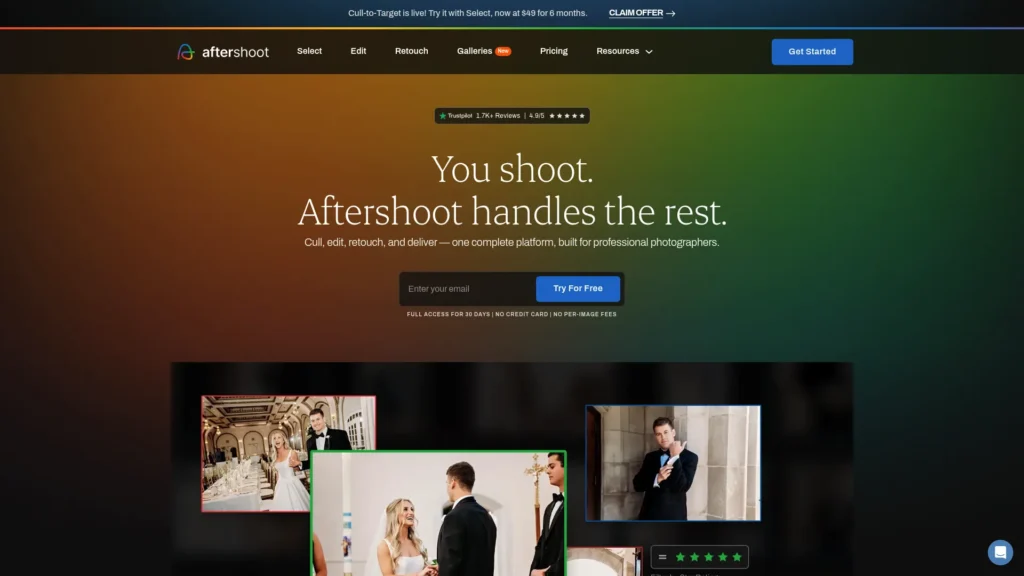
Aftershoot runs entirely on your computer rather than in the cloud, so culling and editing happen without an internet connection, and your clients’ files never leave your machine. It analyzes a shoot across more than 30 factors — duplicates, closed eyes, blur, focus — and groups similar frames so you’re making selection decisions in sets rather than image by image. From there, local processing avoids the upload delays that cloud-based alternatives can add.
Aftershoot’s editing side learns from your own Lightroom or Capture One catalog rather than applying a generic look, and a newer AI Retouching layer handles one-click skin cleanup, flyaway hair removal, and glass-glare removal on top of the base edit. Together, the three functions — culling, editing, retouching — are priced separately or bundled into one end-to-end subscription.
Key strengths: genuinely fast local processing, strong privacy since files stay on your machine, and direct integration with both Lightroom Classic and Capture One. Limitations: local processing puts real load on your computer’s CPU and battery, and because it learns only from your own past catalog, it needs a meaningful volume of previously edited work to train effectively. Pricing: AI Culling starts at $10/month, AI Editing at $30/month, and AI Retouching at $20/month individually; the full workflow starts at $45/month billed annually. Compared with the other culling tools here, its main advantage is local speed and privacy.
Narrative Select — Dedicated AI Culling
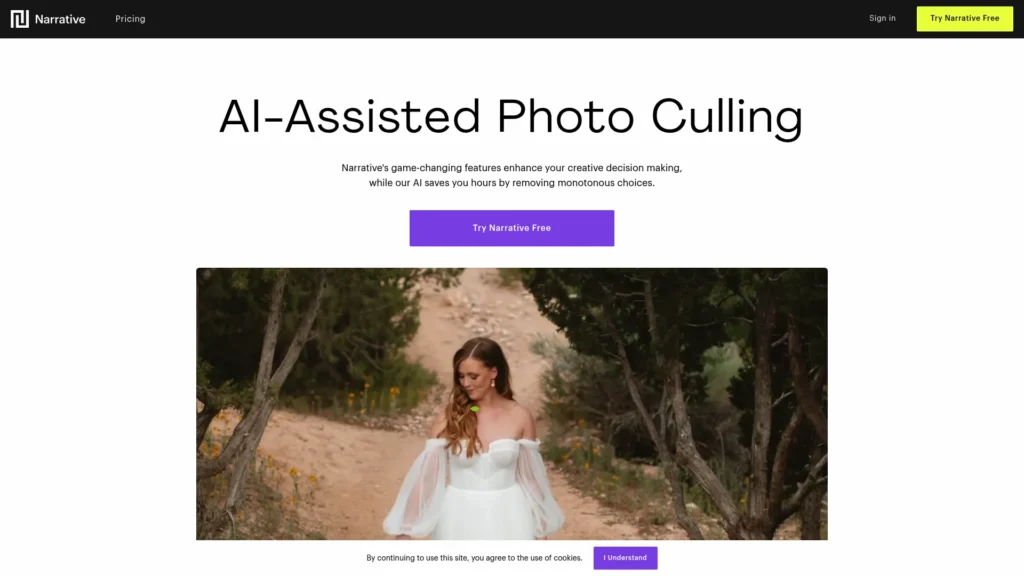
Where Aftershoot bundles culling with editing and retouching, Narrative Select stays focused on one job: getting you from a full shoot to your best frames quickly. Its AI analyzes focus, eye state, and facial expression to flag weak images and surface strong ones, with features like instant culling. From there, it integrates with Lightroom for editing, so you don’t have to zoom in and out manually. It also integrates with Lightroom for editing.
Key strengths: a genuinely usable free tier — Narrative Free offers unlimited projects and images, not a capped trial — makes it low-risk to test against your existing culling habits, and the interface is built specifically around rapid-fire decision-making rather than a general photo browser repurposed for culling. Limitations: it’s a culling specialist, not an editing or retouching tool, so it’s typically paired with Lightroom, Capture One, or another editor for the next stage. Pricing: Narrative Free is $0 with unlimited projects and images; Narrative Pro is $15/month billed yearly. Compared with other culling tools, its main distinction is a free tier with no image cap.
RAW Editing: The Technical Foundation
For most working photographers, Lightroom is the software you already own and likely aren’t using to its full AI capability. The AI Masking tools — Subject Select, Sky Select, Background Select, and People Masking — use machine learning to make selections that used to take careful manual brushwork, now generated in a few seconds. From selection, Denoise AI produces noise reduction that holds up well against dedicated third-party tools, and the Enhance feature uses AI upscaling to get usable results from lower-resolution files rather than the soft, interpolated output that older upscaling methods produced.
What Lightroom’s AI doesn’t do is make your stylistic decisions for you — tone curve, color grading, the overall creative look of your work still comes from you. In that sense, the AI handles technical correction and selection work, not the creative layer.
Key strengths: already included for most photographers on a Creative Cloud subscription, so there’s no separate tool to learn or pay for if you’re only using a fraction of what it does. Denoise AI and AI Masking are worth learning before buying anything else on this list. Limitations: it’s a RAW editor and organizer, not a culling tool or a dedicated retouching suite — high-volume culling and detailed portrait retouching are better handled by dedicated tools. Pricing: Lightroom on its own runs $11.99/month billed annually; the Photography Plan, which bundles Lightroom, Lightroom Classic, and Photoshop, is $19.99/month billed annually. Higher Creative Cloud tiers add more cloud storage and generative credits. Compared with the other RAW editing options here, it is the broad baseline.
Imagen AI — Personal-Style Batch Editing
Imagen AI does something different from a standard RAW editor: rather than giving you better individual tools, it automates an entire first pass across a gallery, trained specifically on how you edit. You upload a library of your previously edited images, and Imagen builds a profile of your exposure choices, white balance corrections, and shadow/highlight handling, then applies that profile automatically to new galleries. It also offers pre-built “Talent AI” profiles from other photographers’ editing styles for those who don’t yet have an established personal look to train against.
For wedding and event photographers specifically, this is often the single largest time-saving tool available, since the gallery comes back from Imagen already looking like a rough first pass through your own editing process rather than starting from zero.
Key strengths: genuinely learns your specific editing style rather than applying a generic preset, and its culling features (duplicate detection, closed-eye flagging) can run alongside the editing pass. Limitations: cloud-based processing depends on your internet connection, and processing time for a large wedding gallery will depend on that connection speed. Pricing: pay-as-you-go pricing is available for lighter or variable workloads; the unlimited Limitless subscription plan starts at $179/month billed annually. A free trial covering a limited number of photos is available. Compared with Lightroom, it is the stronger choice for automated first-pass editing based on your own style.
Retouching: From Skin to Full Composites
Adobe Photoshop — Advanced Retouching and Generative Editing
Photoshop’s AI capabilities sit on top of the same Firefly technology powering Lightroom’s newer features, but go further into generative territory. Generative Fill lets you select an area and describe, in plain language, what should replace it — removing an unwanted object and filling the space convincingly, or adding elements that weren’t in the original frame. Generative Expand extends a canvas beyond its original borders, useful for reframing a shot or adjusting an image’s aspect ratio without cropping into the subject. These features are metered by a monthly generative-credit allowance rather than being unlimited.
Key strengths: broad flexibility for complex composite work, object removal, and generative editing that goes beyond what any culling or batch-editing tool attempts. Limitations: it’s a manual, image-by-image tool — there’s no batch or gallery-wide automation here, and heavy generative use can exhaust a plan’s monthly credit allowance faster than expected. Pricing: included in the $19.99/month Photography Plan alongside Lightroom, or available as a standalone subscription; higher Creative Cloud tiers include more generative credits. Compared with the retouching tools here, it is the most flexible option for one-off edits.
Evoto — High-Volume Portrait Retouching
Evoto is built for portrait, wedding, headshot, and studio photographers who need consistent retouching across a large batch rather than image by image. Its AI handles skin retouching, skin tone adjustment, and background removal, aiming for natural, high-end results with minimal manual correction needed afterward. From there, batch processing and tethered shooting support let a studio apply consistent retouching across hundreds of images from a single session.
Key strengths: batch portrait retouching aimed at professional delivery, and pricing flexibility that scales with actual usage rather than locking you into a fixed monthly fee regardless of volume. Limitations: it’s focused specifically on portrait-style retouching rather than the broader editing and culling functions covered by tools like Aftershoot or Imagen. Pricing: pay-as-you-go plans start around $49 one-time; annual subscription plans start around $89/year, with cost scaling by usage volume. Compared with Photoshop, it is the stronger choice for repeated portrait retouching at scale.
Retouch4me — Professional Portrait Retouching
Retouch4me takes a modular approach that’s different from every other tool on this list: instead of one editor, it’s a collection of single-purpose AI plugins — Heal (blemish removal), Dodge & Burn, Eyes, Skin, and others — that drop into an existing Photoshop, Lightroom, or Capture One workflow. Each plugin focuses on a specific retouching task rather than trying to handle the entire editing workflow. Compared with all-in-one retouching tools, it is best when you want task-specific control. As a result, you can add only the tools you need to your existing workflow.
Key strengths: precise, natural-looking results for specific retouching tasks, and the option to buy only the plugins you actually need rather than a full suite. Processing can run locally, which matters for photographers with client confidentiality concerns. Limitations: it’s a toolkit for targeted fixes on a smaller number of final images, not a batch-processing solution for an entire gallery — it complements a primary editor rather than replacing one. Pricing: two plugins are free; paid photo plugins start from $145 one-time, and a cloud-based Pay-by-Retouch subscription starts at $20/month for 200 retouches.
Luminar Neo — Accessible AI Photo Editing
Luminar Neo is what photographers reach for when they want AI capability that goes further into creative territory than Lightroom’s more technical approach, without the complexity of a professional-grade compositing tool like Photoshop. Its sky-replacement AI doesn’t just swap in a new sky — it adjusts the lighting and color temperature of the foreground to match, which matters for landscape and travel photographers dealing with disappointing weather. The portrait-focused tools — Skin AI, Face AI for targeted feature adjustments, and Body AI for figure adjustments — bring retouching capability that previously required real Photoshop skill into a more accessible interface.
Luminar Neo works as both a standalone editor and a plugin in Lightroom or Photoshop; most photographers use it as a plugin, doing primary editing elsewhere and sending specific images to Luminar Neo for treatments the other tools don’t handle as well.
Key strengths: meaningfully lowers the skill floor for portrait retouching and creative sky work compared to manual Photoshop techniques. Limitations: as an all-in-one creative tool, it’s less precise for surgical, single-purpose retouching than Retouch4me’s dedicated plugins, and less suited to high-volume batch consistency than Aftershoot or Imagen. Pricing: primarily perpetual-license pricing — Desktop is $129 one-time, All Platforms is $159, and Max is $199, with AI and generative tools included for one year and renewal available afterward; a trial is available.
Denoise, Sharpening, and Recovering Difficult Images
Topaz Photo AI — Denoise, Sharpening and Upscaling
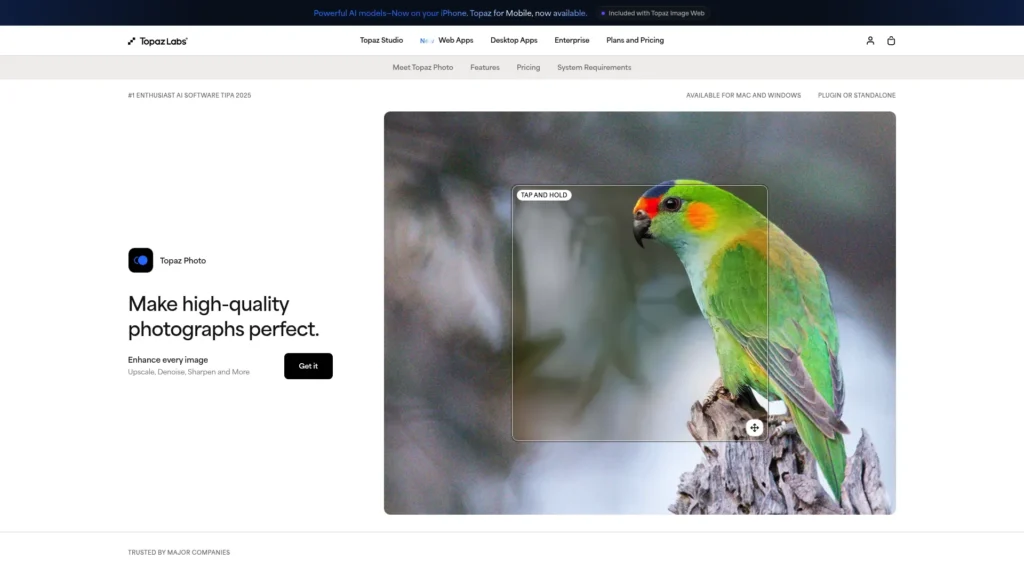
Topaz Photo AI combines noise reduction, sharpening, and AI upscaling into one tool. In genuinely difficult cases — a ceremony shot at ISO 12800 in a dark venue, a reception dance-floor image with motion blur, a wildlife shot that’s slightly soft because the subject moved — it can recover images that would otherwise be unusable or require an apologetic delivery note to the client.
Key strengths: combines noise reduction, sharpening, and detail recovery in one pass, and can be used on individual images or batches depending on the workflow. Limitations: it’s a specialist tool for a specific set of technical problems — it doesn’t cull, doesn’t apply stylistic edits, and doesn’t retouch portraits. Pricing: $199/year subscription; a trial is available.
Studio and Tethered Workflows
Capture One — Studio/Tethered Workflow and AI Masking
Capture One is a common choice for studio and commercial photographers who need a stable tethered connection between camera and computer, since a dropped connection mid-shoot with a client watching is a real operational problem. Its color science and RAW rendering are a frequently cited strength, particularly for skin tones, which matters for portrait and fashion work delivered for print or high-end campaigns.
On the AI side, Capture One has narrowed the gap with Lightroom through AI Select and AI Mask for subject and background selection, Smart Adjustments for session-wide consistency, and Enhanced Denoise AI that competes directly with Adobe’s equivalent. An AI Crop tool creates consistent crops by automatically aligning to a reference image, useful for catalog or product work where every shot needs to match a template.
Key strengths: tethering support built specifically for studio reliability, layer-based masking with detailed local adjustment controls, and a Sessions-based workflow that treats each shoot as a self-contained, portable project — a different way of working than Lightroom’s catalog model, and one some working studio photographers prefer. Limitations: it’s priced at a premium relative to Lightroom, which bundles Lightroom, Lightroom Classic, and Photoshop together for less than Capture One Pro alone costs; it also has no dedicated culling or high-volume batch-retouching layer built in. Pricing: around $18/month for Capture One Pro billed annually (higher on a rolling monthly plan), with higher All-in-One and Studio tiers available; a perpetual license option also exists.
Business Admin and Marketing
Claude AI — Client Communication, Copy and Business Admin
The business side of photography — proposal writing, contract language, inquiry responses, website copy explaining your specific style and location, blog posts for local SEO — eats real time that most photographers would rather spend shooting or editing. Claude AI handles this kind of writing and drafting well: describe your photography style, your typical client, and what you need, and it produces a working first draft you edit into your own voice rather than a blank page you’re staring at during an already packed week.
Key strengths: broadly capable across nearly every writing and thinking task a photography business generates, with a free tier capable enough for most of this work. Limitations: it has no knowledge of your specific past clients, pricing history, or portfolio unless you provide that context directly, and any client-facing output should be reviewed and personalized before it goes out — treat it as a fast first draft, not a finished document. Pricing: a free tier is available; Pro is $20/month billed monthly, or $200/year (roughly $17/month) billed annually.
Canva AI — Marketing and Social Assets From Finished Photography
Photographers are visual people who are often surprisingly uncomfortable marketing themselves visually — creating content about your own business feels different from creating photography for clients. Canva AI’s templates and AI design suggestions (Magic Studio) close that gap: social media posts, pricing guides, email headers, and website graphics that look professionally designed without a separate design skill set or a freelancer’s fee. A brand kit keeps your colors, fonts, and logo consistent across every piece of content, and you can drop your own photography directly into templates without going back and forth through a separate editor.
Key strengths: quick production of branded marketing assets using templates and Magic Studio, at a low cost relative to hiring a designer. Limitations: it’s a design assembly tool working from your existing photography and brand assets, not a photo editor — it doesn’t replace anything earlier in this list. Pricing: a permanent free tier is available; Pro runs from about $12/month billed annually for full access to AI design features.
Which AI Tool Should You Choose?
Wedding and event photographers dealing with high volume: start with Imagen AI or Aftershoot for the first-pass editing and culling that recovers the most hours per gallery, add Topaz Photo AI for the difficult-light ceremony and reception shots every wedding produces, and make sure you’re actually using Lightroom’s built-in AI Masking and Denoise before paying for anything additional.
Portrait and headshot photographers: Evoto or Retouch4me for batch-consistent skin and portrait retouching, Luminar Neo if you want broader creative AI tools (sky replacement, targeted facial adjustments) in one accessible package, and Lightroom for the technical foundation underneath all of it.
Studio and commercial photographers: Capture One for tethered reliability and color precision, Adobe Photoshop for generative composite and retouching work that goes beyond what any batch tool handles, and Narrative Select or Aftershoot for culling large product or catalog shoots quickly.
Landscape and travel photographers: Lightroom’s AI Masking and Denoise cover most technical needs; Luminar Neo’s sky replacement is worth the additional cost specifically if disappointing skies are a recurring problem in your work.
Documentary and photojournalistic photographers: heavy AI retouching generally isn’t appropriate for this work, so Lightroom’s AI Masking and Denoise AI alone, without the portrait-retouching tools, is usually the right amount of AI rather than the full stack.
Every working photographer, regardless of specialty: Claude AI for the writing tasks and Canva AI for the marketing materials that tend to get neglected once editing backs up — these are close to universal recommendations rather than specialty picks.
Where AI Performs Well, and Where Judgment Still Matters
Technical corrections — noise reduction, sharpening, exposure, white balance, lens corrections — are handled by current AI tools at a level suitable for professional delivery in most cases. Culling — identifying duplicates, closed eyes, soft focus, and clear technical failures — is reliable enough to trust with a first pass, though a final human review before anything is permanently deleted remains good practice. Basic consistency editing across a large gallery, applying a similar look to images shot in similar conditions, works well once a tool has been trained on your own style.
AI still doesn’t make creative judgment calls. A deliberately underexposed portrait that needs to stay that way because the mood requires it, the decision that one particular frame needs completely different treatment because it’s the hero shot of the gallery, the subtle color grade that makes your work identifiably yours rather than identifiably AI-edited — these come from a person looking at an image and understanding what it’s trying to say. AI applies patterns. Photographers make judgment calls. The photographers getting the most out of these tools treat AI output as a strong starting point — the first pass, the technical correction — and spend their own time on the smaller number of decisions that actually define the final work.
Frequently Asked Questions
What is the best AI tool for photographers overall? There isn’t one universal answer — it depends on which stage of your workflow is the actual bottleneck. Adobe Lightroom is the most broadly useful starting point since most photographers already have access to it through Creative Cloud; Aftershoot or Narrative Select if culling specifically eats the most time; Imagen AI if first-pass editing at volume is the priority.
Is AI culling accurate enough to trust? Accurate enough to trust with a first pass, but not accurate enough to skip your own review entirely. AI culling reliably catches closed eyes, obvious duplicates, and clear focus failures. It occasionally flags a deliberately dark or moody image as a technical problem, or keeps a near-duplicate a photographer would have culled. The workflow that works well is AI culls first, and the photographer reviews the AI’s selections before anything is permanently deleted.
Can AI edit photos in my personal style, or does it just apply a generic look? Both are possible, and the difference matters. A generic AI preset applied without adjustment will make your work look like everyone else using that same preset. Tools like Imagen AI learn your editing style from a library of your previously edited work, producing results that reflect your choices rather than a template. Either way, treating AI output as a starting point you refine — rather than a finished product — is what keeps a photographer’s work distinctly their own.
Are there free AI tools for photographers? Several tools on this list offer a genuine free tier or trial: Narrative Select has an unlimited free culling tier, Canva AI and Claude AI both have functional permanent free plans, and most of the paid editing and retouching tools (Aftershoot, Imagen AI, Topaz Photo AI, Capture One, Luminar Neo) offer a time-limited or usage-limited free trial to evaluate before subscribing.
Should photographers actually use AI editing tools? For the technical and repetitive parts of the job — noise reduction, culling, first-pass corrections, batch retouching — yes, and most working photographers already do to some degree. What AI shouldn’t replace is the creative decision-making that makes a specific photographer’s work recognizable as theirs: the color grade, the treatment of a hero shot, the read on which frame from a burst actually captures the moment. Used as a starting point rather than a finishing point, AI tools compress the hours that surround photography without touching the part of the work that’s actually yours.
For more honest AI tool reviews across every professional category, visit aitoolister.com.
Keep Exploring