Ahsan Javaid
Last updated: September 2026
The best AI content creation tools in 2026 cover different jobs, and most creators need a small combination of AI-powered content creation tools rather than one product. ChatGPT and Claude handle scripting, drafting, and editing. Perplexity supports research. Canva AI and Adobe Firefly cover images and graphics. CapCut, Descript, OpusClip, Runway, and Pictory cover video. ElevenLabs handles voice and dubbing. Surfer SEO, VidIQ, Writesonic, and Jasper AI help with search optimization and branded content at scale.
This guide compares 15 AI tools for content creation by what each one does, what it costs, what limits apply, and which type of creator it suits. It is written for YouTubers, bloggers, podcasters, social media creators, and small content teams who want to remove production bottlenecks without paying for tools they will not use. Pricing and plan structures in this category change often, so treat the figures below as a starting point and confirm them on each vendor’s site before you subscribe.
Quick Comparison: 15 Best AI Content Creation Tools
| ChatGPT | Ideation, scripting, general writing | Text | Free plan | Plus $20/month | Broad range of writing and planning tasks |
| Claude | Long-form writing, editing, development | Text | Free plan | Pro $20/month; $200/year (about $17/month) | Handling long drafts and detailed edits |
| Canva AI | Graphics, thumbnails, visual content | Images, design | Free plan | Pro $144/year (about $12/month) | Templates plus AI in one design tool |
| CapCut | Short-form video creation and editing | Video | Free plan | Varies by region and platform; check the current CapCut subscription page (Pro listed around $19.99/month in some markets) | Template-driven mobile and desktop editing |
| Descript | Video and podcast editing | Video, audio | Free plan | Hobbyist $16/person/month billed annually ($24 billed monthly) | Editing media by editing a transcript |
| OpusClip | Repurposing long video into short clips | Short-form video | Free plan | Starter $15/month; Pro $29/month ($14.50/month equivalent billed annually) | Clip extraction from long recordings |
| ElevenLabs | Voiceovers, narration, dubbing | Audio | Free plan (no commercial license) | Starter $6/month | Voice quality and dubbing tools |
| Adobe Firefly | Image generation and creative assets | Images, some video | Free plan | Standard $9.99/month; Pro $19.99/month | Generative tools tied to the Adobe ecosystem |
| Runway AI | Generative video creation | Video | Free plan (one-time credits) | Standard $15/month ($12 billed annually) | Text and image to video generation |
| Jasper AI | Branded marketing content at scale | Text | 7-day trial | Pro $59/seat/month billed annually ($69 monthly) | Brand Voice and campaign workflows |
| Perplexity AI | Research, source-supported preparation | Research | Free plan | Pro $20/month | Cited answers and research modes |
| Surfer SEO | SEO-focused content optimization | Text (search) | No free plan; 7-day money-back guarantee | Discovery $49/month billed annually; Standard $99/month billed annually | Optimization based on ranking pages |
| VidIQ | YouTube research, SEO, planning | YouTube strategy | Free plan | Boost $19/month or $199/year (about $16.58/month billed annually) | Keyword and channel data inside YouTube |
| Pictory | Turning written content into video | Video | 14-day trial | Starter $29/month ($25 billed annually) | Script, URL, or article to video |
| Writesonic | AI writing with SEO and AI-search (GEO) workflows | Text (search) | Free trial available | Starter $79/month billed annually | Combines writing with AI-search visibility tracking |
Prices are US list prices reported for 2026 and often vary by billing period, region, or purchase channel. Several tools now meter usage with credits, minutes, or seats, so the real monthly cost depends on how much you produce.
Why AI Content Creation Tools Matter in 2026
Most creators aren’t short on ideas. They are short of production time. A single video involves scripting, recording, editing, a thumbnail, a title and description, and usually a few short clips for other platforms. A blog post involves research, drafting, optimization, and formatting. A podcast episode involves editing, show notes, and promotion. Each stage takes hours, and a solo creator or two-person team handles it all.
AI content creation tools compress specific stages of that work. Some draft or edit text, some generate or adjust visuals, some handle video and audio production, and others help with research, search optimization, and repurposing. The realistic benefit is less time on repetitive production tasks and more time on the parts that only the creator can do. The size of that benefit depends on the creator, the format, and how carefully the tools are chosen and used, so this guide avoids claiming specific time savings.
What AI cannot replace
AI does not supply the reasons an audience follows a particular creator: their perspective, expertise, humor, taste, and willingness to take a position. It can draft, clean up, resize, and repurpose, but it does not know what is worth saying to your audience or why. Creators who stay in charge of the ideas and the point of view, and use AI for how the content is produced, tend to get the most value. Creators who hand over the creative core risk content that reads as generic.
15 Best AI Content Creation Tools in 2026
The tools are grouped by the job they do best: writing and research first, then visuals, video and audio, and finally search and marketing workflows. Within each group, the comparison focuses on what the tool does, what it costs, what limits apply, and which creator it suits. This keeps the comparison criteria consistent and makes it easier to compare tools with similar strengths and see where each one fits best.
1. ChatGPT
ChatGPT is a general-purpose AI assistant that works well as a starting point for many creator tasks. Give it a topic, audience, tone, and key points, and it can produce a working draft, an outline, title options, or a list of angles to consider. It can also reformat existing material, such as turning a script into a newsletter, caption set, or description.
Best for: content ideation, scripting, and general writing. Content type: text. Key features: script and article drafting, brainstorming, rewriting and summarizing, caption and description writing, and repurposing one piece into several formats. Additional features vary by plan.
Free plan/trial: A free plan is available. Starting price: Plus is $20/month.
Strengths: It covers a wide range of writing and planning tasks in one place, and the free plan is usable for many day-to-day needs. Limitations: It does not know your audience or channel history unless you provide that context; its output can contain errors, and results depend heavily on the prompt. Check facts before publishing. Who should choose it: creators who want one flexible assistant for scripts, descriptions, captions, and business writing, especially those whose main bottleneck is getting from a blank page to a first draft.
2. Claude
Claude is an AI assistant from Anthropic that is well suited to longer, more detailed writing work. It can take a rough draft or a pile of notes and help restructure, tighten, or expand them, and it can work with long documents such as transcripts, research notes, or a full article draft in a single conversation.
Best for: long-form writing, editing, and content development. Content type: text. Key features: long-form drafting, editing for clarity and structure, summarizing long source material, and iterating on tone and style across a document.
Free plan/trial: A free plan is available. Starting price: Pro is $20 per month, or $200 per year (about $17 per month when billed annually), and higher tiers exist for heavier use.
Strengths: useful for editing and developing longer pieces where structure and consistency matter. Limitations: like any AI assistant, it can make factual errors and doesn’t have access to your private data unless you provide it. Free-plan usage limits can interrupt long sessions. Who should choose it: writers, bloggers, newsletter authors, and video creators who work with long scripts and want help refining and organizing them rather than just generating first drafts.
3. Perplexity AI
Perplexity is an AI answer engine that responds to questions with cited sources, which makes it useful for the research stage before writing or scripting. Instead of a page of links, it returns a synthesized answer with references you can open and check, and its paid plans add deeper research modes and a choice of underlying models.
Best for: research and source-supported content preparation. Content type: research and fact-gathering. Key features: cited answers, follow-up questions, deeper research modes on paid plans, file uploads, and organized research spaces.
Free plan/trial: A free plan is available with limits on advanced searches. Starting price: Pro is $20 per month or $200 per year, and a higher-priced Max tier is also available.
Strengths: citations let you verify claims instead of trusting a summary, and it speeds up background research. Limitations: citations can be incomplete or misread, so you still need to check the sources, and plan features and limits have changed several times in 2026. Who should choose it: creators who publish informational, explanatory, or news-adjacent content and want a faster way to gather and verify source material before drafting.
4. Canva AI
Canva combines a large template library with AI features under its Magic Studio tools. For creators, it is a practical place to produce thumbnails, social graphics, carousels, presentations, and simple branded documents, with AI assistance for generating images, editing photos, and drafting text inside designs.
Best for: graphics, thumbnails, and visual content. Content type: images and design. Key features: templates, brand kits, AI image generation and editing, background removal, resizing across formats, and team sharing.
Free plan/trial: a permanent free plan is available. Starting price: Pro is $144 per year (about $12 per month) for one person, billed annually.
Strengths: low learning curve and one workspace for most creator design needs. Limitations: the strongest AI features sit behind Pro and are subject to usage allowances, and template-based designs can look similar to other creators’ work without customization. Who should choose it: solo creators and small teams who need consistent thumbnails and social graphics without design skills or a dedicated designer.
5. Adobe Firefly
Adobe Firefly is Adobe’s generative AI service for creating and editing images and, depending on the plan, short video and other assets. It sits inside Adobe’s wider ecosystem, so it connects naturally with tools such as Photoshop and Adobe Express, and Adobe says its own Firefly models are trained on licensed and public-domain content.
Best for: AI image generation and creative assets. Content type: images, with some video and audio features. Key features: text-to-image, generative fill and expand, image editing, and short video generation, all metered by generative credits.
Free plan/trial: A free plan with limited credits is available. Starting price: Firefly Standard is $9.99 per month, and Pro is $19.99 per month, with higher tiers offering more credits and model access.
Strengths: strong fit for creators already using Adobe tools, and clear paid tiers based on credit allowances. Limitations: credits run out faster on premium features such as video, and plan names and credit amounts have changed during 2026. Who should choose it: designers, photographers, and visual creators who want generative tools connected to an Adobe workflow and care about how the underlying models were trained.
6. CapCut
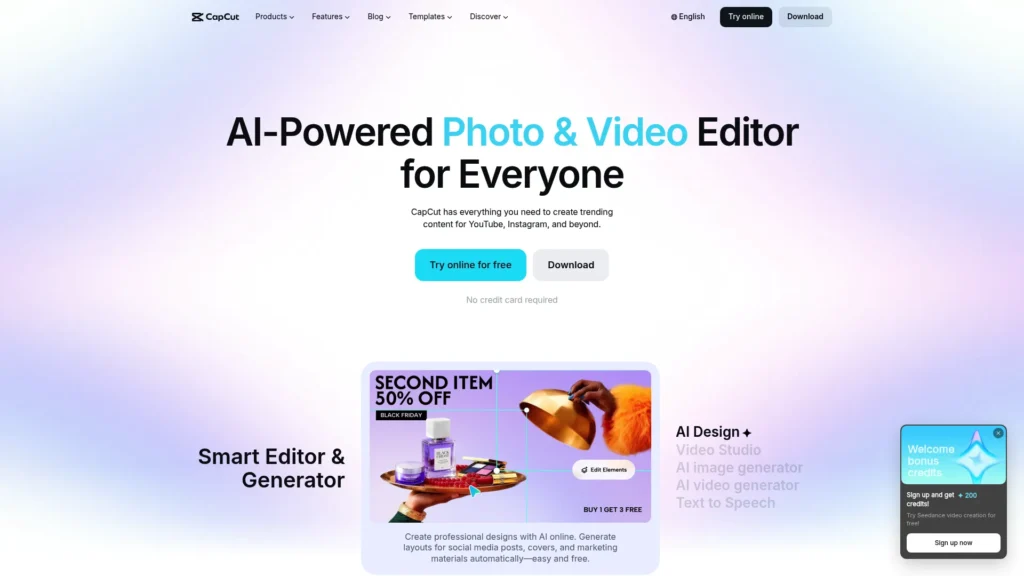
CapCut is a video editor built around short-form content. It offers a multi-track timeline, templates, effects, captions, and a growing set of AI features, and it runs on mobile and desktop, which suits creators who edit and publish from a phone.
Best for: short-form video creation and editing. Content type: video. Key features: template-based editing, auto captions, effects and transitions, background and audio tools, and paid-tier AI features that use credits.
Free plan/trial: A free plan is available, though some templates and effects are marked for paid plans. Starting price: varies by region and platform, so check the current CapCut subscription page. CapCut publishes Pro pricing at around $19.99 per month in some markets, but prices depend on region, platform, taxes, and the current membership structure, and they differ between the website and app stores.
Strengths: fast to learn, and the free plan covers a lot of basic editing. Limitations: the free-to-paid boundary has shifted, so a template that looks free may add a watermark or require a plan, and AI features can consume credits. Who should choose it: TikTok, Reels, and Shorts creators who want quick, template-driven editing without a steep learning curve.
7. Descript
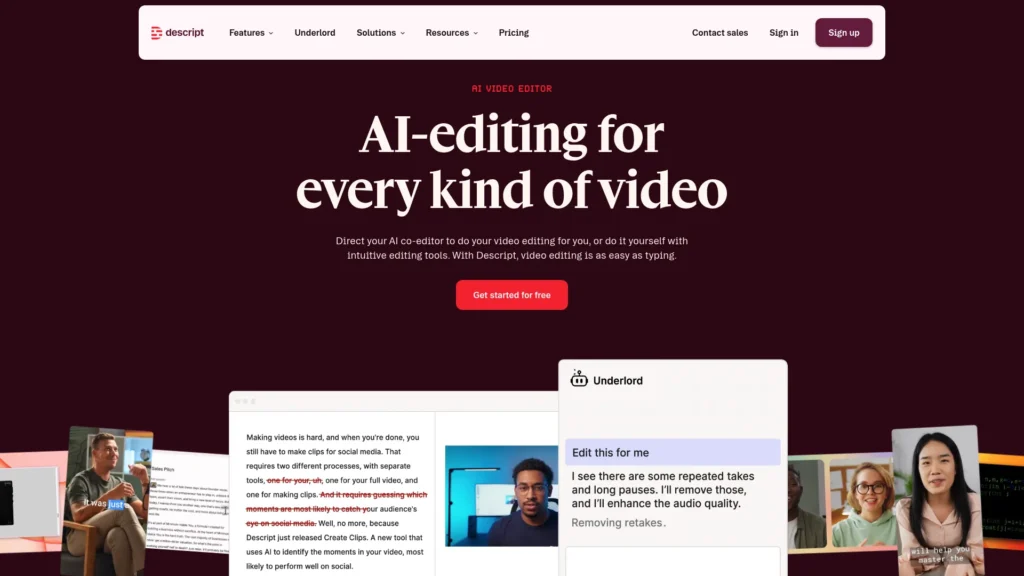
Descript edits audio and video by editing text. It transcribes a recording, and cutting words from the transcript cuts the matching media. Its AI assistant, Underlord, and related tools help with tasks like removing filler words, improving audio, and creating clips, and it also supports screen and remote recording.
Best for: AI-powered video and podcast editing. Content type: video and audio. Key features: transcript-based editing, filler-word removal, audio cleanup, captions, multitrack editing, and AI-assisted editing tools.
Free plan/trial: A free plan is available with limited media minutes and 720p export without a watermark. Starting price: Hobbyist is $16 per person per month billed annually, or $24 per person per month billed monthly, with Creator and Business plans above it. Descript changed its plan structure in late 2025, so confirm current pricing.
Strengths: text-based editing is faster to learn than a traditional timeline for interviews, podcasts, and talking-head video. Limitations: plans are metered by media minutes and AI credits, which has led to pricing confusion among users, and it is less suited to heavily produced, effects-driven video. Who should choose it: podcasters, interview-based YouTubers, and course creators whose content is mostly spoken.
8. OpusClip
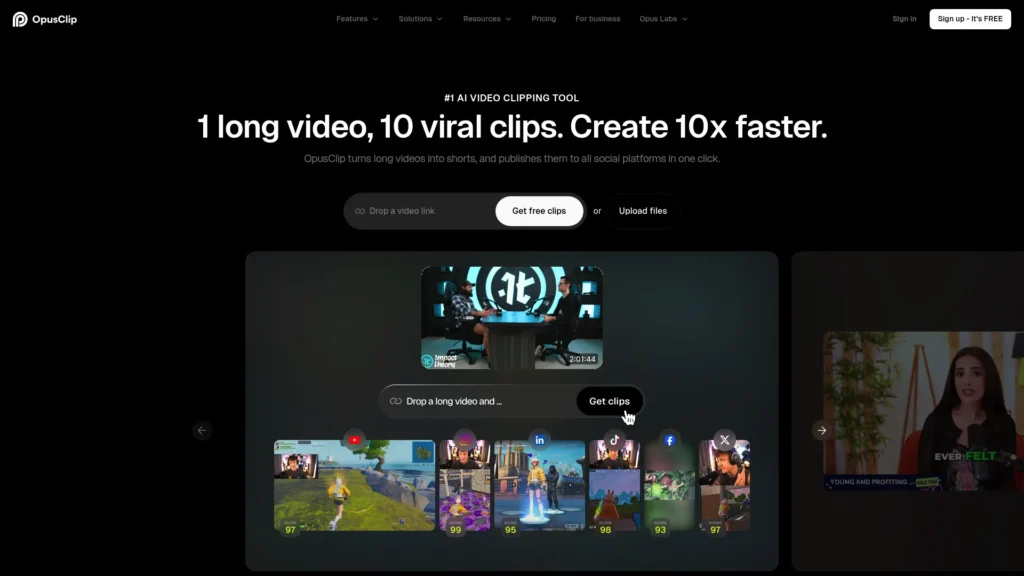
OpusClip takes a long video, such as a podcast episode, webinar, or stream, and generates short clips with captions and reframing for vertical platforms. It scores clips by their potential to perform, edits them, and, on paid plans, can help with scheduling to social channels.
Best for: repurposing long-form video into short clips. Content type: short-form video. Key features: automatic clip detection, captions, reframing, clip scoring, editing tools on paid plans, and multi-source imports.
Free plan/trial: A free plan includes a limited number of processing minutes, with watermarked captions and a short download window. Starting price: Starter is $15 per month, and Pro is $29 per month ($14.50 per month equivalent when billed annually), with plans metered by processing minutes.
Strengths: extracts usable short clips from content you have already made. Limitations: you still need to review each clip, since automated selection does not always match what you would choose, and credits are tied to source minutes rather than clips. Who should choose it: creators with a long-form library who want a consistent short-form presence without editing every clip manually.
9. Runway AI
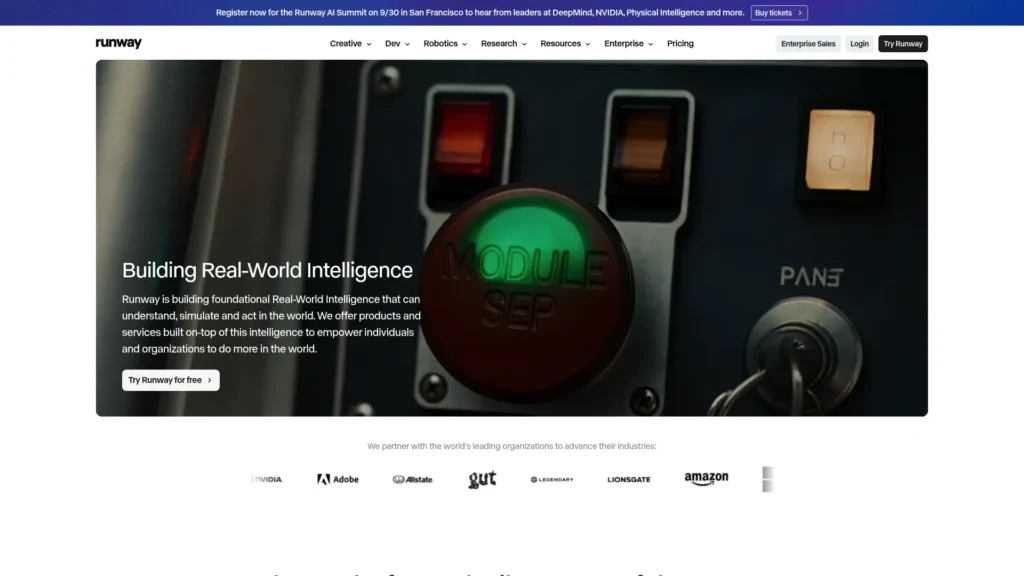
Runway is a generative video platform that creates video clips from text or images and includes tools to edit and extend footage. Its current models, such as Gen-4.5, are used for short cinematic clips, animated stills, and visual effects.
Best for: generative AI video creation. Content type: video. Key features: text-to-video and image-to-video generation, editing tools, upscaling, and export options that expand on higher plans.
Free plan/trial: The free plan provides a one-time credit allotment and limited model access. Starting price: Standard is $15 per month ($12 per month billed annually), billed per editor, with Pro and higher tiers offering more credits.
Strengths: among the more established platforms for creating original video clips from prompts. Limitations: clips are short, credits are consumed quickly by longer or higher-quality generations, and results often need several attempts. Who should choose it: creators making experimental, visual, or B-roll-style content who want AI-generated footage rather than editing existing recordings.
10. ElevenLabs
ElevenLabs generates realistic AI speech from text, clones voices from samples, and dubs video and audio into other languages. It also offers sound effect generation and tools for longer narration such as audiobooks and explainer videos.
Best for: AI voiceovers, narration, and dubbing. Content type: audio. Key features: text-to-speech, voice cloning, dubbing across many languages, sound effects, and an API. Credits are shared across products.
Free plan/trial: A free plan is available, but it does not include a commercial license. Starting price: Starter is $6 per month and adds commercial use and instant voice cloning; higher tiers such as Creator at $22 per month add professional voice cloning.
Strengths: voice quality and a broad language range for narration and localization. Limitations: credits limit how much you can generate, and overage or plan limits can surprise you with heavier use. Voice cloning raises consent and disclosure considerations. Who should choose it: creators making faceless videos, narrated content, audiobooks, or translated versions of existing videos.
11. Pictory
Pictory turns written material into video. You supply a script, article, or URL, and it matches the text with stock footage, adds captions and voiceover, and lets you edit through a text-based interface. It also summarizes long videos into shorter highlights.
Best for: turning written content into video. Content type: video. Key features: script, article, or URL to video, stock media libraries, captions, AI voices, brand kits, and video-to-highlight tools.
Free plan/trial: a 14-day trial is available, though exports are restricted after it ends. Starting price: recent listings show Starter at $29 per month ($25 billed annually) and Professional at $59 per month ($35 billed annually). Pictory’s own pages have shown different figures at times, so verify current plans.
Strengths: gives bloggers and writers a fast route to a first video from existing text. Limitations: stock-footage videos can feel generic, minute allowances cap how much you can produce, and creators who want a distinct visual style may prefer to edit their own footage. Who should choose it: bloggers, marketers, and educators with a library of written content who want to extend it into video.
12. Jasper AI
Jasper is an AI writing platform aimed at marketing teams. Its Brand Voice and knowledge features let you feed in examples and product information so drafts follow a consistent tone, and its Canvas, templates, and campaign tools support content across channels.
Best for: branded marketing content at scale. Content type: text. Key features: Brand Voice, knowledge assets, campaign and asset generation, templates, a browser extension, and an SEO mode that pairs with Surfer.
Free plan/trial: A 7-day free trial is available; there is no permanent free plan. Starting price: Pro is listed at $59 per seat per month billed annually ($69 monthly), with Business custom-priced. Older Creator-tier pricing still appears in some listings, so check the current plan list.
Strengths: consistent voice across many pieces and channels, and multi-brand support for agencies. Limitations: it is a paid, per-seat product, and quality depends on the brand material you provide. For light or occasional writing, a general assistant may be enough. Who should choose it: agencies, content teams, and creators publishing high volumes of branded marketing copy.
13. Surfer SEO
Surfer SEO helps optimize content for search by analyzing the pages currently ranking for a keyword and showing what your draft should cover. Its Content Editor scores drafts against that analysis, and it has expanded into AI visibility tracking, AI-assisted writing, content audits, and topical mapping.
Best for: SEO-focused content optimization. Content type: text for search. Key features: Content Editor scoring, SERP analysis, content audits, topical maps, AI-assisted drafting, and tracking of how brands appear in AI answers.
Free plan/trial: no free plan; it offers a 7-day money-back guarantee. Starting price: published plans include Discovery at $49 per month and Standard at $99 per month, both billed annually, with higher tiers above. Surfer has restructured its plans several times, so verify current pricing.
Strengths: ties on-page optimization to what is currently ranking. Limitations: it is not a full SEO suite, so backlink and technical analysis need other tools, and it adds the most value when used consistently across your publishing. Who should choose it: bloggers, affiliate publishers, and content teams who publish for search traffic.
14. Writesonic
Writesonic describes itself as an AI visibility platform. It combines an AI article writer and SEO tooling with generative engine optimization (GEO) features that track whether a brand is mentioned in AI-generated answers on platforms such as ChatGPT and Perplexity.
Best for: AI writing with SEO and AI-search (GEO) workflows. Content type: text for search. Key features: article generation, site audits, brand voice styles, WordPress publishing, and AI-search visibility tracking on higher tiers.
Free plan/trial: A free trial is available. Starting price: Starter is $79 per month billed annually, Basic is $199 per month billed annually, Growth is $399 per month billed annually, and Enterprise is custom-priced. Higher tiers add more capacity, so confirm which plan includes the AI-search tracking you need.
Strengths: puts writing, SEO, and AI-search tracking in one product. Limitations: the most useful GEO features appear to sit on higher-priced plans, and generated articles need editing and fact-checking before they are worth publishing. Who should choose it: small SEO teams, agencies, and publishers who want to write for search and monitor AI-search visibility together.
15. VidIQ
VidIQ is a YouTube-focused research and optimization tool that works alongside YouTube Studio. It provides keyword research, trend data, title and thumbnail assistance, and an AI coach that suggests ideas and improvements based on channel data.
Best for: YouTube research, SEO, and content planning. Content type: YouTube strategy and optimization. Key features: keyword and competitor research, trend alerts, AI-assisted ideas and titles, thumbnail tools, and channel analytics, using monthly AI credits.
Free plan/trial: a permanent free plan includes a limited number of AI credits. Starting price: the first paid tier, Boost, is $19 per month or $199 per year (about $16.58 per month when billed annually), and vidIQ revises its tiers often.
Strengths: channel and keyword data appear where you already work on YouTube. Limitations: it is YouTube-only, AI features are metered by credits, and suggestions should be treated as input rather than instructions. Who should choose it: YouTubers who want data behind their topic, title, and upload decisions, especially those growing a channel.
Best AI Content Creation Tools by Creator Type
The best AI tools for content creators vary by format, so every stack below starts with one or two tools and expands only when a specific bottleneck justifies the cost.
YouTubers: VidIQ for topic and keyword research, ChatGPT or Claude for scripts and descriptions, Descript for editing spoken content, Canva AI for thumbnails, and OpusClip to extract Shorts from long videos. Add ElevenLabs only if you produce narrated or faceless videos.
Bloggers and writers: Perplexity for research, Claude or ChatGPT for drafting and editing, and Surfer SEO or Writesonic for search optimization. Add Canva AI or Adobe Firefly for images, and Pictory if you want to turn posts into video.
Podcasters: Descript for editing and cleanup, ChatGPT or Claude for show notes and episode descriptions, OpusClip for promotional clips, and Canva AI for cover art and social graphics.
Social media creators: ChatGPT for hooks and captions, Canva AI for graphics, and CapCut for editing. Add Adobe Firefly for image assets where you need generated visuals.
Short-form video creators: CapCut for editing, OpusClip if you repurpose longer content, ChatGPT for hooks and scripts, and Runway AI if you want generated footage or effects.
Multi-platform creators: one long-form source, such as a video or podcast, repurposed with OpusClip, Pictory, and ChatGPT or Claude, with Canva AI keeping visuals consistent across platforms. Jasper AI is worth considering only if you produce enough branded copy to justify a per-seat plan.
Solo creators on a budget: start with the free plans of ChatGPT or Claude, Canva AI, CapCut, and VidIQ, and use Descript’s or OpusClip’s free plans to test whether they fit your workflow. Add one paid tool only after a specific limit slows you down.
How to Build an AI Content Creation Workflow
A workflow works best when each stage has one clear tool and a human checkpoint. Here is a practical sequence that uses the tools above:
- Research: use Perplexity to gather and verify source material, and VidIQ or Surfer SEO to see what audiences and search results already reward.
- Ideation: use ChatGPT or Claude to generate angles, outlines, and titles from your notes, then pick the ones that fit your point of view.
- Writing and scripting: draft with ChatGPT, Claude, Jasper AI, or Writesonic, then edit in your own voice. Record or write from your outline instead of reading a draft verbatim.
- Visual creation: produce thumbnails and graphics with Canva AI or Adobe Firefly, and use Runway AI for generated clips where they suit the piece.
- Production and editing: edit spoken content in Descript, short-form video in CapCut, and voiceover in ElevenLabs where narration is needed. Turn written content into video with Pictory.
- Optimization: use Surfer SEO or Writesonic for articles, and VidIQ for YouTube titles, tags, and descriptions.
- Repurposing: cut long videos into clips with OpusClip, and reformat scripts into posts, captions, or newsletters with ChatGPT or Claude.
- Distribution and analysis: publish on each platform’s schedule, review what performed, and feed those results back into your next research and ideation round.
You rarely need every tool at every stage. Pick the stages where you lose the most time, and leave the rest manual until a limit justifies a subscription.
Using AI Content Creation Tools Responsibly
Authenticity. Audiences follow a specific creator, so keep your ideas, stories, and opinions at the center of the work. A useful rule is to use AI for structure, cleanup, and production, and to write or say the parts that make the piece yours. Read drafts aloud and edit until they sound like you.
Human editorial judgment. AI output is a draft. Review it for tone, accuracy, and whether it serves your audience, and cut anything you wouldn’t stand behind.
Factual verification. AI tools can produce confident errors, invented details, and misread sources. Check statistics, quotes, product details, and claims against original sources, particularly when using AI research tools or drafting informational content.
Platform disclosure. Platforms have rules about AI-generated and synthetic content, and they change. YouTube, for example, asks creators to disclose meaningfully altered or AI-generated content that is realistic enough to make viewers believe something real occurred when it did not. That does not mean every use of AI needs a disclosure. Check the current policy for each platform you publish on, and be especially careful with cloned voices, realistic faces, and edited footage of real people.
Search quality. Google’s guidance focuses on helpful, reliable, people-first content rather than on how it was produced, and its spam policies warn against scaled content, including AI-generated content, created without adding value. Publishing large volumes of unedited AI text is a risk; publishing well-edited, original, useful pages is not made worse by AI assistance.
Subscription management. Many of these tools sell credits, minutes, or seats, and plan structures shift often. Add tools one at a time, track what each one saves you against what it costs, review the stack every few months, and cancel what you no longer use. Watch for auto-renewal, and check whether the features you need are on the plan you are buying.
Frequently Asked Questions
What are the best AI tools for content creation?
The best AI tools for content creation depend on the format. For writing and scripting, common choices include ChatGPT, Claude, Jasper AI, and Writesonic. For visuals, Canva AI and Adobe Firefly are common choices. For video, common choices include CapCut, Descript, OpusClip, Runway AI, and Pictory. For audio, ElevenLabs. For research and optimization, Perplexity, Surfer SEO, and VidIQ. Most creators use two to four of these rather than all fifteen.
What is the best AI content creation tool overall?
There is no single best tool across all formats. If you can only start with one, a general assistant such as ChatGPT or Claude covers the widest range of tasks, including ideation, scripting, drafting, and repurposing. The better question is which production stage costs you the most time, because that determines which specialized tool adds the most value.
What are the best free AI content creation tools?
Several tools on this list have usable free plans, including ChatGPT, Claude, Canva AI, CapCut, Descript, OpusClip, Adobe Firefly, Perplexity, VidIQ, and ElevenLabs. Free plans usually come with limits, such as watermarks, capped minutes or credits, or restrictions on commercial use, so check what applies before publishing anything. Runway’s free plan gives a one-time credit allotment; Pictory, Jasper AI, and Writesonic offer trials; and Surfer SEO has no free plan.
Which AI tools are best for video content creation?
It depends on the video type. CapCut suits short-form editing, Descript suits spoken content such as podcasts and interviews, OpusClip extracts short clips from long videos, Pictory turns written content into video, and Runway AI generates video clips from prompts. ElevenLabs adds voiceover and dubbing, and VidIQ supports YouTube planning and optimization.
Which AI tools are best for writing content?
ChatGPT and Claude are strong general choices for drafting and editing, with Claude often used for longer documents. Jasper AI suits branded marketing copy at scale, while Surfer SEO and Writesonic focus on writing for search. Perplexity helps with research beforehand. Whichever tool you use, edit and fact-check the output.
Can AI-generated content rank on Google?
Yes, it can. Google has said its systems reward helpful, reliable content and that how content is produced is not the deciding factor. The risk is low-quality content: mass-produced or unedited AI text that adds little value can perform poorly and may violate spam policies. AI-assisted content that is accurate, original, and reflects real expertise is judged on its merits. Rankings depend on many factors, so no tool can guarantee a result.
How do creators maintain their authentic voice when using AI?
Start with your own ideas, notes, and opinions, and use AI to structure and refine them rather than to generate the point of view. Give the tool examples of your writing or a clear description of your tone, then edit heavily so the result sounds like you. For video and audio, record yourself speaking naturally instead of reading an AI script word for word. The right balance varies by format: a personal vlog needs more of your own voice than a product explainer does.
Conclusion
The best AI content creation tools remove a specific bottleneck in your workflow, whether that is drafting, thumbnails, editing, clipping, voiceover, research, or search optimization. Most creators get better results from a lean stack of two to four tools than from a long list of overlapping subscriptions.
Start with the free plans of a general assistant such as ChatGPT or Claude and a design tool such as Canva AI, add a video or audio tool that fits your format, and bring in specialist tools like Surfer SEO, VidIQ, or OpusClip once a particular task becomes a clear time cost. Keep your own ideas and judgment at the center, verify what AI produces, and review your subscriptions regularly.
For more in-depth reviews of AI tools for video, writing, design, and content marketing, explore the full library at aitoolister.com.
Keep Exploring