Ahsan Javaid
Last updated: September 2026
Nonprofits run on limited staff, budgets, and time. AI tools for nonprofits can help with fundraising, grant discovery and writing, donor research, day-to-day communication, design, meetings, and repetitive administrative work — but the best tool depends on the workflow you’re trying to fix. A tool built for major-gift prospecting solves a different problem than a tool built for board meeting notes.
This guide compares ten AI tools for nonprofits in 2026 by what each one actually does, so you can match the tool to your organization’s specific bottleneck instead of choosing based on the most impressive marketing page.
Quick Comparison
| Tool | Best For | Main AI Capability | Free Plan/Trial or Nonprofit Offer | Pricing |
|---|---|---|---|---|
| Instrumentl | Grant discovery and grant management | AI-powered funder matching and Apply Advisor drafting support | 14-day free trial; no permanent free tier | Discover $299/mo annual ($349/mo monthly) up to Full Lifecycle $999/mo annual ($1,159/mo monthly); Enterprise custom |
| DonorSearch AI | Donor research and prospect intelligence | Predictive donor scoring and AI-generated prospect research summaries | Free trial on some modules; no unified free tier | Contact DonorSearch for current pricing |
| Virtuous Momentum | AI-assisted donor engagement and fundraising | AI-drafted outreach, inbox prioritization, and engagement plans for gift officers | Demo available; works standalone or integrated with Virtuous, Blackbaud, or Bloomerang | Request pricing directly from Virtuous |
| Grantable | AI-assisted grant writing | AI funder discovery from IRS 990 data plus AI drafting from your own content | Genuine free tier, no credit card required | Starter $50/mo, Pro $150/mo; qualifying small nonprofits get 50% off for one year |
| ChatGPT | General-purpose AI assistant for nonprofits | General-purpose writing, drafting, and research assistant | Yes, functional free tier | $20 per month for Plus |
| Canva AI | Nonprofit design and campaign content | AI design suggestions and content generation through Magic Studio | Free tier for everyone; separate nonprofit program grants free access to paid features | Free via nonprofit program for eligible organizations; otherwise from about $12 to $15 per month |
| Google Gemini / Workspace AI | Everyday nonprofit productivity | AI drafting, summarization, and analysis built into Gmail, Docs, Sheets, and Meet | Free via the Google for Nonprofits program for eligible organizations | Free for eligible nonprofits through Google for Nonprofits |
| Notion AI | Nonprofit knowledge management and internal operations | AI summarization, drafting, and Q&A across your team’s workspace | Free plan exists but has limited AI; full AI requires the Business tier | Business is $24 per user/month standard; eligible nonprofits get 50% off through Notion for Nonprofits |
| Otter.ai | Board meetings, staff meetings and transcription | Real-time meeting transcription and AI summarization | Yes, limited free transcription minutes per month | Pro around $17 per month; discounted Business plan available to qualifying nonprofits through TechSoup |
| Zapier AI | Nonprofit workflow automation | Plain-language automation building and AI actions between connected apps | Yes, limited to basic single-step automations | Paid plans from roughly $20 to $30 per month; nonprofit discount availability should be confirmed directly |
Nonprofit-specific pricing and discount programs change often, and several vendors don’t publish exact rates. Verify current terms directly before budgeting, and use the Editor Notes at the end of this article to track the claims that still need manual verification.
Before You Pay for Anything: Check Nonprofit Programs First
Several major technology companies offer free or heavily discounted access to tools nonprofits would otherwise pay full commercial price for. Before subscribing to anything at standard pricing, check whether your organization qualifies.
TechSoup is a nonprofit organization that verifies 501(c)(3) status and negotiates discounted or donated software access from vendors including Microsoft, Adobe, and many others on your behalf. If your organization hasn’t checked TechSoup, it’s worth doing before purchasing software elsewhere — verification takes a few days and is free to start.
Google for Nonprofits provides eligible organizations with free access to Google Workspace (Gmail, Docs, Sheets, Slides, Drive, Meet, and the AI features built into them) and, separately, access to apply for Google Ad Grants, which currently provides eligible nonprofits with up to $10,000 per month in free Google Search advertising credit — a benefit worth significantly more than the software access itself for organizations that use it well.
Microsoft for Nonprofits offers discounted and, on certain tiers, free access to Microsoft 365, including Word, Excel, PowerPoint, Teams, and Microsoft Copilot’s AI features. Confirm eligibility and exact tier limits on Microsoft’s nonprofit program page, since these details are updated periodically.
Applying to these programs takes some administrative time upfront, but for most nonprofits it’s worth doing before paying full price for any of the tools below. Check eligibility first, then compare the tools.
Grant Discovery and Grant Writing
Instrumentl — Best for Grant Discovery and Grant Management
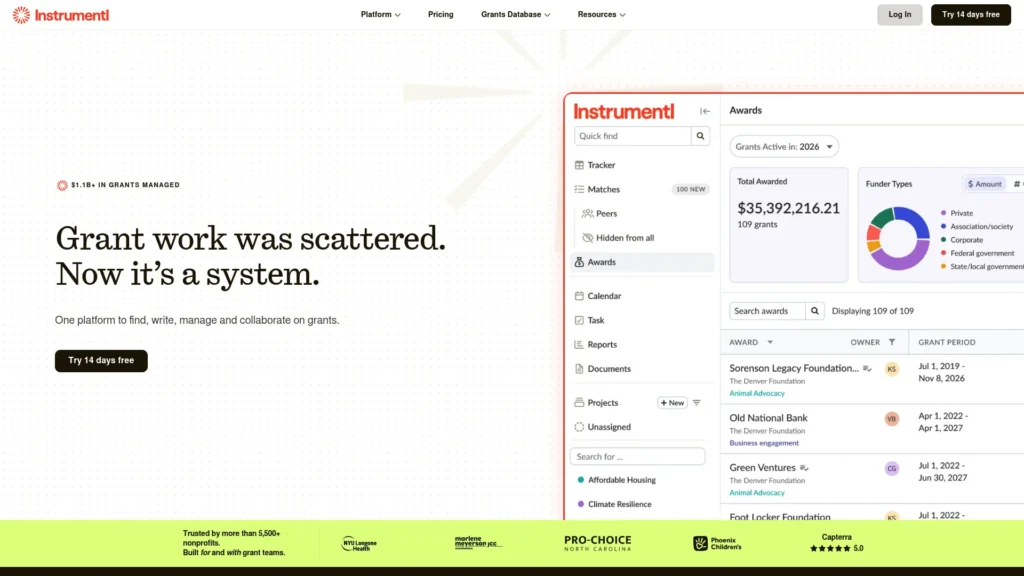
Instrumentl is a grant lifecycle platform built around a large funder database — more than 450,000 funder profiles and over 36,000 active RFPs, with new listings added weekly. Rather than manually searching databases, you build a project profile describing your programs, and Instrumentl’s AI-powered Prospecting Assistant continuously surfaces relevant matches. The platform also shows historical award data for each funder — average grant size, typical recipients, funding trends — so you can judge whether an opportunity is worth pursuing before committing hours to an application. An Apply Advisor feature adds AI assistance to the writing stage itself, though the platform’s core strength remains discovery and pipeline tracking rather than drafting.
Why it matters for nonprofits: grant research is one of the most time-consuming parts of fundraising, and a strong matching engine can meaningfully cut down the hours spent hunting for opportunities that turn out to be a poor fit. Use it when discovery is slowing your team down.
Realistic use case: a development director managing 15–20 applications per quarter uses Instrumentl to keep the pipeline organized, get alerted to new relevant funders, and track deadlines and award status across the whole team.
Pricing: no permanent free tier; a 14-day free trial is available. Current official pricing runs Discover at $299/month billed annually ($349/month billed monthly), Pre-Award at $499/month annually ($579/month billed monthly), and Full Lifecycle at $999/month annually ($1,159/month billed monthly). Enterprise is custom-quoted above that. Instrumentl says this published pricing already reflects nonprofit pricing, so there isn’t a separate discounted tier layered on top.
Pros: the largest funder database of any tool in this comparison, strong deadline and pipeline tracking, and integrations with nonprofit CRMs including Salesforce.org and Virtuous. Cons: pricing is high relative to many small nonprofit software budgets, and the AI writing assistance is secondary to its discovery-and-tracking core — organizations whose main bottleneck is drafting, not finding, opportunities may get more value from a writing-first tool. Who should choose it: mid-size and larger nonprofits or grant consultants managing a genuinely active, multi-funder grant pipeline where organization and matching are the bottlenecks.
Grantable — Best for AI-Assisted Grant Writing
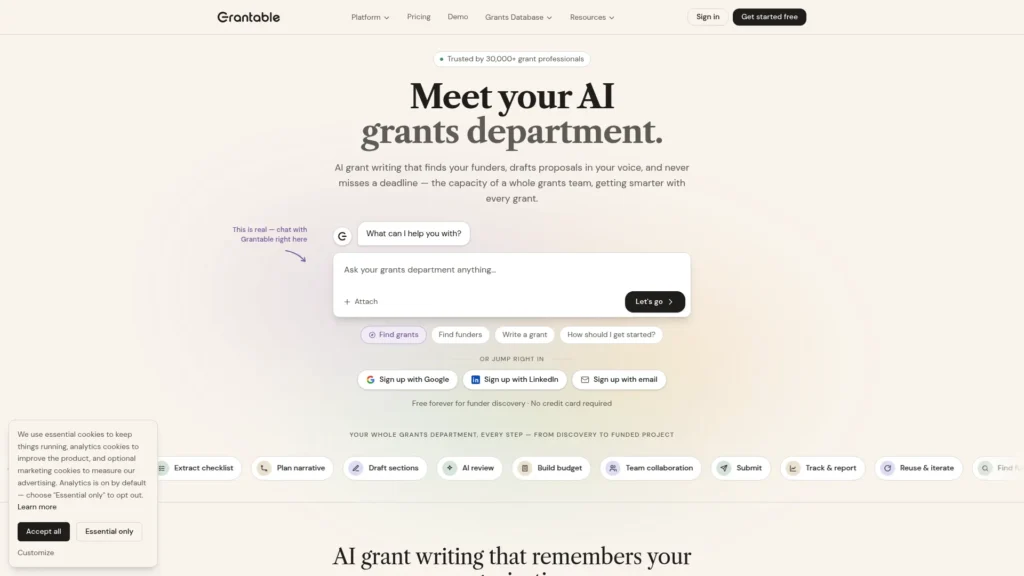
Grantable takes a different angle on the same problem: instead of leading with a funder database, it leads with drafting from your own material. A Smart Content Library organizes your past proposals, program descriptions, and outcome data, and the AI drafts new sections by pulling from that library rather than generating generic, ungrounded text. Grantable also includes funder discovery, drawing on IRS 990 data across more than 800,000 organizations, and collaborative workspaces for teams reviewing drafts together.
Why it matters for nonprofits: most grant writing is repetitive — the same organizational description, the same outcome data, reworded for each funder’s specific language and priorities. A tool that drafts from your own accumulated content, rather than starting from a blank page every time, directly targets that repetition.
Realistic use case: a solo grant writer with a library of five or six past successful proposals uses Grantable to generate a first draft for a new funder in a fraction of the time it would take to write from scratch, then edits for accuracy and voice.
Pricing: a genuine free tier is available with no credit card required, including AI funder discovery and drafting tools. Paid plans are Starter at $50/month and Pro at $150/month. Qualifying 501(c)(3) nonprofits with annual operating budgets under approximately $500,000 can get 50% off for one year: Starter at $25/month and Pro at $75/month.
Pros: one of the only tools in this space with a real, usable free tier rather than a time-limited trial; drafts are grounded in your own content rather than the open web. Cons: the content library only gets useful once you have fed it real material — a brand-new organization without past proposals will not see the full benefit immediately. Who should choose it: nonprofits, especially smaller ones, where the writing itself — not funder discovery — is the biggest time cost, and where budget makes Instrumentl’s pricing hard to justify. Choose it when drafting is the bottleneck, and you already have material to build from.
Donor Research and Fundraising
DonorSearch AI — Best for Donor Research and Prospect Intelligence
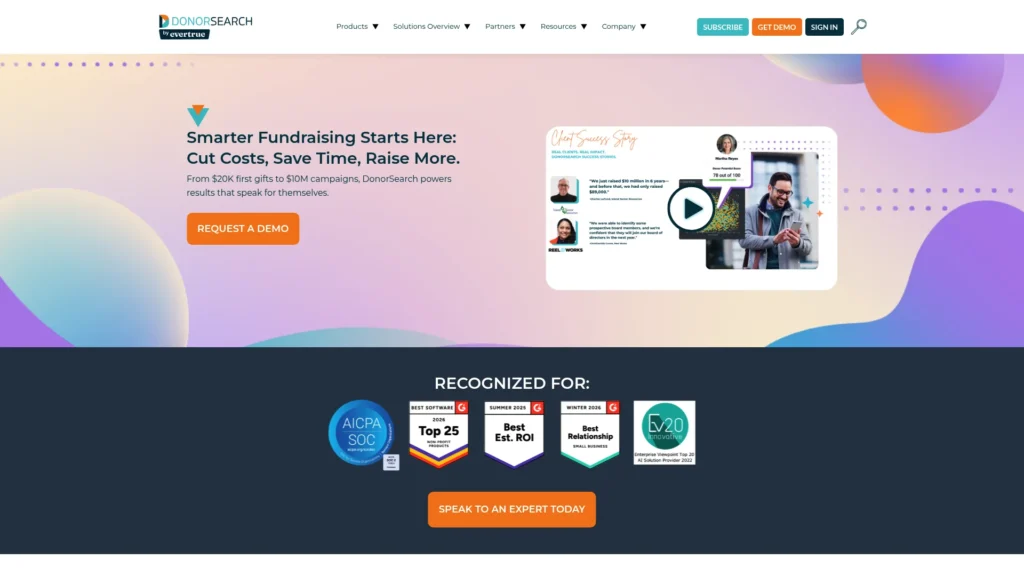
DonorSearch (by EverTrue) is a prospect research and wealth-screening platform built on more than a billion philanthropic and wealth data points. Its AI capabilities span three related products: DonorSearch AI, a customizable predictive model that scores prospects and recommends outreach priorities; Enhanced CORE, a simpler entry point using six standard predictive models; and ProspectView Online 2, a generative AI tool that curates individual prospect reports summarizing the key data points on a potential donor. Together, these help fundraising teams identify not just who has wealth, but who among their existing supporters or prospect list is actually likely to make a meaningful gift.
Why it matters for nonprofits: major-gift fundraising is a prioritization problem as much as a relationship one — with limited staff time, knowing which fifty prospects out of a database of thousands are actually worth a personal call matters enormously.
Realistic use case: a development team runs its existing donor list through DonorSearch’s predictive scoring ahead of a capital campaign to identify which current donors have both the capacity and likely inclination for a major gift, rather than treating the whole list equally.
Pricing: contact DonorSearch for current pricing. Pricing varies by product, subscription term, and prospect-research requirements.
Pros: an unusually large underlying data set, and a range of entry points from lighter, cheaper tools up to a full predictive-AI suite. Cons: the lack of unified, published pricing makes upfront budgeting harder than with tools that list a single flat rate; the module structure means the “AI” specifically may cost more than the base research tools. Who should choose it: nonprofits with an active major-gift or capital-campaign program that need to prioritize a donor list intelligently rather than treating every prospect the same. Choose it when prioritization is the main challenge.
Virtuous Momentum — Best for AI-Assisted Donor Engagement and Fundraising
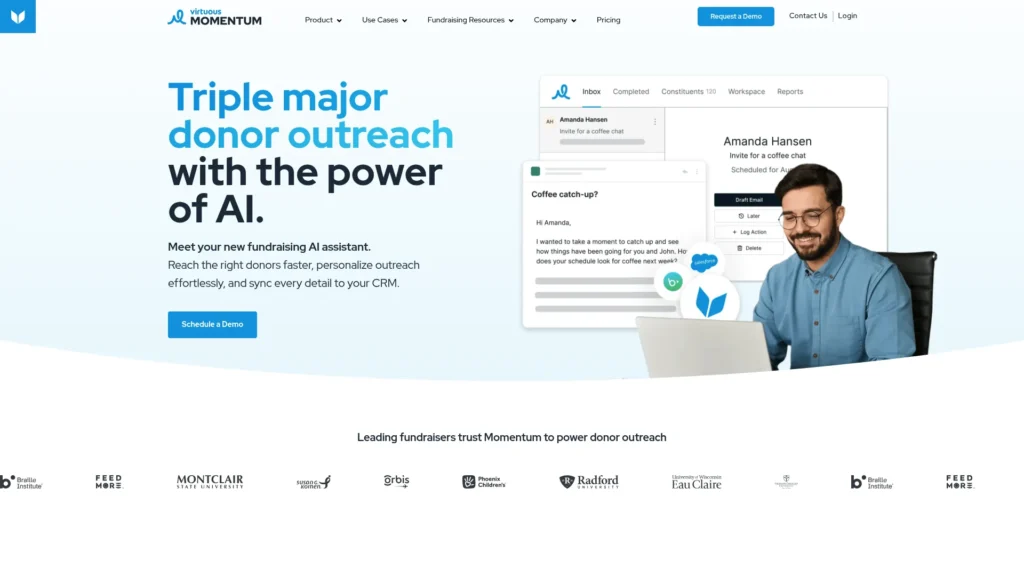
Virtuous Momentum (acquired by Virtuous in 2025) is an AI fundraising agent built specifically for mid-level and major gift officers rather than general donor communication. It analyzes donor behavior and engagement history to flag who to reach out to and when, drafts personalized outreach messages in the gift officer’s own voice, and prioritizes an inbox of donor relationships rather than treating them as an undifferentiated list. Virtuous lists Momentum as a standalone product rather than a feature exclusive to its own CRM — it integrates with Virtuous as well as with external CRMs including Blackbaud and Bloomerang, so it’s a reasonable option to evaluate even for organizations not using or planning to use Virtuous CRM+.
Why it matters for nonprofits: the relationship-management side of fundraising — knowing when a specific major donor is due for a check-in, and drafting that outreach without starting from scratch — doesn’t scale well with a small development team, and this is specifically the gap Momentum targets.
Realistic use case: a gift officer managing 150 major and mid-level donor relationships uses Momentum’s daily prioritization to focus outreach time on the handful of donors most ready for contact that week, rather than working through the list in an arbitrary order.
Virtuous reports that some Momentum users have managed significantly more donor relationships per gift officer after adoption — this is a vendor-reported figure from Virtuous’s own acquisition announcement, not an independently audited result, and outcomes will vary by organization.
Pricing: Virtuous lists Momentum with “Request Pricing” rather than a published rate — contact Virtuous directly for a quote.
Pros: purpose-built specifically for the major/mid-level gift officer workflow, rather than a general CRM feature bolted on; works alongside multiple CRMs, including Blackbaud and Bloomerang, not just Virtuous’s own. Cons: no public pricing to compare against alternatives upfront; you’ll need a sales conversation to know whether it fits your budget. Who should choose it: nonprofits with dedicated major or mid-level gift officers managing sizable donor portfolios, where personalized outreach at scale is the specific bottleneck — regardless of which CRM they’re currently running.
General-Purpose Assistance
ChatGPT — Best General-Purpose AI Assistant for Nonprofits
For nonprofits that want one flexible general-purpose AI assistant, ChatGPT covers a particularly broad range of writing, research, and administrative tasks: first-draft grant narratives (given your program details and the funder’s stated priorities), donor thank-you letters, volunteer recruitment copy, board meeting prep materials, social media content, and job descriptions.
Why it matters for nonprofits: almost every nonprofit role involves more writing than the job title suggests, and ChatGPT compresses the time that writing takes without eliminating the judgment and fact-checking a human still needs to apply.
Realistic use case: an executive director without dedicated development staff uses ChatGPT to turn a rough outline of program outcomes into a structured first-draft grant narrative, then spends an hour editing for accuracy and voice instead of three hours writing from a blank page.
Pricing: the free tier is genuinely functional for most nonprofit writing tasks; Plus is $20/month for heavier use.
Pros: free tier is capable enough for real use, extremely broad applicability, no nonprofit-specific setup required. Cons: it has no knowledge of your organization’s specific programs, outcomes, or history unless you provide that context every time, and it can confidently generate plausible-sounding but inaccurate details — every output needs human review before it goes to a funder or donor. Do not enter identifiable information about clients, beneficiaries, or vulnerable populations into a standard ChatGPT conversation; that kind of data needs a configured, compliant setup with appropriate agreements in place, not the consumer product. Who should choose it: every nonprofit, as a baseline tool, regardless of size or focus area.
Design and Marketing
Canva AI — Best for Nonprofit Design and Campaign Content
Canva AI‘s templates and AI design suggestions (Magic Studio) let non-designers produce professional-looking annual reports, event flyers, and social media graphics without a design background or a freelancer’s fee. A brand kit stores your organization’s colors, fonts, and logo so materials look consistent, no matter who creates them.
It’s worth being precise about Canva’s nonprofit offer specifically: Canva’s free plan is available to anyone, nonprofit or not. Separately, Canva runs a dedicated nonprofit program that provides free access to premium (normally paid) features for eligible verified nonprofits — that free premium access is the actual nonprofit-specific benefit, distinct from the plain free tier everyone already gets.
Why it matters for nonprofits: professional-looking visual communication signals credibility to major donors and foundations, and Canva makes that achievable without a design budget.
Realistic use case: a program coordinator with no design training produces a polished annual impact report and matching social graphics in an afternoon, using the organization’s saved brand kit.
Pricing: free for everyone at a basic level; eligible nonprofits can apply for free access to the paid Canva tier through Canva’s nonprofit program (apply at Canva’s nonprofit page and confirm current terms, since program details are updated periodically).
Pros: genuinely professional templates, low learning curve, and a real (not token) nonprofit discount when the free-tier premium upgrade is confirmed. Cons: design work still requires some taste and review — AI suggestions speed up production but don’t replace someone checking that the final output looks right. Who should choose it: any nonprofit producing recurring visual materials — which is nearly all of them.
Everyday Productivity
Google Gemini / Google Workspace AI — Best for Everyday Nonprofit Productivity
For nonprofits on Google Workspace through the Google for Nonprofits program, Gemini and the built-in Google Workspace AI features are already included at no additional cost. Gmail’s AI helps draft and organize email; Google Docs AI helps draft and refine documents like board presentations and program reports; Google Sheets AI helps analyze program data; and Google Meet’s transcription and summary features capture meeting notes automatically.
Why it matters for nonprofits: this is infrastructure most nonprofits already have access to (or are eligible for) at zero cost, and a meaningful share of them aren’t using the AI features already built into it.
Realistic use case: a program team already on Google Workspace for Nonprofits starts using Sheets AI to build a simple outcomes dashboard from existing program data instead of manually compiling it for each board meeting.
Pricing: free for eligible nonprofits through the Google for Nonprofits program; standard commercial Google Workspace pricing applies to organizations that don’t qualify or haven’t applied.
Pros: genuinely free for eligible organizations, and useful across nearly every administrative function rather than one narrow use case. Cons: eligibility verification and setup take some upfront time, and the AI features are general-purpose rather than fundraising- or grant-specific. Who should choose it: every nonprofit — this is a reasonable foundation to have in place before adopting more specialized paid tools.
Internal Operations and Knowledge Management
Notion AI — Best for Nonprofit Knowledge Management and Internal Operations
Notion AI gives nonprofit teams one organized workspace for program documentation, project tracking, meeting notes, and operational procedures — addressing the institutional-knowledge problem that hits many nonprofits when a key staff member leaves and takes undocumented knowledge with them. The AI layer can summarize meeting notes into action items, draft first versions of documented procedures from a rough description, and answer questions about information already stored in the workspace.
It’s important to be precise about current pricing and AI access here, since this has changed meaningfully. Notion restructured its plans in 2026 so that full Notion AI is bundled specifically into the Business tier ($24 per user/month at standard pricing) rather than sold as a separate add-on available to any plan — the Free and Plus tiers now include only a limited AI trial, not full ongoing access. Separately, eligible nonprofits can receive 50% off Notion’s Business plan through the Notion for Nonprofits program. That combination means the current, confirmed benefit is a half-price AI-enabled workspace, not a free one — a meaningful distinction from how this program has sometimes been described.
Why it matters for nonprofits: staff and volunteer turnover is a near-universal nonprofit challenge, and a documented, searchable workspace reduces how much institutional knowledge walks out the door with any one person.
Realistic use case: a program coordinator leaving after two years hands off to a successor who finds documented onboarding procedures and program history in Notion, rather than starting from an empty desk.
Pricing: Free and Plus plans exist but only include limited AI access; full Notion AI requires the Business plan at $24/user/month standard pricing. Eligible nonprofits can receive 50% off Notion’s Business plan through the Notion for Nonprofits program.
Pros: genuinely useful as team documentation grows past what email and shared drives can reasonably hold. Cons: the AI-specific value now sits behind a paid tier for most organizations rather than being free, which is a meaningful change from how this tool has sometimes been described; adoption also requires someone to actually build and maintain the workspace, or it becomes one more unused tool. Who should choose it: nonprofits with multiple staff members or a volunteer base large enough that undocumented, verbally-transferred knowledge has become a real operational risk.
Meetings and Documentation
Otter.ai — Best for Board Meetings, Staff Meetings and Transcription
Otter.ai automatically transcribes meetings on Zoom, Google Meet, and Microsoft Teams, then generates an AI summary of key discussion points, decisions, and action items when the meeting ends. The transcript is searchable, so a board member asking three months later what was decided about a specific agenda item has an answer in seconds rather than digging through handwritten minutes.
Why it matters for nonprofits: board governance depends on accurate, retrievable records of what was actually discussed and decided, and manual note-taking is both time-consuming and prone to gaps.
Realistic use case: a nonprofit where board minutes are currently handwritten and typed up days later switches to Otter.ai and has a searchable, accurate record available immediately after each meeting.
Pricing: the free plan includes a limited number of transcription minutes per month; Pro runs around $17/month billed monthly. Otter offers qualifying nonprofits discounted access to its Business plan through TechSoup; TechSoup verifies eligibility.
Pros: genuinely eliminates the “nobody wants to be the note-taker” problem, and the searchable transcript has real governance value. Cons: free-tier minute limits will be tight for organizations with several regular recurring meetings. Who should choose it: nonprofits with regular board meetings, staff meetings, or community listening sessions where accurate documentation matters and currently isn’t happening consistently.
Workflow Automation
Zapier AI — Best for Nonprofit Workflow Automation
Most nonprofits run a collection of tools that don’t talk to each other — a donor database that doesn’t connect to the email platform, a volunteer sign-up form that doesn’t automatically add people to the right list. Zapier connects thousands of apps and automates those data transfers without requiring coding. Its AI features let staff describe an automation in plain language — “when someone registers for our volunteer orientation, add them to our volunteer list and send them the orientation materials” — and Zapier builds it from that description.
Why it matters for nonprofits: manual data entry between disconnected systems is a quiet, recurring time cost that rarely shows up as a single dramatic problem but adds up significantly over a year.
Realistic use case: a new donor record entered in a CRM automatically triggers an email-list addition and a personal thank-you task for the development director, instead of someone manually copying the record between three systems.
Pricing: the free plan covers basic single-step automations; paid plans that unlock multi-step automations run roughly $20–30/month depending on the current tier structure. A nonprofit discount has historically been referenced for Zapier but should be confirmed directly, since current terms weren’t independently verifiable at the time of this update.
Pros: removes a genuinely tedious, repetitive task without requiring technical staff. Cons: the free tier’s single-step limitation means the more useful multi-step automations require a paid plan. Who should choose it: nonprofits already using multiple disconnected tools that currently require manual data transfer between them.
Free and Discounted AI Tools for Nonprofits
It’s worth being precise about three different things that all get called “free” or “discounted” in this space, because they’re not the same:
A normal free plan available to everyone. ChatGPT’s free tier, Canva’s basic free tier, and Zapier’s and Otter.ai’s free tiers all fall here — anyone can sign up, nonprofit status isn’t required, and no application process exists.
A nonprofit discount. A reduced price specifically for verified nonprofit organizations, still requiring payment. Notion’s 50% off Business plan is an example — it’s meaningfully cheaper than standard pricing, but it isn’t free.
Donated or free premium nonprofit access. A verified nonprofit gets a normally paid tier at no cost. Canva’s nonprofit program (free access to paid features) and Google Workspace through Google for Nonprofits both work this way.
Don’t assume a tool’s standard free tier counts as its “nonprofit offer” — check whether a separate, better nonprofit-specific program exists before concluding a tool is out of budget.
Building an AI Stack on a Nonprofit Budget
A free-first starting stack. Google Workspace through Google for Nonprofits, ChatGPT’s free plan, Canva’s free plan (or the nonprofit program once approved), and Zapier’s free tier for basic automations cover communications, document management, design, and simple automation at no direct cost beyond the time to apply for the eligible programs.
A small nonprofit paid stack. Add Grantable’s Starter plan if grant volume justifies it ($50/month, or $25/month for qualifying small nonprofits), ChatGPT Plus if writing volume exceeds what the free tier comfortably handles ($20/month), and Otter.ai Pro if meeting documentation is a consistent gap (around $17/month). Using verified list pricing for those three components, that adds roughly $87 per month on top of the free stack at full price, or closer to $62 per month if your organization qualifies for Grantable’s nonprofit discount.
A growing nonprofit stack. Once an organization has dedicated development staff, add Instrumentl or DonorSearch for grant and donor research depth, and Notion’s Business tier (at the nonprofit discount) for team knowledge management. At this level, total AI tooling costs typically run into several hundred dollars a month rather than under $100 — but so does the staff time these tools are replacing.
Don’t force your organization into one of these tiers artificially. Add a tool when a specific, felt bottleneck justifies it, not because a budget category says you should be at the next stack level.
Putting Donor and Client Information Into AI: What to Consider
This deserves a direct answer rather than a vague caution. Donor information, beneficiary or client information, and any personally identifiable information about the people your organization serves should not go into a standard consumer AI tool — a free ChatGPT conversation, for instance — without a specific reason to believe that particular product, plan, and configuration is appropriate for that data.
Whether a given AI product is safe for confidential nonprofit data depends on several things at once: which specific product and plan you’re using (a consumer-facing free tier is not the same as an enterprise-configured deployment with a signed agreement), what data-handling settings are enabled, what contracts or business agreements are in place, and what your own organization’s data policies actually require. There’s no blanket rule that makes any consumer AI product automatically appropriate for this kind of data — check the specific product’s current terms rather than assuming.
Practical boundaries that hold up well: use AI freely for organizational communications, grant narratives built from aggregate (not individually identifying) outcome data, marketing materials, and internal operational writing. Keep individually identifying client or beneficiary information in purpose-built, appropriately configured systems, not general-purpose consumer AI chat tools.
Human review matters as much as the input side. AI models can generate confident, fluent, and factually wrong content — a hallucinated statistic, an invented grant requirement, a donor detail that sounds plausible but isn’t accurate. Never submit a grant application, send a major donor communication, or publish organizational content without a human checking the specific facts, figures, and claims the AI produced.
Consider putting a short internal AI-use policy in writing — what data can and can’t be entered into which tools, who reviews AI-drafted content before it goes out, and which tools are approved for which tasks. This doesn’t need to be complicated; a one-page guideline that every staff member has actually read is more useful than an elaborate policy nobody reads.
Frequently Asked Questions
What are the best AI tools for nonprofits? It depends on the specific job. Instrumentl and Grantable both target grants, from different angles — discovery versus writing. DonorSearch and Virtuous Momentum target donor research and major-gift engagement. ChatGPT, Canva AI, Google Workspace AI, Notion AI, Otter.ai, and Zapier AI cover general communication, design, productivity, documentation, meetings, and automation that every nonprofit needs regardless of fundraising model.
What are the best free AI tools for nonprofits? ChatGPT’s free plan for writing, Canva’s free plan (or its nonprofit program for premium features) for design, Google Workspace through Google for Nonprofits for the full productivity suite, Grantable’s genuine free tier for grant discovery and drafting, and Otter.ai’s and Zapier’s free tiers for meetings and basic automation. Together, these cover most of what a small nonprofit needs without a software budget.
Can nonprofits use AI for grant writing? Yes, with an important caveat: AI can produce a strong, structured first-draft narrative from the program details, outcomes data, and funder priorities you provide, but it doesn’t know your organization’s specific history or community context on its own. Tools like Grantable and Instrumentl’s Apply Advisor speed up drafting; general tools like ChatGPT work well too, as long as you provide the organizational context directly. Every AI-assisted draft needs human fact-checking and editing before submission.
Can AI help nonprofits with fundraising? Yes, across several distinct functions: DonorSearch and similar tools help identify which prospects to prioritize, Virtuous Momentum helps gift officers manage outreach timing and drafting at scale, and ChatGPT helps personalize donor communications that would otherwise take too long to individualize by hand. These address different parts of the fundraising funnel rather than one tool solving all of it.
Is it safe to put donor information into AI tools? It depends specifically on the product, plan, and configuration — there’s no universal yes or no. Avoid entering identifying donor or client information into standard consumer AI tools unless you confirm the product’s current data-handling terms meet your organization’s requirements. Aggregate, non-identifying data (overall program outcomes, general trends) is a safer starting point than individual records.
What AI tool should a small nonprofit start with? ChatGPT’s free plan and Canva’s free plan (or nonprofit program) require no technical setup and no budget commitment. Pick whichever addresses your most immediate pain point — writing or visual materials — spend an afternoon using it on real work, and expand from there based on what actually saves time.
Conclusion
The tools are not the point — your mission is. AI tools for nonprofits are only worth adopting if they free up staff hours currently spent on administrative work and redirect them toward the people and communities the organization exists to serve.
Start with the specific bottleneck that’s actually costing your team the most time right now, not with the longest possible list of tools. If grant writing consumes evenings, try Grantable or ChatGPT on the next proposal. If donor prioritization is guesswork, look at DonorSearch. If institutional knowledge keeps walking out the door with departing staff, build a Notion workspace. Pick one tool, use it consistently for a few weeks, and measure whether it actually helped before adding the next one.
For more independent AI tool reviews across every professional category, visit aitoolister.com.
Keep Exploring