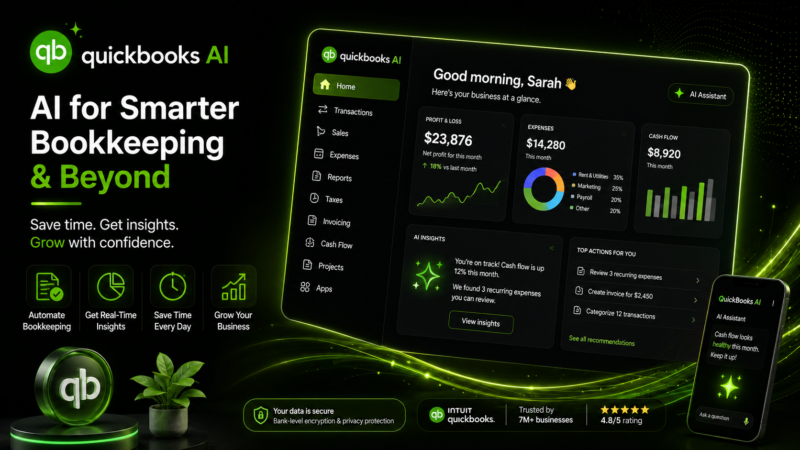
QuickBooks AI

Quick Links

Visit Official Website
Reviewed & Updated: August 9, 2026Pricing, features, and availability may change. Always verify the latest information on the official website.
QuickBooks AI
Pricing: Paid
Free Trial: Yes
API Available: Yes
Best For: Small business owners who want AI-assisted bookkeeping, invoicing, and cash flow insight built directly into their accounting software
Starting Price: $38 per month
Platform: Web, iOS, Android
Target Users: Small business owners, Bookkeepers and accountants, Freelancers and solopreneurs, Growing businesses with employees
Use Cases: Automatically categorize bank transactions and expenses using AI, Ask plain-language questions about business performance and get an answer sourced from real data, Draft, send, and follow up on invoices with AI-assisted automation, Receive proactive cash flow and financial health insights, Automate parts of accounts payable and accounts receivable through AI agents
Languages: English
Integrations: Shopify, PayPal, Square, Expensify
AIToolister Review

Bookkeeping software has always promised to save small business owners time, but most of that promise depended on the owner still doing the categorizing, chasing, and interpreting. QuickBooks AI, built around Intuit's generative AI assistant and a growing set of AI agents, is Intuit's attempt to close that last gap, having the software actually do more of the accounting work rather than just organizing it for a human to finish.

What is QuickBooks AI?

QuickBooks AI refers to the AI-powered features built into QuickBooks Online, primarily Intuit Assist and a set of specialized AI agents that handle accounting, payments, customer follow-up, sales tax, and finance tasks depending on a business's subscription tier. Rather than a separate product, it's an intelligence layer woven into the existing QuickBooks Online platform, drawing on a business's own transaction data to categorize expenses, answer financial questions in plain language, and increasingly take action on tasks like invoicing and payment chasing with the owner's permission. Intuit has been expanding these capabilities steadily since first introducing Intuit Assist in beta, moving from simple automation toward what the company describes as AI agents capable of handling more complete workflows.

Key features

Intuit Assist

This generative AI assistant answers questions about a business's financial data in plain language and provides customized guidance based on the specific insights QuickBooks already has into that business's transactions and history.

Accounting AI Agent

Available starting on Essentials-tier plans, this agent works toward a "done for you" bookkeeping experience, aiming to reduce the manual time required to keep the books accurate and complete.

Payments and Customer Agents

These agents assist with tasks like following up on unpaid invoices and managing customer communication, automating parts of the accounts receivable process that would otherwise require manual chasing.

Automatic Transaction Categorization

Bank and credit card transactions are automatically categorized using AI, with the system asking clarifying questions when a transaction needs more context rather than guessing silently.

Sales Tax and Finance Agents

Reserved for higher-tier plans, these agents handle more specialized tasks like sales tax calculation and higher-level financial analysis and project-based financial management.

Mobile Receipt and Mileage Capture

The mobile app uses the phone's camera and GPS to capture receipts and track mileage automatically, feeding that data back into the AI-assisted categorization system.

Pros

  • AI features are built directly into the accounting workflow rather than a bolt-on tool requiring a separate login
  • Automatic categorization and clarifying questions reduce manual bookkeeping cleanup
  • Mobile app includes free receipt scanning and mileage tracking as part of any subscription
  • Broad integration ecosystem with payment processors and other small business tools
  • 30-day free trial lets businesses test the platform before committing

Cons

  • The most capable AI agents, including Sales Tax and Finance agents, are locked behind the highest-priced tiers
  • QuickBooks Online has raised prices multiple times in recent cycles, and per-user limits can force an expensive jump to a higher tier
  • Payroll, payments processing, and live bookkeeping support are all billed separately from the core subscription
  • Some mobile app users report reliability issues, including sync inconsistencies between the app and desktop browser version

Pricing

QuickBooks Online is structured across several tiers, from an entry-level Simple Start plan through Essentials, Plus, and Advanced, with AI capabilities expanding at each tier. Basic Intuit Assist functionality is included across plans, while the more advanced Accounting and Payments Agents generally require Essentials or higher, Customer and Sales Tax Agents require Plus, and the Finance Agent is reserved for Advanced. A 30-day free trial is available. Because Intuit has adjusted QuickBooks Online pricing more than once over the past year, and payroll, payments, and add-ons are billed separately from the base subscription, businesses should confirm current tier pricing directly on QuickBooks' official pricing page before budgeting.

Best for

QuickBooks AI is best suited to small business owners who already need accounting software and want AI assistance built into that same workflow rather than a separate bookkeeping tool layered on top. It's a particularly strong fit for businesses that want to reduce time spent on manual transaction categorization and basic bookkeeping upkeep, and for those willing to move up a tier to unlock more advanced automation as their needs grow. Readers can browse our AI Finance category or Best AI Tools for Small Businesses guide for related tools.

Use cases

  • Reducing the time spent manually categorizing bank and credit card transactions each month
  • Getting a fast, plain-language answer to a specific question about business performance
  • Automating invoice creation and payment follow-up for freelancers and small teams
  • Capturing receipts and tracking mileage automatically from a phone during the workday
  • Scaling into more advanced AI-assisted accounts payable and sales tax handling as a business grows

Supported platforms

  • QuickBooks AI is accessible through the web version of QuickBooks Online, with official native apps available for both iOS and Android included free with any QuickBooks Online subscription. There is no separate downloadable desktop application tied to QuickBooks AI specifically; QuickBooks Desktop is a distinct legacy product from QuickBooks Online.

Languages

  • QuickBooks Online and its AI features are documented primarily in English for the U.S. market. Intuit operates region-specific QuickBooks products in other countries, so businesses outside the U.S. should confirm current language and feature availability for their specific region directly with Intuit.

Integrations

  • QuickBooks Online integrates with a wide range of small business tools, including payment platforms like PayPal and Square, e-commerce platforms like Shopify, and expense tools like Expensify, feeding transaction data into the same AI-assisted categorization system. Intuit also maintains a broader app marketplace with hundreds of additional third-party integrations, along with a developer API for custom connections.

Things to consider

  • Because QuickBooks Online's AI agents are unlocked progressively by plan tier, businesses should map out which specific agents, such as Sales Tax or Finance, actually matter to their operations before assuming a lower-tier plan includes everything advertised under the "AI" umbrella. It's also worth budgeting for the fact that payroll, payments processing, and live bookkeeping support all sit outside the base subscription price, and that per-user limits on lower tiers can force a costly jump to a higher plan sooner than expected.

How the tool compares

Within small business accounting, QuickBooks AI is most commonly compared against Xero and FreshBooks, neither of which currently has a published AIToolister listing, though both are frequently cited as offering simpler, flatter pricing structures with fewer tiered AI restrictions. Businesses that also want AI assistance across broader operations, not just accounting, may pair QuickBooks AI with a general business automation tool like Zapier AI to connect financial data with other systems. Readers can also review our Best AI Tools for Freelancers guide for adjacent options.

AIToolister verdict

QuickBooks AI succeeds by embedding genuinely useful automation directly into a bookkeeping workflow small businesses already use, rather than asking owners to adopt a separate AI tool alongside their accounting software. Automatic categorization and plain-language financial answers save real time for busy owners, and the expanding AI agent system shows Intuit is investing seriously in this direction rather than treating it as a marketing label. The trade-off is that the most capable agents are reserved for higher-priced tiers, and QuickBooks Online's pricing has climbed meaningfully in recent cycles, so businesses should compare the actual tier they need against alternatives before assuming QuickBooks is the cheaper option.

Frequently asked questions

Is QuickBooks AI a separate product from QuickBooks Online?

No. QuickBooks AI refers to Intuit Assist and the AI agents built directly into QuickBooks Online, not a standalone product with its own subscription.

Does QuickBooks AI have a free trial?

Yes. QuickBooks Online offers a 30-day free trial that includes access to the AI features available at whichever plan tier is being trialed.

Which QuickBooks plan includes the most AI features?

The Advanced plan includes the full range of AI agents, including the Finance and Project Management agents, while lower tiers unlock Accounting, Payments, Customer, and Sales Tax agents progressively.

Does QuickBooks AI work on mobile?

Yes. The official QuickBooks Online app for iOS and Android is included free with any subscription and supports AI-assisted receipt capture, mileage tracking, and transaction categorization.

Does QuickBooks offer an API for custom integrations?

Yes. Intuit provides a developer platform and API for QuickBooks Online, allowing businesses and third-party developers to build custom integrations beyond the built-in app marketplace.

At a glance

Tool Snapshot

Sign In

Register

Reset Password

Please enter your username or email address, you will receive a link to create a new password via email.