
 Ahsan Javaid
Best AI Tools for Freelancers in 2026: Work Smarter, Find More Clients & Increase Income
Last updated: June 2026 | 10 tools reviewed | Pricing verified
Introduction
Freelancing has never been easy, but 2026 presents a particular kind of pressure that earlier generations of independent workers did not face. The supply of freelance talent has expanded dramatically. Platforms are more competitive. Clients expect faster turnarounds, higher quality, and lower prices — all at the same time. And unlike an agency or a company, a freelancer has no team to distribute the load across.
Everything falls on one person. The client work itself. The proposals and pitches. The invoicing and follow-ups. The marketing and personal branding. The research and skill development. The emails that pile up while you are heads-down on a deadline.
The freelancers who are building sustainable, profitable businesses in this environment are not working more hours than everyone else. They are working differently. They have figured out which parts of their workload can be accelerated, assisted, or largely handled by AI tools — and they have built their workflow around that reality.
This article covers ten AI tools that are either purpose-built for freelance work or widely used by freelancers in ways that deliver genuine, measurable value. For each tool, the focus is on what it actually does in a working freelance context, what it costs at every pricing tier, and which type of freelancer gets the most from it. The goal is not to impress you with a long list of software names — it is to help you identify the specific tools that will change how much you can produce, deliver, and earn in a week.
Why Freelancers Need AI Tools More Than Anyone Else
The Unique Challenge of Running a One-Person Business
When a company hires a writer, that writer writes. The company handles its own invoicing, business development, project management, and client communications through dedicated teams and systems. When a freelancer takes on a client, they do all of it themselves — the work and the entire business operation that surrounds it.
This means that a significant portion of a freelancer’s productive hours goes toward activities that generate no direct income. Responding to inquiries. Writing proposals that may not convert. Chasing invoices. Updating project management systems. Researching topics before starting work. These are necessary tasks, but they are not billable tasks — and every hour spent on them is an hour not spent on the work that actually pays.
Where Freelancer Time Actually Goes Each Week
If you tracked a typical freelance week honestly, the split between billable work and non-billable business operations would likely be surprising. Research consistently suggests that freelancers spend between twenty and thirty percent of their working hours on administrative and operational tasks. For someone billing fifty hours a week, that is ten to fifteen hours of lost billable potential every single week.
AI tools cannot eliminate all of that. But they can compress a significant portion of it. A proposal that takes ninety minutes to write from scratch takes fifteen minutes to produce with an AI first draft and thoughtful editing. A research phase that takes two hours to complete manually takes forty minutes with AI assistance. Client emails that pile up on a busy day can be drafted in batches in a fraction of the time with AI support.
How AI Levels the Playing Field Against Larger Competitors
One of the consistent frustrations of freelance work is competing against agencies that have teams. An agency pitching a content marketing retainer can offer strategy, writing, editing, design, and distribution — because they have people for each. A solo freelancer has only their own hours.
AI changes this calculation. A freelance writer using AI tools can produce research summaries, first drafts, social media adaptations, and email newsletter versions of the same content piece in the time it previously took to produce the article alone. A freelance designer using AI can explore concept directions, generate mockup variations, and produce supporting assets faster than a two-person design team worked two years ago. The output ceiling for a skilled freelancer using AI tools well has moved significantly higher.
How These Tools Were Selected
Evaluation Criteria
Every tool in this list was evaluated against criteria that reflect the specific realities of freelance work. Value for money — because freelancers pay for tools out of their own income, not an expense account, and every subscription needs to justify itself. Ease of adoption — because freelancers do not have IT departments or onboarding support, and a tool that takes weeks to learn is a tool that does not get used. Time saved in real workflows — because the only metric that ultimately matters for a productivity tool is whether it gives you more usable hours. And output quality — because a freelancer’s reputation is built on the quality of what they deliver, and AI tools that produce mediocre output that requires complete rewriting are not genuinely helpful.
Who These Tools Are Built For
The ten tools in this list cover the primary freelance disciplines — writing, design, development, marketing, video, and general business operations. Each tool section clearly identifies the freelance context where it delivers the most value, so you can focus on the sections most relevant to your work rather than reading every entry in full.
Best AI Tools for Freelancers in 2026
1. ChatGPT — Best for Writing, Communication, and Brainstorming
ChatGPT is the most versatile tool on this list and the one that delivers immediate value to the widest range of freelancers regardless of discipline. It is not a freelance-specific tool, but the breadth of things it handles well makes it indispensable for almost any type of independent worker.
For freelancers specifically, the highest-value use cases are client communication, proposal drafting, research summarization, content ideation, and first-draft production across virtually any written format. A freelance consultant who needs to write a detailed project proposal, a freelance marketer drafting a campaign strategy document, a freelance developer writing technical documentation — all of them get to a strong first draft faster with ChatGPT than without it.
The key to getting real value from ChatGPT as a freelancer is treating it as a thinking partner and draft generator rather than a finished-output machine. The more specific context you give it — about your client, the project, your own voice and approach — the more useful the output. Generic prompts produce generic results. Specific, detailed prompts produce output that is genuinely close to what you would have written yourself, in a fraction of the time.
Key Features:
- Proposal and pitch document drafting
- Client email writing and communication support
- Research summarization and topic exploration
- Content ideation and outline generation
- First-draft production across formats
- Contract and scope of work language assistance
- Learning and skill development support
Who It Is Best For: Every freelancer regardless of discipline. Particularly high value for freelance writers, consultants, marketers, and anyone whose work involves significant written communication with clients.
Pricing:
- Free Plan: Yes
- Starting Price: $20/month (Plus plan)
- Best Value: Plus plan at $20/month
Pros:
- Immediate value with no setup required
- Handles an enormous variety of tasks across every freelance discipline
- Free plan is sufficient for most daily use cases
- Available on any device at any time
Cons:
- Generic without specific, detailed prompting
- All output requires human review and editing before client delivery
- No freelance-specific features or workflow integration

2. Jasper AI — Best for Freelance Content Writers and Marketers
Jasper is the tool of choice for freelance writers and content marketers who produce high volumes of long-form content and need AI that understands marketing copy, brand voice, and SEO context rather than just generating generic text.
Where ChatGPT is a general-purpose assistant, Jasper is a specialist. Its brand voice feature learns how a specific client writes and replicates that style consistently — which is enormously useful for freelancers managing content for multiple clients who each have distinct voices and style guidelines. Its integration with SEO tools like Surfer means that long-form content can be optimized for search intent as it is being written rather than as a separate step. Its template library covers every content marketing format — blog posts, email sequences, landing pages, social media content, ad copy — in a structured way that produces better results than open-ended prompting.
For a freelance content writer billing by the piece or managing a content retainer for a client, Jasper directly affects how many pieces can be produced per week — which directly affects income.
Key Features:
- Brand voice training that learns client writing styles
- Long-form content generation with document editor
- SEO mode with Surfer integration
- Marketing-specific templates for every format
- Multi-language content support
- Team collaboration features for client review workflows
- Plagiarism checker included
Who It Is Best For: Freelance content writers, bloggers, content strategists, and marketing consultants who produce high volumes of written content for multiple clients. Less relevant for freelancers in non-writing disciplines.
Pricing:
- Free Plan: 7-day trial only
- Starting Price: $49/month (Creator plan)
- Best Value: Pro plan at $69/month for multiple brand voices and seats
Pros:
- Best-in-class for structured long-form content marketing
- Brand voice feature is genuinely useful for multi-client writers
- SEO integration reduces post-writing optimization work
- High output quality for marketing formats
Cons:
- More expensive than most tools on this list
- Worth the cost only for high-volume content producers
- Overkill for freelancers who write occasionally rather than professionally
3. Canva AI — Best for Freelance Designers and Visual Content Creators
Canva has been a staple of freelance visual work for years, and its AI features have made it dramatically more capable for independent designers and content creators who need to produce professional visual output at speed.
The Magic Design feature generates complete design concepts from a text description — useful for exploring directions quickly before committing to a full execution. The AI image generation creates custom visuals without requiring a stock photo license. The background remover, image enhancer, and object removal tools handle the photo editing tasks that previously required Photoshop proficiency. The brand kit system ensures every deliverable produced for a specific client maintains visual consistency without manual setup each time.
For freelancers who are not primarily designers but need to produce visual content alongside written or strategic work — social media managers, content marketers, consultants producing slide decks — Canva AI makes professional-quality visual output achievable without specialist skills. For freelance designers themselves, it accelerates the production of supporting assets and exploration mockups significantly.
Key Features:
- Magic Design AI concept generation from text descriptions
- AI image generation for custom visuals
- Background removal and photo enhancement tools
- Brand kit management for multiple clients
- Video creation and editing with AI assistance
- Presentation and slide deck templates
- Direct social media publishing integration
Who It Is Best For: Freelance social media managers, content creators, marketing consultants, and any freelancer who produces visual deliverables as part of their service. Freelance designers use it for concept exploration and asset production speed.
Pricing:
- Free Plan: Yes — genuinely useful free tier
- Starting Price: $15/month (Pro plan)
- Best Value: Pro plan at $15/month
Pros:
- Extremely accessible — no design background required
- AI features meaningfully accelerate visual production
- Brand kit system is practical for multi-client freelancers
- Strong free plan for occasional visual needs
Cons:
- Not a replacement for professional design software on complex projects
- AI image generation quality is inconsistent
- Templates can look similar to other Canva users’ work
4. Grammarly — Best for Polishing Every Piece of Client Work
Grammarly is the tool that sits behind everything a freelancer produces and ensures it reaches the client in the best possible condition. Beyond basic spelling and grammar correction, its AI-powered suggestions address clarity, tone, conciseness, and audience appropriateness — the things that separate polished professional writing from writing that is merely correct.
For freelancers, the value is not just in the writing they deliver to clients. It is in every email, every proposal, every Slack message, every LinkedIn post. The cumulative impression of clean, clear, professional communication across every touchpoint builds credibility and trust with clients over time. Grammarly works across virtually every platform — Gmail, Google Docs, Slack, most browsers — which means it catches issues wherever you write without requiring you to paste content into a separate tool.
The tone detection feature is particularly useful for freelancers who work across multiple clients with different communication styles — it signals when a message reads as more formal or casual than intended, which helps maintain the right register with each client relationship.
Key Features:
- Real-time grammar, spelling, and punctuation correction
- Clarity and conciseness suggestions
- Tone detection and adjustment
- Plagiarism checker
- Vocabulary enhancement suggestions
- Works across browsers, Gmail, Docs, Slack, and most platforms
- Style guide integration for consistent client voice
Who It Is Best For: Every freelancer who communicates in writing — which is every freelancer. Particularly valuable for non-native English speakers and freelancers who produce high volumes of written deliverables.
Pricing:
- Free Plan: Yes — covers core grammar and spelling
- Starting Price: $12/month (Pro plan billed annually)
- Best Value: Pro plan at $12/month
Pros:
- Works across all platforms without copy-pasting
- Catches issues that manual proofreading misses
- Tone detection is practically useful for client communication
- Free plan handles the most essential corrections
Cons:
- Some suggestions are overly cautious or stylistically wrong for specific contexts
- Premium features require paid plan
- Can encourage over-editing if followed too literally
5. Notion AI — Best for Project Management and Knowledge Organization
Notion is a workspace and project management tool that has become one of the most widely used organizational platforms among freelancers. Its AI layer — built directly into the workspace — transforms it from a documentation tool into an active thinking and productivity partner.
For freelancers, Notion AI’s most practical value is in managing the information complexity of running a multi-client business. Client briefs, project notes, research, invoicing records, content calendars, and business planning all accumulate over time into a system that becomes unwieldy without structure. Notion AI can summarize long documents, extract action items from meeting notes, generate project plans from a brief description, draft client-facing documents from internal notes, and help organize information that has been collected across multiple projects.
The AI writing assistant within Notion means that first drafts of deliverables, client updates, and internal documentation can be started without leaving the workspace where all the relevant information already lives — which reduces the context switching that fragments productive freelance work.
Key Features:
- AI document summarization and action item extraction
- Project plan generation from descriptions
- Writing assistant built into the workspace
- Database and knowledge management system
- Client and project tracking templates
- Meeting notes to task conversion
- Integration with Slack, Google Drive, and other tools
Who It Is Best For: Freelancers managing multiple clients simultaneously who need a centralized system for information, projects, and communication. Particularly useful for consultants, strategists, and any freelancer with complex multi-project workflows.
Pricing:
- Free Plan: Yes — limited blocks
- Starting Price: $10/month (Plus plan with AI add-on)
- Best Value: Plus plan at $10/month plus $8/month for AI
Pros:
- AI built into the workspace where your information already lives
- Extremely flexible — adapts to any freelance workflow
- Reduces context switching between tools
- Strong template community for freelance business setups
Cons:
- Takes time to set up a system that works for your workflow
- AI features cost extra on top of the base plan
- Can become overly complex if not kept disciplined
6. Descript — Best for Freelance Video Editors and Podcasters
Descript is the tool that changed what is possible for freelance video editors and podcast producers working alone. Its core innovation is text-based video and audio editing — the transcript of a recording appears as a text document, and editing the text edits the media. Cutting filler words, removing sections, rearranging segments — all of it happens by editing text rather than working through a timeline frame by frame.
The AI features go further. Overdub allows a speaker to correct audio mistakes by typing the correct words — the AI generates a voice-matched audio correction without needing to re-record. Automatic filler word removal scans the entire recording and removes every “um,” “uh,” and “you know” in one action. Eye contact correction subtly adjusts the speaker’s gaze in video recordings to appear as if they are looking directly into the camera rather than at a screen. Studio Sound cleans up background noise and audio quality in recordings made in imperfect environments.
For a freelance video editor or podcast producer, these features compress the most time-consuming parts of post-production work significantly — making it possible to deliver higher quality output faster.
Key Features:
- Text-based video and audio editing
- Automatic filler word and silence removal
- Overdub AI voice correction
- Eye contact correction for video recordings
- Studio Sound audio enhancement
- Screen recording with integrated editing
- Multi-track editing and publishing workflows
Who It Is Best For: Freelance video editors, podcast producers, content creators producing video content for clients, and anyone delivering audio-visual deliverables as a core service.
Pricing:
- Free Plan: Yes — limited hours of transcription
- Starting Price: $24/month (Creator plan)
- Best Value: Pro plan at $40/month for full AI features
Pros:
- Text-based editing is genuinely faster than timeline editing for spoken content
- Filler word removal saves significant post-production time
- Overdub voice correction is impressive and practical
- Covers recording, editing, and publishing in one tool
Cons:
- Higher cost than most tools on this list
- AI voice features work best with prior voice training
- Not a replacement for professional editing software on complex video projects
7. Copy.ai — Best for Freelance Copywriters and Ad Specialists
Copy.ai is built for the specific demands of short-form persuasive writing — the kind of content where every word is doing a job and where producing multiple variations quickly is more important than long-form depth. For freelance copywriters and digital advertising specialists, it addresses the task that takes the most volume of time: generating high-quality short-form copy options at scale.
The workflow is fast. You describe the product, the audience, and the desired outcome, and Copy.ai generates multiple variations of ad headlines, email subject lines, call-to-action phrases, product descriptions, social media captions, and sales page sections. You review the options, select what works, refine, and deliver. The alternative — writing every variation from scratch — takes significantly longer and rarely produces as many usable options.
For freelancers running paid advertising campaigns for clients, the ability to produce twenty headline variations for testing in the time it previously took to write five is a direct competitive advantage. More variations means better testing, better results, and stronger client outcomes.
Key Features:
- Ad copy generation across Google, Facebook, and LinkedIn formats
- Email subject line and body copy creation
- Product description writing
- Social media caption generation
- Sales page and landing page copy
- Multiple variation generation per prompt
- Workflow automation tools for content pipelines
Who It Is Best For: Freelance copywriters, digital advertising specialists, email marketers, and any freelancer whose deliverables are primarily short-form persuasive content. Less useful for long-form content or non-writing disciplines.
Pricing:
- Free Plan: Yes — limited credits per month
- Starting Price: $49/month (Starter plan)
- Best Value: Advanced plan at $249/month for high-volume agencies — Starter sufficient for most freelancers
Pros:
- Purpose-built for high-volume short-form copy production
- Multiple variations per prompt speeds up testing workflows
- Simple interface with low learning curve
- Covers all major short-form advertising formats
Cons:
- Expensive Starter plan for a tool focused on short content
- Output quality varies and requires editorial judgment to select
- Less useful outside of copywriting and advertising contexts
8. GitHub Copilot — Best for Freelance Developers and Coders
GitHub Copilot is the AI coding assistant that has become standard equipment for professional developers, and for freelance developers specifically it delivers a productivity improvement that is difficult to overstate. It works inside the code editor — VS Code, JetBrains, and others — and suggests code completions, entire function implementations, and contextually relevant solutions as you type.
The practical impact for freelancers is faster project delivery. Boilerplate code that previously required writing from scratch is suggested automatically. Unfamiliar APIs and libraries become accessible faster because Copilot suggests the correct syntax and usage patterns. Debugging is faster because Copilot can identify likely issues and suggest fixes. Documentation writing, which most developers find tedious, can be generated from the code itself.
For a freelance developer billing by the project, the ability to deliver working code faster translates directly into either higher effective hourly rates or the ability to take on more projects simultaneously — both of which improve the economics of the freelance business.
Key Features:
- Real-time code completion and suggestion
- Full function and module generation from comments
- Multi-language support across all major programming languages
- Context-aware suggestions based on existing codebase
- Test generation for written code
- Documentation generation from code
- Works inside VS Code, JetBrains, Neovim, and other editors
Who It Is Best For: Freelance developers, software engineers, web developers, and any freelancer whose primary deliverable is code. Also useful for data scientists and analysts working in Python or R.
Pricing:
- Free Plan: Limited free tier for individual developers
- Starting Price: $10/month (Individual plan)
- Best Value: Individual plan at $10/month — one of the best value tools on this list
Pros:
- Directly accelerates the core work of development
- Supports all major programming languages
- Integrates seamlessly into existing editor workflows
- Excellent value at $10/month for the productivity improvement
Cons:
- Suggested code always requires review — quality varies by context
- Can produce insecure or inefficient code if accepted without scrutiny
- Dependent on internet connection during coding sessions
9. HoneyBook AI — Best for Client Management and Proposals
HoneyBook is a client management platform built specifically for freelancers and independent service businesses, and its AI features address the business operations side of freelancing that most productivity tools ignore entirely.
The proposal creation tools use AI to generate professional, branded proposals from a project brief — covering scope, timeline, deliverables, and pricing in a polished format that can be sent to clients directly from the platform. The contract templates are customizable and legally structured for freelance service agreements. The invoicing system handles payment collection, automated reminders, and payment tracking. The client portal gives clients a single place to review proposals, sign contracts, make payments, and communicate — which reduces the administrative back-and-forth that fragments a freelancer’s workday.
For freelancers who currently manage client relationships through a combination of email, Google Docs, and spreadsheets, HoneyBook consolidates the entire client lifecycle into one system — and the AI features make populating that system faster than building documents from scratch each time.
Key Features:
- AI-assisted proposal generation
- Contract creation and e-signature collection
- Invoice creation and automated payment reminders
- Client portal for communication and document management
- Project pipeline tracking
- Scheduling and meeting booking integration
- Questionnaire and onboarding automation
Who It Is Best For: Freelancers who manage multiple clients simultaneously and spend significant time on proposals, contracts, and invoicing. Particularly valuable for creative freelancers — photographers, designers, writers, consultants — who handle formal project agreements.
Pricing:
- Free Plan: No — but 7-day free trial available
- Starting Price: $19/month (Starter plan)
- Best Value: Essentials plan at $39/month with full features
Pros:
- Covers the entire client lifecycle in one platform
- Professional proposal and contract output that impresses clients
- Automated payment reminders reduce invoice chasing
- Purpose-built for freelancers — not adapted from a business tool
Cons:
- Monthly cost adds up for freelancers with inconsistent client volume
- Some features overlap with simpler free tools
- Learning curve to set up templates and workflows initially

10. Otter.ai — Best for Meeting Notes and Client Call Transcription
Freelancers have client calls. Discovery calls, briefing calls, feedback sessions, project kick-offs, check-ins — these conversations contain important information that needs to be captured, referenced, and sometimes shared back with clients as a summary. Taking notes during a call divides attention between listening and writing. Relying on memory is unreliable. Recording and transcribing manually is time-consuming.
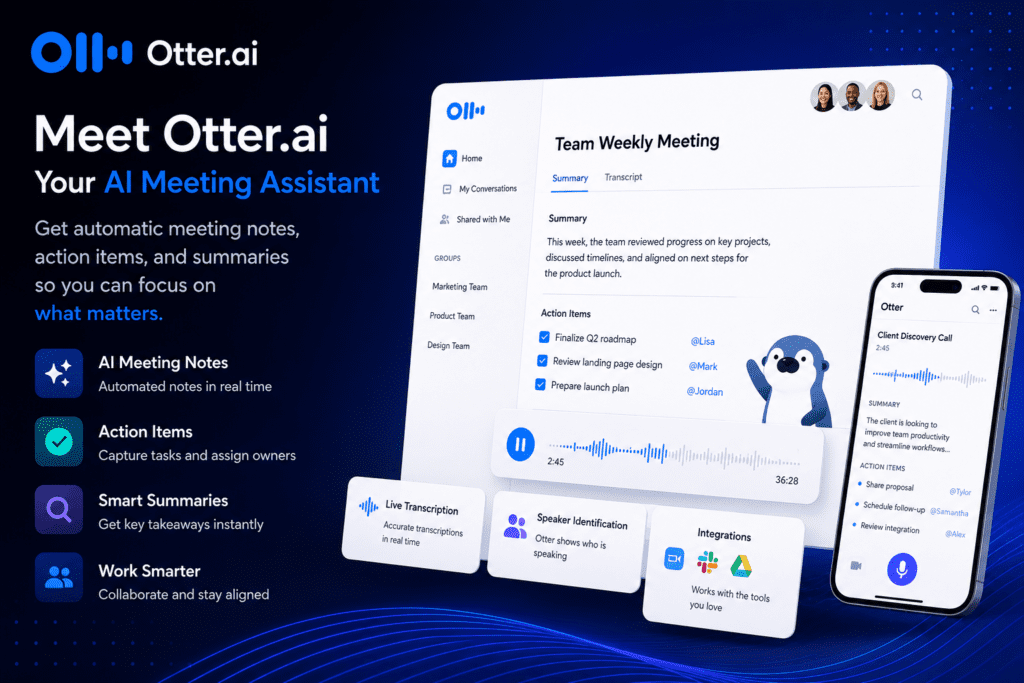
Otter.ai handles all of this automatically. It joins calls on Zoom, Google Meet, and Microsoft Teams, transcribes the conversation in real time, identifies different speakers, and generates an AI summary of the key points and action items when the call ends. The result is a searchable, shareable record of every client conversation without any manual effort during the call itself.
For freelancers, the downstream value is significant. Client calls become searchable records rather than fading memories. Disagreements about what was agreed can be resolved by reference. Project briefs can be drafted directly from call transcripts. Follow-up emails can be written from the AI summary in minutes rather than reconstructed from notes.
Key Features:
- Real-time transcription across Zoom, Google Meet, and Teams
- AI-generated call summaries with key points and action items
- Speaker identification and labeling
- Searchable transcript archive
- Shared notes and collaboration features
- Integration with Notion, Slack, and other tools
- Mobile recording for in-person meetings
Who It Is Best For: Freelancers who conduct regular client calls and need reliable records of conversations, agreed deliverables, and project specifics. Particularly valuable for consultants, project-based freelancers, and anyone managing complex multi-stakeholder client relationships.
Pricing:
- Free Plan: Yes — limited transcription minutes per month
- Starting Price: $16.99/month (Pro plan)
- Best Value: Pro plan at $16.99/month for unlimited transcription
Pros:
- Eliminates manual note-taking during client calls
- AI summary is accurate and saves significant post-call time
- Searchable archive of all client conversations
- Works automatically once set up — no action required during calls
Cons:
- Free plan transcription limits are restrictive for active freelancers
- Transcription accuracy drops with heavy accents or poor audio quality
- Some clients may be uncomfortable with AI transcription — always disclose
Pricing Comparison Table
| Tool | Free Plan | Starting Price | Best Value Plan | Best For | Difficulty |
| ChatGPT | Yes | $20/month | Plus plan | Writing and communication | Easy |
| Jasper AI | 7-day trial | $49/month | Pro $69/month | Content writers and marketers | Easy |
| Canva AI | Yes | $15/month | Pro plan | Designers and visual creators | Easy |
| Grammarly | Yes | $12/month | Pro plan | All freelancers | Easy |
| Notion AI | Yes | $10/month + $8 AI | Plus + AI add-on | Project and knowledge management | Medium |
| Descript | Yes | $24/month | Pro $40/month | Video editors and podcasters | Medium |
| Copy.ai | Yes | $49/month | Starter plan | Copywriters and ad specialists | Easy |
| GitHub Copilot | Limited | $10/month | Individual plan | Developers and coders | Easy |
| HoneyBook AI | 7-day trial | $19/month | Essentials $39/month | Client management | Easy |
| Otter.ai | Yes | $16.99/month | Pro plan | Meeting notes and transcription | Easy |
AI Tools by Freelancer Type
Best AI Tools for Freelance Writers and Content Creators
Writers need tools that accelerate production without compromising the quality and originality that clients pay for. The core stack for a freelance writer is ChatGPT for ideation and first drafts, Jasper for high-volume structured content marketing work, Grammarly for polishing every deliverable, and Otter.ai for capturing client briefing calls accurately.
Best AI Tools for Freelance Designers and Creative Professionals
Designers benefit most from AI tools that handle supporting work — the assets, mockups, and communications that surround the core creative output. Canva AI is the primary recommendation for visual asset production speed. ChatGPT handles client communication and proposal drafting. Grammarly ensures that written client-facing work is polished. HoneyBook manages the proposal and contract workflow professionally.
Best AI Tools for Freelance Developers and Programmers
Developers have one clear recommendation above everything else on this list: GitHub Copilot at $10 per month is one of the most cost-effective productivity investments available to any knowledge worker. ChatGPT supports documentation writing, client communication, and technical problem exploration. Otter.ai captures discovery calls and technical requirement discussions accurately.
Best AI Tools for Freelance Marketers and Social Media Managers
Marketers work across a wide range of content formats and client contexts. Copy.ai handles short-form advertising and social content at volume. Canva AI covers visual content production. ChatGPT manages strategy documents, client reports, and campaign planning. Jasper supports long-form content marketing for clients with content strategies.
Best AI Tools for Freelance Video Editors and Podcasters
Descript is the non-negotiable recommendation for this category — it transforms post-production workflow more than any other single tool available. ChatGPT supports scripting, show notes, and client communication. Otter.ai transcribes interview recordings for editing reference and repurposing.
Best AI Tools for General Freelancers and Consultants
Consultants and generalist freelancers deal with the widest range of tasks and need tools that cover multiple bases efficiently. ChatGPT handles the majority of written work. Notion AI manages information and project complexity. HoneyBook handles the client relationship workflow from proposal to payment. Grammarly polishes everything that goes to clients.
Honest Concerns About AI for Freelancers
Will Clients Find Out You Used AI?
This is a question that every freelancer using AI tools encounters. The honest answer depends entirely on how the tools are used. AI as a first-draft generator and production accelerator, with significant human editing, refinement, and expertise applied to the output, is not detectable and is not meaningfully different from using any other tool to work more efficiently. AI used to generate final deliverables with minimal human involvement produces output that experienced clients often notice — and that undermines the value of what you are selling.
The principle that protects freelancers here is simple: AI should amplify your expertise, not substitute for it. If you are a skilled writer, AI-accelerated work should read like your best writing produced faster. If it reads like a generic AI output, the problem is not the tool — it is how the tool is being used.
Does AI Reduce the Value of Your Skills?
In the short term, AI tools that make certain tasks faster can put downward pressure on rates for those specific tasks. A blog post that took four hours to produce now takes ninety minutes — which affects per-piece pricing in competitive markets. The freelancers navigating this well are repositioning their value around judgment, strategy, and outcomes rather than time and production. The skill is not writing a blog post — it is knowing what to write, why it matters for the client’s business, and whether the output is actually good. AI does not replace that.
Data Privacy When Using AI With Client Work
When you paste client information, project briefs, or proprietary content into an AI tool, that information is processed by the tool’s servers. Most consumer AI tools including ChatGPT’s free version use conversation data to improve their models by default. For freelancers working with confidential client information, this is a legitimate concern. Check the privacy settings of every AI tool you use, opt out of data training where that option exists, and avoid pasting genuinely sensitive or proprietary client information into any AI platform without reviewing its data handling policies.
How to Build Your Personal AI Toolkit as a Freelancer
Step 1 — Map Your Weekly Tasks and Identify the Biggest Time Drains
Before choosing any tool, spend one week noting where your non-billable hours actually go. The answer tells you exactly which tool will deliver the fastest return. Writing and communication tasks point toward ChatGPT or Jasper. Visual production points toward Canva. Post-production work points toward Descript. Client management overhead points toward HoneyBook. Match the tool to the real problem.
Step 2 — Start With Free Plans Before Paying for Anything
Almost every tool on this list has a free plan or trial. Start there. Use a free tool for two weeks before deciding whether the paid plan is worth it. The tools you use consistently and find genuinely useful are worth paying for. The ones that seemed interesting but sit unused are not.
Step 3 — Build a Workflow, Not a Collection of Disconnected Tools
A collection of AI subscriptions is not a productivity system. The goal is a small number of tools that connect naturally into your daily work — that you open automatically when you need them and that each handles a specific, clearly defined part of your workflow. Two or three tools used consistently and well deliver more value than eight tools used occasionally.
Step 4 — Be Transparent With Clients When It Matters
For most freelance work, the tools you use are your own business. Clients hire you for outcomes and expertise, not for a specific production method. However, in contexts where clients have explicitly stated expectations about AI use — journalism, academic content, certain creative fields — transparency is both professionally appropriate and practically important for maintaining trust.
Step 5 — Review and Update Your Toolkit Every Six Months
AI tools are evolving faster than any other software category. A tool that was the best option six months ago may have been surpassed, or a new tool may have emerged that handles your specific workflow better. Set a calendar reminder every six months to review what you are paying for, what you are actually using, and whether better options have become available.
Frequently Asked Questions
What is the best AI tool for freelancers in 2026?
There is no single best tool because the answer depends on your discipline and your biggest time drain. For the widest range of freelancers, ChatGPT delivers the most immediate value across writing, communication, and planning tasks — and the free plan is sufficient for most daily use. For freelancers who manage multiple clients with formal proposals and contracts, HoneyBook addresses a pain point that no general-purpose tool handles well. For developers, GitHub Copilot at $10 per month is one of the highest-value investments available to any freelancer in a technical discipline.
Can AI help freelancers find clients?
Indirectly, yes. AI tools can significantly improve the quality and speed of outbound prospecting — writing cold outreach emails, personalizing pitches, creating portfolio case studies, and maintaining a consistent content presence on LinkedIn or other platforms that attracts inbound interest. AI does not replace the relationship-building and reputation development that ultimately drives consistent client flow, but it removes the production friction that stops many freelancers from doing those activities consistently.
Should freelancers tell clients they use AI?
For most freelance work, how you produce deliverables is a professional decision that does not require client disclosure — the same way clients do not expect to be told which word processor you use. Where disclosure matters is when clients have explicitly prohibited AI use in their briefs or contracts, when the content requires a human authenticity claim such as personal journalism or memoir writing, or when the nature of what the client is paying for is specifically your human creative voice. In those contexts, transparency is both ethical and protective of your professional reputation.
Are AI tools worth the cost for freelancers?
The tools on this list range from free to approximately $50 per month for individual plans. For a working freelancer billing reasonable rates, any tool that saves more than two or three hours per month more than pays for itself. The more useful frame is not whether the tool costs money but whether the time it saves translates into additional billable hours or a meaningfully better quality of work-life balance. Most freelancers who adopt one or two well-matched tools find the return obvious within the first month.
Will AI replace freelancers?
The most honest answer is that AI will replace some freelance work and transform the rest. Tasks that are primarily about production — generating volume of content, producing boilerplate code, creating templated designs — are increasingly automatable, and rates for pure production work will continue to face downward pressure. Freelancers who provide expertise, judgment, strategy, and the kind of creative originality that requires deep domain knowledge and human context are not replaceable by current AI tools. The freelancers most at risk are those who compete primarily on speed and volume in categories where AI can produce acceptable output at near-zero marginal cost.
Conclusion
The freelancers who will look back at 2026 as the year their business changed are the ones who stopped treating AI as something to be suspicious of and started treating it as what it actually is — a set of tools that handles the production work so you can focus on the expertise, relationships, and judgment that clients actually pay for.
You do not need all ten tools on this list. A thoughtful stack of two or three tools that match your specific workflow will change what you can produce in a week more than a collection of ten subscriptions you use sporadically. Start with the one tool that addresses your most consistent daily friction point. Use the free plan. See what it does to your hours before committing to a paid subscription.
If writing and communication take your evenings, ChatGPT is available right now at no cost. If client management overhead is fragmenting your workdays, HoneyBook is worth a seven-day trial this week. If you are a developer and you have not tried GitHub Copilot, ten dollars a month is a low barrier to what is likely the highest-impact productivity tool available in your discipline.
The goal is not to use AI. The goal is to build a freelance business that is profitable, sustainable, and worth showing up for every day. These tools help you get there — as long as your expertise remains the thing clients are actually buying.
About the AIToolister Editorial Team
This article was researched, reviewed, and published by the AIToolister Editorial Team.
Our team evaluates every AI tool based on practical use cases, features, pricing, ease of use, integrations, customer value, and overall performance. We regularly review and update our content to ensure readers receive accurate, unbiased, and up-to-date information.
Our goal is to help professionals, businesses, and creators discover the best AI tools with honest reviews, detailed comparisons, and expert buying guides.
For more in-depth reviews of AI tools across business and professional categories, explore the full library at aitoolister.com.
AI Tool Discovery


