Ahsan Javaid
Oct 2, 2026 · @Ahsan Javaid
The best AI tools for teachers in 2026 depend on the job. For lesson planning, start with MagicSchool or Eduaide.Ai. For a general assistant, U.S. K–12 teachers can use ChatGPT for Teachers free, and schools on Google Workspace for Education get Gemini at no extra cost. For differentiation, Diffit is the strongest pick for reading materials. For feedback inside Google Docs, Brisk Teaching stands out. For grading large classes, use Gradescope. For interactive lessons, choose Curipod. For classroom visuals, use Canva for Education. For English language teaching, Twee is the best fit.
Most teachers don’t need all eleven. AI for teachers works best when you pick the one or two tools that match the tasks taking up most of your week and use them consistently. This guide compares each option on what it actually does in a classroom, what is genuinely free, what it costs, and where its limits are.
Best AI Tools for Teachers at a Glance
This comparison shows which AI tools for teachers and educators fit each task, what you can use for free, and whether students use them directly.
| MagicSchool | All-in-one K–12 platform | Free plan | Plus $8.33/mo (annual) | Teachers; students on Plus or Enterprise |
| Eduaide.Ai | Lesson planning and resource variety | Free plan with generation limits | Pro $49.99/yr | Teachers |
| Khanmigo | Free teacher assistant plus student tutor | Free for teachers | Learners $4/mo; district plans | Both |
| ChatGPT for Teachers | General AI assistant | Free for verified U.S. K–12 educators through June 2028 | Not applicable during free period | Teachers only |
| Gemini for Education | Google Workspace schools | Included in Workspace for Education | Google AI Pro for Education add-on | Both, if school enables it |
| Diffit | Differentiating reading materials | Basic free plan | $14.99/mo or $149.99/yr | Teachers |
| Brisk Teaching | Feedback inside Google Docs and Chrome | Free plan | Educator Pro; school pricing | Teachers |
| Gradescope | Grading large classes | Free Basic plan | Institutional license (contact sales) | Teachers |
| Curipod | Interactive AI lessons | Free plan (weekly session limit) | School/district pricing | Both |
| Canva for Education | Presentations and classroom visuals | Free for verified K–12 teachers and students | Not applicable | Both |
| Twee | English and ESL teachers | Free trial runs | Basic $6.50/mo (annual) | Teachers; students via shared activities |
Prices are in USD and reflect official vendor pages in early October 2026. School and district pricing is quoted directly by each vendor.
Which AI Tool Should You Use? Quick Picks by Task
- Lesson planning: MagicSchool for the widest range of planning tools in one place; Eduaide.Ai if you want deeper resource types and graphic organisers. Both are AI lesson planning tools with useful free plans, but MagicSchool is broader while Eduaide.Ai is more specific.
- Grading: Gradescope for structured exams and problem sets if your institution has a license; Brisk Teaching or MagicSchool for written feedback on essays. Gradescope is the stronger choice for structured grading, while the others fit narrative feedback better.
- Differentiation: Diffit for reading passages at different levels; MagicSchool and Eduaide.Ai for accommodations and scaffolds. Diffit is the sharper choice for levelled reading, while the other two cover broader support.
- Interactive lessons: Curipod for lessons with polls, word clouds and AI feedback on student responses.
- Classroom visuals: Canva for Education for slides, posters and worksheets.
- ESL and language teaching: Twee for CEFR-aligned reading, listening and vocabulary activities.
- Student tutoring: Khanmigo, through a district plan or a learner subscription, or MagicSchool’s student tools on paid plans.
- General teacher productivity: ChatGPT for Teachers (verified U.S. K–12) or Gemini for Education (Workspace for Education schools) for emails, rubrics, summaries and brainstorming. ChatGPT for Teachers is the better free option for eligible U.S. K–12 educators, while Gemini is the easier fit for schools already on Google Workspace for Education.
How We Chose These AI Tools for Teachers
We evaluated these AI teaching tools by reviewing official product pages, pricing pages, help documentation and privacy statements, and by comparing what each tool offers against the tasks teachers most often want help with: planning, grading, differentiation and creating classroom materials. This is a research-based comparison, not a claim that AIToolister tested every tool in a classroom.
Each tool had to meet most of these criteria:
- Classroom relevance: it solves a recognisable teaching task rather than a generic writing need.
- Ease of adoption: a teacher can get useful output without lengthy setup or prompt-engineering skills.
- Useful free access: a free plan, a free teacher offer, or inclusion in an existing school account.
- Transparent pricing: clear individual pricing, or an honest note when pricing is school/district only.
- A distinct role: it does something the other tools on the list don’t do as well for a specific teaching task, which helps separate it from similar options.
- Student-data considerations: where students use the tool, or teachers upload student work, the vendor publishes privacy and security information schools can review.
Sown to Grow, which appeared in earlier versions of this guide, was removed. Its current pricing is school-level only, so it no longer fits the individual-teacher use case this guide covers.
All-in-One AI Platforms for Lesson Planning
These three platforms are built specifically for educators. Instead of writing prompts from scratch, you fill in fields such as grade level, subject and learning goal, and the tool produces classroom-ready drafts for specific teaching tasks.
MagicSchool
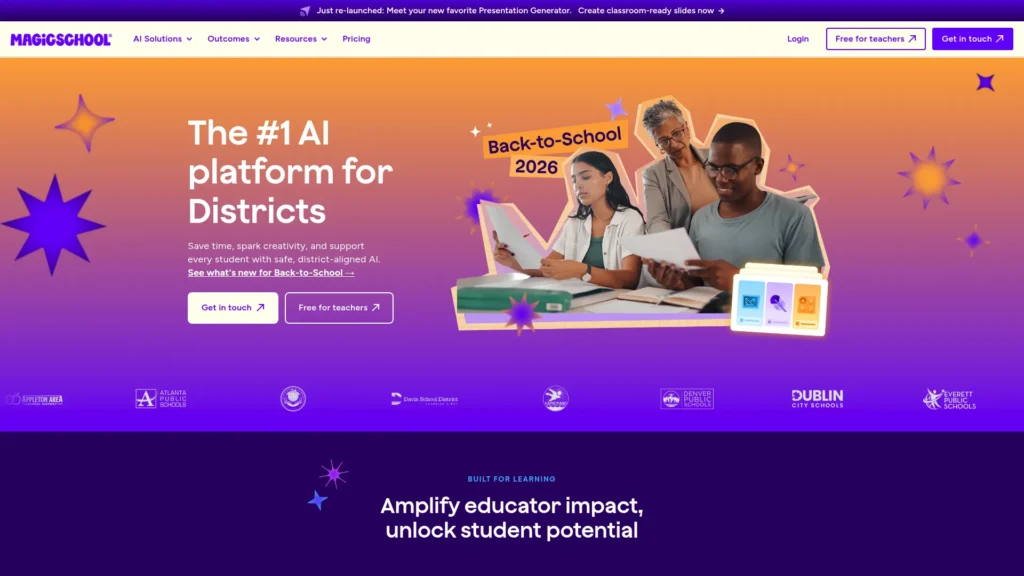
MagicSchool is the broadest teacher-specific platform on this list. Its free plan includes a library of 80+ teacher tools, an AI assistant called Raina, quiz creation and class writing feedback, according to MagicSchool’s pricing page. A seventh-grade science teacher could generate a lesson plan on photosynthesis, a levelled reading passage, an exit-ticket quiz and a parent email about an upcoming project without leaving the platform.
What teachers use it for:
- Lesson plans, worksheets, rubrics and quizzes
- Drafts of IEP goals, accommodations and report-card comments
- Batch feedback on student writing based on your rubric
- Supervised AI tools for students through Student Rooms (paid plans)
Free option: Free plan for individual teachers, with standard usage limits.
Paid: Plus is $8.33 per month billed annually ($99.96/year) or $12.99 billed monthly, adding unlimited generations, output history and 50+ student tools. Enterprise plans for schools and districts are quote-based and add a custom data privacy agreement, SSO and LMS integrations.
Watch out for: The volume of tools can be overwhelming at first, and every draft still needs a teacher’s review for accuracy and fit with your curriculum. Student-facing tools require a paid plan.
Best for: K–12 teachers who want one platform covering most planning and paperwork.
Skip it if: You only need one specific job done, such as levelled reading passages, where a specialist tool may be simpler.
Eduaide.Ai
Eduaide.Ai is a teacher-built workspace focused on producing instructional materials, not chat responses. Outputs open in an editor where you can revise them, and the platform includes graphic organisers and classroom games alongside lesson plans and assessments. For example, a history teacher could turn a unit standard into a lesson plan, a cause-and-effect organiser, and a review game.
What teachers use it for:
- Standards-based lesson plans and assessments
- Graphic organisers, worksheets and classroom games
- Differentiating and translating existing material
- Enhancing documents and websites you upload.
Free option: Always-free plan with a monthly generation limit and shorter input context, per Eduaide’s pricing page.
Paid: Pro costs $49.99 per year (or $5.99 billed monthly) for unlimited generations, differentiation, image generation and longer source context. School and district pricing is quoted on request.
Watch out for: The free generation cap runs out quickly for daily planners, and generated content still needs checking against your own standards.
Best for: Teachers who build many of their own materials and want variety beyond standard lesson plans.
Skip it if: You mainly want an AI tool students can use directly.
Khanmigo
Khanmigo is Khan Academy’s AI assistant, and the biggest change since earlier versions of this guide is price: Khan Academy’s pricing page now lists Khanmigo as free for teachers. Teachers get planning tools such as lesson hooks, rubrics and discussion questions. Students get a tutor designed to guide them toward answers rather than hand answers over, but classroom student access comes through district plans or individual learner subscriptions.
What teachers use it for:
- Lesson hooks, discussion questions and rubrics
- Planning tied to Khan Academy’s content library
- Student tutoring in math, science and writing (with student access)
Free option: Free for teachers.
Paid: $4 per month for individual learners and parents. District plans, priced by quote, extend Khanmigo to teachers and students across a district.
Watch out for: A teacher’s free account doesn’t automatically give students access, and the tutor is strongest in subjects Khan Academy covers well.
Best for: Teachers who want free planning help, and schools considering a supervised AI tutor.
Skip it if: Your subject sits outside Khan Academy’s core content and you only need content generation.
General AI Assistants for Teachers
General assistants are flexible: they draft emails, explain concepts several ways, summarise documents, and help brainstorm. They don’t know your students or curriculum unless you tell them, so treat every answer as a first draft.
ChatGPT and ChatGPT for Teachers
ChatGPT is the most widely recognised general assistant, but U.S. teachers now have a better option than the regular consumer version. OpenAI says ChatGPT for Teachers is free through June 2028 for verified U.S. K–12 educators, including teachers, staff and administrators at accredited schools and districts. It runs in a dedicated workspace where, according to OpenAI, shared data is not used to train its models by default, and districts can manage accounts with role-based controls.
A fourth-grade teacher could paste in a unit outline and ask for three versions of a parent newsletter, discussion questions at different difficulty levels, and a simpler explanation of fractions for struggling students.
What teachers use it for:
- Parent emails, newsletters and administrative writing
- Explaining a concept several different ways
- Drafting rubrics, quizzes and discussion questions
- Summarising long documents and policies
Free option: Regular ChatGPT has a free plan available to anyone. ChatGPT for Teachers is a separate free offer for verified U.S. K–12 educators through June 2028.
Paid: Not required for eligible U.S. K–12 educators during the free period. OpenAI says it may adjust pricing afterwards.
Watch out for: ChatGPT for Teachers is for educators only, not students, and eligibility is limited to U.S. K–12 schools. Teachers elsewhere use the regular plans, which have different data settings.
Best for: U.S. K–12 teachers who want a capable general assistant for planning and communication.
Skip it if: Your school already provides Gemini or another approved assistant through its own accounts.
Gemini for Education
Gemini is the natural choice for schools that run on Google Workspace for Education. Google says Gemini for Education is included free of charge in all Google Workspace for Education editions, and Gemini in Classroom gives educators with Workspace for Education accounts a set of no-cost AI teaching tools inside Google Classroom.
Gemini Notebook, the tool formerly called NotebookLM, is also included. It answers questions using only the sources you upload, so a teacher can load a novel study guide and article set, then generate a study guide or audio overview grounded in those materials. Google describes Gemini Notebook as a core Workspace for Education service with protections that support COPPA and FERPA compliance (Google for Education).
What teachers use it for:
- Drafting lessons, quizzes and materials inside Google Classroom
- Source-grounded study guides and summaries with Gemini Notebook
- Custom AI helpers (Gems) that teachers can share with students
- Writing help across Gmail, Docs and Slides
Free option: Included at no extra cost for qualifying schools on Google Workspace for Education, once an administrator enables it.
Paid: Google AI Pro for Education is an optional paid add-on with expanded access to premium models and deeper Workspace integration.
Watch out for: Access depends on your school’s Workspace edition and admin settings, so individual teachers can’t always switch features on themselves.
Best for: Teachers whose school already uses Google Workspace for Education and Google Classroom.
Skip it if: Your school uses Microsoft 365 or another platform without Workspace for Education.
AI Tools for Differentiation and Feedback
Diffit
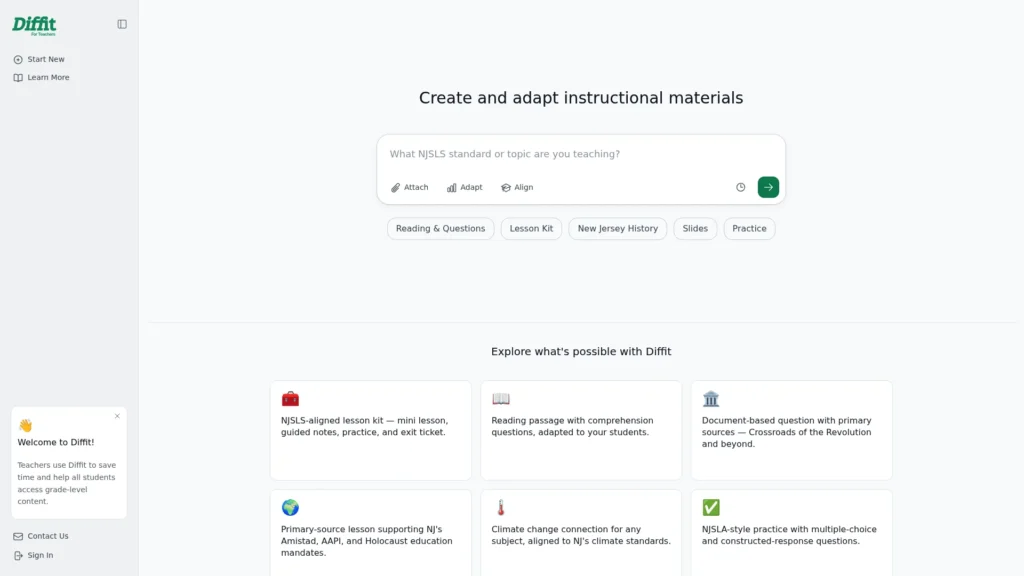
Diffit does one job very well: it turns a topic, article, video or document into a reading resource at the level you choose, with vocabulary, comprehension questions and short-answer prompts. In a mixed-ability eighth-grade class, a teacher could produce the same article on the water cycle at three reading levels so every group works on the same content.
What teachers use it for:
- Levelled reading passages from articles, videos or uploaded documents
- Vocabulary lists and comprehension questions
- Supporting English language learners and students with reading needs
- Printable, ready-to-use handouts
Free option: The Basic plan is free, with limits, and keeps resources from the last 90 days. New accounts also get a trial of premium features (Diffit pricing).
Paid: Individual teacher subscriptions cost $14.99 per month or $149.99 per year. Diffit for Schools is a flat-rate annual license tiered by school size.
Watch out for: AI-generated passages can simplify facts incorrectly, so check content in technical or sensitive subjects. Some features, such as standards alignment and certain exports, are premium.
Best for: Teachers with mixed reading levels, ESL learners or students with IEPs.
Skip it if: Your students all read at a similar level and you rarely adapt texts.
Brisk Teaching
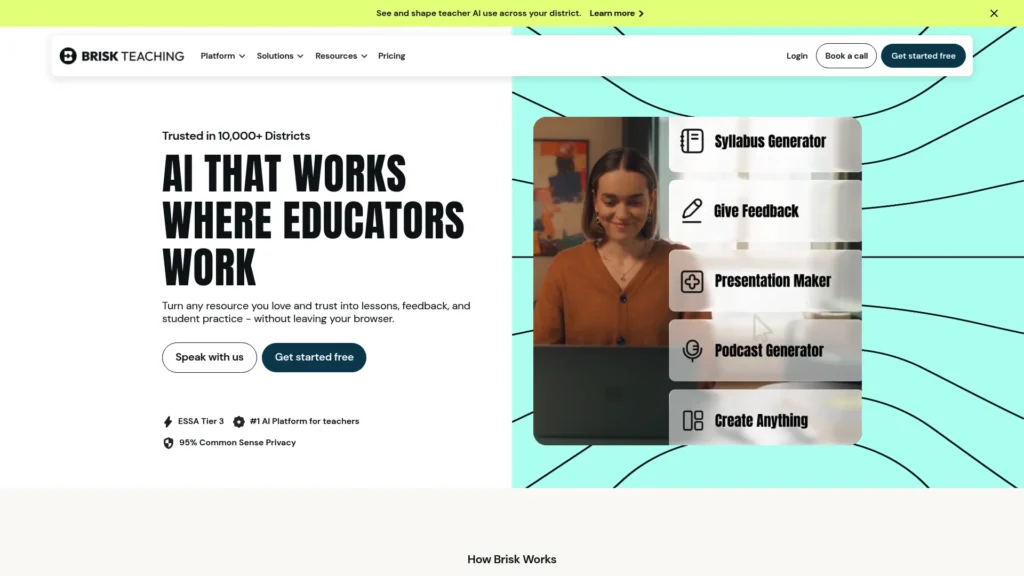
Brisk Teaching works inside the tools many teachers already use. According to Brisk’s FAQ, it is a free Chrome and Edge extension and web platform that adds AI tools to Google Docs, articles, slides, YouTube and more. A teacher reviewing a stack of essays in Google Docs can open Brisk on each one, generate draft feedback against a rubric, and edit it before students see it.
What teachers use it for:
- Draft feedback on student writing inside Google Docs
- Quizzes and lesson plans from a webpage or YouTube video
- Adapting the reading level of existing text
- Rubrics and quick classroom resources
Free option: The Educator Free plan is free forever, with usage limits, and new users get a short trial of the school plan.
Paid: Educator Pro is a paid individual upgrade with unlimited usage (Brisk Educator Pro). Schools and districts get custom, per-student pricing.
Watch out for: Review and personalise AI feedback; students can tell when comments are generic. If you use any AI-writing detection or writing-inspection feature, treat the result as a reason for a conversation, not proof of misconduct, because AI detection can produce false positives.
Best for: Teachers who give a lot of written feedback and work mainly in Chrome or Edge with Google tools.
Skip it if: You don’t use Chrome or Edge, or your school’s device policy blocks browser extensions.
AI Grading Tools
AI grading tools work best as assistants: they group, suggest and organise, while the teacher makes the final judgment. None of the tools here should be used to assign grades without review.
Gradescope
Gradescope, owned by Turnitin, is a grading platform used mostly in higher education and secondary STEM courses for exams, problem sets and handwritten work. Instead of marking each paper from start to finish, you grade question by question against a shared rubric, which keeps marking consistent across a large class.
Its AI feature suggests groups of similar answers so you can grade a whole group at once. In a 200-student physics exam, for example, you can review and score every response that makes the same sign error together. That feature has limits, though: Gradescope’s own guide says answer groups and AI assistance require an Institutional license and are only available on fixed-template PDF assignments.
What teachers use it for:
- Question-by-question grading with shared rubrics
- Grading scanned handwritten exams and homework.
- AI-suggested answer groups (Institutional license)
- Spotting common mistakes across a class
Free option: A free Basic plan covers core rubric grading workflows.
Paid: Institutional licenses are priced by quote through Gradescope’s sales team.
Watch out for: The AI features most teachers want aren’t available on the free plan, and setup takes time because you need well-structured assignments and rubrics.
Best for: Instructors and secondary STEM teachers grading large classes with structured questions.
Skip it if: You teach younger students or mostly assess open-ended creative work.
AI Tools for Interactive Lessons and Classroom Visuals
These AI classroom tools focus on what students see and do during a lesson.
Curipod
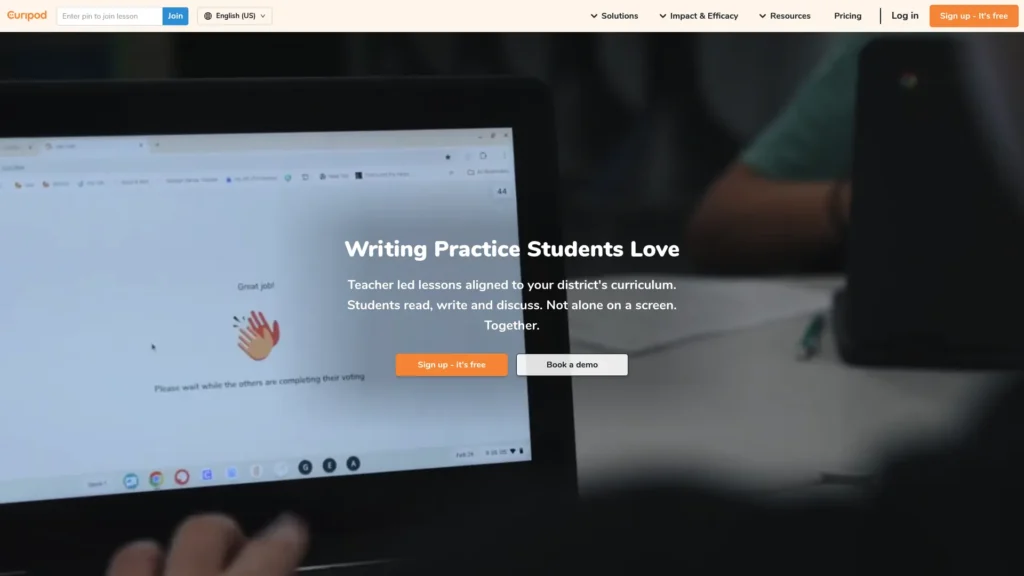
Curipod generates teacher-paced interactive lessons with slides, polls, word clouds, drawings and open-ended questions that students answer from their own devices. It can also give students AI feedback on written responses, and Curipod says teachers can review and control AI output before students see it. A middle-school ELA teacher could run a quick-write warm-up where students submit a paragraph and receive instant feedback on one strength and one improvement.
What teachers use it for:
- Interactive lessons on any topic, generated from a prompt
- Turning existing slide decks into interactive lessons
- Writing practice with AI feedback
- Quick checks for understanding during class
Free option: A free plan with unlimited lesson creation and editing, and two teaching sessions per week. Using the same lesson with several classes in one week counts as one session (Curipod help).
Paid: Unlimited use is available through School & District plans, priced by quote.
Watch out for: The weekly session cap limits daily use on the free plan, and there’s no published individual paid plan. Interactive lessons also require students to have devices.
Best for: Teachers who want more student participation and discussion without building activities by hand.
Skip it if: Your classroom has limited student devices.
Canva for Education
Canva is already familiar to many teachers, and its education plan adds AI tools at no cost. Canva says Canva Education is 100% free for K–12 educators, their students and qualified schools and districts, after verification, and that it never uses student data to train AI models. A teacher could generate a presentation from a short prompt, turn it into a matching worksheet, and share a template students complete in class.
What teachers use it for:
- Presentations, posters, worksheets and newsletters
- AI-generated designs, images and text
- Sharing templates and assignments with students
- Student creative projects inside a managed class
Free option: Free for verified K–12 teachers and their students. Higher education uses a separate offering, Canva Campus.
Paid: Not required for eligible K–12 users.
Watch out for: Verification can take a few days, and school administrators can switch off some features. AI-generated images and facts still need checking before classroom use. If visuals are central to your teaching, AIToolister’s guide to free AI image generators compares more options.
Best for: K–12 teachers who create visual materials and want students designing too.
Skip it if: You teach in higher education without a Canva Campus agreement.
AI Tools for Language Teachers
Twee
Twee is built for language teaching, with an emphasis on English as a second or foreign language. It generates CEFR-aligned reading texts, dialogues, vocabulary exercises, grammar practice, and listening questions from a topic or a YouTube video, and lets teachers share activities with students via a link. Twee says it supports content in 10 languages. An ESL teacher preparing a B1 lesson could paste in a short news video and get comprehension questions, a vocabulary matching task and discussion prompts at the right level.
What teachers use it for:
- Reading and listening activities at a chosen CEFR level
- Vocabulary, grammar and gap-fill exercises
- Questions generated from YouTube videos or audio
- Sharing interactive activities with students
Free option: A free trial with 5 runs on non-Pro tools and 500 text-to-audio credits, plus free resources from Twee’s ESL lesson library (Twee pricing).
Paid: Basic is $6.50 per month billed annually (100 runs a month). Pro is $10.50 per month billed annually, with a 3-day free trial, unlimited runs on basic tools and extra tools such as checking student responses with AI. School plans are priced per seat, and Twee says prices may vary by location.
Watch out for: The free trial is small, so you’ll need a paid plan for regular use. It’s built for language teaching and adds little for other subjects.
Best for: ESL, EFL and English language teachers who produce new materials every week.
Skip it if: You don’t teach a language.
Best Free AI Tools for Teachers
Several of the best free AI tools for teachers are genuinely free, but “free” means different things. Some are free for everyone, some only for verified teachers, and some only if your school has the right account.
| ChatGPT for Teachers | Free educator workspace | Verified U.S. K–12 educators | Free through June 2028; not for students |
| Gemini for Education | Included in school accounts | Schools on Google Workspace for Education | Admin must enable it |
| Canva for Education | Free for teachers and students | Verified K–12 teachers and their students | Not for higher education |
| Khanmigo | Free for teachers | Teachers | Students need a district plan or learner subscription |
| MagicSchool | Limited free tier | Any teacher | Usage limits; no student tools |
| Brisk Teaching | Limited free tier | Any teacher | Usage limits |
| Diffit | Limited free tier | Any teacher | Limited features and 90-day history |
| Eduaide.Ai | Limited free tier | Any teacher | Monthly generation limit |
| Curipod | Limited free tier | Any teacher | Two teaching sessions per week |
| Gradescope | Free Basic plan | Any instructor | No AI answer grouping |
| Regular ChatGPT | Free consumer plan | Anyone | General use limits; consumer data settings |
If you’re starting with no budget, a practical free stack is a general assistant (ChatGPT for Teachers or Gemini, depending on eligibility), one specialist tool for your biggest task, and Canva for Education for visuals.
How to Use AI Responsibly in the Classroom
AI tools for teachers save time only if they don’t create new problems. These four habits cover most risks.
Protect student data
Before entering anything about a student, check whether your school or district has approved the tool and signed a data privacy agreement. Avoid putting names, grades, IEP details, or behaviour notes into a consumer AI account. Several vendors in this guide publish education-specific privacy commitments. MagicSchool lists FERPA, COPPA and SOC 2 compliance on its pricing page, OpenAI says ChatGPT for Teachers data isn’t used for training by default, Google describes Gemini Notebook as supporting COPPA and FERPA compliance, and Canva says it never uses student data to train AI. These are vendor statements; your district remains the right authority on whether a tool meets local requirements.
Check AI output for accuracy and bias.
AI can state wrong facts confidently, oversimplify a concept when lowering the reading level, or reproduce stereotypes in examples and images. Read everything before students see it, especially in science, history and anything touching culture or identity.
Teacher-facing vs student-facing AI
Most tools here are teacher-facing: you use them to prepare materials, and students never interact with the AI. Student-facing tools, such as Khanmigo’s tutor, MagicSchool’s Student Rooms, Curipod’s AI feedback or Gems shared through Google Classroom, need extra care. Check age requirements, school approval and whether you can see and control what the AI tells students.
Academic integrity and the limits of AI detection
AI detectors can produce false positives, so a detection result on its own shouldn’t be treated as proof that a student used AI. Treat a detection result as a reason to talk with the student, not as evidence. Assignments that show thinking in progress, such as drafts, in-class writing, oral explanations and personal reflections, are a more dependable defence than detection software. Make your AI policy clear before students start an assignment.
Frequently Asked Questions
What are the best AI tools for teachers in 2026?
The best AI tools for teachers in 2026 include MagicSchool and Eduaide.Ai for lesson planning, Diffit for differentiation, Brisk Teaching for feedback, Gradescope for grading, Curipod for interactive lessons, Canva for Education for visuals and Twee for language teaching. For a general assistant, ChatGPT for Teachers and Gemini for Education are both free for eligible educators.
Is ChatGPT free for teachers?
Yes, for some teachers. ChatGPT for Teachers is free through June 2028 for verified U.S. K–12 educators, and it isn’t available to students. Teachers outside U.S. K–12 schools can use the regular free version of ChatGPT, which has usage limits and consumer data settings.
Is there an AI better than ChatGPT for teachers?
For many teaching tasks, yes. Teacher-specific tools such as MagicSchool, Eduaide.Ai and Diffit build in grade levels, standards and classroom formats, so you spend less time writing prompts. If your school uses Google Workspace for Education, Gemini may be a better fit because it works inside Google Classroom and Docs.
Are there free AI tools for teachers?
Yes. Canva for Education is free for verified K–12 teachers and students, Khanmigo is free for teachers, ChatGPT for Teachers is free for verified U.S. K–12 educators, and Gemini is included with Google Workspace for Education. MagicSchool, Brisk, Diffit, Eduaide.Ai and Curipod offer limited free plans.
What is the best AI tool for grading?
Gradescope is the strongest option for grading structured exams and problem sets, but its AI answer grouping requires an Institutional license. For written work, Brisk Teaching and MagicSchool can draft feedback against your rubric. In every case, the teacher should review and finalise grades.
Can AI help with differentiation and special education?
Yes. Diffit creates reading passages at different levels, while MagicSchool and Eduaide.Ai can draft accommodations, scaffolds and IEP goal ideas. Treat these as starting points: special education decisions depend on knowledge of each student and must follow your school’s processes. Keep identifiable student information out of tools your district hasn’t approved.
Are AI tools safe to use with student data?
It depends on the tool and your agreement with the vendor. Use tools your school or district has approved, ideally under a data privacy agreement, and avoid entering identifiable student information into consumer AI accounts. Vendor privacy statements are useful, but your district decides whether a tool meets FERPA, COPPA and local requirements.
Which AI tools can students use safely in class?
Tools designed for supervised student use are the safest options, including Khanmigo through a district plan, MagicSchool’s Student Rooms, Curipod and Canva for Education, where teachers control the classroom setup. ChatGPT for Teachers is for educators only. Always check age requirements and school approval first.
Can AI replace teachers?
No. AI can draft materials, suggest feedback and adapt texts, but it can’t build relationships, read a room, motivate a struggling student or make professional judgments about learning. AI’s most useful role is to handle preparation work so teachers have more time for students.
Conclusion: Start With One Task
Teachers don’t need eleven AI subscriptions. The most useful approach is to identify the single task taking the most time each week and start there with a free tool or trial.
If planning eats your evenings, try MagicSchool or Eduaide.Ai. If you spend hours adapting texts, start with Diffit. If feedback is the bottleneck, try Brisk Teaching. If you’re a U.S. K–12 teacher, ChatGPT for Teachers is free through June 2028, and if your school uses Google Workspace for Education, Gemini may already be waiting in your account. Use one tool for a few weeks, keep what genuinely helps, and let the AI handle preparation so you have more time for students.
Keep Exploring