



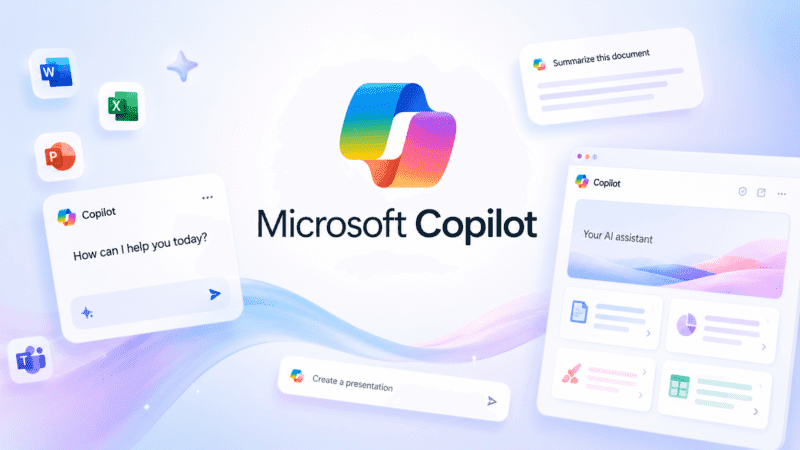
Microsoft Copilot occupies an unusual position among AI assistants: it's simultaneously a free consumer chatbot, a Windows 11 system feature, and an enterprise add-on layered on top of existing Microsoft 365 licenses. That range is a strength for anyone already inside Microsoft's ecosystem, and a genuine source of pricing confusion for everyone else.
What is Microsoft Copilot?
Microsoft Copilot is Microsoft's AI assistant, available as a free standalone consumer chatbot at copilot.microsoft.com and through dedicated apps, and as a deeply integrated productivity add-on across Word, Excel, Teams, Outlook, and Windows itself for paying business and consumer subscribers.
The free consumer version functions similarly to other general-purpose chatbots, answering questions, generating images with Mico as a visual AI companion, and assisting with everyday tasks. The paid Microsoft 365 Copilot experience goes further, connecting to an organization's own documents and data through Microsoft Graph to summarize meetings, draft proposals, and analyze spreadsheets using context the free version doesn't have access to.
Key features
Microsoft 365 Integration
Copilot works directly inside Word, Excel, PowerPoint, Teams, and Outlook, drafting content, analyzing data, and summarizing meetings using an organization's own connected documents and data.
Mico
A visual AI companion in the consumer app that adds expressive, personality-driven interactions to everyday chat conversations.
Vision
Lets users upload or share images for Copilot to analyze, answer questions about, or use as the basis for visual search.
Researcher and Analyst Agents
Built-in AI agents on Microsoft 365 Copilot plans that can generate research reports or analyze complex datasets with less manual setup than starting from scratch.
Windows 11 Integration
Copilot is built directly into Windows 11, surfacing recent files, apps, and chats to help users pick up tasks where they left off.
Copilot Studio
A separate platform for building custom AI agents that extend Copilot's capabilities for specific organizational workflows, priced as an add-on.
Pros
- Free consumer tier is genuinely capable for everyday chat, image generation, and quick tasks
- Deep integration with Word, Excel, Teams, and Outlook adds real value for existing Microsoft 365 users
- Built directly into Windows 11 with no separate installation needed for most users
- Enterprise-grade security and compliance features on business tiers
- Broad platform coverage across web, Windows, macOS, iOS, and Android
Cons
- Business pricing is an add-on layered on top of a qualifying Microsoft 365 base license, making true total cost significantly higher than the headline add-on price alone
- The standalone consumer Copilot Pro tier was discontinued and folded into the pricier Microsoft 365 Premium plan
- Pricing structure has changed multiple times, with promotional bundles and standard rates shifting throughout 2026
- Full Microsoft 365 Copilot capability requires an underlying qualifying license, so it's not purchasable as a true standalone product for business use
Pricing
Microsoft Copilot's consumer chat is free with no subscription required. Microsoft 365 Premium, which folds in the advanced AI features that previously sold separately as Copilot Pro, costs $19.99/month. For business use, Microsoft 365 Copilot Business costs approximately $18 to $25.20 per user per month depending on billing terms and promotional timing, and requires an existing qualifying Microsoft 365 Business plan. Microsoft 365 Copilot Enterprise costs $30 per user per month billed annually and requires a qualifying enterprise Microsoft 365 license.
Because Copilot Business and Enterprise are add-ons rather than standalone products, the real total cost includes the underlying Microsoft 365 base plan, often $30 to $90 per user per month combined. Confirm current bundle pricing and promotional windows directly on Microsoft's pricing page, since rates and offers have shifted several times through 2026.
Best for
Microsoft Copilot is best suited to individuals and organizations already using Microsoft 365, Windows, and Office apps, where the AI features connect directly to documents and workflows already in place. It fits naturally within broader AI Chatbots and productivity tooling for teams standardized on the Microsoft ecosystem.
Use cases
- Drafting and editing documents directly inside Word
- Building formulas and analyzing data in Excel
- Summarizing meetings and generating follow-ups in Teams
- Drafting and organizing emails in Outlook
- General AI chat, image generation, and research through the consumer app
- Building custom organizational agents with Copilot Studio
Supported platforms
- Web, Windows, macOS, iOS, and Android, with native integration directly into Windows 11.
Languages
- Microsoft Copilot supports English, Spanish, French, German, Japanese, and a wide range of additional languages across its consumer and business products.
Integrations
- Microsoft Word, Excel, Teams, Outlook, Windows 11, and the Microsoft Graph API, which powers the Microsoft 365 Copilot APIs for developers building custom applications and agents that connect to an organization's Microsoft 365 data.
Things to consider
- The add-on pricing model is the single most important thing to understand before budgeting for Microsoft 365 Copilot in a business setting, since the advertised per-user Copilot price doesn't include the required base Microsoft 365 license, meaning real costs are typically two to three times the headline number. Teams should also verify which specific base plans qualify for Copilot bundling, since eligibility and bundle pricing have changed more than once during 2026.
- For solo or personal use, deciding between the free consumer tier and the $19.99/month Microsoft 365 Premium plan mostly comes down to whether the advanced AI features and broader Microsoft 365 app access justify the subscription over free daily use.
How the tool compares
Compared with ChatGPT and Gemini AI, Microsoft Copilot's core advantage is native integration with Word, Excel, Teams, and Outlook, similar in spirit to Gemini's Google Workspace integration but built for organizations standardized on Microsoft tools instead. Its business pricing model is more complex than either competitor, since Copilot is an add-on requiring a separate qualifying base license rather than a simple standalone subscription.
AIToolister verdict
Microsoft Copilot earns its place for anyone deep in the Microsoft ecosystem, the Word, Excel, and Teams integration genuinely saves time on everyday tasks that would otherwise require copying content between a separate chatbot and the actual document. The free consumer tier is a solid general-purpose assistant on its own.
Organizations evaluating the paid business tiers should budget carefully around the add-on pricing structure, since the real total cost is meaningfully higher than the advertised per-user Copilot price alone.
Frequently asked questions
- Is Microsoft Copilot free to use?
Yes. The consumer chat version at copilot.microsoft.com and through the official mobile apps is free, with no subscription required for core chat and image generation features.
- What happened to Copilot Pro?
The standalone Copilot Pro subscription was discontinued and its advanced features were folded into Microsoft 365 Premium at $19.99/month, which also includes broader access to Microsoft 365 apps.
- Why does Microsoft 365 Copilot for business cost more than the advertised price?
Microsoft 365 Copilot Business and Enterprise are add-ons that require an existing qualifying Microsoft 365 base license. The advertised $18 to $30 per user per month add-on price doesn't include that required base plan, so real total cost is typically higher.
- Does Microsoft Copilot have an API for developers?
Yes. The Microsoft 365 Copilot APIs, built on Microsoft Graph, let developers access Copilot's capabilities including chat, retrieval, and meeting insights within an organization's Microsoft 365 tenant, though this requires enterprise setup rather than a simple standalone API key.
- Is Microsoft Copilot built into Windows?
Yes. Copilot is integrated directly into Windows 11, and on many new PCs it comes pre-installed and accessible from the taskbar or Start menu.