
Rytr has never tried to compete with the heavyweight, long-form AI writing platforms on price or scope. Instead, it's stayed in its lane: fast, cheap, template-based short-form content, and in 2026 that narrow focus is still exactly what keeps it relevant.
What is Rytr?
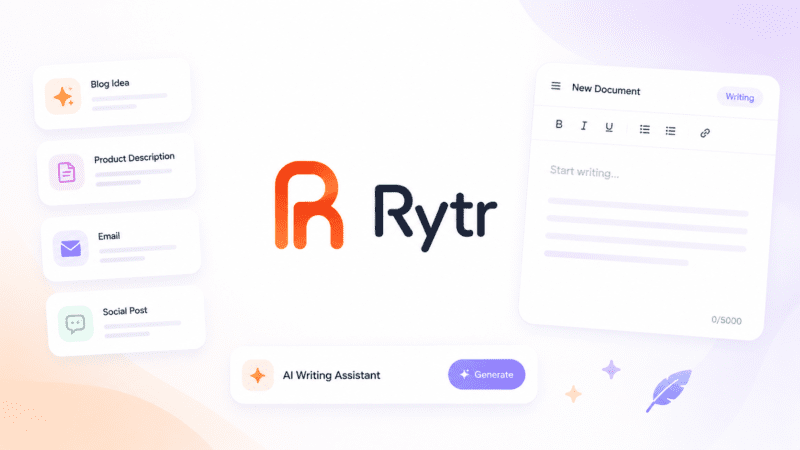
Rytr is an AI writing assistant built around a simple template system: pick a use case, add some context, and get a draft. Rather than trying to handle long-form articles or deep research, it's designed for short-form content that needs to be produced quickly and repeatedly, social captions, ad copy, product descriptions, and email drafts.
The platform covers more than 40 use cases and over 20 tones of voice, with a Chrome browser extension that brings its writing suggestions into Gmail, Google Docs, and other web-based tools without needing to switch tabs.
Key features
Template-Based Use Cases
Over 40 pre-built templates covering common short-form content types, from social captions to business emails, reducing the need for prompt engineering.
Tone Matching
More than 20 tones of voice let users adjust generated content to match a specific brand or personal writing style.
Plagiarism Checker
Built-in plagiarism checking is included on paid plans, verifying that generated content is original before publishing.
Chrome Browser Extension
Brings Rytr's writing assistance directly into Gmail, Google Docs, and other web tools, avoiding the need to copy and paste between separate windows.
Multilingual Support
Supports content generation and translation across more than 30 languages on the Premium plan.
Developer API
A RESTful API with Bearer token authentication, letting developers integrate Rytr's content generation directly into their own applications.
Pros
- Genuinely affordable compared to most AI writing competitors
- Simple, template-based interface requires no prompt engineering experience
- Free plan lets users fully evaluate output quality before paying
- Chrome extension integrates directly into Gmail and Google Docs
- Developer API allows custom automation for agencies and businesses
Cons
- Not well suited to long-form content like full blog posts or in-depth articles
- No native integrations with WordPress, HubSpot, or Zapier, requiring manual copy-paste into most publishing workflows
- No official mobile app; access is web-only through a browser
- Content may require editing to pass AI-detection tools for contexts where that matters
Pricing
Rytr's Free plan includes 10,000 characters per month (roughly 1,500 to 2,000 words) with access to all 40+ use cases and no credit card required. The Unlimited plan costs $9/month ($7.50/month billed annually) and removes character limits for unlimited short-form content generation in a single language. The Premium plan costs $29/month ($24.16/month billed annually) and adds 35+ language support, custom use cases, and a higher monthly plagiarism-check allowance.
Rytr also offers a separate developer API, starting with 10,000 free API credits and scaling to pay-as-you-go pricing beyond that. Confirm current character allowances and API rates directly on Rytr's pricing page before committing, since usage limits can shift.
Best for
Rytr is best suited to freelancers, small business owners, and marketers who need fast, affordable short-form content at volume, rather than long-form articles or deeply researched content. It fits well within broader AI Writing tools for anyone prioritizing speed and cost over advanced brand-consistency or team-collaboration features.
Use cases
- Writing social media captions and posts quickly
- Generating ad copy variations for testing
- Drafting product descriptions at scale
- Composing professional and personal emails
- Outlining blog posts and short-form marketing content
- Automating content generation through the API
Supported platforms
- Web, with a Chrome browser extension that integrates directly into Gmail, Google Docs, and other web-based tools. No official mobile app or desktop application could be confirmed as published by Rytr; several third-party apps and browser wrappers using similar names exist but are not affiliated with Rytr.
Languages
- Rytr supports English as its base language, with 30 or more additional languages available on the Premium plan for multilingual content generation.
Integrations
- A Chrome browser extension for in-context writing assistance, and a RESTful developer API using Bearer token authentication for building custom content automation workflows.
Things to consider
- Rytr's lack of native integrations with common publishing tools like WordPress or Zapier means teams producing high volumes of content daily will need to build manual copy-paste steps into their workflow, which can add friction at scale. Buyers should also confirm whether generated short-form content needs to pass AI-detection tools for their specific use case, since some editing may be required regardless of the writing tool used.
- When searching for Rytr's mobile app, be cautious: several unrelated apps with similar names appear in app stores, and none are confirmed as officially published by Rytr itself.
How the tool compares
Compared with Jasper AI and Copy.ai, Rytr is positioned firmly at the budget end of the market, trading brand-voice consistency and team collaboration features for a dramatically lower price point focused on individual short-form content needs. Compared with general-purpose assistants like ChatGPT, Rytr's template system requires less prompt engineering for common content types but offers far less flexibility for long-form or complex writing tasks.
AIToolister verdict
Rytr earns its place as one of the most affordable serious AI writing tools available, particularly for freelancers and small businesses producing short-form content regularly. The $9/month Unlimited plan removes the anxiety of character counting at a price few competitors can match.
For anyone needing long-form content, deep brand-voice consistency across a team, or native publishing integrations, Rytr's narrow focus will likely feel limiting compared to more full-featured, higher-priced alternatives.
Frequently asked questions
- Is Rytr free to use?
Yes. Rytr's Free plan includes 10,000 characters per month with access to all 40+ use cases and no credit card required, enough to evaluate the platform before committing to a paid plan.
- Does Rytr have a mobile app?
No official mobile app could be confirmed as published by Rytr. Several unrelated third-party apps use similar names in app stores; the platform itself is accessed through a web browser and Chrome extension.
- Is Rytr good for long-form content like blog posts?
Not particularly. Rytr is built around short-form, template-based content such as social captions, ad copy, and product descriptions, and is not designed for producing complete, polished long-form articles end-to-end.
- Does Rytr offer an API for developers?
Yes. Rytr provides a RESTful API with Bearer token authentication, starting with 10,000 free API credits and scaling to pay-as-you-go pricing for higher usage.
- How many languages does Rytr support?
Rytr supports English on all plans, with 30 or more additional languages available specifically on the Premium plan for multilingual content generation.