
Microsoft Designer
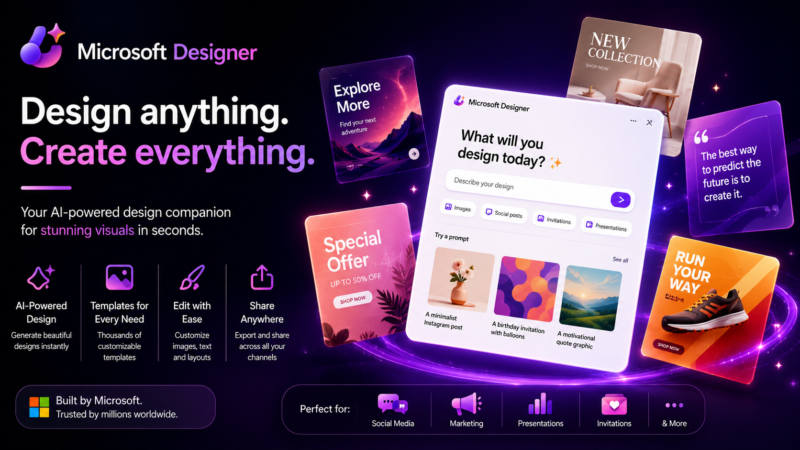
In this Microsoft Designer Review, we explore how this AI-powered graphic design platform helps users create professional images, social media graphics, marketing materials, and AI-generated artwork with ease.
There’s a specific kind of creative block that hits when you know what you want to communicate but have no idea how to make it look good. The words are there. The idea is clear. But turning that into something visually polished — something that doesn’t immediately signal “made by someone who isn’t a designer” — has always required either design skills, a designer, or settling for templates that look like every other business using the same tool. Microsoft Designer was built to close that gap for the people who live in Microsoft’s world and need to produce visual content without a creative team behind them.
Microsoft Designer is an AI-powered graphic design tool built by Microsoft that generates complete, polished designs from text prompts and integrated with the Microsoft 365 ecosystem. It’s not trying to compete with Figma or Adobe for professional designers. It’s built for everyone else — the marketer putting together a social post before a meeting, the small business owner who needs a flyer by this afternoon, the team lead who wants a presentation cover that doesn’t look like a default Office theme.
If you’re creating graphics for work, social media, or personal projects, our Best Free AI Image Generators in 2026 guide compares Microsoft Designer with other tools that make high-quality visual content easy to produce.
What makes it feel different from other AI design tools is how naturally it connects to things you’re already using. If you’re in Microsoft 365, your fonts, your brand colors, your recent files — they’re already there. You’re not starting cold every time. That connection to an existing ecosystem reduces the setup friction that makes most design tools feel like a production rather than a quick task.
The image generation inside Designer uses DALL-E, which means the visual quality is solid and the range of what you can generate is genuinely wide. Text prompts produce backgrounds, illustrations, and custom imagery that can be dropped directly into a design without sourcing from stock libraries that everyone else is also pulling from.
The social media format support is thorough — Instagram, Facebook, LinkedIn, Pinterest, and more are all covered with correctly sized templates that the AI populates based on your prompt and content. For anyone managing social content without a dedicated designer, that format awareness removes a step that used to mean either knowing the right dimensions or getting it wrong.
Microsoft Designer is at its best when speed matters more than pixel-perfect creative control. For that use case, it genuinely delivers.
If you’re exploring creative AI platforms, it’s worth browsing our AI Image category to compare tools for generating illustrations, marketing graphics, concept art, and other visual content.
Microsoft Designer Review: Key Features
- AI-powered design generation from text prompts across social, marketing, and presentation formats
- DALL-E image generation integrated directly into the design workflow
- Microsoft 365 integration connecting brand assets, fonts, and recent content
- Social media format templates correctly sized for every major platform
- AI background removal and image editing within the design environment
- Animation tools for adding motion to static design elements
- Brand kit support for maintaining visual consistency across generated designs
- One-click design variations for exploring multiple visual directions from a single prompt
- Direct sharing to social platforms and export in standard image formats
- Integration with Microsoft PowerPoint for importing designs directly into presentations
Microsoft Designer Pros
In this Microsoft Designer Review, these are the biggest advantages we found after evaluating its AI-powered image generation, graphic design, prompt-based creation, editing tools, and social media design capabilities.
- Microsoft 365 integration means existing brand assets are available without manual importing
- DALL-E image quality gives generated visuals more range and quality than basic stock options
- Social format templates cover every major platform with correct sizing automatically applied
- One-click variations make exploring different design directions fast without rebuilding from scratch
- Free to use for Microsoft account holders — no additional subscription required to get started
Microsoft Designer Cons
- Creative control is limited compared to professional design tools for users who know what they want precisely
- Output quality is less consistent on complex or highly specific design briefs
- Less useful outside the Microsoft ecosystem for users who don’t already work in 365
Best For
Small business owners, marketers, educators, content creators, and Microsoft 365 users who need to produce professional-looking visual content quickly without design skills or a creative team available to help.
Use Cases
Social media graphics, marketing flyers, email headers, presentation covers, event announcements, promotional content, blog post imagery, branded social content, and quick visual asset creation for teams that need something polished without a design production cycle.
Microsoft Designer Pricing
- Free for Microsoft account holders with access to core features
- Microsoft 365 subscribers get expanded access and higher generation limits
- Copilot Pro subscription unlocks additional AI features and priority generation
Things to Consider Before Using Microsoft Designer
Microsoft Designer works best when you give it clear, specific prompts rather than vague ones. “A modern social media post for a coffee shop autumn promotion with warm orange tones” will get you somewhere useful. “A nice design for my business” will get you something generic. The more context you put in, the more the output reflects what you actually had in mind. It’s also worth being realistic about the creative ceiling — this is a tool for producing good-enough-fast, not perfect-eventually. If your use case requires precise creative control and brand-critical accuracy on every output, the professional design tools are still where that work needs to happen.
AIToolister Verdict on Microsoft Designer
Overall, this Microsoft Designer Review shows that the platform is an excellent solution for marketers, content creators, small businesses, students, and professionals looking to create high-quality graphics and AI-generated images quickly with minimal design experience. Microsoft Designer is one of those tools that makes most sense once you stop comparing it to what professional designers use and start thinking about what the average person actually needs when they need to make something visual quickly. For that use case — and it’s a genuinely common one — it delivers. The 365 integration, the DALL-E image quality, and the social format coverage work together well enough that a non-designer can produce something that looks considered rather than cobbled together. It’s not going to replace a creative team. But for the moments when there isn’t one available and something still needs to go out looking decent, Microsoft Designer is a genuinely useful tool to have in the workflow.
Official Microsoft Designer Website
Visit the official Microsoft Designer website to explore its AI-powered graphic design platform, compare available features, and discover tools for creating images, social media graphics, presentations, and marketing materials.
https://designer.microsoft.com
Frequently Asked Questions
What is Microsoft Designer used for?
Microsoft Designer is an AI-powered graphic design platform that helps users create social media graphics, presentations, invitations, marketing materials, and AI-generated images from text prompts.
How does Microsoft Designer use AI?
Microsoft Designer uses Microsoft’s AI technology to generate images, suggest layouts, create graphics, remove backgrounds, edit images, and assist with visual content creation.
Who should use Microsoft Designer?
Microsoft Designer is ideal for marketers, small businesses, students, educators, content creators, social media managers, and anyone who wants to create professional-quality graphics without advanced design skills.
Can Microsoft Designer generate AI images?
Yes. Microsoft Designer includes AI-powered text-to-image generation that allows users to create original artwork, illustrations, and custom visuals directly from written prompts.
Is Microsoft Designer worth it?
Microsoft Designer is worth considering for users who need an easy-to-use AI design platform that combines graphic design, image generation, editing tools, and Microsoft ecosystem integration.