
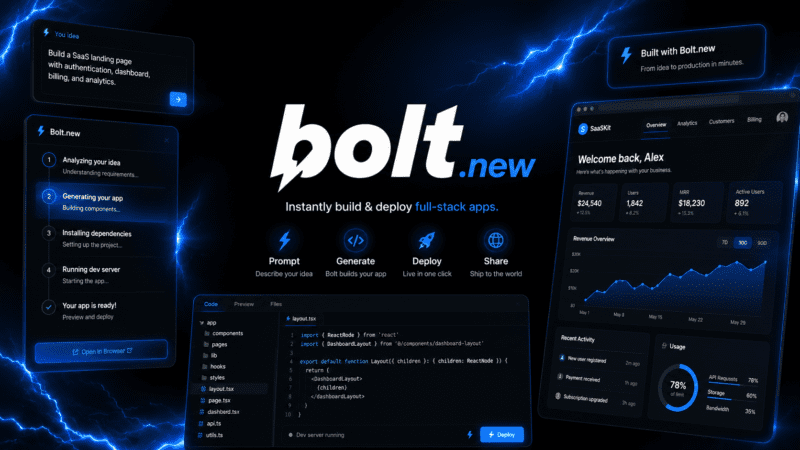
Bolt.new turned a simple pitch, describe an app and watch it get built live in your browser, into one of the fastest-growing AI coding products around, reportedly reaching $1 million in ARR within its first week after launch. The trick behind that speed is WebContainer technology, a full Node.js environment that runs entirely client-side.
What is Bolt.new?
Bolt.new is StackBlitz's AI-powered app generator that builds full-stack web applications directly inside the browser, with no local setup, no backend server, and no manual environment configuration required. Users describe an app in plain language, and Bolt generates working React/Vite code in real time, with a live preview updating as changes are made.
Because everything runs client-side through WebContainer technology, feedback is close to instant, there's no round trip to a cloud server for every code change, which is part of why Bolt has become known as one of the faster AI app builders for early-stage prototyping.
Key features
WebContainer Technology
Runs a complete Node.js development environment, file system, terminal, and package manager, entirely inside the browser without any local installation.
Full-Stack Generation
Generates frontend, backend, and database logic from a single prompt, rather than requiring separate tools or manual wiring between layers.
Live Preview
Displays a working preview of the generated app as it's built, so changes are visible immediately rather than after a build or deployment step.
Bolt Cloud
Adds built-in databases, authentication, file storage, edge functions, and analytics, extending Bolt from a code generator into a more complete backend platform.
One-Click Deployment
Deploys generated applications directly to Netlify, Vercel, or StackBlitz hosting without leaving the Bolt interface.
Expo Integration
Scaffolds React Native code for mobile apps from a prompt, though shipping a signed app to the App Store or Google Play requires a separate build pipeline outside Bolt itself.
Pros
- Genuinely fast from prompt to working full-stack preview, often minutes for moderately complex apps
- No local setup required, everything runs in the browser via WebContainers
- Generated code is standard React/Vite, downloadable and modifiable outside Bolt
- Bolt Cloud extends the platform with real backend infrastructure, not just frontend code
- Free plan is functional enough to build several small prototype projects
Cons
- Token consumption scales with project complexity, making costs harder to predict on larger builds
- Cannot run EAS builds or ship signed mobile binaries directly to app stores, despite generating React Native code
- No native desktop or mobile app, Bolt is accessed entirely through the browser
- Credits reset monthly rather than rolling over on some competing platforms' plans
Pricing
Bolt.new's Free plan includes 1 million tokens per month with a 300,000 daily limit and no credit card required, enough to build several small prototype projects. Pro costs $25/month with 10 million monthly tokens and token rollover. Teams costs $30 per member per month with admin controls, and Enterprise pricing is custom for larger organizations.
Because Bolt's token system scales with project complexity and codebase size rather than a fixed per-interaction cost, actual usage can vary significantly between simple landing pages and more complex multi-page applications with several integrations. Confirm current token rates on Bolt's pricing page before estimating costs for a specific project.
Best for
Bolt.new is best suited to founders and developers who want to validate an idea quickly by going from a description to a working full-stack prototype without setting up a local development environment. It fits well within broader AI Coding tools for rapid prototyping and MVP-stage projects specifically.
Use cases
- Building MVPs and prototypes to validate a product idea quickly
- Generating full-stack apps with database and authentication via Bolt Cloud
- Testing and iterating on an app entirely in-browser without local setup
- Deploying finished projects directly to Netlify or Vercel
- Scaffolding React Native mobile app code as a starting point
- Downloading generated code to continue development in another environment
Supported platforms
- Web only, accessed entirely through a browser using WebContainer technology. There is no native desktop or mobile application.
Languages
- Bolt.new's interface and code generation are primarily in English.
Integrations
- Netlify and Vercel for one-click deployment, StackBlitz for hosting and the underlying WebContainer infrastructure, GitHub for version control, and Expo for scaffolding React Native mobile code.
Things to consider
- Token-based pricing means cost isn't fixed per interaction, complex, multi-page applications with heavier logic will consume tokens faster than simple prototypes, so budgeting should account for the specific type of project being built rather than a flat monthly estimate. Teams planning to ship a mobile app generated through Bolt's Expo integration should also plan for a separate build and signing pipeline, since Bolt itself cannot produce a signed binary for app store submission.
- Since Bolt generates standard React/Vite code, teams aren't locked into the platform for the long term, projects can be downloaded and continued in a traditional local development environment if needed.
How the tool compares
Compared with Cursor, which is a full desktop code editor for ongoing development work, Bolt.new is more focused on rapid, browser-based prototyping and initial app generation, with less depth for long-term, large-codebase engineering work. Compared with other AI app builders, Bolt's WebContainer technology gives it a speed advantage for live previews, since there's no round-trip to a remote server for every change.
AIToolister verdict
Bolt.new is a strong choice for founders and developers who want to move from an idea to a working full-stack prototype as fast as possible, with genuinely impressive speed thanks to its in-browser WebContainer approach. The token-based pricing rewards understanding your project's likely complexity before committing to a paid tier.
For long-term, large-scale development work, pairing Bolt's fast initial generation with a dedicated code editor for ongoing maintenance is likely to serve better than relying on Bolt alone for a project's entire lifecycle.
Frequently asked questions
- Is Bolt.new free to use?
Yes. Bolt.new's Free plan includes 1 million tokens per month with a 300,000 daily limit, requiring no credit card, enough to build several small prototype projects.
- Does Bolt.new require any local setup?
No. Bolt.new runs entirely in the browser using WebContainer technology, a full Node.js environment that requires no local installation or configuration.
- Can Bolt.new build mobile apps?
Bolt.new can scaffold React Native code for mobile apps using its Expo integration, but it cannot run EAS builds or produce a signed binary for App Store or Google Play submission directly.
- Does Bolt.new have a desktop or mobile app?
No. Bolt.new is accessed entirely through a web browser, with no native desktop or mobile application currently offered.
- How does Bolt.new's token pricing work?
Token consumption scales with project complexity and codebase size rather than a fixed cost per interaction, so more complex, multi-page applications will use tokens faster than simple prototypes.