
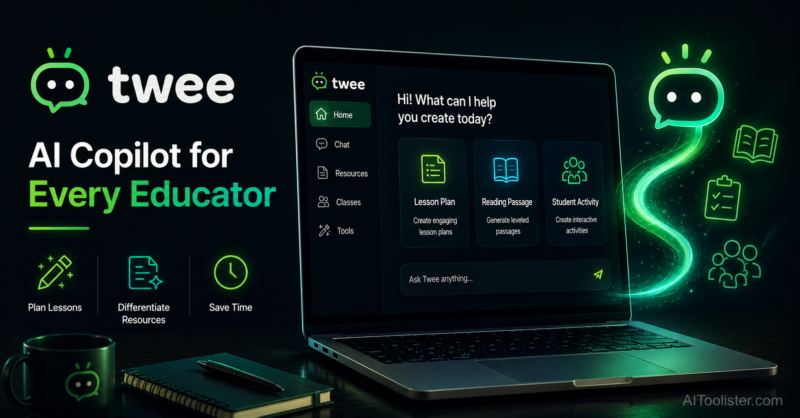
Twee

Quick Links

Visit Official Website
Reviewed & Updated: August 9, 2026Pricing, features, and availability may change. Always verify the latest information on the official website.
Twee
Pricing: Freemium
Free Trial: Yes
Best For: Language teachers who want to quickly turn articles, YouTube videos, or topics into ready-to-use ESL and language lesson materials
Starting Price: $11.95 per month
Platform: Web
Target Users: ESL teachers, Foreign language teachers, Language tutors, Curriculum developers
Use Cases: Turning a YouTube video into a full language lesson with comprehension questions, Generating dialogues and gap-fill exercises for a specific grammar point, Creating discussion questions from a news article or topic, Building vocabulary and comprehension activities from an existing text, Sharing generated lessons with students or other teachers
Languages: English, Multiple additional languages
Integrations: YouTube
AIToolister Review

Building a language lesson around a genuinely engaging piece of content, a current news article, a relevant YouTube video, a real dialogue, usually means a lot of manual work turning that source material into structured exercises. Twee was built specifically for that workflow, letting language teachers feed in a topic, article, or video link and get back a ready-to-use lesson with dialogues, gap-fills, and discussion questions already built.

What is Twee?

Twee is an AI lesson-planning platform built specifically for language teachers, helping them create, share, and grade ESL and other language lessons from a topic, an existing article, or a YouTube video link. Rather than functioning as a general-purpose teacher AI tool, Twee is narrowly focused on the language-teaching use case, generating dialogues, gap-fill exercises, discussion questions, and comprehension activities tailored to language instruction specifically. Its ability to turn a YouTube video directly into a structured lesson is a distinctive feature that sets it apart from more general lesson-planning tools not built with language pedagogy in mind.

Key features

YouTube Video-to-Lesson Generation

Converts a YouTube video link into a full language lesson complete with comprehension questions and related activities, a distinctive capability for video-based language instruction.

Dialogue and Gap-Fill Generation

Creates dialogues and gap-fill exercises targeted at specific grammar points or vocabulary themes, core building blocks of language instruction.

Article and Topic-Based Lesson Creation

Generates discussion questions and comprehension activities from a news article, topic, or existing text, giving teachers a fast path from source material to classroom-ready content.

Vocabulary and Comprehension Activities

Builds vocabulary-focused exercises and comprehension checks aligned to the source material or topic a teacher provides.

Lesson Sharing

Lets teachers share generated lessons with students or with other teachers, supporting collaborative lesson development and reuse.

Grading Support

Provides tools to support grading of language-focused assignments and exercises generated through the platform.

Pros

  • Genuinely specialized for language teaching, producing dialogue and gap-fill exercises that a general-purpose lesson tool wouldn't generate as naturally
  • The YouTube-to-lesson feature is a distinctive, practical capability for teachers building lessons around video content
  • Free tier provides a meaningful number of monthly generations for testing before committing to a paid plan
  • Narrow focus means the tool is purpose-built for language pedagogy rather than adapted from a general education AI platform

Cons

  • Free tier caps at a limited number of text and media runs per month, which regular users will exhaust relatively quickly
  • Narrow focus on language teaching means it's not a fit for teachers outside ESL or foreign language instruction
  • School and District-level pricing is not fully public and requires direct contact for a quote
  • As with any AI-generated language content, exercises benefit from a teacher's review for accuracy and appropriateness to a specific class's proficiency level

Pricing

Twee offers a free tier providing a limited number of monthly text and media generation runs, alongside a Pro plan priced around $11.95 per month, or approximately $7.49 per month billed annually. School and District-level pricing is not published and requires direct contact with Twee for a custom quote. Because the free tier's monthly run limits are relatively modest, regular users creating lessons weekly will likely need the Pro tier for consistent, uninterrupted use. Confirm current free-tier limits and school pricing on the official Twee website before subscribing.

Best for

Twee is best suited to ESL teachers, foreign language instructors, and language tutors who regularly build lessons around articles, videos, and specific grammar or vocabulary points. It fits AI Education workflows centered specifically on language instruction rather than general subject teaching. Teachers outside language instruction, or those needing a broader multi-subject AI platform, should look at a general tool like MagicSchool AI or Eduaide.AI instead, since Twee's value is concentrated specifically in language pedagogy.

Use cases

  • Turning a relevant YouTube video into a structured language lesson with comprehension questions
  • Generating a dialogue and gap-fill exercise targeting a specific grammar point
  • Creating discussion questions and vocabulary activities from a current news article
  • Building comprehension checks aligned to a specific reading or listening passage
  • Sharing a completed lesson with students directly or with colleague teachers for reuse

Supported platforms

  • Twee is a web-based platform accessible through any modern browser, with its core video-to-lesson feature built around processing YouTube video links directly.

Languages

  • Twee supports lesson generation across English and multiple additional languages, reflecting its core purpose as a tool for both ESL instruction and other foreign language teaching contexts.

Integrations

  • Twee's primary integration is with YouTube, letting teachers convert a video link directly into structured lesson content rather than manually transcribing or summarizing video material themselves.

Things to consider

  • Estimate your typical monthly lesson generation volume against the free tier's run limits before assuming free access will be sufficient, since regular weekly lesson builders will likely exhaust the free allowance and need Pro for consistent use. Because Twee's value is concentrated specifically in language teaching, teachers of other subjects should look elsewhere rather than trying to stretch Twee beyond its intended scope. Schools considering broader adoption for a language department should request a direct quote early, since institutional pricing isn't published.

How the tool compares

Twee's closest comparison is Eduaide.AI, both offering low-cost individual pricing for AI-generated teaching content, though Twee is narrowly specialized for language instruction while Eduaide covers a broader range of subjects and content types. Against a broad platform like MagicSchool AI, Twee trades breadth for depth in one specific area, producing more naturally language-pedagogy-appropriate content like dialogues and gap-fills than a general-purpose tool would generate as fluently. Language teachers specifically tend to find real, focused value in Twee; teachers of other subjects are better served by a broader, general-purpose teaching AI platform.

AIToolister verdict

Quick Answers

- Is it free? Freemium — a free tier exists with limited monthly text and media generation runs. - Is it worth it? Yes, specifically for ESL and foreign language teachers building lessons around articles and videos. - Who should use it? ESL teachers, foreign language instructors, and language tutors. - Best alternative: Eduaide.AI for teachers wanting broader subject coverage at a similarly low cost.

Twee's narrow specialization in language teaching genuinely pays off for the teachers it's built for, producing dialogues, gap-fills, and video-based lessons that feel purpose-built for language pedagogy rather than adapted from a general education tool. Its YouTube-to-lesson feature in particular is a practical, distinctive capability for video-based language instruction. For ESL and foreign language teachers specifically, it remains a focused, useful tool; for teachers of other subjects, the specialization that makes Twee valuable also makes it the wrong fit.

Decision Summary

- ESL or foreign language teacher building lessons from articles or video: Recommended - Teaching a subject outside language instruction: Consider a broader platform like MagicSchool AI instead - Want to turn YouTube videos into structured lessons: Good fit given this distinctive built-in feature - Regular weekly lesson generation needs: Budget for the Pro tier given modest free-tier run limits

Frequently asked questions

Is Twee free for teachers?

Yes, Twee offers a free tier with a limited number of monthly text and media generation runs, with a Pro plan around $11.95 per month, or roughly $7.49 per month billed annually, for expanded access.

Can Twee turn a YouTube video into a lesson?

Yes, Twee's video-to-lesson feature converts a YouTube video link into a full language lesson complete with comprehension questions, a distinctive capability among AI teaching tools.

Is Twee good for subjects other than language instruction?

No, Twee is narrowly specialized for ESL and foreign language teaching, generating dialogues, gap-fills, and language-specific activities. Teachers of other subjects should look at a broader, general-purpose teaching AI platform instead.

How much does Twee cost for a school or department?

School and District-level pricing is not published and requires direct contact with Twee for a custom quote. The individual free and Pro tiers are the only publicly listed pricing.

What kind of content can Twee generate?

Twee generates dialogues, gap-fill exercises, discussion questions, vocabulary activities, and comprehension checks, all tailored specifically to language teaching from a topic, article, or video source.

At a glance

Tool Snapshot

Sign In

Register

Reset Password

Please enter your username or email address, you will receive a link to create a new password via email.