
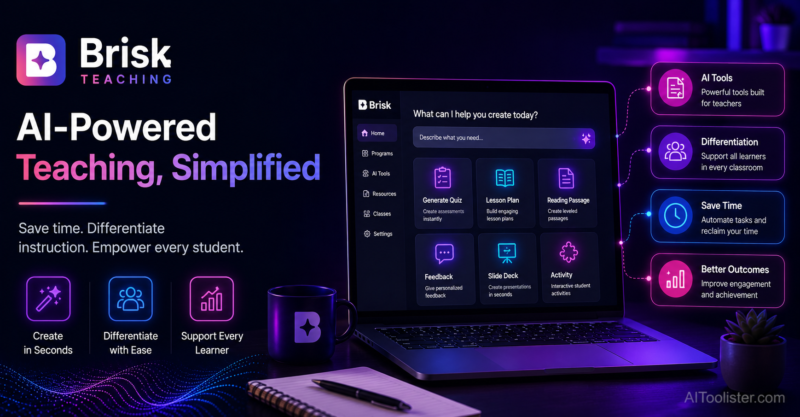
Most AI teaching tools ask a teacher to leave their existing document and start over in a separate web app, copying content back and forth. Brisk Teaching took the opposite approach from the start, building itself as a Chrome extension that lives directly inside Google Docs and Slides, so feedback, leveling, and material generation happen right where the work already is.
What is Brisk Teaching?
Brisk Teaching is an AI-powered Chrome extension built specifically for Google Workspace for Education, giving teachers AI feedback, reading-level adjustment, and content generation tools directly inside Google Docs, Slides, and Classroom rather than through a separate destination platform. Its core strength lies in asynchronous work: generating rubric-aligned feedback on student writing, leveling a passage up or down in difficulty, and creating presentations or quizzes from documents a teacher already has. A distinctive feature is its writing-process replay, which can flag potentially AI-generated student work by reviewing how a document was actually written over time, a genuine differentiator among classroom AI tools in 2026.
Key features
In-Document AI Feedback
Generates rubric-aligned feedback directly inside an open Google Doc, letting teachers review and apply suggestions without exporting content to a separate tool.
Reading Level Adjustment
Lets teachers select a passage and level it up or down in reading difficulty directly within the document, a fast, native-feeling alternative to manually rewriting text.
Writing Process Replay
Reviews how a Google Doc was actually written over time to help flag potentially AI-generated student work, a genuine differentiator not commonly offered by competing tools.
Content Generation from Existing Documents
Creates presentations, quizzes, and other classroom materials directly from documents a teacher already has, rather than starting from a blank prompt each time.
Chrome Extension Architecture
Operates as a browser extension rather than a standalone platform, meaning it works wherever a teacher is already working in Google Workspace without switching tabs or destinations.
District-Level Deployment Tools
Available on custom-priced School and District tiers, includes SSO integration and volume licensing for institution-wide rollout.
Pros
- Genuinely native workflow integration means teachers don't need to leave the document they're already working in to get AI assistance
- The writing process replay feature for flagging potentially AI-generated student work is a real differentiator among classroom AI tools
- Free tier remains usable for individual teachers with reasonable daily usage caps, not a token trial
- 2026 updates have focused on stability and speed, with meaningfully better handling of long documents and large slide decks compared to earlier versions
Cons
- Being Chrome-extension-based means it depends specifically on Chrome or Edge, with no standalone app for teachers using other browsers or workflows
- School, District, and Intelligence tier pricing is not published and requires a sales conversation for a quote
- Free-tier usage caps have tightened modestly over time, so heavy daily users should verify current limits fit their workflow
- Narrower for live, synchronous classroom engagement compared to a tool like Curipod, since Brisk's strength is asynchronous document work
Pricing
Brisk Teaching offers a free educator tier with core teacher tools and daily usage caps, alongside a paid individual Premium/Plus tier and custom-priced School and District tiers for institutional deployment. The free tier is genuinely usable for individual teachers with typical daily workflows, while School and District pricing includes features like no usage limits, advanced AI models, standards integration, admin dashboards, and custom privacy agreements, priced through direct sales contact. Confirm current individual tier pricing and request a District quote on the official Brisk Teaching pricing page before budgeting for a school-wide rollout.
Best for
Brisk Teaching is best suited to teachers and districts already standardized on Google Workspace for Education who want AI assistance embedded directly inside Docs, Slides, and Classroom rather than as a separate destination platform. It fits AI Education workflows centered on asynchronous feedback, leveling, and material generation from existing documents. Teachers outside the Google Workspace ecosystem, or those whose primary need is live, synchronous classroom engagement, should consider a broader platform like MagicSchool AI or an interactive tool like Curipod instead.
Use cases
- Generating rubric-aligned feedback on a student essay without leaving Google Docs
- Leveling a reading passage up or down in difficulty directly within a document
- Reviewing a document's writing process replay to help identify potentially AI-generated student work
- Creating a presentation or quiz from an existing lesson document
- Drafting classroom materials quickly within an existing Google Workspace workflow
Supported platforms
- Brisk Teaching operates as a Chrome or Edge browser extension, working specifically within Google Docs, Slides, and Classroom rather than as a standalone web application or dedicated mobile app.
Languages
- Brisk Teaching supports English along with multiple additional languages, useful for classrooms with multilingual students working within Google Workspace.
Integrations
- Brisk Teaching's core integration is with Google Workspace for Education, working directly inside Google Docs, Slides, and Classroom rather than requiring content to be copied in and out of a separate platform.
Things to consider
- Confirm your school or district is genuinely standardized on Google Workspace before adopting Brisk as a primary tool, since its core value depends entirely on that ecosystem integration, and it offers less benefit for schools using Microsoft 365 or another platform. Districts should request a direct quote and review current free-tier daily usage caps against typical teacher workflows, since limits have tightened modestly in recent updates. Teachers whose primary challenge is live, synchronous classroom engagement rather than asynchronous document feedback should evaluate Curipod alongside Brisk, since the two solve different problems.
How the tool compares
Brisk Teaching's closest comparison is Curipod, though the two are complementary rather than directly competing: Brisk excels at asynchronous document work like feedback and leveling, while Curipod focuses specifically on live, real-time classroom engagement, and many teachers use both for different parts of their workflow. Against a broader standalone platform like MagicSchool AI, Brisk's Chrome-extension approach keeps teachers inside their existing Google Docs workflow, while MagicSchool operates as its own separate destination with a broader tool library. Teachers deeply embedded in Google Workspace who want AI assistance without switching tabs tend to prefer Brisk specifically; teachers wanting the broadest possible tool library in one place may prefer a standalone platform instead.
AIToolister verdict
Quick Answers
- Is it free? Freemium — a usable free educator tier exists with daily usage caps. - Is it worth it? Yes, particularly for teachers and districts standardized on Google Workspace for Education. - Who should use it? K-12 teachers and districts using Google Docs, Slides, and Classroom as their core workflow. - Best alternative: Curipod for teachers whose primary need is live classroom engagement rather than document feedback.
Brisk Teaching's Chrome extension approach genuinely reduces the friction of using AI in a teacher's existing document workflow, and its writing process replay feature for flagging potentially AI-generated student work addresses a real, growing concern in classrooms. Its dependency on Google Workspace and Chrome or Edge specifically is a meaningful constraint worth confirming fits your school's actual tech stack before adopting it as a primary tool. For teachers deeply embedded in Google Docs and Slides, it remains one of the more seamlessly integrated AI teaching tools available.
Decision Summary
- Teacher or district standardized on Google Workspace for Education: Recommended - Using Microsoft 365 or a non-Google ecosystem: Consider a standalone platform instead - Primary need is live, synchronous classroom engagement: Pair with or consider Curipod instead - Concerned about detecting AI-generated student writing: Good fit given the writing process replay feature
Frequently asked questions
- Is Brisk Teaching free for teachers?
Yes, Brisk Teaching offers a free educator tier with core teacher tools, feedback styles, and basic writing-inspection support, subject to daily usage caps.
- Does Brisk Teaching work outside of Google Workspace?
No, Brisk Teaching operates as a Chrome or Edge browser extension built specifically for Google Docs, Slides, and Classroom. Schools using Microsoft 365 or another ecosystem won't get the same native integration benefit.
- How does Brisk Teaching detect AI-generated student writing?
Brisk Teaching's writing process replay feature reviews how a Google Doc was actually written over time, helping flag documents that show patterns consistent with AI generation rather than gradual human writing and editing.
- How much does Brisk Teaching cost for a school district?
School and District tier pricing, along with the Intelligence tier, is not publicly published and requires a custom quote through direct sales contact. Volume discounts and SSO integration are included at that level.
- Can Brisk Teaching adjust the reading level of existing text?
Yes, Brisk Teaching lets teachers select a passage within a Google Doc and level it up or down in reading difficulty directly inside the document, without needing to copy content to a separate tool.
