
Almost every small business ends up duct-taping its software together by hand, copying leads from a form into a spreadsheet, forwarding orders into a shared inbox, exporting contacts from one tool to paste into another. Zapier built its entire business on eliminating that duct tape, and it has spent the last two years layering AI on top of that foundation so the automations themselves can be built, and now run, with far less manual setup.
What is Zapier AI?
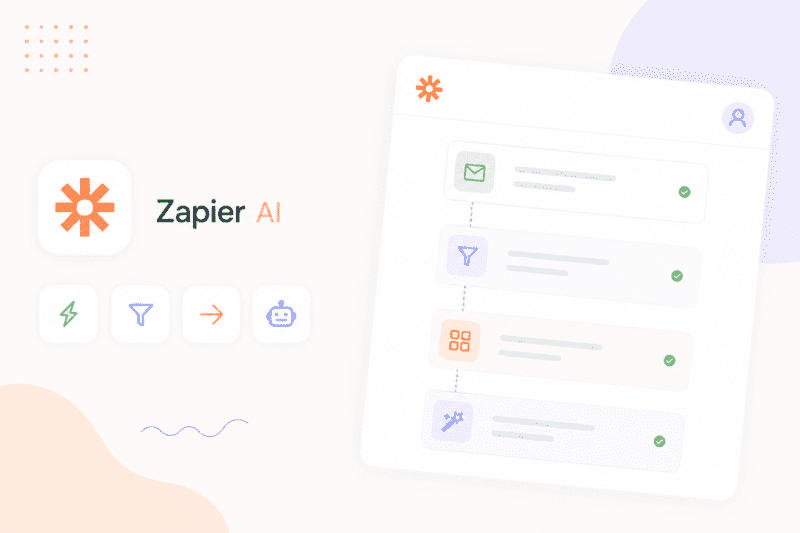
Zapier is a no-code workflow automation platform that connects more than 8,000 apps, according to Zapier's official help center, and automates repetitive tasks using triggers, actions, and now AI-driven building and execution. Founded in 2011 by Wade Foster, Bryan Helmig, and Mike Knoop, Zapier lets users create "Zaps," automated workflows that trigger in one app and perform an action in another, without writing code. Its recent AI expansion adds three distinct layers on top of that core automation engine: Zapier Copilot, which builds a workflow from a plain-English description; Zapier MCP, which connects AI assistants like Claude and ChatGPT to Zapier's entire app catalog; and Zapier Agents, standalone AI teammates that can take actions autonomously rather than waiting for a trigger. It's built for people who want automation and, increasingly, AI-driven execution, without becoming developers to get it.
Key features
Zapier Copilot
Built directly into the workflow editor, Copilot lets users describe a workflow in plain English and generates the corresponding automation automatically, removing much of the trial-and-error involved in building a Zap from scratch.
Zapier MCP
This Model Context Protocol integration connects AI assistants, including Claude AI, ChatGPT, and Cursor, to Zapier's app catalog through a single authentication layer, letting an AI model take real actions across thousands of connected apps rather than just generating text.
Zapier Agents
Sold and billed separately from core Zaps, Agents are standalone AI teammates that can browse the web, take actions inside connected apps, and handle tasks autonomously rather than only reacting to a defined trigger.
Multi-Step Zaps with Paths
Beyond simple one-to-one automations, Zapier supports multi-step workflows with conditional branching, letting a single automation route differently depending on the data it receives.
Zapier Tables and Forms
Built-in database and form tools let users collect and store data without a separate app, and these do not consume tasks from the plan's monthly allowance.
AI Fields
Available on Professional plans and above, AI Fields let users enrich data inside Zapier Tables using AI models directly within a workflow, without a separate integration.
Pros
- Copilot genuinely lowers the barrier to building a working automation from scratch
- MCP support gives AI assistants real, actionable access to a massive app catalog in one connection
- Multi-step Zaps with conditional Paths support meaningfully complex logic without code
- Broad integration coverage remains the deepest of any major automation platform
- Free plan is genuinely usable for testing before committing to a paid tier
Cons
- Task-based pricing means multi-step or AI-heavy workflows can burn through a plan's allowance fast
- Zapier Agents and Chatbots are billed entirely separately from core Zaps, adding real cost on top of a base subscription
- At scale, Zapier is consistently reported as several times more expensive than alternatives like Make or n8n for equivalent automation volume
- The free plan was reduced from 750 tasks to 100 tasks per month, limiting how much testing it actually supports
Pricing
Zapier offers a free plan with 100 tasks per month, then Professional starts at $19.99 per month billed annually, or $29.99 month-to-month, for 750 tasks. The Team plan starts at $69 per month billed annually, or roughly $103.50 month-to-month, and includes 2,000-plus tasks along with shared workspaces and SSO. Enterprise pricing is custom and quote-based. Every plan includes Zaps, Tables, Forms, and Zapier MCP, but Zapier Agents and Zapier Chatbots are priced and billed as separate add-on products rather than being bundled into the core subscription. Because Zapier's pricing is metered by task volume rather than a flat rate, and task tiers scale the price up significantly at higher usage, restaurants and businesses should model their expected monthly task count before committing, and confirm current tiers on Zapier's official pricing page.
Best for
Zapier is best suited to non-technical teams and individuals who want to automate repetitive tasks between apps without hiring a developer or maintaining custom code. It particularly fits small businesses, marketing and sales teams, and freelancers who value ease of use and broad app coverage over the lowest possible per-task cost. It's a weaker fit for teams running high-volume, multi-step workflows where task-based billing gets expensive quickly, or for developers who want full code control over their automation logic, since a tool like Make.com or a code-first platform may offer more headroom at scale. Readers can browse our AI Automation category or Best AI Tools for Small Businesses guide for related options.
Use cases
- Automatically syncing new leads from a form into a CRM and a spreadsheet at the same time
- Routing customer support tickets to the right team based on conditional logic
- Connecting Claude or ChatGPT to real business apps through Zapier MCP to take actions, not just generate text
- Building a working automation from a plain-English description using Copilot instead of a manual editor
- Deploying an autonomous AI agent to handle a recurring task without a fixed trigger
Supported platforms
- Zapier is a web-based platform with no official native desktop or mobile application. Despite user requests over several years, Zapier has not released a consumer-facing iOS or Android app; any app listings referencing "Zapier" in mobile app stores beyond Zapier's own internal event apps are unofficial third-party guides, not the product itself. All automation building and management happens through the browser.
Languages
- Zapier's interface and documentation are provided in English. No comprehensive list of additional supported interface languages is published in official sources, so teams needing multilingual support should confirm current availability directly with Zapier.
Integrations
- Zapier connects with more than 8,000 apps, including Slack, Google Sheets, HubSpot, Salesforce, and Shopify, making its integration catalog one of the broadest of any automation platform. Certain apps, including Salesforce, HubSpot, and Microsoft Dynamics, are classified as Premium apps and require a paid plan to access. Zapier also offers a developer platform and API for building custom integrations beyond its existing app directory.
Things to consider
- Zapier's task-based pricing model means the actual monthly cost depends heavily on workflow complexity, not just the plan tier selected. A single multi-step Zap with several actions can consume tasks far faster than a simple one-to-one automation, and each successful Zapier MCP tool call costs multiple tasks on top of that. Teams evaluating Zapier for AI agent work in particular should budget carefully, since Agents and Chatbots are billed as separate add-on products with their own quotas, meaning the advertised entry price rarely reflects the full cost of a complete AI-enabled automation stack.
How the tool compares
How Zapier AI Compares at a Glance
- Zapier — best for non-technical users wanting the broadest app coverage; starts at $19.99/month billed annually. - Make.com — best for visual, more advanced automation logic; generally lower cost per operation. - n8n — best for self-hosting and full developer control; lower fixed cost, but more setup required. - Pipedream — best for developers who want code-level flexibility; usage-based, code-first pricing.
Zapier's closest direct comparison in the AIToolister database is Make.com, which offers a similarly visual automation builder but is widely reported as three to five times cheaper at equivalent volume, at the cost of a steeper learning curve. Teams wanting to self-host their automation infrastructure or avoid per-task billing entirely often compare Zapier against n8n, while developers who want full code control over their workflows tend to evaluate Pipedream instead. None of these alternatives currently match Zapier's breadth of pre-built app integrations, which remains its clearest differentiator.
AIToolister verdict
Quick Answers
- Is it free? Yes, a limited free plan is available with 100 tasks per month. - Is it worth it? Yes, for non-technical teams that value ease of use over lowest cost. - Who should use it? Small businesses, marketers, and freelancers automating routine tasks. - Best alternative: Make.com for teams wanting lower cost at higher volume.
Zapier remains the easiest way for a non-technical team to get real automation working, and its recent AI additions, Copilot, MCP, and Agents, extend that ease of use into genuinely new territory rather than bolting AI on as a gimmick. The trade-off is cost: task-based billing means the platform that's cheapest to start with can become one of the more expensive ones to scale, particularly once AI agent work enters the picture. Zapier is worth it for teams who value speed of setup and breadth of integrations over squeezing out the lowest possible cost per automation; teams with high-volume or highly technical needs should seriously compare Make or n8n before committing.
Decision Summary
- Fast setup with no coding: Zapier is a strong fit. - The widest possible app coverage: Zapier is a strong fit. - Lowest cost at high automation volume: Consider Make or n8n instead. - Full code control over workflows: Consider Pipedream instead.
Frequently asked questions
- Is Zapier free?
Yes. Zapier offers a permanent free plan with 100 tasks per month and two-step Zaps. Paid plans starting at $19.99 per month unlock multi-step workflows, premium apps, and a larger task allowance.
- Is Zapier worth it for a small business?
For most non-technical small businesses, yes, particularly if the value of time saved outweighs the task-based cost. Businesses running high-volume or complex multi-step workflows should compare the total cost against alternatives like Make before committing.
- Can Zapier replace the need for a developer?
For most standard app-to-app automations, yes, since Zapier is built specifically for non-technical users. Teams with highly custom logic or extremely high automation volume may still benefit from developer-built solutions or a code-first platform.
- What is Zapier MCP?
Zapier MCP is a Model Context Protocol integration that connects AI assistants like Claude and ChatGPT directly to Zapier's app catalog, letting an AI model take real actions across thousands of apps through one authentication layer.
- Does Zapier have a mobile app?
No. Zapier does not currently offer an official native iOS or Android app, and any third-party apps referencing Zapier in app stores are unofficial guides rather than the product itself.