Ahsan Javaid
Last updated: September 2026
Event planning AI now covers much more than writing help. It covers full event management platforms, attendee engagement and AI matchmaking, registration and ticketing, documentation, marketing visuals, and the automation that connects all of it together. This guide compares the ten AI tools for event planning that matter most in 2026, organized by where each one actually fits in your workflow, so you can match the tool to your specific bottleneck rather than adopting a generic “AI in events” stack that doesn’t reflect how you actually work.
How We Selected These Tools
Each tool here was evaluated on relevance to professional event planning, genuine AI functionality, workflow impact, usability, and pricing or value where that information is publicly verifiable. Several platforms on this list — especially the enterprise and networking-focused tools — don’t publish self-serve pricing; where that’s the case, this guide says so rather than guessing.
Quick Comparison
| Cvent / CventIQ | Enterprise event management | AI event content, venue intelligence, session repurposing | No | Custom pricing — contact Cvent |
| Spark AI for Events | Purpose-built AI for event professionals | Agendas, speaker bios, content repurposing, feedback analysis | Yes — free Starter tier | Verify current Professional pricing directly |
| Whova | Attendee engagement and event management | AI-curated agendas, networking matching | No published free tier | Custom pricing based on event size |
| Grip | AI matchmaking and networking | AI-driven attendee-to-attendee and attendee-to-exhibitor matching | No | Contact for pricing |
| Brella | Networking and meeting recommendations | Intent-based AI matchmaking, meeting scheduling | No | Contact for pricing |
| ChatGPT | Agendas, proposals, vendor briefs, event copy | General-purpose AI (LLM) | Yes | $20/month (Plus) |
| Canva AI | Event marketing visuals and signage | AI design assistance (Magic Studio) | Yes — permanent free plan | $144/year for one person (Pro, annual) |
| Otter.ai | Meeting transcription and action items | Real-time transcription and AI summarization | Yes — 300 min/month | $16.99/month (Pro, monthly billing) |
| Zapier AI | Automating workflows between event apps | AI Actions (classify, extract, summarize) inside automations | Yes — 100 tasks/month | Paid plans start under $30/month |
| Eventbrite | Registration, ticketing, promotion | AI-generated event descriptions and ad/email copy | Yes — free for free events | Free for free events; paid events pay per-ticket fees |
Several vendors — Cvent, Whova, Grip, and Brella in particular — require a demo or sales conversation for exact pricing. Confirm current terms directly before budgeting.
Full Event Management
Cvent / CventIQ
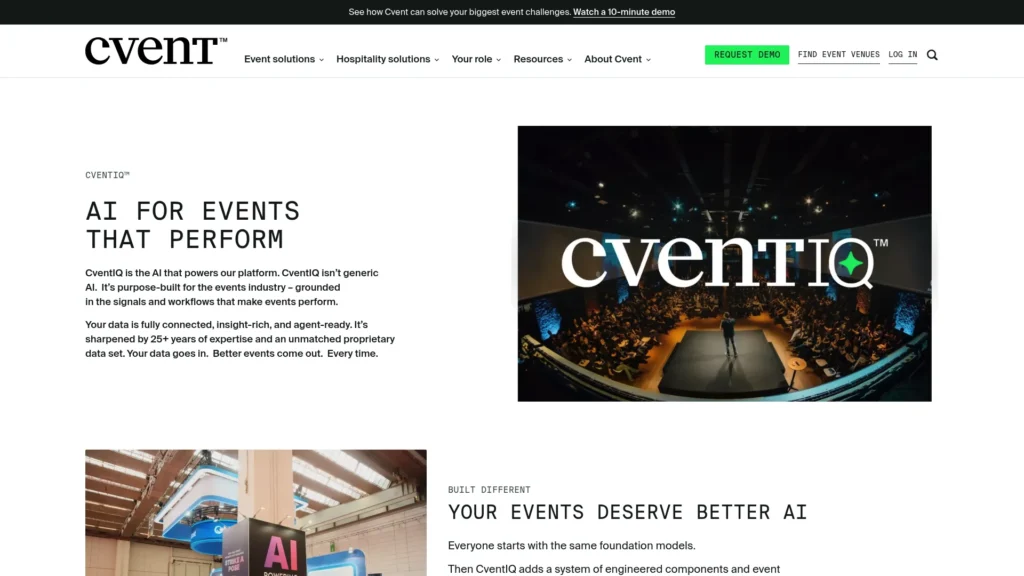
Cvent is an enterprise event technology platform that covers venue sourcing (from a network of roughly 340,000 hotels), registration, room block and floor plan management, virtual and hybrid delivery, trade show lead capture, and 1:1 meeting scheduling — all in one system. CventIQ is the AI suite layered across that platform, not a separate bolt-on product. It handles tasks like turning event recordings into social clips, blog posts, and follow-up emails, and surfaces venue and planning intelligence drawn from 25+ years of Cvent’s proprietary event data rather than a general-purpose model applied to events after the fact.
Cvent expanded its AI marketing and webinar capabilities through its late-2025 acquisition of Goldcast and its early-2026 acquisition of ON24, extending CventIQ’s reach into virtual and on-demand content beyond in-person events. The platform also connects event data to CRM systems like Salesforce and HubSpot for organizations that need to tie event attendance back to the sales pipeline.
Best for: organizations running dozens or hundreds of events a year across in-person, virtual, and hybrid formats who need venue sourcing, registration, and AI-assisted content production in one platform. Pricing: Cvent does not publish self-serve pricing — plans are quote-based and typically require a sales conversation. Limitation: the platform’s scale and depth make it a poor fit for a single planner running occasional events; smaller operations will pay for far more capability than they use.
Spark AI for Events
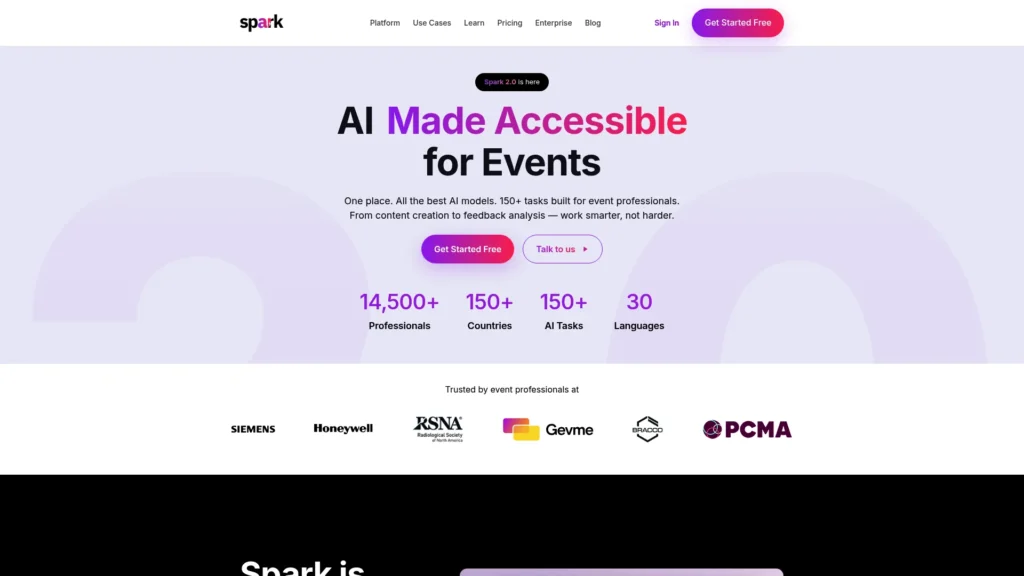
Spark (built by Gevme in partnership with PCMA, the Professional Convention Management Association) is one of the few AI tools built specifically for the event profession rather than adapted from general-purpose software. Its current version offers more than 150 AI tasks organized around event roles — planner, marketer, destination marketing organization, logistics coordinator, supplier — covering agenda building, speaker bio writing, event description generation, email composition, and content repurposing (turning a session recording or transcript into an eBook, how-to guide, or Q&A document). A feedback and sentiment analysis feature helps planners process post-event survey data faster than reading every response manually.
Best for: event professionals who want AI tools purpose-built for event-specific writing and content tasks rather than a general-purpose assistant. Free option: a free Starter tier has been available since Spark’s launch. Pricing: a Professional tier has historically been priced separately from the free tier; confirm current Professional pricing directly with Spark, since we could not verify an exact current rate from a source dated to 2026. Limitation: Spark is a content and task tool, not a full event management platform — it doesn’t handle registration, ticketing, or venue sourcing.
Attendee Engagement & Networking
Whova
Whova is an event app and attendee engagement platform built on the idea that most planners under-invest in the attendee experience, not just the logistics of running the event. Its AI features include a curated agenda based on each attendee’s interests and role, and networking recommendations that proactively suggest which attendees should meet based on complementary interests and goals, rather than leaving networking to chance. The organizer dashboard gives real-time visibility into which sessions are generating engagement and which networking connections are actually happening.
Read our Whova overview for a closer look at the platform.
Best for: conference and professional-association planners where networking and attendee community are central to the event’s value. Pricing: Whova does not publish fixed rates. Pricing is determined per event based on size, format, and duration after submitting event details, and requires a custom quote — no self-serve checkout exists. Limitation: the lack of published pricing makes early budgeting harder than with tools that list rates upfront, and there’s no confirmed permanent free tier for paid events.
Grip
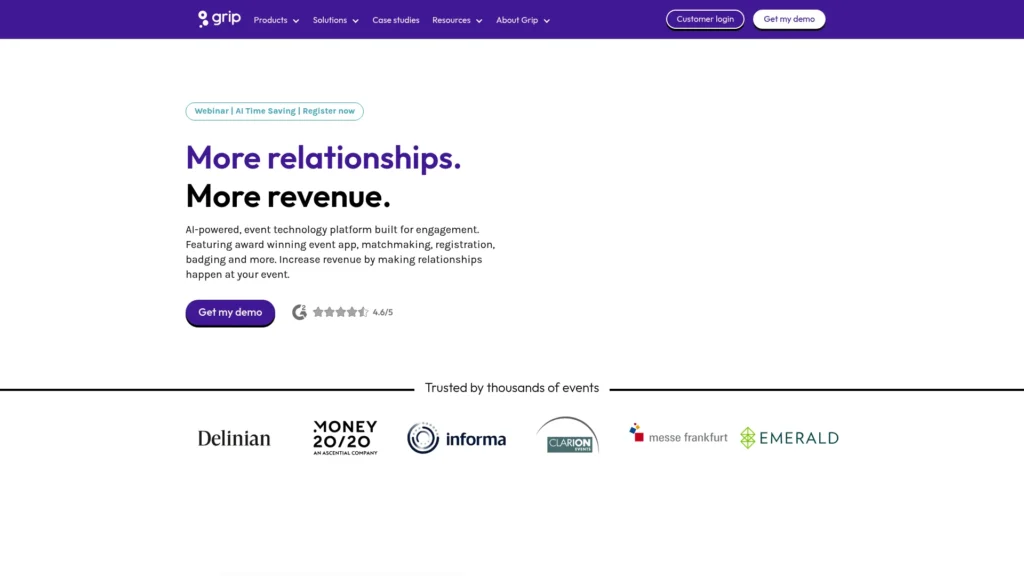
Grip is an AI-powered, end-to-end event platform used by large commercial organizers including Informa, Ascential, Hyve, and Clarion Events. Beyond matchmaking, the platform now covers event management, registration, onsite badging, and a mobile event app, and a recently launched AI Assistant answers participant questions instantly — session schedules, venue details, exhibitor information, and personalized queries like “where’s my next meeting” — with one-tap actions to join a session or create a meeting directly from the chat. Organizers can use Grip’s full platform or integrate just the matchmaking layer into an existing event tech stack.
AI matchmaking remains the feature most worth choosing Grip for specifically: it combines behavioral and profile data to recommend attendee-to-attendee and attendee-to-exhibitor connections more precisely than keyword-based matching, and a global search function lets attendees discover relevant content, profiles, companies, and products from one search bar. A Web Networking module lets attendees start scheduling meetings before the event even begins, based on the same matchmaking intelligence that runs the on-site experience.
Best for: large exhibitions and trade shows where AI matchmaking between attendees and exhibitors drives measurable event ROI, with the option to adopt Grip’s broader registration and badging tools alongside it. Pricing: Grip is contact-for-pricing with no published rates and no free trial. Limitation: match quality depends on how complete attendee profile data is, and the platform’s scale and pricing model target commercial organizers running large events rather than smaller operations.
Brella
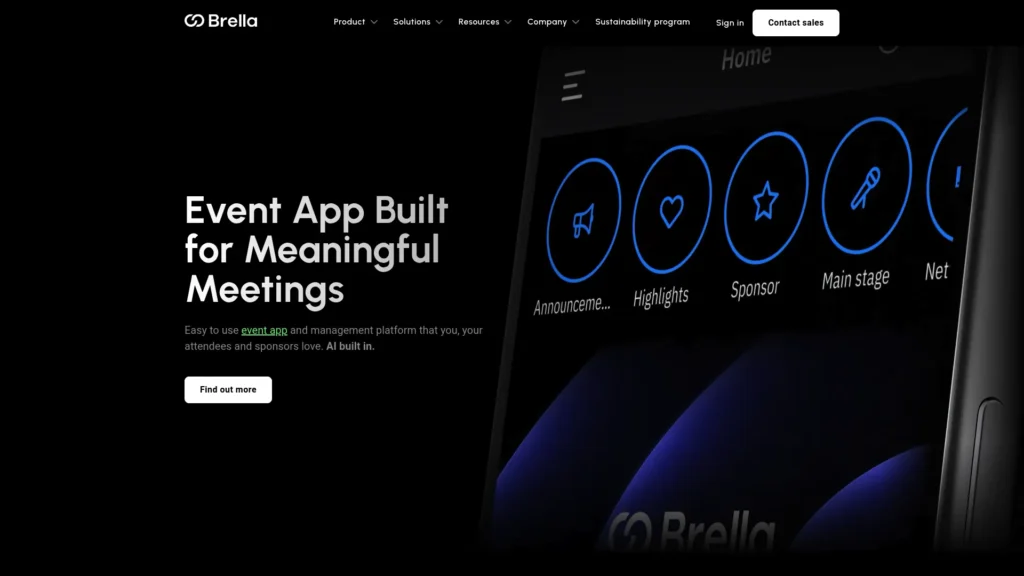
Brella is an event platform for in-person, virtual, and hybrid events that has grown beyond pure networking: it now includes a full event app with agendas and schedules, registration and access control (join codes and links gate entry to the app and event content), live streaming, sponsor and exhibitor content, and AI-powered intent-based matchmaking with 1:1 meeting scheduling. Attendees set their networking intent and interests, and Brella’s matching surfaces the people and sponsors most worth their time rather than leaving that discovery to chance conversations in a hallway. A schedule API and CRM integrations (Salesforce, Pipedrive, HubSpot) let organizers connect Brella to their existing systems where needed.
Best for: conferences and exhibitions where AI-driven meeting matchmaking is the priority, delivered as part of a full event app rather than a networking-only add-on. Pricing: contact-for-pricing, with no permanent free plan. Limitation: as a platform, it’s positioned for mid-market to enterprise events rather than small gatherings, and full pricing isn’t published, which makes early budgeting harder than with tools that list rates upfront.
Documentation & Planning Support
ChatGPT
ChatGPT is the most versatile documentation tool on this list precisely because it isn’t built for events specifically — its range covers every category of writing an event planner produces. Give it the event structure, timing, key segments, and responsible parties, and it drafts a run-of-show document you edit rather than build from a blank page. The same applies to vendor briefs, client update emails, proposal narratives, and post-event reports: provide the specifics, and it produces a structured first draft aligned with the information you gave it.
Best for: every category of event documentation — run of show, vendor briefs, timelines, proposals, and client communication — across the full planning workflow. Pricing: $20/month for the Plus plan; the free tier handles most of this documentation work adequately. Limitation: it has no independent knowledge of your specific vendors, venue, or client history — it works only with the information you provide, and output should always be reviewed before it goes to a client or vendor.
Otter.ai
Event planning runs on a constant stream of calls: client briefings, vendor site visits, venue coordinator conversations about room layout, and post-event debriefs. Otter.ai joins calls automatically, transcribes them in real time, and generates a summary of key points and action items when the call ends, with a searchable transcript that resolves disputes about what was actually discussed weeks earlier.
Best for: planners managing complex, multi-vendor events where details discussed on calls need to be referenced accurately later. Pricing: the free Basic plan includes 300 transcription minutes a month, capped at 30 minutes per conversation; Pro is $16.99/month billed monthly (roughly $8.33/month billed annually). Limitation: the free tier’s per-conversation cap means longer client consultations or vendor calls will hit the limit quickly.
Marketing & Visual Production
Canva AI
Every event needs a volume of visual assets — landing page headers, social posts, speaker announcements, signage, sponsor graphics — that adds up fast over a multi-month campaign. Canva AI’s brand kit stores an event’s visual identity so every asset looks consistent, no matter who on the team produces it, and its AI generation tools (Magic Studio) create custom images without requiring stock photo licenses.
Best for: every event planner producing visual marketing content or day-of signage — this is close to a universal recommendation regardless of event type. Pricing: $144/year for one person on the Pro plan, billed annually (about $12/month equivalent). Free option: yes — a genuine permanent free tier, though most AI design features require Pro.
Workflow Automation
Zapier AI
A typical event planning operation runs across multiple disconnected tools — a registration platform, an email tool, a CRM, a project management system — and someone ends up manually moving data between them. Zapier AI automates those transfers: describe the automation you want in plain language (“when someone registers, add them to the attendee list and send the info pack”), and Zapier builds it without technical setup. AI by Zapier steps can classify text, extract data, and summarize content as part of a broader automation, and are currently available on Professional, Team, and Enterprise plans — not the free tier.
Best for: planners running multiple tools who lose real time each week to manual data transfer between systems. Pricing: the Free plan covers 100 tasks a month with basic single-step automations but doesn’t include AI by Zapier; Professional, Team, and Enterprise plans unlock AI steps, with paid plans starting under $30/month — confirm the current tier structure and rates directly, since Zapier has changed its plan names and limits more than once in the past year. Limitation: AI steps use model-tier task multipliers — the model tier selected determines how many tasks each AI step consumes per run, so heavy AI use inside automations can burn through a plan’s task allowance considerably faster than ordinary steps.
Registration & Ticketing
Eventbrite
Eventbrite handles the registration and ticketing workflow: the event page, ticket types, confirmation emails, and attendee data. Its genuine AI feature, rolled out starting in 2023, auto-generates an event’s summary, description, and images from just the title, date, and location — and extends the same AI assistance to email campaign copy and social ad copy, aimed at solving the blank-page problem that slows down publishing a new event listing. The AI also auto-fills the event’s type, category, and sub-category from those same basic details, which affects how discoverable the listing is inside Eventbrite’s own marketplace.
Best for: any planner running ticketed events where registration management and a fast, AI-assisted event page matter. Pricing: free event publishing is always fee-free. In the current U.S. pricing structure, paid events are charged per ticket — 3.7% plus $1.79 per ticket, plus 2.9% payment processing on the order — which brings the effective fee above 10% on many ticket prices; fees vary by country, so confirm local rates before pricing tickets. A Pro plan for expanded email marketing capacity dropped from $100/month to $15/month in a February 2026 pricing change. Limitation: the per-ticket fee structure applies regardless of subscription tier, so upgrading to Pro expands email sending capacity but doesn’t reduce transaction fees.
How to Choose an AI Tool for Event Planning
Full event management. If you’re running dozens of events a year with complex logistics, Cvent/CventIQ consolidates sourcing, registration, and AI content production — at enterprise pricing to match.
Planning and documentation. ChatGPT covers the writing side of planning — run of show, briefs, proposals — better than any purpose-built alternative, precisely because it isn’t limited to event-specific templates.
Registration and ticketing. Eventbrite remains the default for straightforward ticketed events, with genuine AI help on the listing and marketing copy side.
Attendee engagement. Whova’s AI-curated agendas and engagement dashboard are built for conferences and professional-development events where the attendee experience is part of the value proposition.
Networking and matchmaking. Grip and Brella both specialize in AI-driven meeting matching — Grip for large B2B trade shows and exhibitions, with registration and badging available alongside it; Brella as a full event app with matchmaking built in.
Marketing and design. Canva AI covers the visual production side of event marketing at a pace and cost that makes a dedicated designer optional, not essential, for most events.
Meetings and vendor coordination. Otter.ai’s transcription and summarization turn the constant stream of client and vendor calls into a searchable record, not half-remembered notes.
Workflow automation. Zapier AI is worth adopting specifically once manual data transfer between your other tools is costing real weekly time — it’s an addition to your stack, not a starting point.
Best AI Tools by Event Type
Corporate events and conferences. The full stack is most relevant here: Cvent or Whova for the core platform, ChatGPT for documentation, Otter.ai for the volume of planning calls, Canva AI for marketing, and Grip or Brella if structured networking is central to the event’s value.
Weddings and social events. Tool priorities shift significantly. ChatGPT for client communication and vendor briefs, Canva AI for every visual — save-the-dates, invitations, signage, menus — and Otter.ai for client consultations where every detail matters. The enterprise platforms (Cvent, Grip) and B2B networking tools are generally irrelevant here.
Virtual and hybrid events. Use Eventbrite or Cvent for registration depending on scale, and rely on Whova or Brella for networking features, since virtual formats lack the natural interaction a physical venue provides.
Nonprofit and community events. Budget constraints make free tiers the primary consideration: ChatGPT’s free plan, Canva’s free plan, Otter.ai’s free tier, and Eventbrite’s fee-free publishing for free events. A functional AI-assisted toolkit is achievable at or near zero cost.
Independent event planners. ChatGPT and Canva AI cover proposal writing and marketing without a design or copywriting hire. Add Otter.ai once client consultation volume makes note-taking a real bottleneck, and Zapier AI once you’re juggling enough separate tools that manual data entry between them becomes its own part-time job.
What AI Can and Cannot Do for Event Planners
AI genuinely helps with documentation, content production, analysis, recommendations, automation, communication drafts, attendee matching, and marketing copy. Across the tools on this list, that coverage is real and specific — not a vague claim about AI “transforming” event planning.
What stays entirely human: the creative vision for what an event should feel like and leave attendees remembering. The vendor relationships — the venue coordinator who gives you the good dates first, the caterer who’s honest about what’s achievable on a specific budget, the AV company that goes above and beyond because they like working with you — built through trust no AI tool replicates. Client judgment, negotiation, and risk management, especially when a client changes scope mid-planning. And the on-site problem-solving that defines the job.
When the florist arrives two hours late, and the ceremony starts in ninety minutes, you need someone who can stay calm, think creatively, make quick decisions, and communicate clearly with everyone involved. Holding a complex situation together under pressure — solving a problem in real time while managing a client’s anxiety and keeping the rest of the event moving — is a deeply human skill. AI is not in the room on event day. You are.
Frequently Asked Questions
What is the best AI tool for event planning? It depends on the phase and event type. Cvent/CventIQ suits large-scale enterprise event management; Whova, Grip, and Brella specialize in attendee engagement and networking; ChatGPT and Otter.ai handle the documentation and communication that surrounds every event regardless of type.
Can ChatGPT plan an event? Not independently — it has no access to your vendors, venue availability, or client history. What it does well is turn the information you already have (event structure, timing, client goals) into structured documents: run of show, vendor briefs, proposals, and client communication. Treat it as a fast first draft you edit, not a finished plan.
How can event planners use AI? Across the full workflow: generating first-draft documentation (ChatGPT), transcribing and summarizing client and vendor calls (Otter.ai), producing marketing visuals at scale (Canva AI), matching attendees for networking (Grip, Brella), curating attendee agendas (Whova), automating data transfer between tools (Zapier AI), and auto-generating event listings and promotional copy (Eventbrite, Spark).
Are there free AI tools for event planning? Yes. ChatGPT’s free plan handles most documentation and writing tasks. Canva’s free plan covers basic visual asset creation. Otter.ai’s free plan provides 300 transcription minutes monthly. Eventbrite is free for free events. Spark AI for Events offers a free Starter tier. A functional AI-assisted toolkit is achievable at zero cost for planners working within those limits.
Can AI help with event registration? Eventbrite’s AI features handle the listing itself — generating the event description, summary, and images, plus email and social ad copy. What AI doesn’t do is decide your registration strategy: pricing tiers, early-bird structure, and audience targeting still require the planner’s judgment about the specific event and audience.
Can AI create an event agenda? Yes, in two different ways. Spark AI for Events and ChatGPT can help draft an agenda structure from your inputs. Whova takes it further for attendees specifically, curating a personalized agenda view based on each attendee’s stated interests and role once the event’s sessions are set up.
Can AI improve attendee networking? Yes — this is where Grip and Brella specialize, using AI to match attendees and exhibitors based on interests, roles, and behavioral signals rather than leaving networking to chance. Whova includes networking recommendations as part of its broader attendee engagement platform. None of these guarantee a connection leads anywhere; they surface relevant matches and make it easier to act on them.
Conclusion
You don’t need all ten of these tools for any single event. You need the ones that match your event type and your actual bottleneck. If you’re running enterprise-scale conferences, Cvent and Whova or Grip cover the platform and networking side. If you’re an independent planner or running weddings and social events, ChatGPT, Canva AI, and Otter.ai cover most of what you need without enterprise pricing. If manual work between tools drains your week, Zapier AI closes that gap once the rest of your stack is in place.
AI handles the writing, visual production, transcription, and data transfer. It doesn’t replace the creative direction, the vendor relationships, or the ability to solve a problem calmly when something goes wrong on event day. That part is still entirely you.
For more independent AI tool reviews across every professional category, visit aitoolister.com.
Keep Exploring