
Sprout Social AI
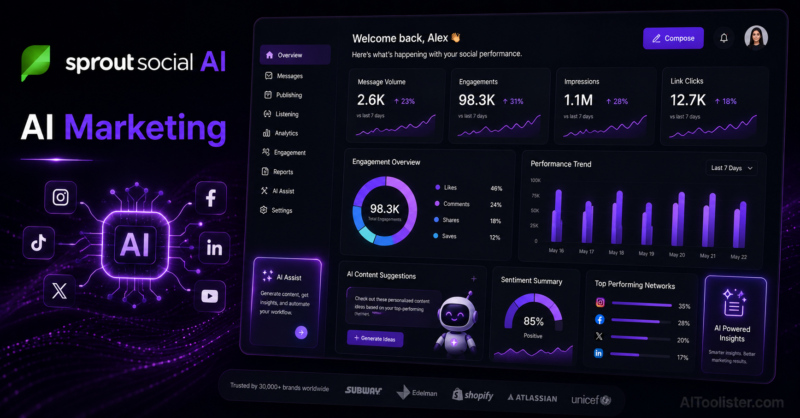
In this Sprout Social AI Review, we explore how this AI-powered social media management platform helps businesses plan content, automate publishing, analyze performance, and strengthen customer engagement across multiple social networks.
Managing social media isn’t just about publishing posts anymore. Brands are expected to respond to messages quickly, monitor conversations, analyze performance, collaborate with teams, and maintain a consistent presence across multiple platforms. Trying to do all of that manually can quickly become overwhelming. Sprout Social AI was built to simplify the entire process through intelligent automation.
The first thing that impressed me was how much more than a scheduling tool it is. While many platforms focus only on publishing content, Sprout Social AI combines content planning, audience engagement, social listening, analytics, customer care, and AI-powered insights into one centralized dashboard. That means I can manage almost every aspect of social media marketing without constantly switching between different applications.
If you’re managing multiple social media channels and measuring campaign performance, our Best AI Tools for Marketing in 2026 — What’s Actually Moving the Needle guide compares Sprout Social AI with other leading marketing platforms.
One feature I particularly like is its AI-assisted content creation. When I’m struggling with captions or campaign ideas, the AI helps generate drafts, rewrite posts, and refine messaging while keeping my brand voice consistent. It also recommends the best publishing times and provides performance insights that help improve future campaigns instead of relying on guesswork.
Sprout Social AI also excels at monitoring conversations happening around a brand. Instead of manually searching each platform, I can track mentions, hashtags, customer feedback, and industry trends from one place. Combined with detailed reporting and team collaboration features, it becomes much easier to manage social media at scale while maintaining fast response times.
Artificial intelligence won’t replace creativity or authentic engagement with your audience. However, it can eliminate much of the repetitive work involved in social media management. If you’re responsible for growing multiple social channels while maintaining a professional online presence, Sprout Social AI is one of the most comprehensive social media management platforms available today.
Sprout Social AI Review: Key Features
- AI-powered social media content generation and editing
- Multi-platform publishing and scheduling
- AI writing assistance for captions and marketing copy
- Social listening and brand mention monitoring
- Unified inbox for messages and customer interactions
- Advanced analytics and performance reporting
- Audience engagement and community management tools
- Team collaboration with approval workflows
- Optimal publishing time recommendations
- Integrations with major social media networks and business platforms
Sprout Social AI Pros
In this Sprout Social AI Review, these are the biggest advantages we found after evaluating its AI-powered content creation, social media scheduling, audience engagement, analytics, and social listening capabilities.
- Complete social media management platform in one dashboard
- Excellent AI assistance for content creation and optimization
- Powerful analytics and social listening capabilities
- Ideal for teams managing multiple social channels
- Saves significant time through automation and scheduling
Sprout Social AI Cons
- Premium pricing may be high for small businesses
- Advanced reporting features require higher-tier plans
- New users may need time to learn the full platform
Best For
Marketing agencies, social media managers, enterprise businesses, ecommerce brands, startups, customer support teams, and organizations that manage multiple social media accounts and require advanced analytics, collaboration, and automation.
Use Cases
Scheduling content across multiple platforms, monitoring brand mentions, responding to customer messages, analyzing campaign performance, planning social media calendars, managing team workflows, tracking competitors, improving audience engagement, and automating daily social media management.
Sprout Social AI Pricing
- Standard plan
- Professional plan
- Advanced plan
- Enterprise solutions
- Custom pricing for large organizations
Things to Consider Before Using Sprout Social AI
Sprout Social AI is designed for businesses that actively manage multiple social media channels. If you only publish a few posts each month, a simpler scheduling tool may be sufficient. To get the most value, you’ll want to use its analytics, social listening, and collaboration features together rather than relying solely on post scheduling.
AIToolister Verdict on Sprout Social AI
Overall, this Sprout Social AI Review shows that the platform is an excellent solution for businesses, agencies, marketing teams, and brands looking to streamline social media management and improve audience engagement with AI-powered insights. If I were managing social media for a growing business or marketing agency, Sprout Social AI would be one of my top choices. It goes far beyond scheduling by combining AI-powered content creation, customer engagement, analytics, and team collaboration into one platform. While the pricing may be higher than some alternatives, the time savings and professional management capabilities make it an excellent investment for businesses that rely heavily on social media marketing.
Official Sprout Social AI Website
Visit the official Sprout Social website to explore its AI-powered social media management platform, compare available plans, and discover tools for publishing, analytics, engagement, and social listening.
Frequently Asked Questions
What is Sprout Social AI used for?
Sprout Social AI is a social media management platform that helps businesses create content, schedule posts, monitor conversations, analyze performance, and manage customer engagement using AI-powered tools.
Which social media platforms does Sprout Social AI support?
Sprout Social AI supports major social networks including Facebook, Instagram, LinkedIn, X (formerly Twitter), TikTok, Pinterest, and other supported marketing channels.
Who should use Sprout Social AI?
Sprout Social AI is ideal for businesses, digital marketing agencies, enterprise brands, social media managers, customer support teams, and content creators managing multiple social accounts.
Does Sprout Social AI provide analytics and reporting?
Yes. Sprout Social AI includes advanced analytics, custom reports, audience insights, competitor analysis, and social listening tools to help optimize marketing strategies.
Is Sprout Social AI worth it?
Sprout Social AI is worth considering for organizations that need an all-in-one platform for social media publishing, customer engagement, analytics, and AI-powered workflow automation.